working with particles to make grass in the wind

Forum Archive working with particles to make grass in the wind

Viewing 9 posts - 16 through 24 (of 24 total)
  • Author
    Posts
  • #73704
    talkingskunk
    Participant

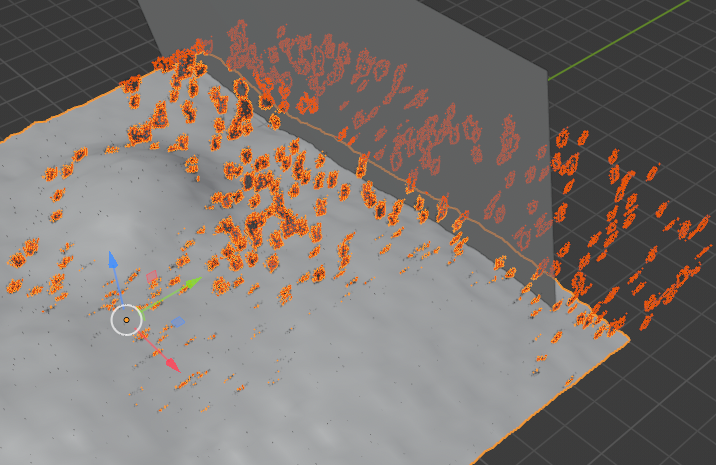
      Keep Shape is off now, but I’m not sure how to make it look normal. It seems to be clipping (if that’s called that?).3-19 at 17.06.35.png

      #73705
      spikeyxxx
      Participant

        I have no idea what is causing that (my guess would be that is has to do with your grass geometry).

        If you could post a link to your .blend here (via Dropbox, GoogleDrive or something like that), I’ll have a look.

        #73706
        talkingskunk
        Participant
          #73707
          spikeyxxx
          Participant

            Hi @talkingskunk

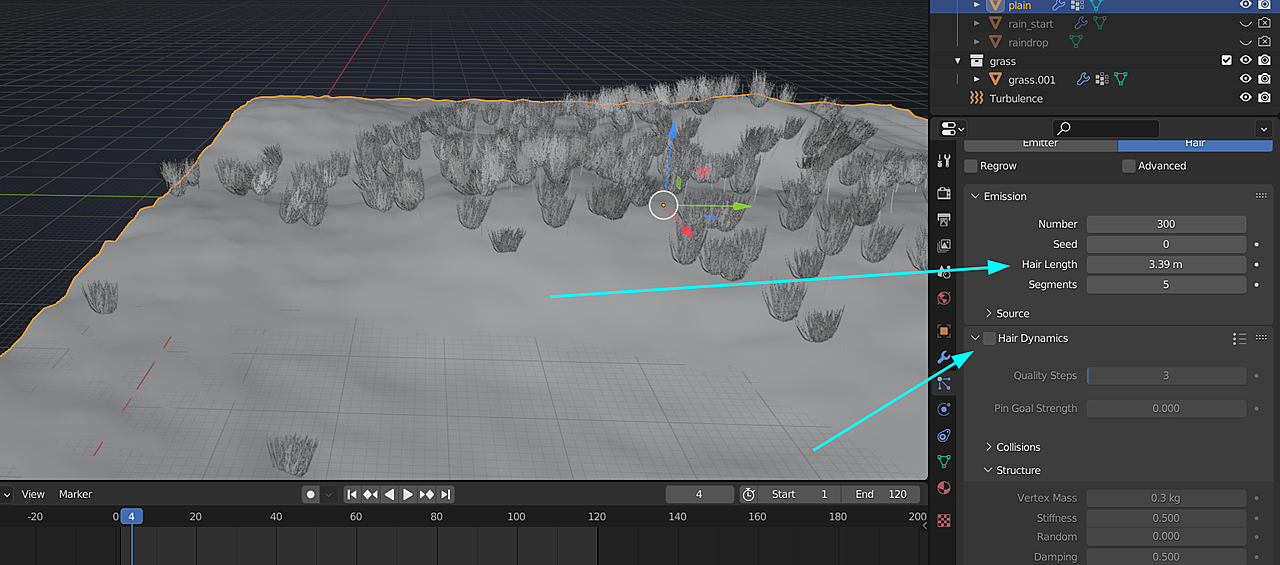
            You have the Hair Length set to 0. Change that to about the height of the grass clump. That way the Grass will appear as expected. Also turn off Hair Dynamics:

            Hair4.png

            #73708
            spikeyxxx
            Participant

              Image got deleted; Hair4.png is:

              Hair4.png

              #73709
              talkingskunk
              Participant

                Spikey, it just isn’t working. Could you send over a file?

                #73710
                spikeyxxx
                Participant

                  @talkingskunk here you go:

                  https://drive.google.com/file/d/1n1eho1VkbhZmdhgpCYWfseW3UU1XtWb0/view?usp=sharing

                  Changed the rotation of the grass to be along the Y-axis and the Axis in the Particle Instance Modifier to Z. Also adjusted the Hair Length in the Particle Settings and disabled Hair Dynamics. Added an animated Turbulence for testing.

                  There are still a few vertically squashed grass parts, but that is because of your Vertex Group that you use to control the Length. If you let it only control the Density, then you are ok, but maybe this is what you want.

                  #73711
                  talkingskunk
                  Participant

                    @spikeyxxx

                    Sorry for my late response. I did not have time to take a look until today. Thank you very much for the file. Your grass dances!

                    I hate to beat a dead horse to a pulp, but I tried to re-create what you have done with my old file, and matched up all the parameters. I am definitely missing something still, even though my file and your file are exactly the same as far as I could tell.

                    If you could bear with me, please let me know if my process is correct:

                    1. Create plain object and grass object.

                    2. Add ParticleSystem to plain object as such:
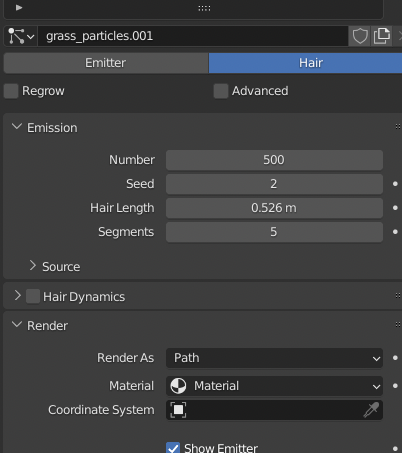
                    Screen Shot 2022-04-02 at 20.17.35.png

                    3. Add ParticleInstance modifier to grass object as such:
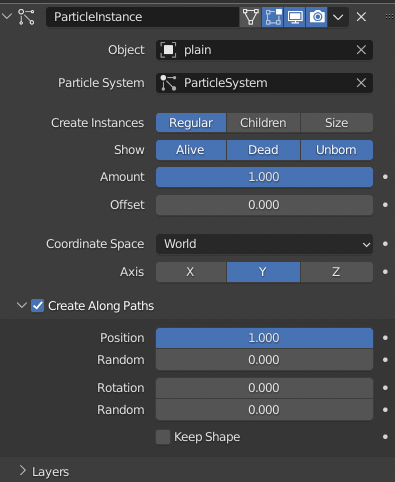
                    Screen Shot 2022-04-02 at 20.15.19.png

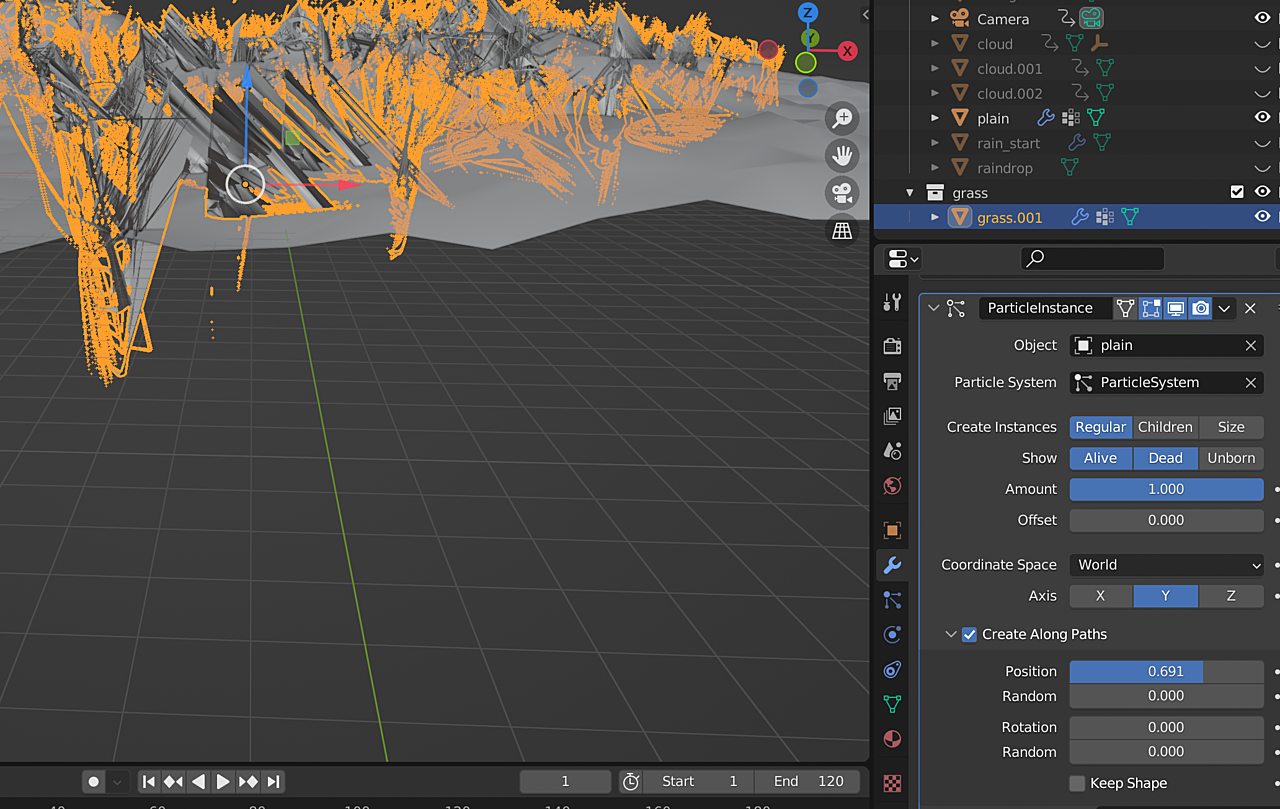
                    which produces result like this (flat 2D by along the Y-axis?):
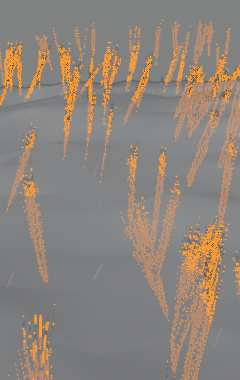
                    Screen Shot 2022-04-02 at 20.16.25.png

                    4. Um…

                    Screen Shot 2022-04-02 at 20.19.34.png

                    I tried following Tanya’s Youtube tutorial for fixing the location of the grass to match up with Hair (“copy location”), but to no avail.

                    You mentioned Rotate, but I’m not sure what you meant.

                    This is my current file if you could take a peek.

                    https://drive.google.com/file/d/1y7gcIT2N2I1IGKqFqImZozWjUpoqEHYy/view?usp=sharing

                    #73712
                    spikeyxxx
                    Participant

                      You need to create the Grass Mesh along the (World) Y-Axis (don’t ask me why, it just works better that way, but you already have your blades modeled, so you can simply rotate them in Edit Mode along the X-Axis -90°, don’t forget to change the Pivot Point!)) and then change the Axis in your Particle instance Modifier to Z. Also change the Hair length, it is still too short (shouldl be more like 4m).

                      It also helps if you press ALT+G on both the Grass and the Ground (Plane).

                    Viewing 9 posts - 16 through 24 (of 24 total)
                    • The topic ‘working with particles to make grass in the wind’ is closed to new replies.