working with particles to make grass in the wind

Forum Archive working with particles to make grass in the wind

Viewing 15 posts - 1 through 15 (of 24 total)
  • Author
    Posts
  • #14936
    talkingskunk
    Participant

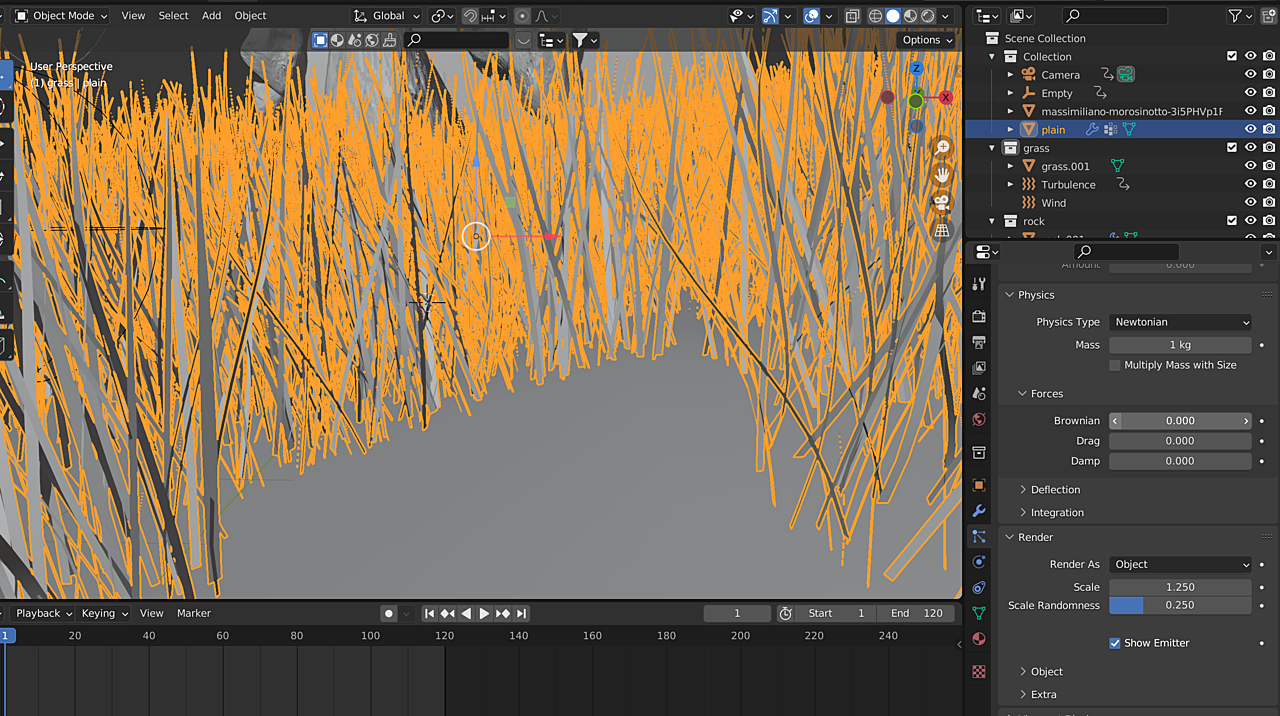
      I built a grass object, inserted into a plane object with particles under (Render as object), and populated the grass, added Wind and Turbulence force field objects.

      Now, the grass does move, but the roots are not staying stationary to the ground. They’re kind of dancing around. Any way to fix this?3-17 at 23.27.42.png

      #73690
      spikeyxxx
      Participant

        @talkingskunk

        You need to give the Grassblades a Particle Instance Modifier with the following settings:

        Grass.png

        Mind how the Grassblade is modeled along the Y-axis and its Origin is at the sme place as the Ground.

        #73691
        spikeyxxx
        Participant

          @tanya53 no, I use the Particle Instance Modifier in order to be able to make the grassblades react to the Forcefield. If you try rendering the Hair Particles as Object (grassblade), they will go straight from root to tip of the hairs, but will not bend.

          #73692
          tanya
          Participant

            @spikeyxxx thanks you helped me out

            #73693
            talkingskunk
            Participant

              How do you fix this when you add the Particle Instance modifier?3-18 at 15.31.28.png

              #73694
              tanya
              Participant

                hi,  I was glad you asked this question, I changed how I was doing something now.  I watched this video https://www.youtube.com/watch?v=JPzYJp5Mfvs (only 6 min) and it helped a lot.  I am still using wind and turbulence, so ignored the last half of video.  You need to reposition you grass piece,  in edit mode.  The origin of my grass and the origin of the mesh with the particles is in the same place.  You can change the way they point in edit mode. or in the particle instance change the coordinate space axis.  The offset in the air change the grass strand in edit mode or adjust the length of the hair.   Hope this helped some, good luck.

                #73695
                spikeyxxx
                Participant

                  @talkingskunk you need to tick the Create Along Paths in the Particle Instance Modifier.

                  You might want to watch this demo by Daniel Bysted: https://www.youtube.com/watch?v=oqjKMd9CYI4

                  Watch the whole BlenderToday episode or start from 15.00 minutes, where he explains the Particle Instance Modifier.

                  #73696
                  talkingskunk
                  Participant

                    Thank you Tanya, and Spikey. I checked both videos out.

                    I was able to get to this point, but still not sure how to make the grass react to wind.3-18 at 23.00.47.png

                    #73697
                    spikeyxxx
                    Participant

                      Hi @talkingskunk don’t use Keep Shape, because that ‘keeps the shape’ of the grass and prevents it from bending.

                      #73698
                      tanya
                      Participant

                        I am using wind and turbulence,  animating their movement and strength.   I also had to change the stiffness in the particle setting,  in the effector collection area to a value near zero .  It takes awhile to get it like you want, so don’t get frustrated, you’ll get it.  

                        I also don’t have keep shape checked in the particle instance.

                        #73699
                        spikeyxxx
                        Participant

                          @tanya53 and @talkingskunk you can also, instead of the stiffness, add a Forcefield > Force below the ground to get a nice “bending gradient”:

                          Grass1.png

                          #73700
                          tanya
                          Participant

                            @spikeyxxx thanks for the force idea, that is easier to use then the wind and turbulence.  

                            #73701
                            spikeyxxx
                            Participant

                              @tanya53 you’d still need at least a turbulence with that, but the grass will appear be stiffer, less influenced by the wind or turbulence, at the roots

                              #73702
                              tanya
                              Participant

                                @spikeyxxx finally done with animating the grass, I’m a lot happier with it after all your help.  The only issue I still have is the hair particle still renders, I can turn off the plane with the hairs, but not the actual hair.  Do you know how to do that or should I just use a transparent material for it?  thanks again

                                #73703
                                spikeyxxx
                                Participant

                                  #tanya53 I don’t think you can turn the hair off, but you can, as you mentioned give it a transparent material, or, in the Hair Shape panel of the Particle System, set the Diameter Root to 0 (the Tip should already be 0).

                                Viewing 15 posts - 1 through 15 (of 24 total)
                                • The topic ‘working with particles to make grass in the wind’ is closed to new replies.