WIP epic pumpkin contest entry by Yukino Hatake

Forum Archive WIP epic pumpkin contest entry by Yukino Hatake

Viewing 15 posts - 16 through 30 (of 53 total)
  • Author
    Posts
  • #43370
    silentheart00
    Participant

      @yukinoh1989 In a way, I guess.  It makes really bad geometry, geometry you’ll probably have to retopo anyway.  So with that in mind, what do you think you should do?

      #43371
      yukino hatake
      Participant

        @silentheart00 first carve in the face expressions then and afterwards use the solidify to give it thickness ?

        #43372
        silentheart00
        Participant

          @yukinoh1989 Sure, give that a try.  See what happens.

          #43373
          yukino hatake
          Participant

            @silentheart00 Kay 😀 i sure will . thanks for the help. this time i cannot afford to make too much mistakes . if i need to redo it too much i wont make it sadly .

            #43374
            silentheart00
            Participant

              @yukinoh1989 No prob.  It helps to think about the process and trying to optimize it so you won’t have a bunch of redundancies.  You’ll get there.

              #43375
              Kent Trammell
              Participant

                @yukinoh1989 Backlighting can absolutely be tricky! I really like what I’m seeing so far 👍

                #43376
                yukino hatake
                Participant

                  @theluthier thank you Kent. I am happy to hear you like it so far. I do like to ask is it possible to achieve a similar rim light effect for all 4 pumpkin like I did with the one standing solo or isn’t that possible. 

                  #43377
                  yukino hatake
                  Participant

                    @silentheart00
                    hey silentheart. i do have a question do you perhaps know why i cannot extrude the face carving in Y axis ? i want to stretch it but someting is wrong. somehow i cannot move or extrude it in edit mode in the y axis . hope someone can help me
                    if you like to check the file this is the link to it 

                    pumpkin family

                    #43378
                    William Miller
                    Participant

                      This is amazing.

                      #43379
                      yukino hatake
                      Participant

                        @williamatics thank you so much trough I am stuck since I have a strange problem. Hope someone will know what the problem is. Trough this is completely different from my original concept. It would been great but at this point not possible for me yet to make such scene in 3D

                        #43380
                        Aaron Rudderham
                        Participant

                          @yukinoh1989 These look so much better than mine it’s unfair damnit.

                          In all seriousness thought they look excellent, nice amount of details.

                          To fix your problem, it appears your face has a Y value of 0, as you can see in the properties panel (under scale):
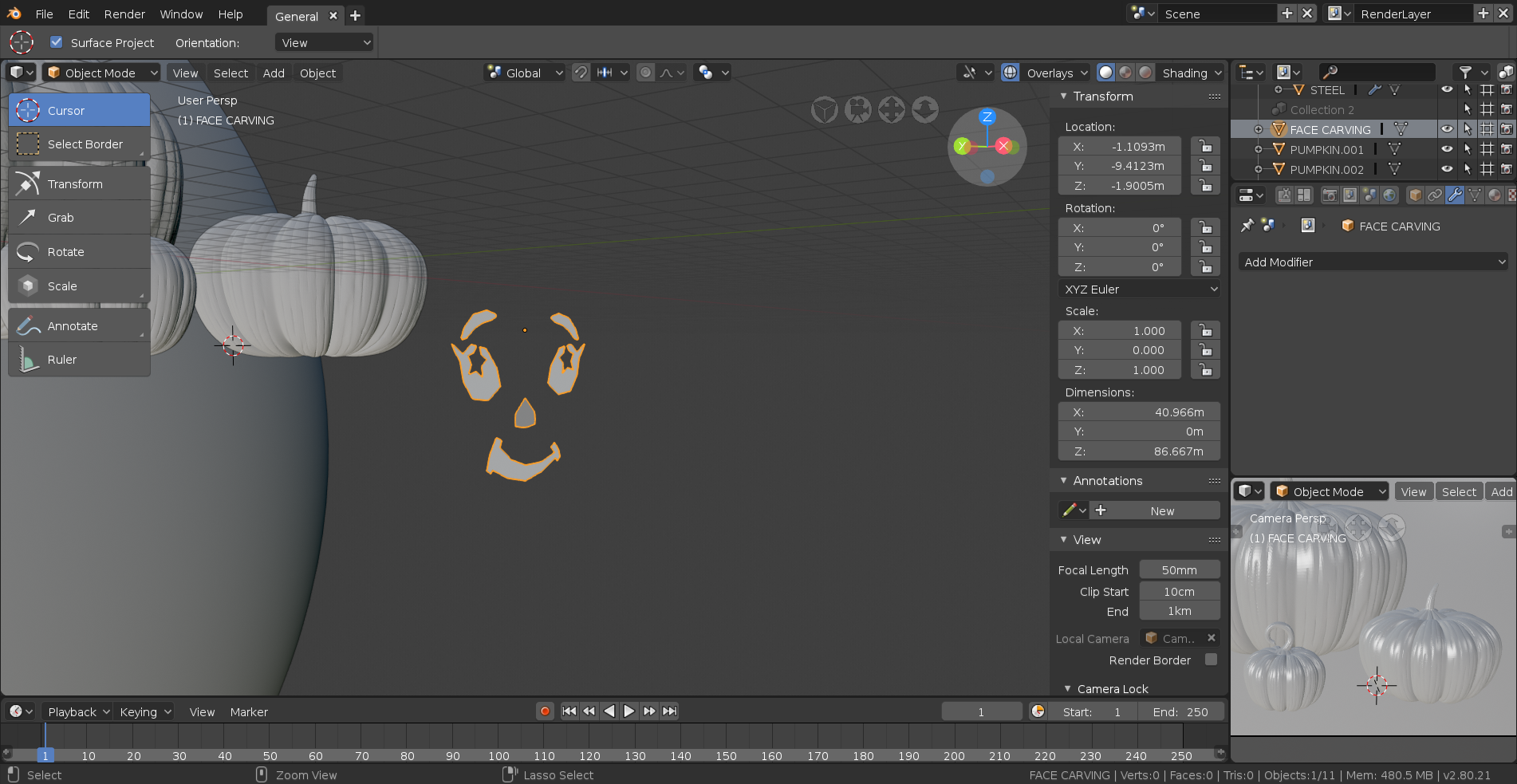
                          Simply select your mesh and hit Ctrl + A and then select Apply Scale and you’ll be good to go.

                          #43381
                          smurfmier1985
                          Participant

                            Nice work @yukinoh1989 they are looking smashing! 😬😬

                            #43382
                            yukino hatake
                            Participant

                              @thecabbagedetective
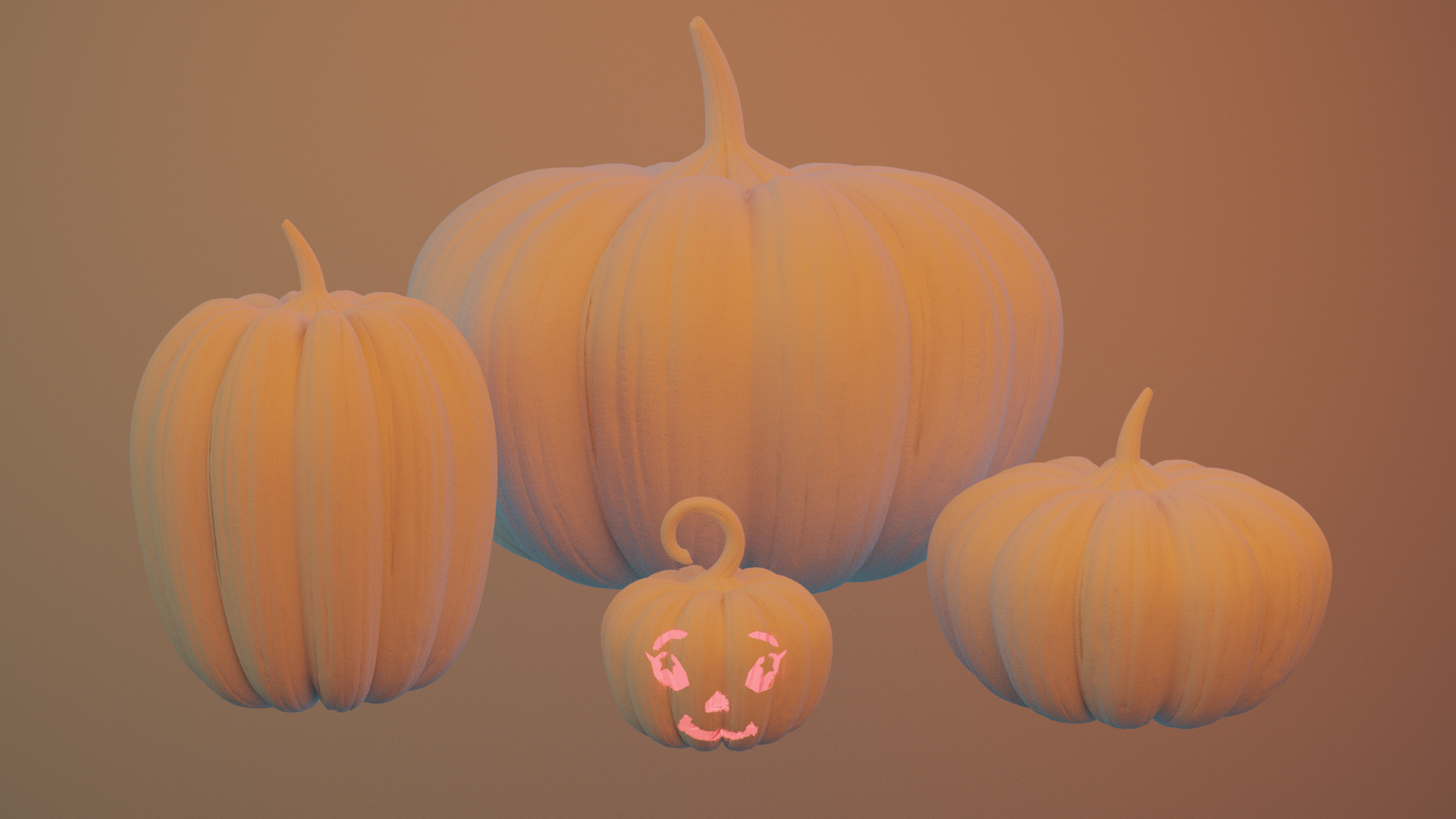
                              Thank you sooo much aaron you saved my day. so basically when you model someting flat you first need to apply the scale before you can continue ? i also rendered one with a face (the cute lil one )
                              tomorrow or this week ill try the other ones .
                              also thanks . i am happy to hear that but yours are great too.
                              and if i looked at my first try then thanks to you guys i got this nice shape (i actually started simple) i first got a basic shape with the screw modifier then deleted till i only had 2 parts left (modelled those 2 parts and resculped (it is kinda messy dont but it should be fixed with the retopo ) then use the array to round it up to a full pumpkin 🙂
                              this is the new render 

                              (the light will change xD it was a small test) 

                              #43383
                              yukino hatake
                              Participant

                                @smurfmier1985 thank you so much just added the update off it with the face carved in and some small light.
                                i am happy you love them so far

                                #43384
                                Aaron Rudderham
                                Participant

                                  @yukinoh1989 Nah not that necessarily, only if the scale is at 0, otherwise it’s fine.

                                  You used the screw modifier? Aha, that explains why they’re so smooth and well detailed, very smart! 

                                Viewing 15 posts - 16 through 30 (of 53 total)
                                • The topic ‘WIP epic pumpkin contest entry by Yukino Hatake’ is closed to new replies.