
Smooth Vertex Colors problem.
Forum Archive › Smooth Vertex Colors problem.
- This topic has 22 replies, 4 voices, and was last updated 2 years ago by
racerrex.
-
AuthorPosts
-
August 29, 2024 at 1:08 pm #18588
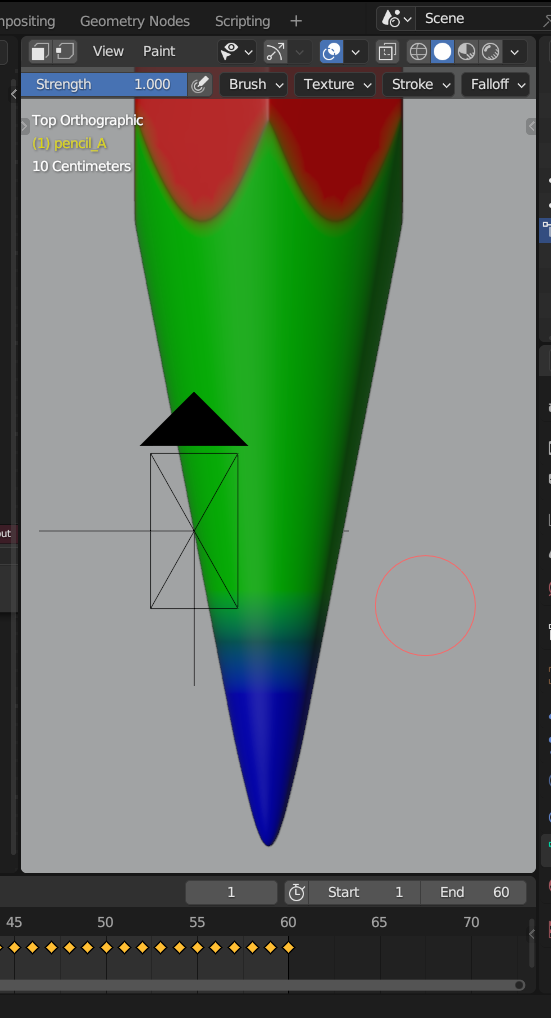
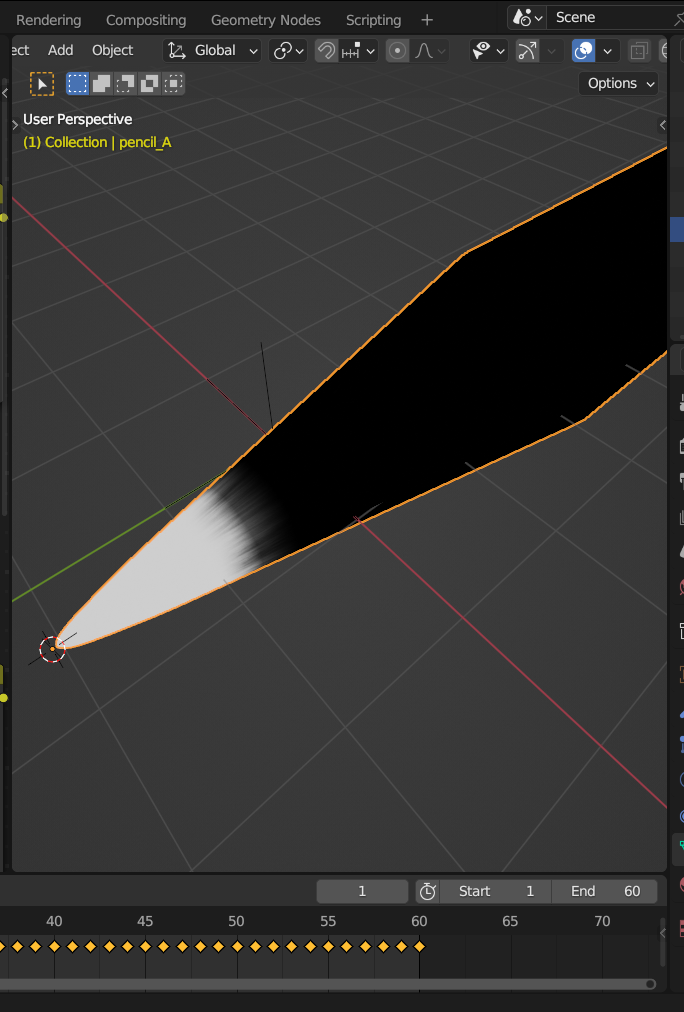
I am having issues using the Smooth Vertex Colors as shown at 4:45 in the video. When I apply this action, the transition between colors does not look the same as what is being shown. I am getting very harsh and obvious lines in between the smoothing. This problem affects the materials being applied to the end of the pencil, leaving very distinct lines. I am using Blender version 3.6. I attempted to try this in version 3.5 and 4.0 as well and I continue to get the same issue. For some reason when I try this in version 3.0 it works correctly, the same way it was demonstrated in the video. I was planning to finish the course using 3.0. However, I was hoping someone might know if I can correct the problem in later versions? Just in case I ever come across the problem in the future.
 August 29, 2024 at 2:11 pm #88773
Hi @racerrex ,
Sorry, I don’t really see what the problem is that you are having…
Here’s a comparison between 3.0 and 4.2:
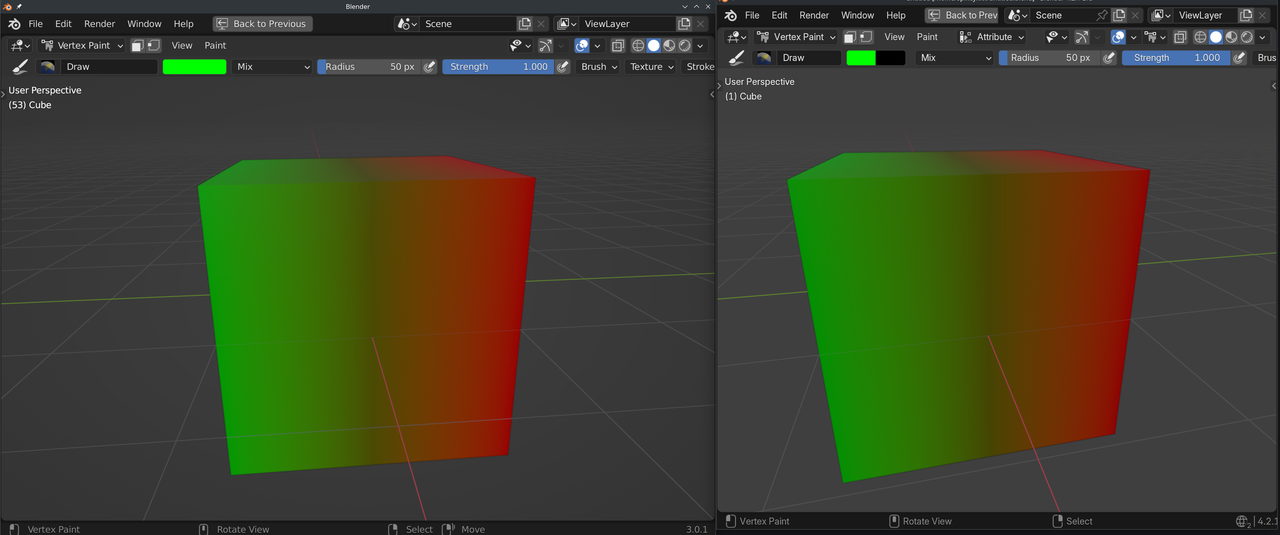
I don’t see any obvious difference (apart from the colors).
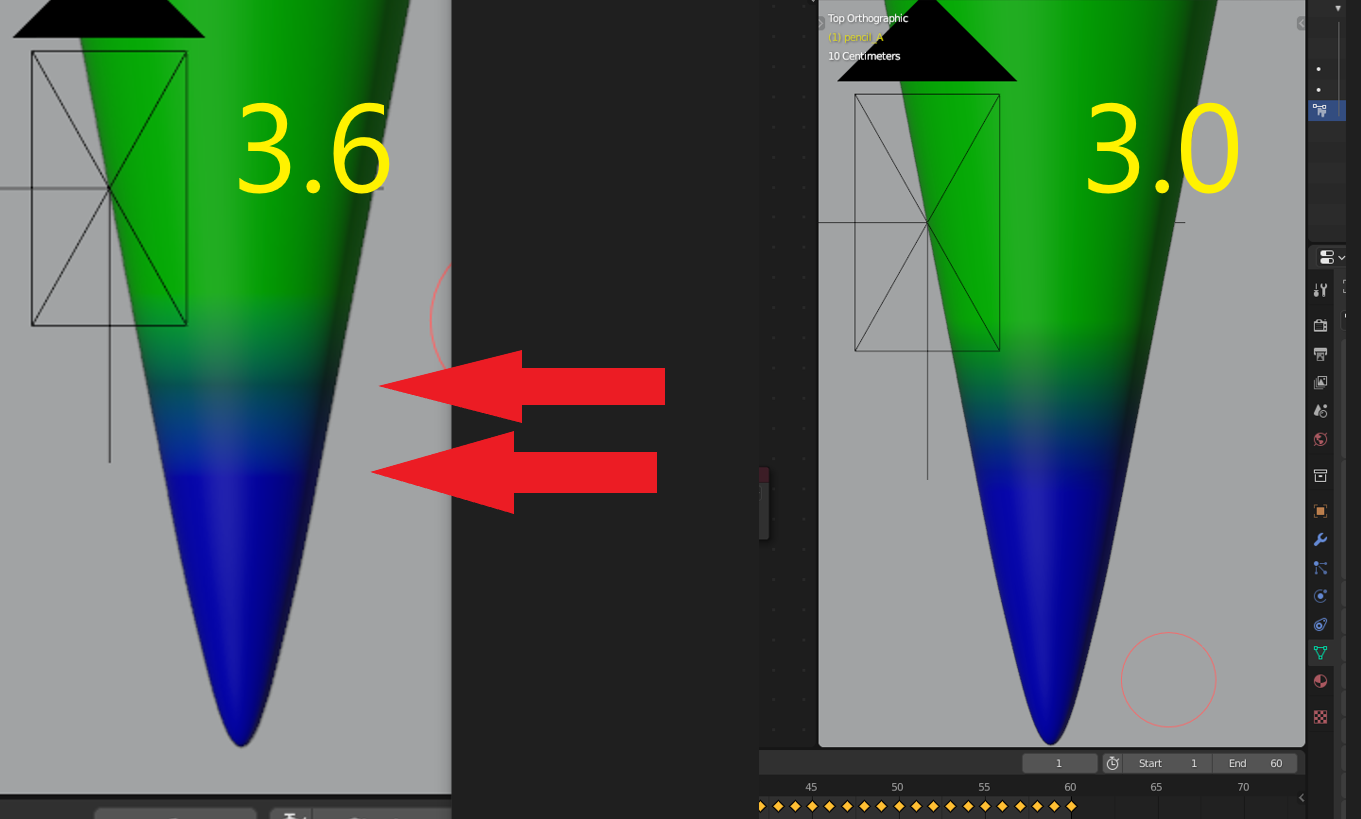
August 29, 2024 at 5:36 pm #88774Hey Martin, thank you for replying. The two photos I added were both from 3.6 where the problem is present in both vertex paint and when adding materials. I will add a photo from 3.0 where the two distinct lines are smoothed out more like a gradient from green to blue in vertex paint.
 August 30, 2024 at 12:39 am #88775
Hi @racerrex ,
I am sorry but I don’t see much of a difference between 3.0 and 3.6. Here’s a Render comparison, Smoothed in 3.0.1 on the left and in 3.6.14 on the right:
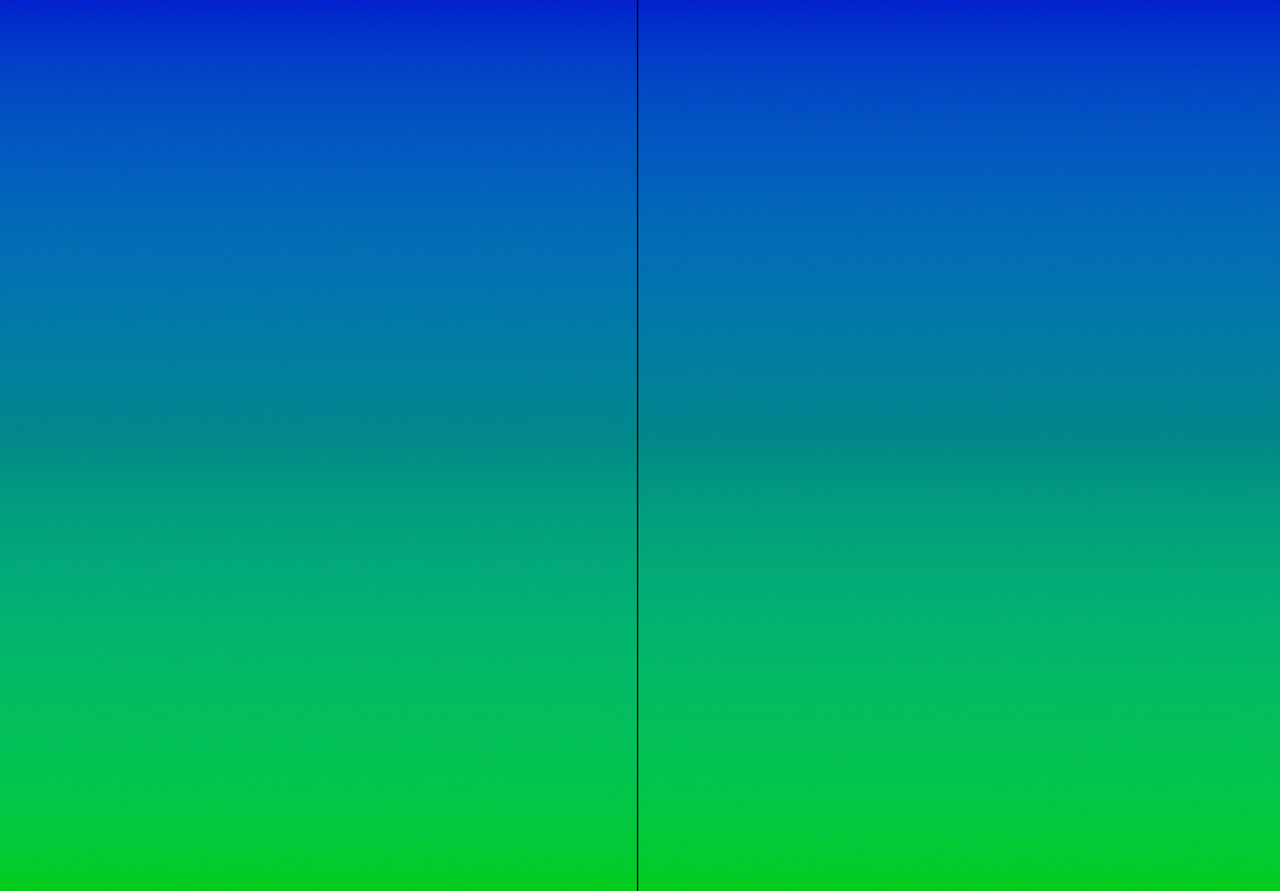
So, whatever is causing that for you, is probably not because of the Smooth Vertex Color operation…
August 30, 2024 at 3:55 am #88776I can see a slight difference.
It could be a case of you looking at it too long, or even like often is the case, is it relevant considering you are viewing at a microscopic level when the final render will be further away and what you see will be unnoticeable.
I suggest you move on, it is one of those OCD moments we all get which have no impact on the final result.
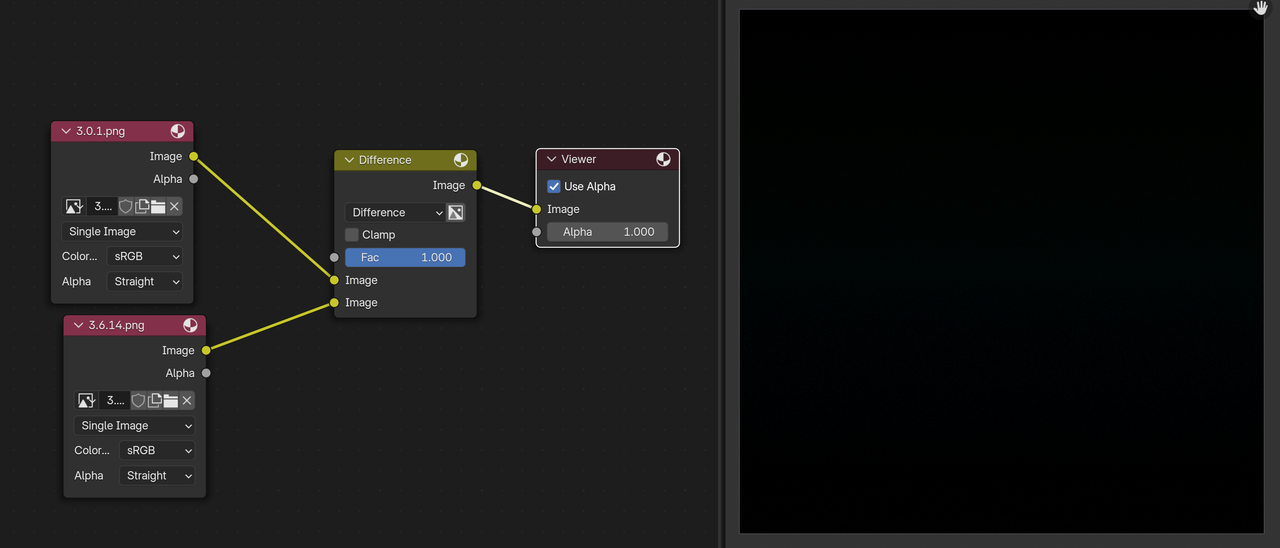
August 30, 2024 at 5:20 am #88777Your eyes are really good Adrian!
I actually think it is mostly psychological:
 August 30, 2024 at 5:55 am #88778
There is a slight difference with the gradient in the posted images, but as I said, it probably won’t even be noticeable in the final render.
Looking at a closer comparison, there is a noticeable difference between the two…
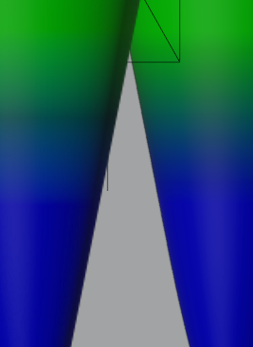
I am however beginning to wonder if the settings are identical in both version. Including color management settings.
August 30, 2024 at 6:34 am #88779Could be a lot of things, but I’m pretty sure that it’s not a difference in the Smooth Vertex Colors.
It could for instance be a slightly different viewing angle…
August 30, 2024 at 7:07 am #88780Maybe specifically in your blend file there is an error somewhere? You could upload your file so we can take a look and try things there, see if there’s any difference in your file specifically, could be the pencil mesh has an error or something else. Point is maybe something in your file is causing discrepancies that we are not going to duplicate in a new scene.
August 30, 2024 at 10:26 pm #88781Hey everyone, thank you for the feedback. I appreciate all the support.
Martin, I completely agree with you. The photos you submitted of the cube and the plane all look identical to me. Not sure how I am getting different results with the pencil project on my end. The last two photos I sent from above comparing are from the same exact file, just opened on different versions. Same camera angle from Top Orthographic. I saved the file prior to clicking on Smooth Vertex Colors. Once opening in each version of Blender 3.0 and 3.6, I then applied Smooth Vertex Colors and got the slightly different results.
Adrian, I definitely understand what you mean about looking at it for too long and best option might be to just more forward. Seeing as I can achieve the same results as Kent is demonstrating in the video using 3.0, I was planning on just moving ahead with that. But would prefer to use newer releases of Blender without the issue in future projects. I also checked the Color Management setting, and they are identical on both versions. But that thought process is kind of the conclusion I have been coming to. There could be a setting that is different in 3.0 compared to the others, something I changed when downloading later versions. I just can’t seem to think what that may be.
Omar, thank you for the suggestion. Admittedly I am rather inexperienced with my knowledge of Blender, and I am unaware of how to submit a blend file or where to do so. Although as I mentioned in my comment to Martin the file is identical in both of the compared photos above. I even went as far as starting from scratch, thinking I made a mistake or missed something Kent said but the same results occurred on the second go at it. Would you be able to guide me in uploading a blend file or point me in a direction of where I could learn to do so?
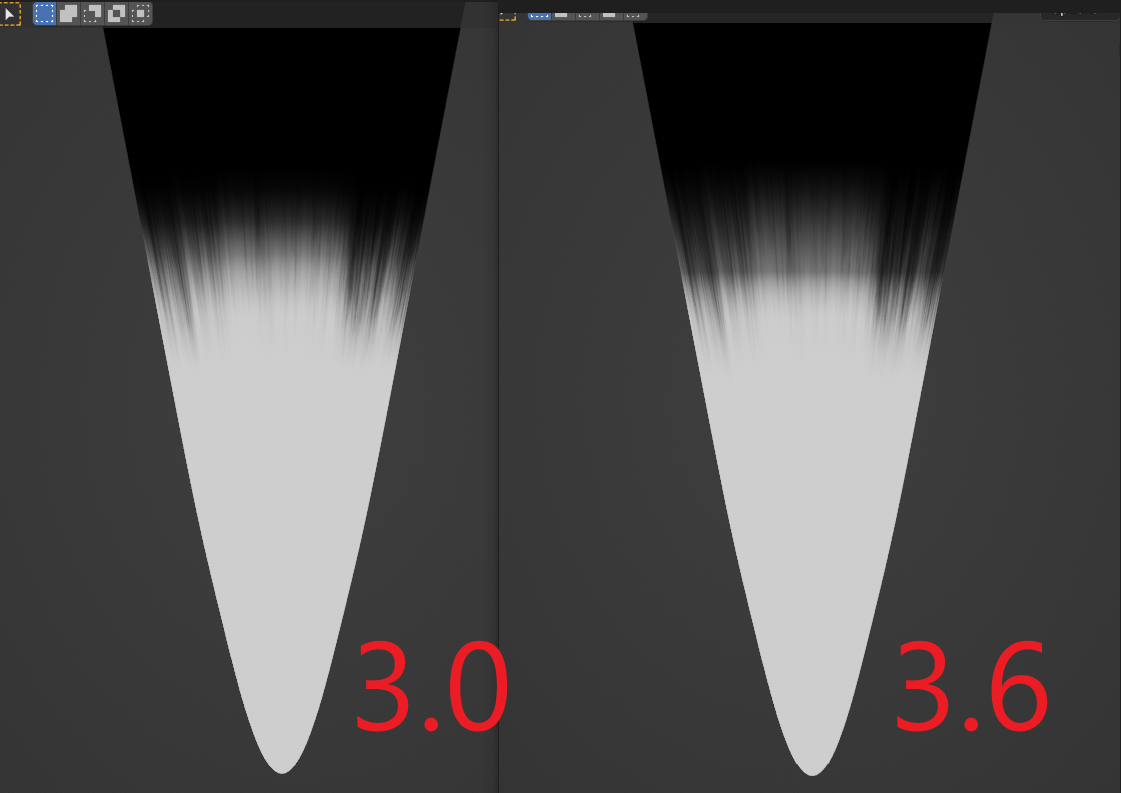
Lastly, I moved forward a little in the video where the noise texture is being applied to the tip of the pencil. This is where I originally noticed the difference. This time around I followed the steps while keeping both versions of Blender open and adding the shader nodes identically to Kent’s example in each. The photos below are the results with the exact same set up. This demonstrates the problem I am speaking of a little more clearly. I also acknowledge from seeing Martin’s examples of the cube and plane this might not be related directly to the different versions of Blender but like Adrian said perhaps some setting is different between them on my end.
 August 30, 2024 at 11:56 pm #88782
HI @racerrex ,
You can upload your .blend to Dropbox, Googledrive, or so and post a link here.
As you say, it might not be very helpful in this case,but you never know. At the very least we could be able to rule some things out.
August 31, 2024 at 9:15 am #88783Yes, as Martin says, it’s just a matter of uploading the file to Drop box or Google Drive and posting the link. Remember that is the file is using an external asset like a texture, you can go to file and external data and pack resources.
August 31, 2024 at 7:33 pm #88784Here is the link for the file that is having issues in Blender 3.6 on my computer.
https://drive.google.com/file/d/1Q9niYuVqYA6_7yunsckGTgYrLvRTkt90/view?usp=drive_linkSeptember 1, 2024 at 2:51 am #88785Hi @racerrex ,
The link says “Access Denied”. I requested Accesss, but it might be good to change the General Access from “Restricted” (the default), to “Anyone with the Link”
September 1, 2024 at 8:00 am #88786I can confirm, I’m getting the same message. No access allowed.
-
AuthorPosts


- The topic ‘Smooth Vertex Colors problem.’ is closed to new replies.