Rendering my images as just black

Forum Archive Rendering my images as just black

Viewing 10 posts - 16 through 25 (of 25 total)
  • Author
    Posts
  • #80257
    Martin Bergwerf
    Participant

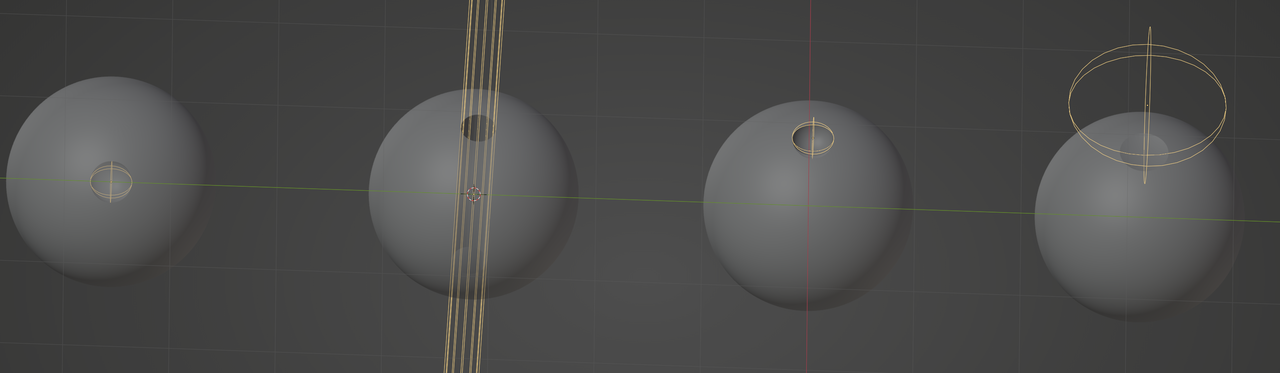
      And a (not completely accurate, but close enough) visual representation could look like this;from left to right, your initial setup, my first suggestion and then two possibilities for the last suggestion (adjusting both Scale and Location, with the ‘advantage of controlling the Falloff of the Gradient, if you ever need that):

      Eyes.png

      #80258
      Emily Elliott
      Participant

        Hi there, thank you this is quite helpful! 

        Is there something I did in particular that you can think of that would’ve made me need to scale differently than he did in order to get the same result? 

        Is it the rotation of my eyes in the transform panel being different that causes this? 

        #80259
        Martin Bergwerf
        Participant

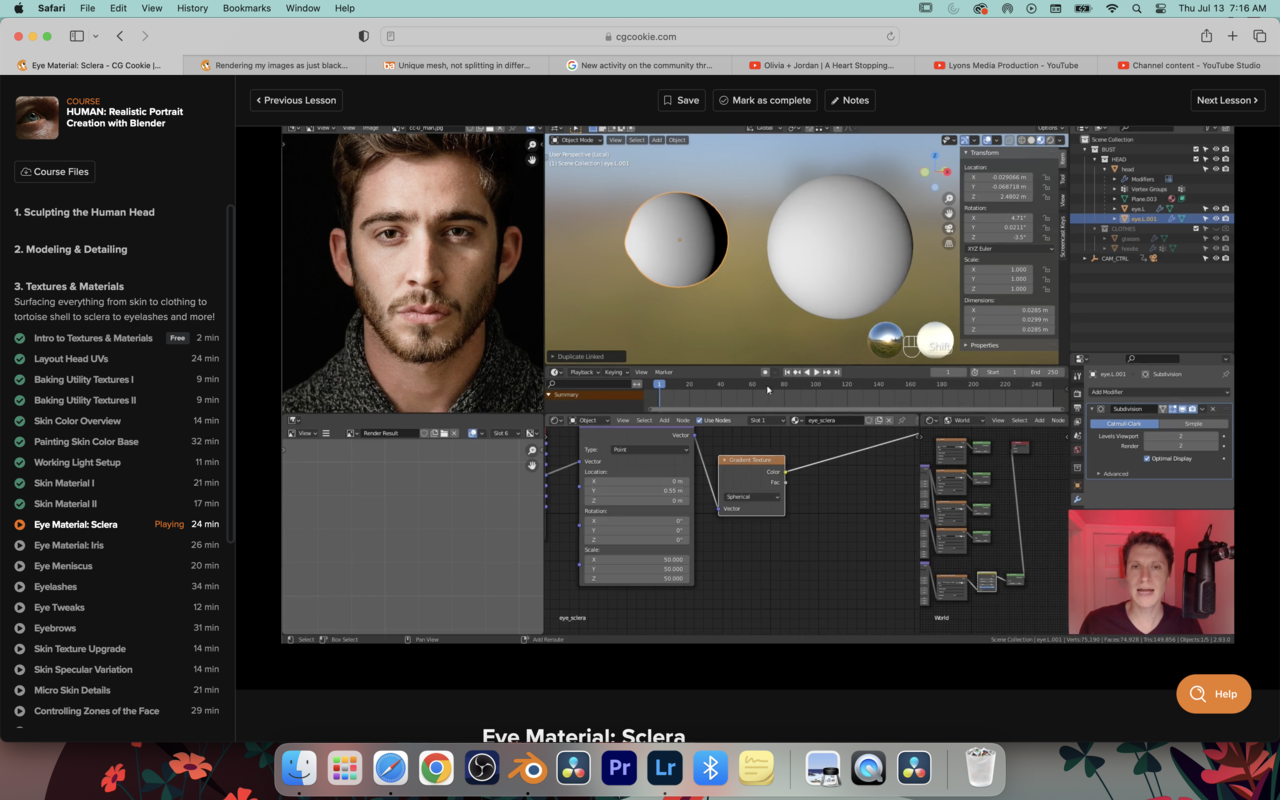
          In the Tutorial, Kent actually moved the Gradient Texture (along the Y-Axis, because he didn’t Rotate them about 90° in Object Mode (or Applied the Rotation directly after that)…

          #80260
          Martin Bergwerf
          Participant

            And as a sidenote for the future: do NOT, at any point, Apply the Scale of the Eyes!

            Because you are using Object Coordinates (which is correct), Applying the Scale will completely mess up your procedural Texture!

            #80261
            Emily Elliott
            Participant

              Okay, I think I am sort of understanding now.

              I changed the coordinates to what you said and it worked great, but, then in the next step when he adjusted the Y setting it expanded across the whole shape but mine simply just rotated in a circle around it. Why would this be?

              Sorry for all the questions!

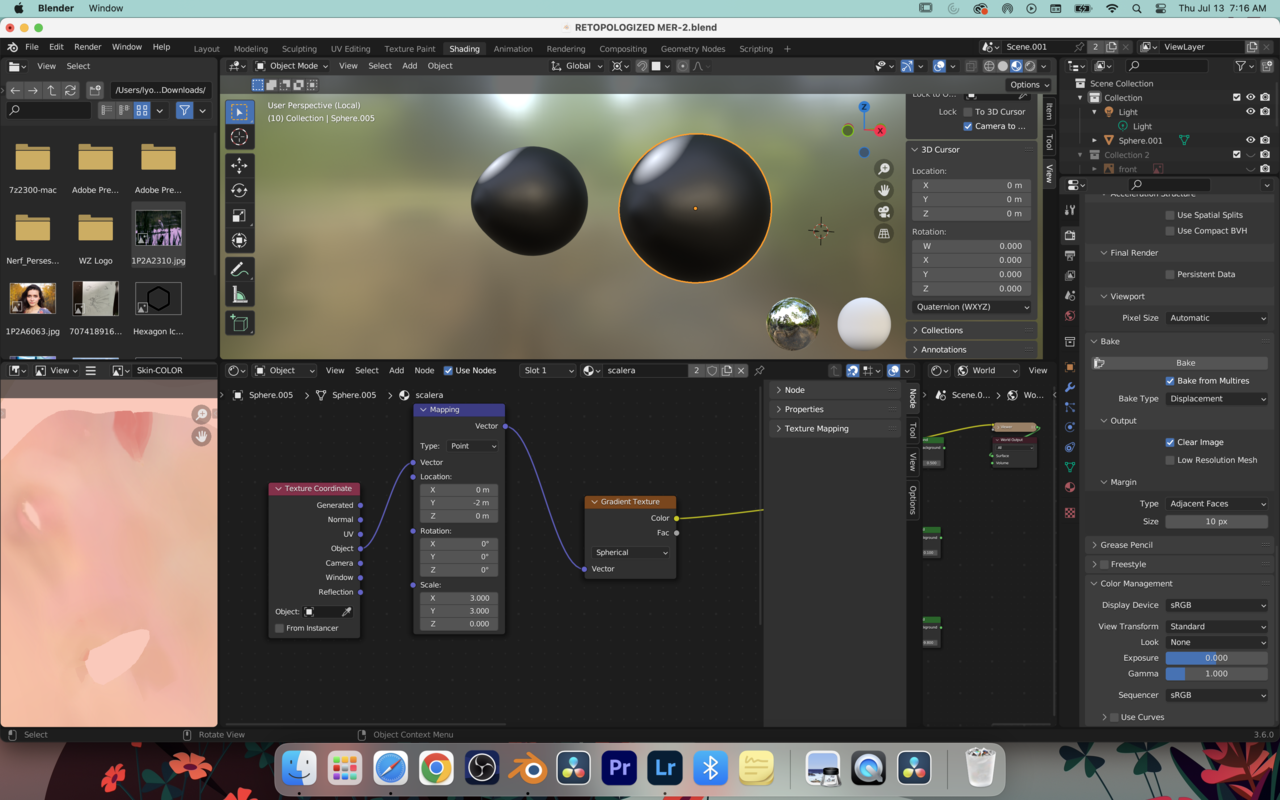
              13 at 7.16.55 AM.png13 at 7.16.35 AM.png

              #80262
              Martin Bergwerf
              Participant

                Hii Emily,

                you seem to have accidentally switched your Rotation to Quaternion. What is more, you set all 4 values to 0…that is an ‘illegal’ Quaternion Rotation.

                For simple Rotations like this, it is not recommended to use Quaternions.

                (For more information on Quaternions, see: https://blog.cgcookie.com/what-are-quaternion-rotations-in-blender/ ,

                But you absolutely do not need to know what they are for this Course!)

                #80263
                Martin Bergwerf
                Participant

                  …and what is more, if you are using the Z-Scale set to 0 method, you do not need to/shouldn’t change the Location.

                  #80264
                  Omar Domenech
                  Participant

                    Remember, if it gets too cumbersome, you can always begin again. Just put those existing eyes in a collection and turn them off, then start over trying to follow step by step what Kent does and explains. And you can always ask a questions and people will help you out.

                    #80265
                    Emily Elliott
                    Participant

                      okay, gotcha!

                      If not that one, what one should I put it on?

                      #80266
                      Martin Bergwerf
                      Participant

                        Hi Emily,

                        If you mean the Rotations, any of the Euler ones is okay for this, just not the Quaternions…and Axis Angle ia also not very handy for this one.

                        The Default XYZ Euler is perfectly fine in this situation.

                      Viewing 10 posts - 16 through 25 (of 25 total)
                      • The topic ‘Rendering my images as just black’ is closed to new replies.