Rendering my images as just black

Forum Archive Rendering my images as just black

Viewing 15 posts - 1 through 15 (of 25 total)
  • Author
    Posts
  • #16628
    Emily Elliott
    Participant

      Hi, I am trying to test render my model after texturing and even though I have all my lights renderable everything is still being rendered into a black image.

      What could this be?

      #80243
      Omar Domenech
      Participant

        It can be a lot of things. The most usual culprit is that you have an object hidden in the viewport but it comes into effect at render time and it’s right in front of your camera, blacking everything. Another one is that you have compositing nodes turned on and it’s taking effect after the render. Maybe it’s some collection in the outliner that has the renderability off. In any case you can upload your .blend file if you want us to take a look.

        #80244
        Emily Elliott
        Participant

          It would be absolutely incredible if you could take a look!!

          #80245
          Emily Elliott
          Participant

            This is probably obvious but I do not see a spot where it will let me upload the project file. Is there somewhere I should send it?

            Thank you so much!

            #80246
            Omar Domenech
            Participant

              Yes you can upload to your Drop Box or Google Drive and just post the download link.

              #80247
              Emily Elliott
              Participant
                #80248
                Emily Elliott
                Participant

                  Thank you!

                  I believe everything is packed correctly!

                  #80249
                  Martin Bergwerf
                  Participant

                    Hi Emily,

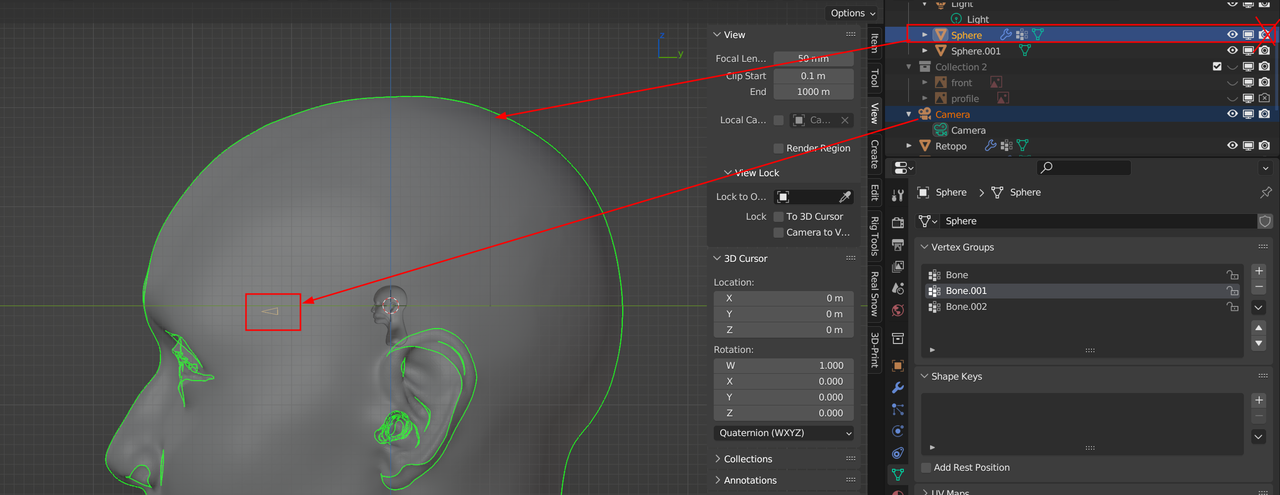
                    It’s like Omar said, your Camera is inside your ‘Sphere’, so no light can reach your ‘Sphere.001:

                    Mer.png

                    Simply disable the Renderability of your ‘Sphere’…

                    #80250
                    Omar Domenech
                    Participant

                      Talk about having Blender inside your head all the time. I’m glad is a simple solution Emily.

                      #80251
                      Emily Elliott
                      Participant

                        This was so helpful I was able to continue the course after this just as normal. THANK YOU SO MUCH!

                        #80252
                        Emily Elliott
                        Participant

                          I do have another confusion if anyone has time I have linked the project below.

                          I am at the part in the course where he starts the sclera on the eye ball.

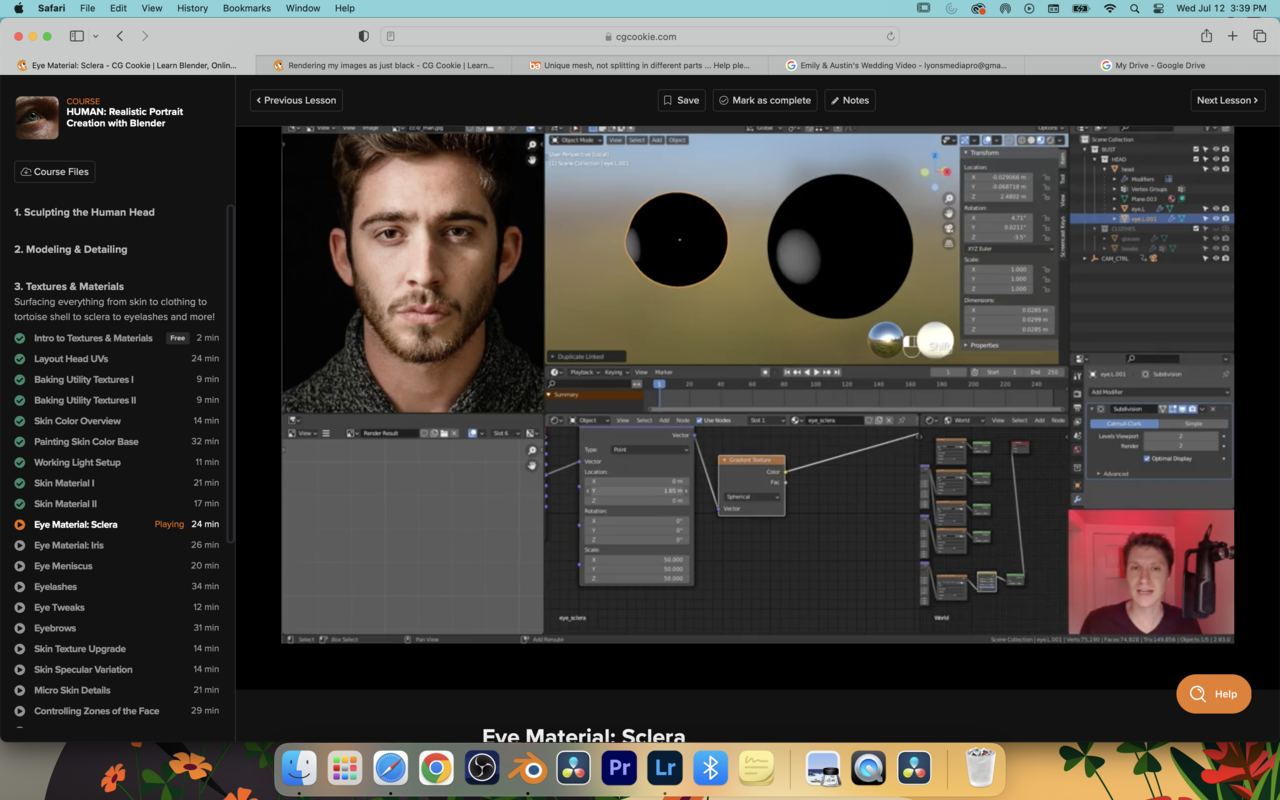
                          When he applies his gradient and adjusts his maps it looks like this:12 at 3.39.45 PM.png

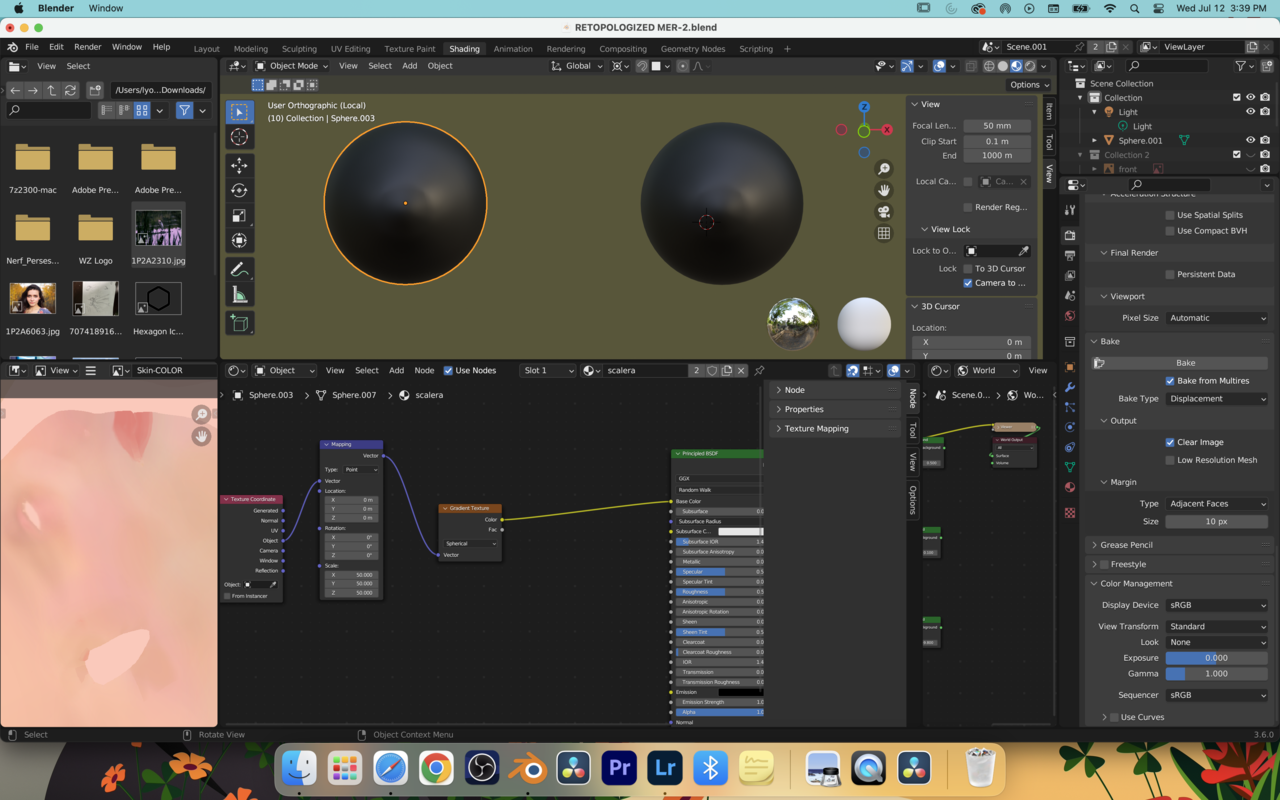
                          Were mine looks like this:

                          12 at 3.39.58 PM.png

                          I have changed the scale and mapping coordinates to the same as his as well as set my sclera and iris slot.

                          any help would be VERY appreciated.

                          Project:

                          https://drive.google.com/file/d/1Y18Nr64im9POumRsygk5I92bcRXsNFl5/view?usp=share_link

                          #80253
                          Omar Domenech
                          Participant

                            It says I need access, make the link accessible to anyone.

                            Access.png

                            #80254
                            Emily Elliott
                            Participant

                              Just adjusted it! 

                              #80255
                              Martin Bergwerf
                              Participant

                                Hi Emily @CGGorgon ,

                                The Object Coordinates are in the center of the Eye. You are Scaling in all three Axes equally, thus creating a Spherical Gradient, basically a small white sphere inside the Eye, which you can’t see, hence the black eyes. If you set the Scale of one of the Axes (in this case the Z-Axis, because the Eye is rotated) to 0, then that Axis gets ‘ignored’ and you create a Cylinder:
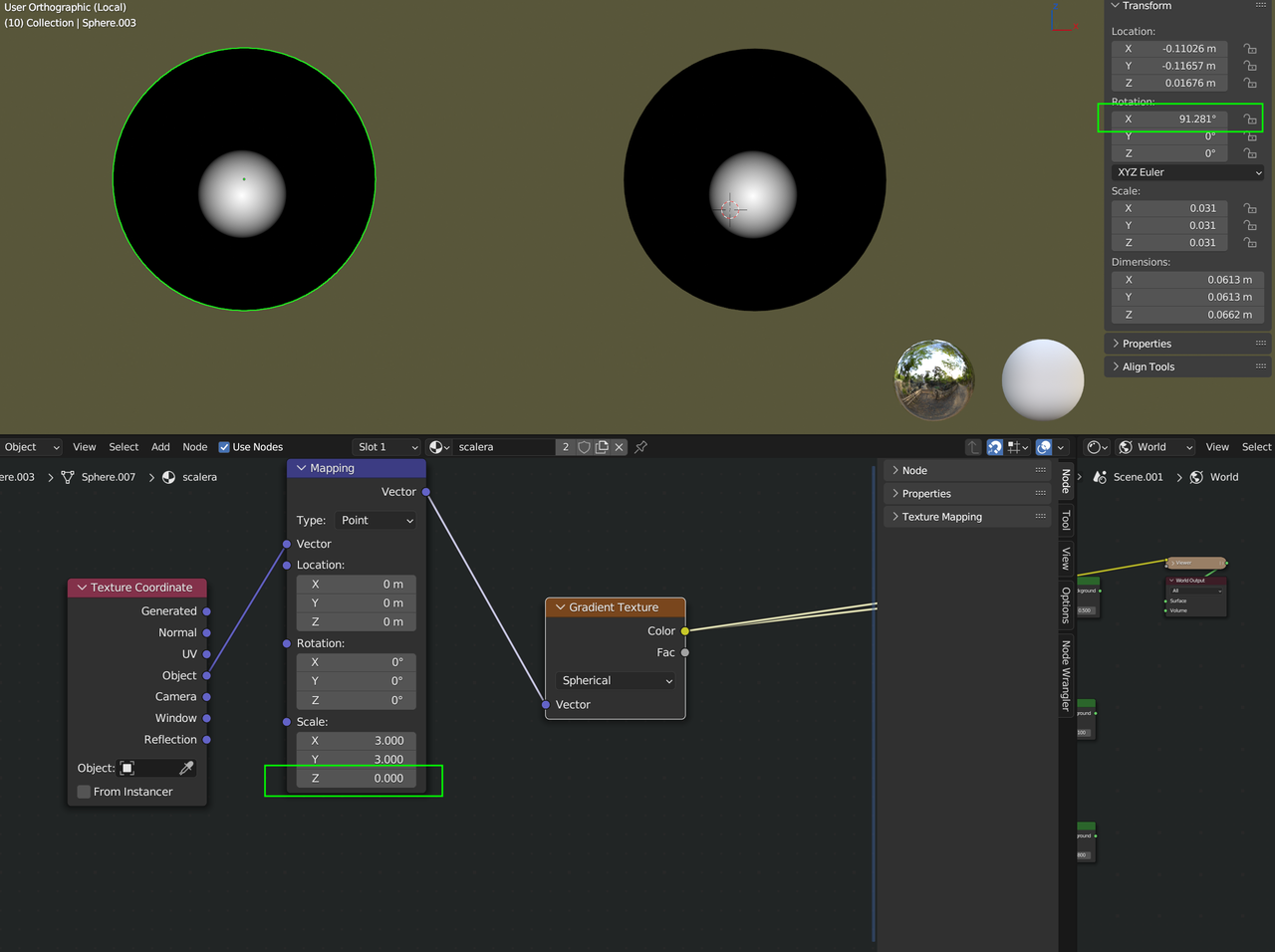
                                Iris.png

                                Is that clear enough of shall I try to explain this in more depth?

                                #80256
                                Martin Bergwerf
                                Participant

                                  Another possible approach would be to change the Z-Location (of the Object’s center) in the Mapping Node.

                                Viewing 15 posts - 1 through 15 (of 25 total)
                                • The topic ‘Rendering my images as just black’ is closed to new replies.