
“Industrial Environments with Eevee” Course: Columns Turning Magenta when Mixing in Second Principled BSDF
Forum Archive › “Industrial Environments with Eevee” Course: Columns Turning Magenta when Mixing in Second Principled BSDF
- This topic has 27 replies, 5 voices, and was last updated 5 years, 3 months ago by
Ingmar Franz.
-
AuthorPosts
-
May 23, 2021 at 9:45 am #13991
The problem has already been described by @chapeline here and on “Blender Stackexchange” here (but without any fitting solution for my problem). Despite exactly following Kent’s @theluthier instruction, the columns nevertheless turn magenta as soon as the second “Prinicpled BSDF” is mixed in with a “Mix Shader” node:

After muting the “Mix Shader Node”:

With just the “Principled BSDF” with the paint color beeing plugged into the “Material Output” node:

Everything fine in Cycles:

All tests run with Blender 2.92.0 and 2.93 Alpha.
May 23, 2021 at 9:57 am #68708A partial solution posted on “Blender Stackexchange” here. But I’m still wondering why Kent @theluthier didn’t encounter that problem. In the meantime I’ve tested it with Blender 2.91 (the version used by Kent) as well: Same problem!
@ger3d and @jordanofoz Did you have the same problem? In case you did, how could you solve it?
May 23, 2021 at 12:22 pm #68709Ok, I could “solve” the problem by muting one of the last three “MixRGB” nodes (mode “Overlay” and “Multiply”; see magenta frame below):
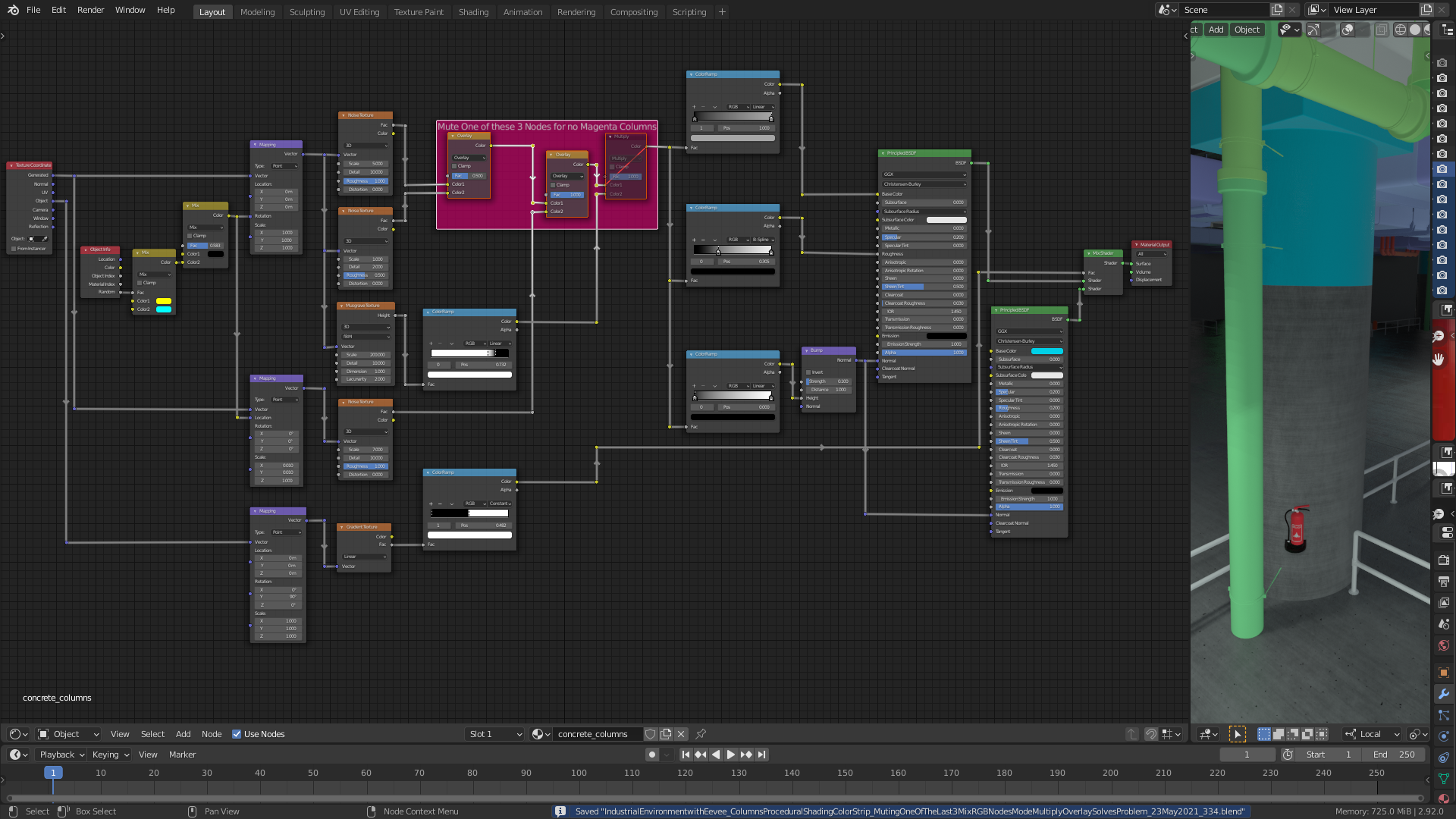
Muting one of the first two “MixRGB” nodes (mode “Mix”) doesn’t remove the magenta column shading.
File with one column only is here.
May 23, 2021 at 1:58 pm #68710I’m also facing the same problem when opening Kent’s @theluthier file realistic-eevee-environment_lesson_14_end.blend from the course resources:
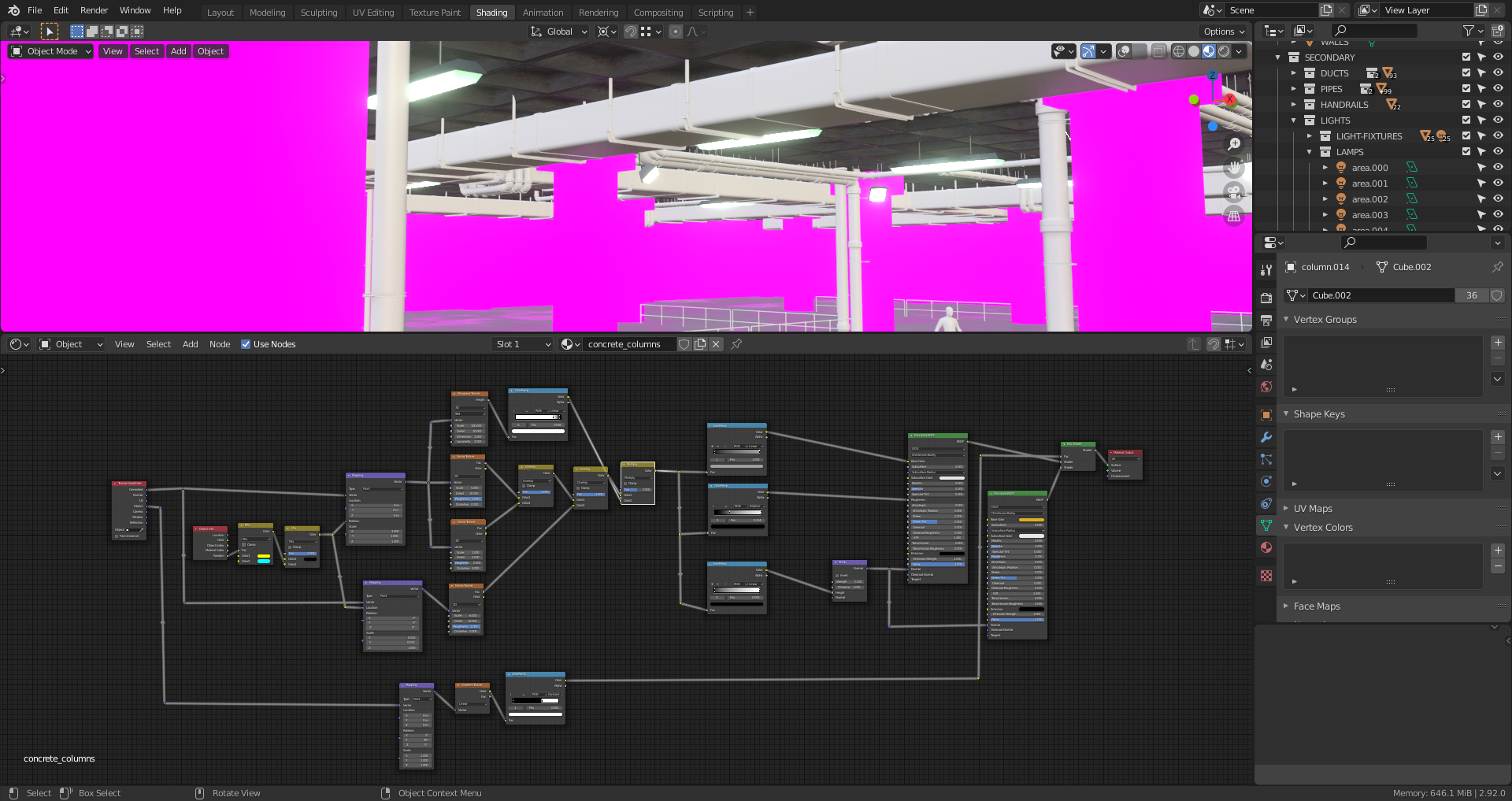
Again, muting one of the last three “MixRGB” nodes “solves” the problem:
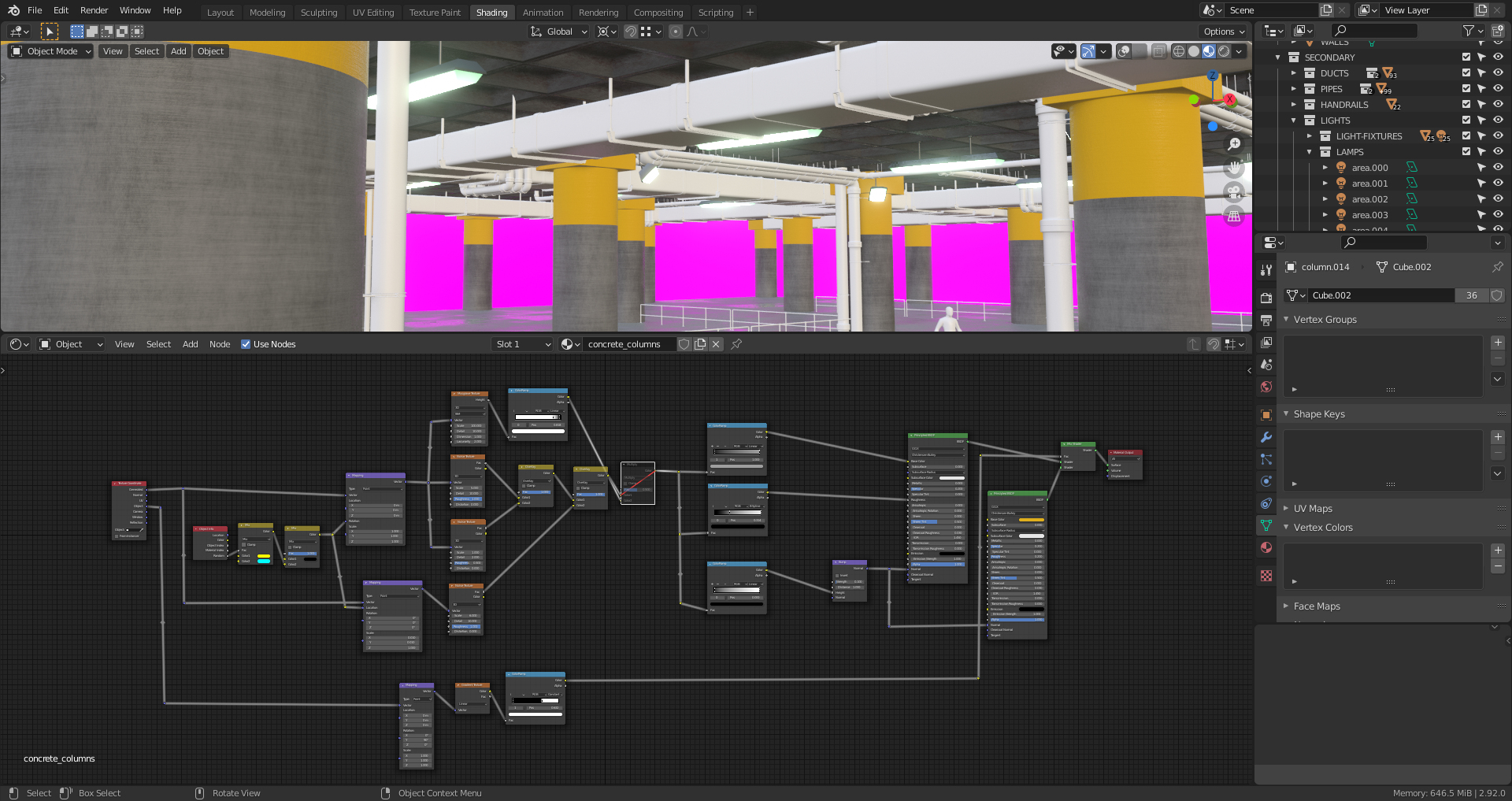
Maybe, it’s a memory issue or some other Blender settings have to be adjusted?
May 23, 2021 at 2:18 pm #68711@duerer you probably need a more powerful GPU
 as Kent didn’t have this problem.May 23, 2021 at 2:55 pm #68712
Please have a look at the error message in Blender’s “System Console” when unmuting one of the three “MixRGB” nodes in the magenta frame below:

Note: This is just a small portion of the error message but as far as I can see, it’s a problem with the NVIDIA GPU. Complete error message is here.
May 23, 2021 at 3:09 pm #68713Thanks, @spikeyxxx! I’ve just had a look into the “System Console” myself and posted my finding above concerning the GPU but I didn’t think that my GPU (NVIDIA GeForce GTX 1060) was too weak. That’s really sad 😢.
May 23, 2021 at 3:37 pm #68714@spikeyxxx @theluthier @jlampel I’ve found a solution 😀😀😀!!! Simply set the “Musgrave” texture node from 3D to 4D and you get the “pockmarks” (as Kent calls the little holes in the concrete) on your painted columns:

It came to my mind since there’s an info in the error message mentioned above in this thread: “Info: Successfully reset Musgrave Texture”. @spikeyxxx With your posting concerning “too many instructions” I first set it to 2 D which already solved the problem but didn’t create nice “pockmarks” in some areas (maybe rather a problem with the rotation values):

EDIT: “Musgrave” set to “3D” also works with type “Hetero Terrain” or “Hybrid Multifractal”:
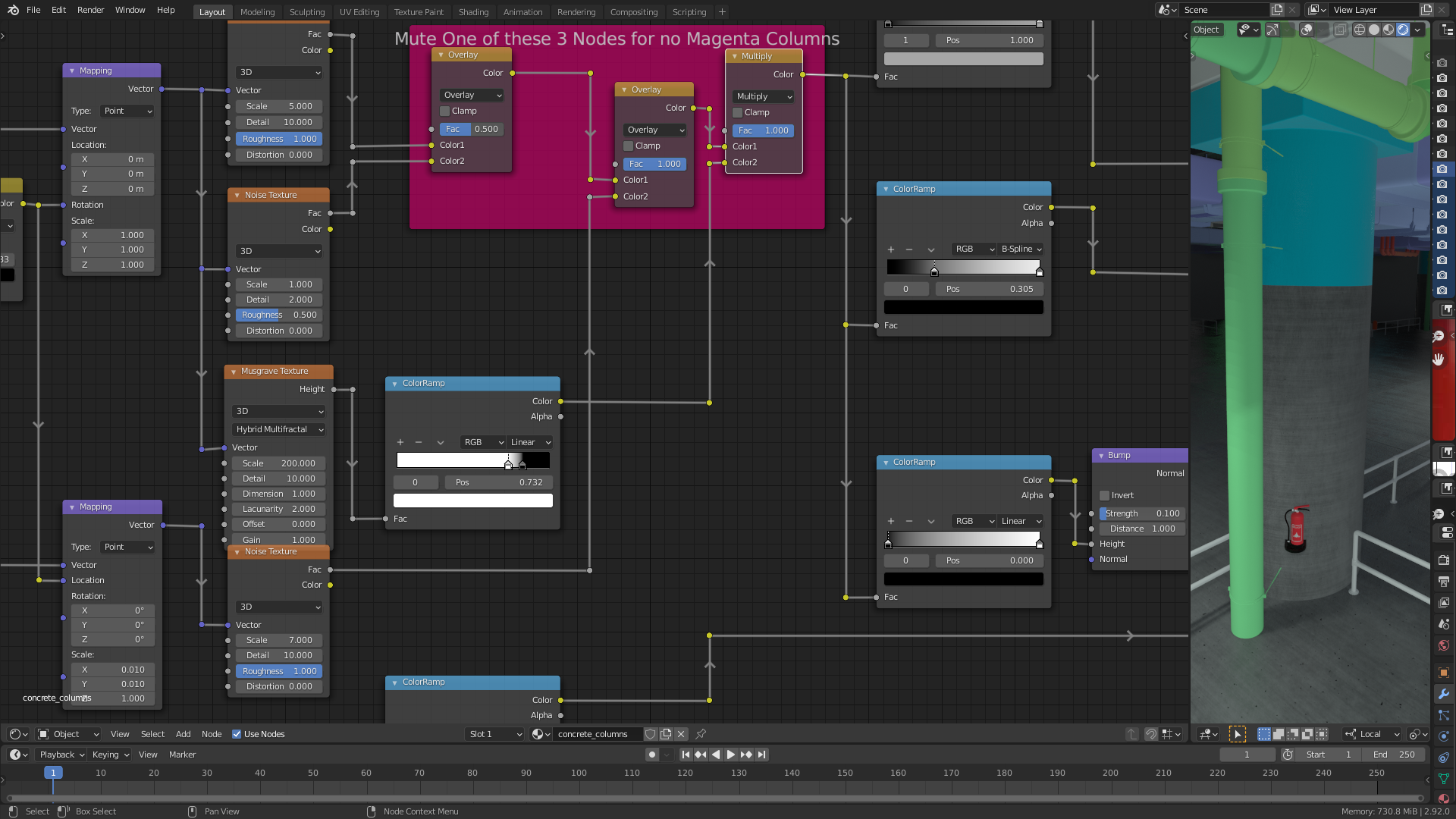
The types “Multifractal”, “Ridged Multifractal” and the default type “fBM” don’t work on my computer.
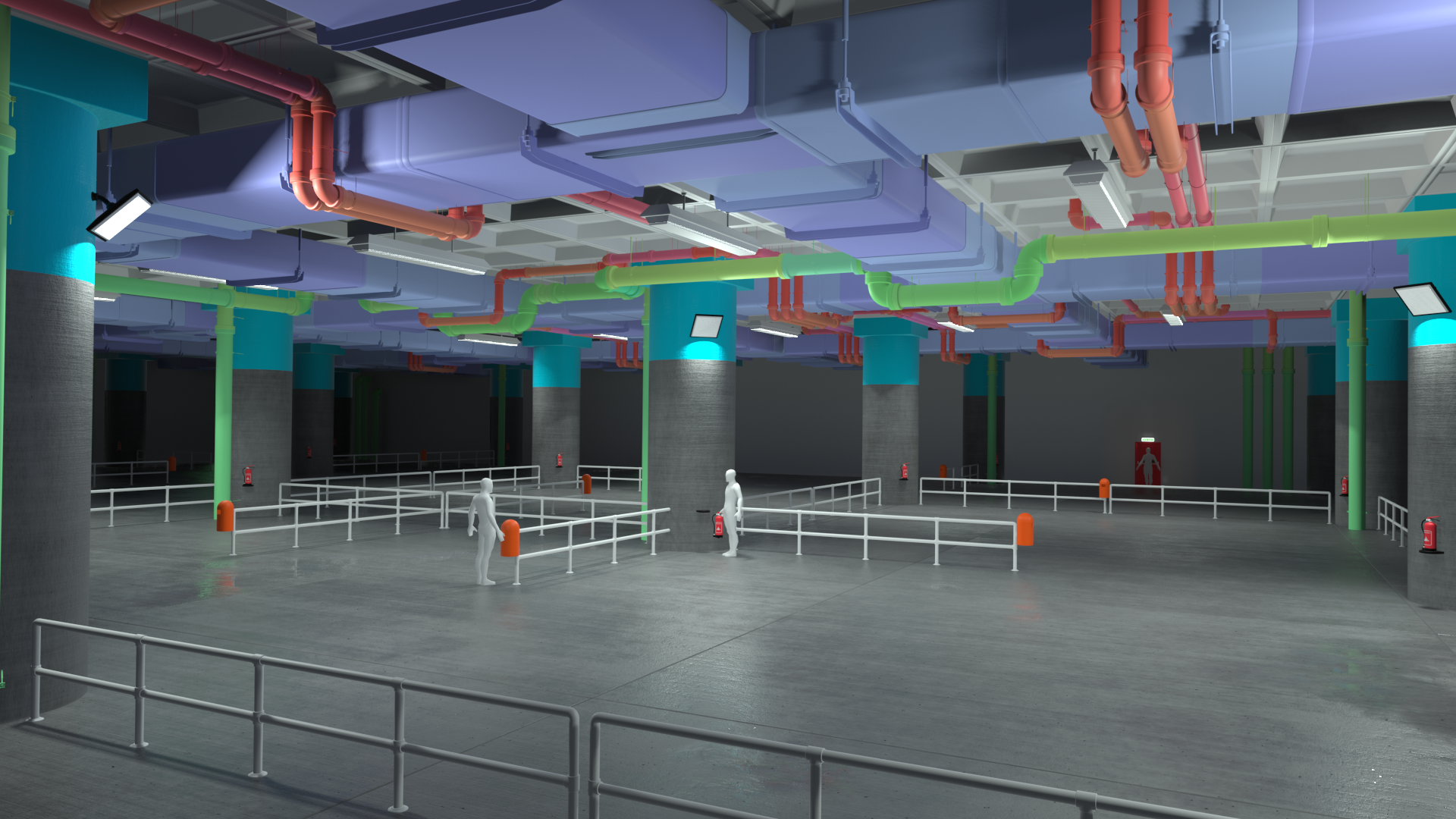
May 23, 2021 at 4:10 pm #68715And that’s how the camera renders the scene now:
 May 23, 2021 at 10:20 pm #68716
@duerer, after a good night’s sleep, I remember Simon Thommes saying that Mix Shaders are really expensive and although a Principled Shader looks like only one Node, it is already a ‘mixing of Shaders’ under the hood (probably).
So let’s do all the masking before the Principled Shader like this:

(Sorry for not aligning my Noodles…)
Even my 10 year old Nvidia GT630 can handle this and you don’t change the material this way :
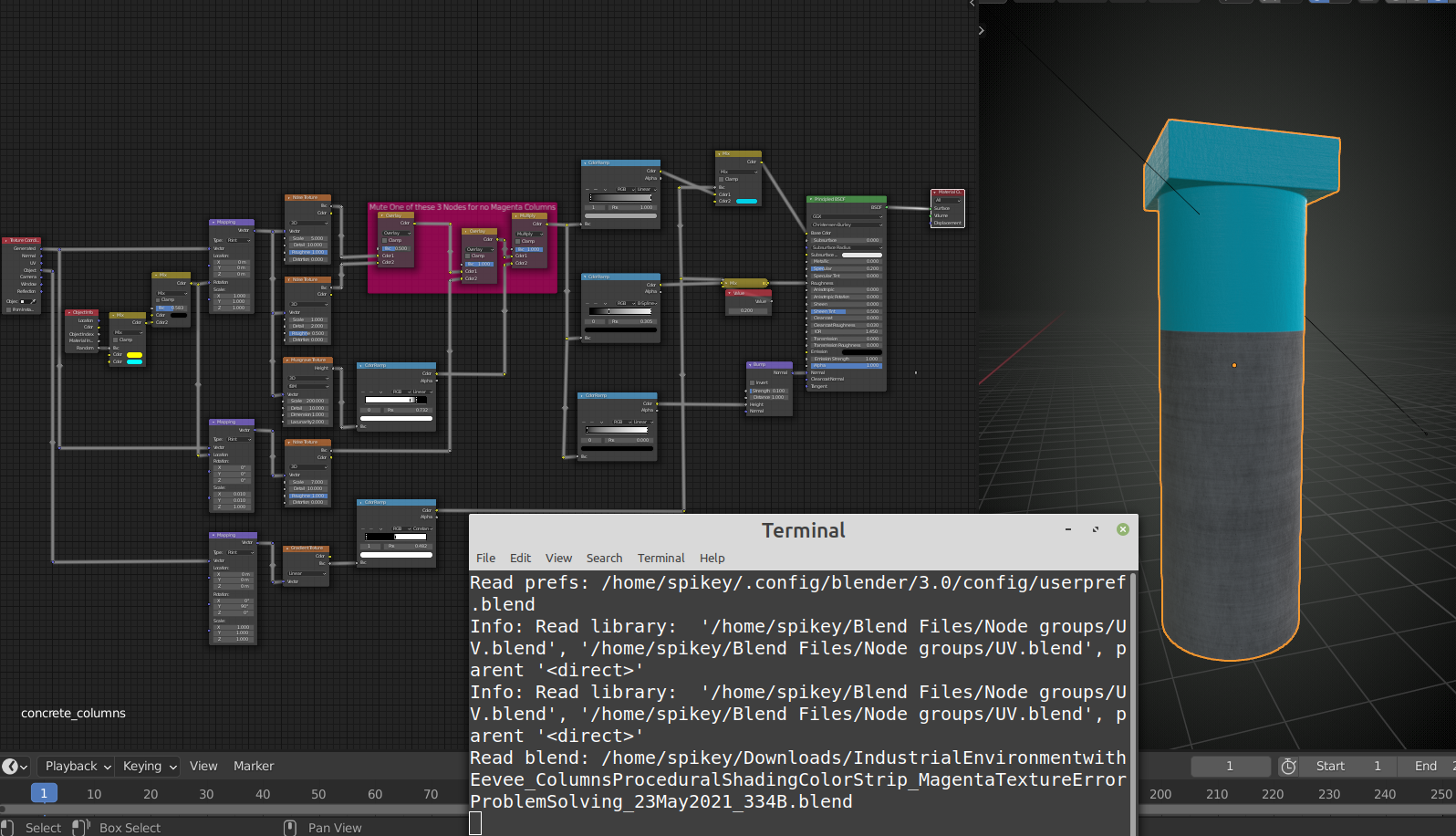
As you can see, no error message.
May 24, 2021 at 12:38 am #68717@duerer I don’t understand those Error messages, I just look for something I can read and see: …too many instructions…(which probably is a RAM issue, not specifically a NVidia problem.)
I think it’s a problem with mixing Shaders (see also answer below), when a Principled Shader is like a Node Group that uses 5 Mix Shaders, then mixing two Principled Shaders means you’ve got 11 Mix Shaders!
May 24, 2021 at 12:44 am #68718Another small optimization would be:
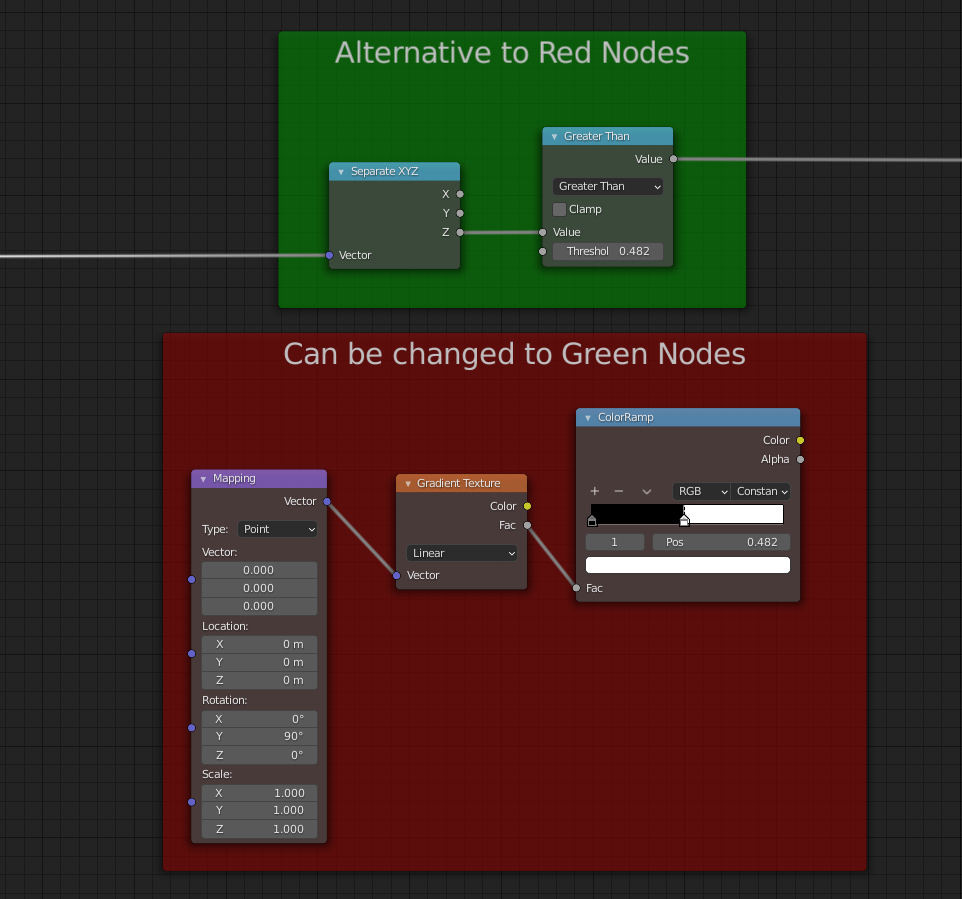
Which in general is preferred, while you can change the Treshold with a Slider that you can control in a Node Group, while the Flag in the ColorRamp cannot….
May 24, 2021 at 3:21 am #68719@spikeyxxx You’re really masterly conducting the orchestra of nodes 🎼🎵🥁🎷🎺🎻😀!!!
May 24, 2021 at 3:46 am #68720@spikeyxxx I think that’s what Kent @theluthier is referring to when he says (starting at 4:47 in this lesson) that modifying the existing color inputs (of the “Principled BSDF”) is a “more efficient setup for computation”. But he finds it “more complex for workflow” and that’s why he chooses to achieve the paint effect with a separate shader.
May 24, 2021 at 4:19 am #68721Yes, when you have enough power (read GPU RAM), you can afford that 😉
It’s a bit like, when computers became faster and memory cheaper, a lot of people started writing longer and less efficient (slower) code…(who cares if a programm takes up 4GB on a hard drive, when a Terabyte costs next to nothing…)
(Blender is somewhat of an exception…)
-
AuthorPosts


- The topic ‘“Industrial Environments with Eevee” Course: Columns Turning Magenta when Mixing in Second Principled BSDF’ is closed to new replies.