
Grease pencil edit extrude : odd behavior
Forum Archive › Grease pencil edit extrude : odd behavior
- This topic has 24 replies, 5 voices, and was last updated 3 years, 6 months ago by
Kevin Mather.
-
AuthorPosts
-
February 6, 2023 at 8:00 pm #15954
I’m a latecomer to GP. Currently using 2.81a on very old laptop. Haven’t had a chance to try 3.4 on another computer.
Usually when extruding a stroke in GP edit, I get a new segment ending with a semicircle. From time to time, a square or triangular end appears instead (often unstable and flickering). Am I missing something obvious? Thanks.
February 6, 2023 at 8:38 pm #77615Are you using the Arc tool in Draw mode?
February 6, 2023 at 8:59 pm #77616No, generally Pencil tool, sometimes Line tool.
Maybe important: I was using additive drawing.
February 7, 2023 at 7:37 am #77617Well I’m not sure, but I remember as the grease pencil was being developed that they fixed things like that along the way. Maybe you’re just using an old one? Try downloading the latest version of Blender and see if it still does that, even if it’s just for testing.
February 7, 2023 at 8:59 am #77618On another computer, I tested with 3.4.0. Behavior is a lot better. If extrude is done at each keyframe, there seem to be no artifacts at all. If I interpolate a sequence between keyframes, there is a little bit of garbage/noise, but that is not surprising. And it is much better than 2.81a in any case. So I guess that is what I need to live with.
A workaround in 2.81a (additive drawing) seems to be to add new strokes instead of extruding existing ones. This can get the job done, just not as precise or convenient.
[UPDATE: THIS ANSWER OF MINE IS NOT REALLY CORRECT, PLEASE READ ON]
February 7, 2023 at 10:44 am #77619It’s not supposed to happen, but you are using an old (early stage) GP on a very old laptop with (probably) also an old GPU, which might not have an updated driver….that’s asking for trouble 😉
I tested this on 2.80 and 2.82 (don’t have a 2.81 lying around and don’t think it’s worth the trouble downloading it, just for this case), but could not reproduce the issue.
February 7, 2023 at 11:39 am #77620Actually the issue seems to be different from what I thought. It still happens when I start from scratch in 3.4.0.
- Turn on Additive Drawing
- Draw a line at frame 1 – edit line to have only two points
- Advance to frame 3
- Extrude the line to have a third point (using E hotkey)
- Repeat the process a few times to extend the line
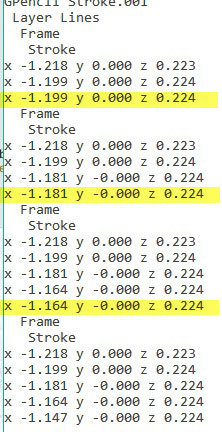
If I then step backward on the timeline, I always see junk at the end of the line. If I look carefully in edit mode, it seems that each extrusion actually produced 2 points at exactly the same location. If the duplicates are carefully deleted/dissolved (at each keyframe), then stepping looks clean. Mysterious.
Basically I am trying to imitate something like a Build modifier, but on a stroke.
February 7, 2023 at 12:21 pm #77621Sorry, I don’t think I understand what you are doing exactly. Extrusion doesn’t appear to create double vertices when I try it.
But I have not really used GP yet, so that’s probably just me; I don’t know what Additive Drawing is (I know it is a thing, just don’t know what it is…I switched the Blend to Add…).
How did you edit a line to have two points? (Dissolve the inner points, or draw a line with 0 Subdivisions, or….)
You do know that GP already has a Build Modifier, right?
February 7, 2023 at 5:32 pm #77622(I’m not EXACTLY doing a Build – actually want to grow at front, shrink at rear)
Maybe this isn’t worth all the trouble… I made a crude video which I hope explains better. I hacked a small script which shows the duplicated spline points when I’m all done. Usually the artifacts are much worse than in the video.
 February 7, 2023 at 8:43 pm #77623
I don’t think blender can do this, animate vertex to vertex in edit mode. I got the same artifacts as you did animating the line this way. I am using blender 3.4. I see no work around, but I am also not sure what you are doing.
February 7, 2023 at 9:05 pm #77624After the extra duplicate points have been dissolved, everything seems to work fine. Just an extra step required.
Behavior (and workaround) are basically the same for 2.81a and 3.4.0. (Before workaround, 2.81a looks worse, probably due to older code and/or old GPU.)
[Link
https://www.instagram.com/reel/CoV_jRau0iv/?utm_source=ig_web_copy_link
to project I was working on]February 8, 2023 at 4:46 am #77625Well, it looks to me that the lines are Z-fighting with the lines from Onion Skinning.
Turning the Opacity of the Onion lines to 0 doesn’t help with the Z=fighting, unfortunately. Setting the number of Keyframes in the Onion Skinning to 0 doesn’t help either; it just ‘hides’ them.Even turning them off in the Overlays doesn’t help.
Also, the last drawn Vertex (in a certain Keyframe) is double, but the earlier ones are not; that has probably also to do with the Onion Skinning.
I’m not being much of a help, I know. You should ask Paul Caggegi…
February 8, 2023 at 8:29 am #77626Definitely seems to be Z-fighting, between duplicate stroke points at the same location. Independent of onion-skinning (and Additive Drawing, for that matter). I could post a better video.
I can’t explain why Extrude seems to actually create 2 new stroke points at the starting location, and then lets you move one.
Maybe @pcaggegi has an explanation.
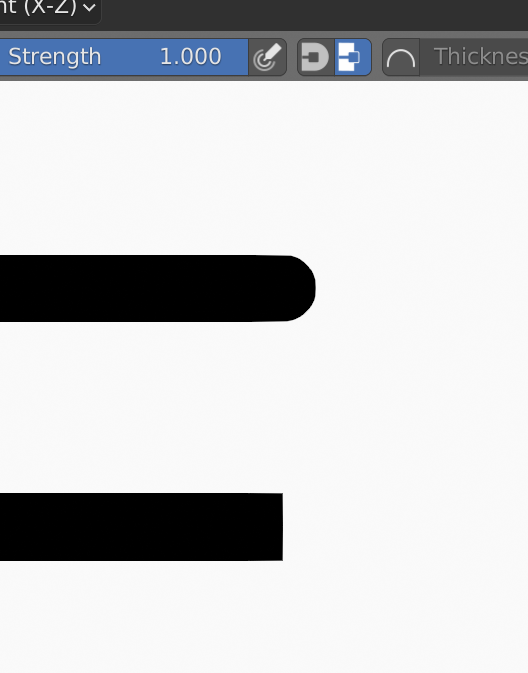
February 8, 2023 at 4:16 pm #77627Hi @techworker1 – this sounds like you need to toggle the line caps. Firstly, in later versions (I’m unsure which one exactly, but at least 3.3) you can toggle it via the tool shelf.
 February 8, 2023 at 4:17 pm #77628
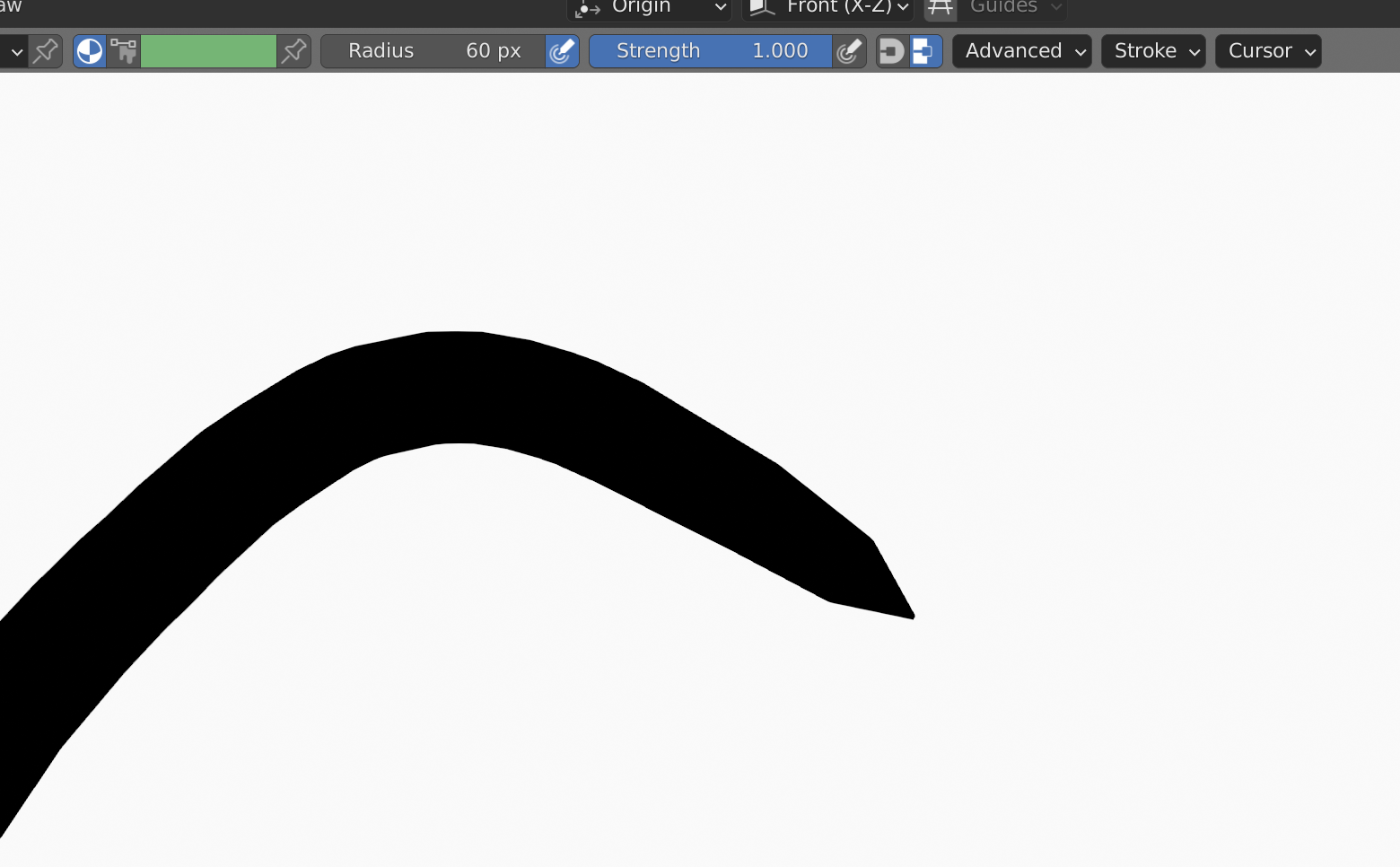
If you’re using the pencil tool, any pressure sensitivity should override this, and is controlled by the “Radius” option. Toggling the Pressure sensitivity icon nest to it will enable/disable this.
-
AuthorPosts


- The topic ‘Grease pencil edit extrude : odd behavior’ is closed to new replies.