Epic Pumpkin Contest WIP

Forum Archive Epic Pumpkin Contest WIP

Viewing 15 posts - 76 through 90 (of 98 total)
  • Author
    Posts
  • #43673
    Cookie Dough
    Participant

      @thecabbagedetective Oh yeah, something I ran into was if you move the skeleton at all, then apply the location, it screws up a bunch of stuff. If you changed stuff in edit mode after you applied the skeleton modifier, you should take off the modifier and put it back on again. You could also try just making another skeleton and apply everything again. It would be just like restarting a computer when weird stuff is happening. 

      #43674
      Aaron Rudderham
      Participant

        @cgcookiedough Yeah that’s some very solid advice, thanks! Fortunately I managed to get it fixed and a couple of these points came up so I’ll be sure to keep them in mind next time!

        #43675
        Cookie Dough
        Participant

          @thecabbagedetective Glad to hear you got it fixed. You can sleep easier now knowing that everything is going to be all right xD

          #43676
          yukino hatake
          Participant

            Wow sees you’re trying something really hard. But I am happy you succeeded look forward to you’re work 

            #43677
            Aaron Rudderham
            Participant

              @yukinoh1989 Thanks Yukino, yours too! I haven’t forgotten about the wireframe btw, a bit slow but I’ll definitely get there.

              #43678
              Aaron Rudderham
              Participant

                So first of all I wanna give the biggest shoutout possible to @phoenix4690 for helping me out with my rigging issues, project would probably be dead if it wasn’t for you. I know you said you didn’t want to be repaid but I’ll certainly find a way.

                So finished the gravestone last night, along with messing around with grass, what I got so far:
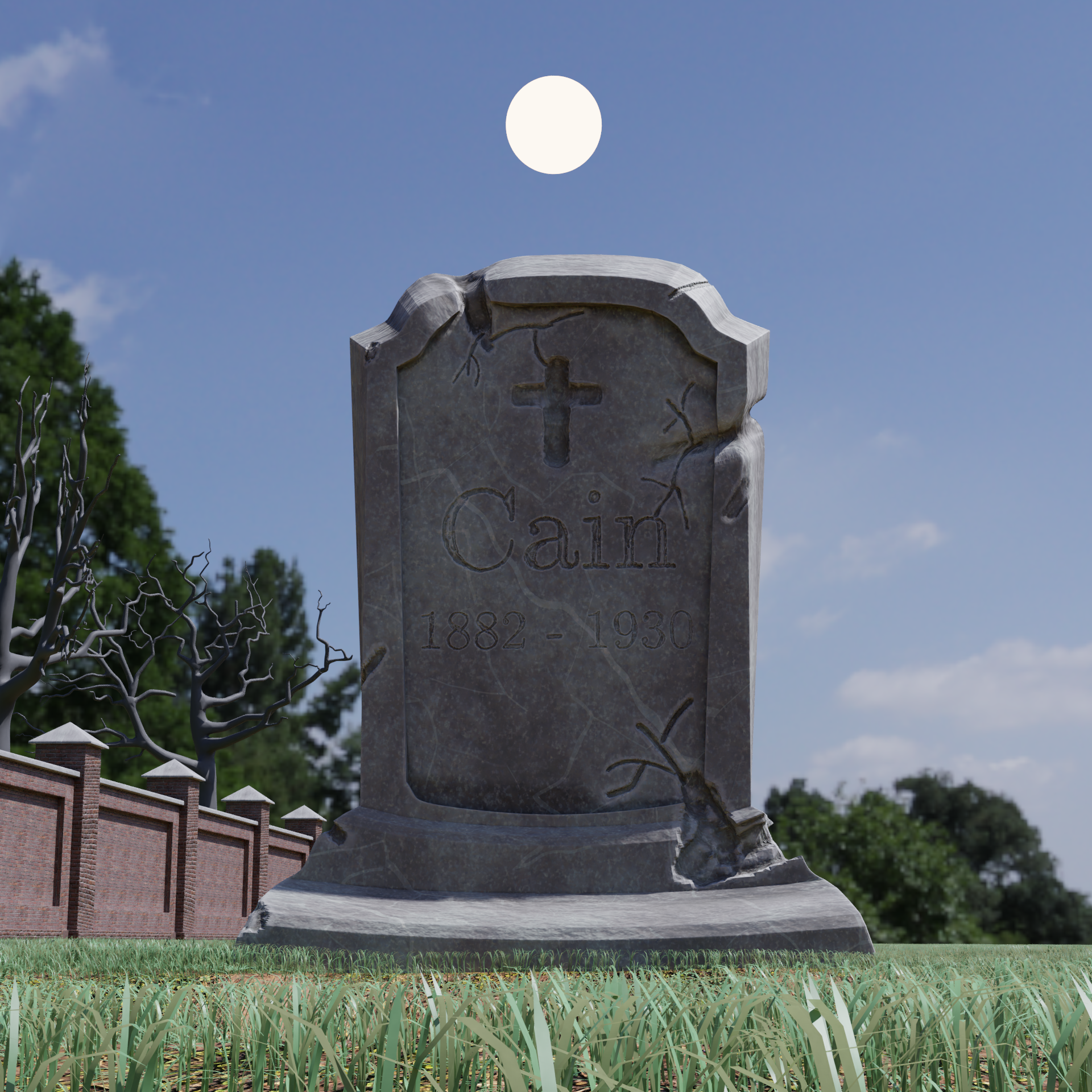
                Will be darker when it’s finished, naturally.

                I found this tutorial on stone textures which was absolutely amazing. Changed and tweaked it myself to get what I wanted naturally but seriously this video can give you a fantastic base to work with. Well, back to Blender!

                #43679
                smurfmier1985
                Participant

                  @thecabbagedetective That gravestone looks A-MA-ZING!! your stuff blows my mind every time 😬💥💣

                  #43680
                  Aaron Rudderham
                  Participant

                    @smurfmier1985 Well damn that’s high praise, thank you! Hopefully the final project will be just as good!

                    #43681
                    Aaron Rudderham
                    Participant

                      So I could use some advice: what’s a good way to get a strong rim light without the lamp completely illuminating the ground? ‘Cause it seems whenever I use area lamps it lightens the floor as much as it does the character, which for a dark scene is quite a problem.

                      #43682
                      yukino hatake
                      Participant

                        @thecabbagedetective  wow that gravestone is cool done . really good . you sure are making someting awesome . cant wait to see the finished scene 😀

                        #43683
                        smurfmier1985
                        Participant

                          @thecabbagedetective Have you tried Kents hack to enhance the rim light? With the layer weight node, like he showed in character week. That worked pretty good for me. I uused a not strong spotlight I think.

                          you can also if it’s still too light with that darken your image with compositing afterwards.

                          EDIT: by the way, I’m pretty psyched, just finished my pumpkin! 😃 Gonna sleep on it one more night give it a final look with fresh eyes tommorow, then I’ll submit it 😊

                          Looking forward to your final piece!! 🎃

                          #43684
                          malhomsi
                          Participant

                            @thecabbagedetective in my last project i used 2 spots lights to solve the problem, composition can help , or u can cheat it with a a fresnel node to fake reflection 

                            good work so far , Kudos for the amount of work and effort

                            #43685
                            Aaron Rudderham
                            Participant

                              @yukinoh1989 Glad to hear you’re liking it so far!

                              #43686
                              smurfmier1985
                              Participant

                                @thecabbagedetective hey Aaron, haven’t spotted your entry yet.. how is it going? 

                                #43687
                                Aaron Rudderham
                                Participant

                                  @smurfmier1985 Damn I completely forgot the layer weight node trick existed until I read this, you may have saved my render! Thanks!

                                Viewing 15 posts - 76 through 90 (of 98 total)
                                • The topic ‘Epic Pumpkin Contest WIP’ is closed to new replies.