
Compositing and rendering animation of EXRs, BUT… only first frame is correct…
Forum Archive › Compositing and rendering animation of EXRs, BUT… only first frame is correct…
- This topic has 16 replies, 3 voices, and was last updated 3 years ago by
Omar Domenech.
-
AuthorPosts
-
August 14, 2023 at 11:06 am #16750
Hey, cookies! I need a sweet advice on compositing and rendering!
IDEA!
I motion tracked footage with table, where I wanted to composit modeled case with shadow catcher etc. In compositor preview (Viewer node), all look very good – just like intended. Node tree attached:
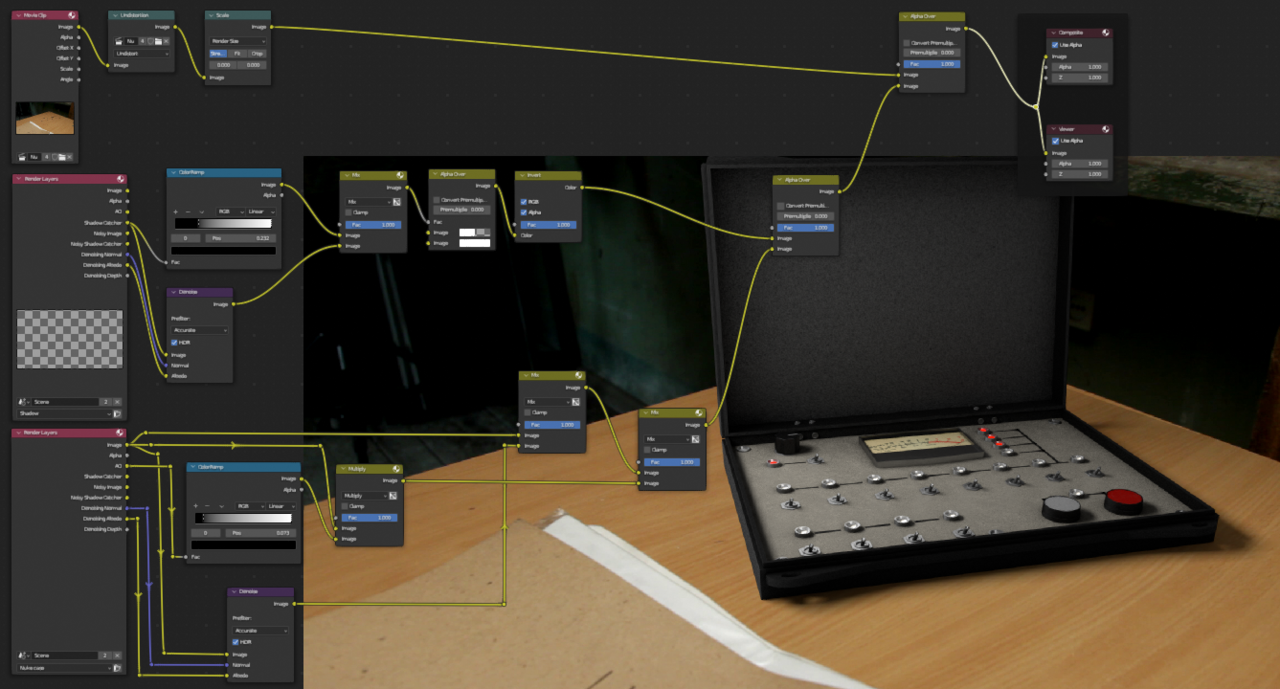
PROBLEM!
When I hit “render animation”, out of 100 frames only first frame is rendered correctly and EXR size is around 17MB, but I don`t understand, why rest 99 frames come out black and file size is only 51KB?
SO FAR…
I have checked following (that I found out on different resources)
1) I have enabled Film->Transparent – so it`s checked in order to use Alpha,
2) Post processing -> I have unchecked “sequencer”
WHAT AM I DOING WRONG? HELP!
August 14, 2023 at 12:04 pm #80729Hey Gatis @Gatis ,
I am by no means an expert on this, but isn’t Render Layers just one single Frame?
Save each Frame as EXR and then load Image Sequence into the compositor?
(I could be completely wrong here…)
August 14, 2023 at 12:31 pm #80730Hey Martin!
I believe that`s not the case… otherwise – why Blender would render rest 99 frames? At first I wanted to render EXRs and them import them into After Effects, but then I decided to do all in Blender… well, no luck so far….
August 14, 2023 at 1:23 pm #80731| why Blender would render rest 99 frames?
because you told it to do that…but you didn’t tell it to save all those Frames as EXR’s…or did you?
Render Layers is just one Frame (I think…).
August 14, 2023 at 1:29 pm #80732A couple of things come to my mind. First your frame range in the output properties, maybe you have the wrong range set or the steps. If you restrain the rage in your timeline to say just frame 10 and you do a normal render, does that render come out black and with little kilobytes? Maybe you’re rendering with a strip on the video sequencer editor? There could be so much to troubleshoot since is a render time problem. Maybe you could upload your file for us to take a look.
August 14, 2023 at 2:02 pm #80733Martin,
I don`t quiet get your point… then my question is – how to do you tell Blender to save e.g. 100 animation frames as EXRs?
August 14, 2023 at 2:06 pm #80734Omar,
1) my frame range is START frame 5, END frame 105, and step is set to 1,
2) nop, video sequencer is empty,
3) honestly – I`ve never uploaded Blender files here before – can you give a hint on best way to do it?
August 14, 2023 at 2:06 pm #80735Hi Gatis,
Call me stupid, but maybe like this:
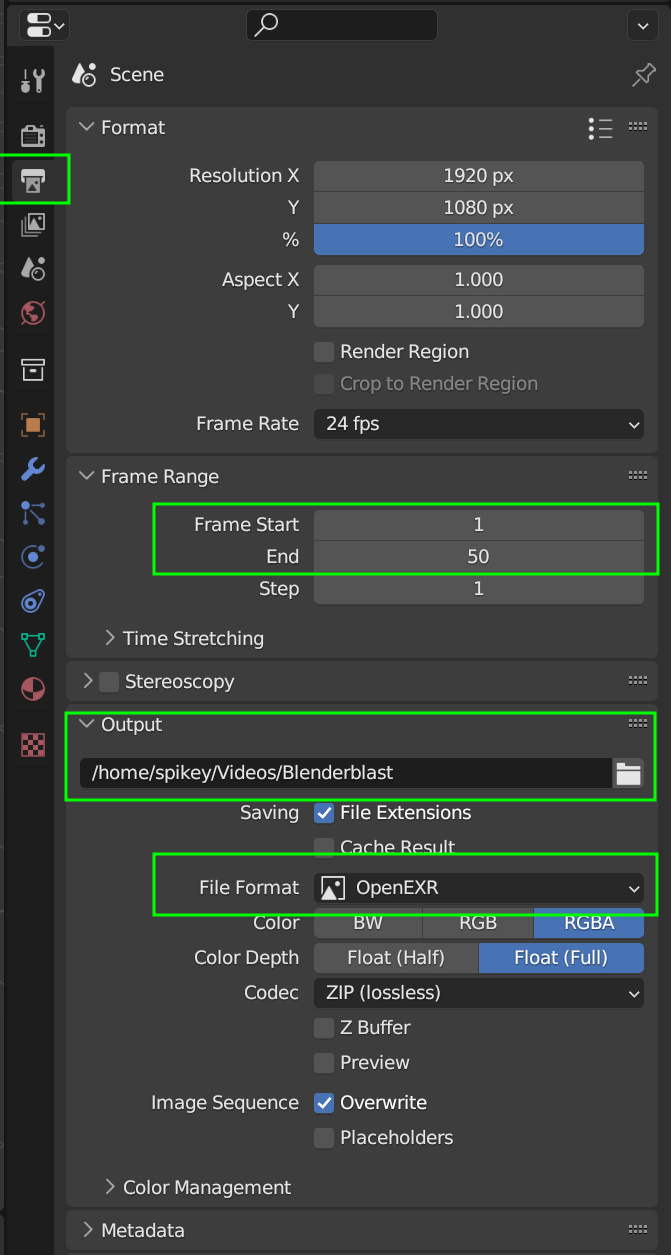 August 14, 2023 at 2:08 pm #80736
If you want to upload a .blend file,
upload it to Googledrive, Dropbox, or similar and then post a Link here
August 14, 2023 at 2:25 pm #80737No, I won`t! : )
All I want is to learn this case and understand the issue…. Here are my settings – I see, that they are the same as in your screen shot!
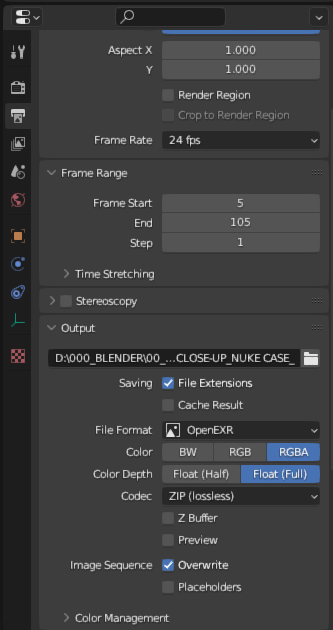 August 14, 2023 at 2:28 pm #80738
Here is download link to blend file… however, it won`t contain motion tracked footage… as it`s quiet big…
August 14, 2023 at 2:48 pm #80739So, you seem to have 100 EXR files on your D drive…
Can you load them into the Compositor
(Input > Image Sequence) ?
August 14, 2023 at 3:03 pm #80740You mean including those small (51KB) ones?
August 14, 2023 at 6:08 pm #80741Ok as far as I can tell, the render layer that are called Nuke Case and Shadow render fine. No matter the frame I put it to one will render a nuke case and the other its shadow to later be composited in. The Full Comp render layer doesn’t render anything and it just stops as if there is nothing to render.
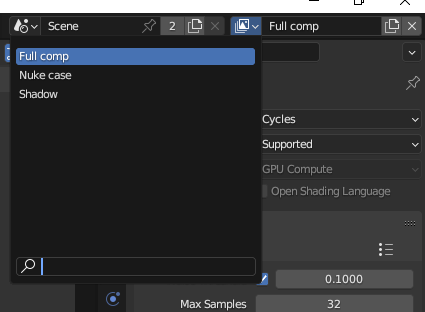
So I image you have the Nuke Case and Shadow to give you the rendered frames that you want and in Full Comp you are just doing compositing. So maybe Blender goes through Nuke Case and Shadow just fine but when it gets to Full comp it goes crazy? So maybe try this crazy experiment, do a save as of your file and delete the Full Comp render layer, so Blender just renders the Nuke Case and Shadow layers, see if that yield any results?
August 15, 2023 at 1:47 pm #80742So here is what I have now:
1) I deleted layer “Full comp”
2) I clicked “render animation” and first frame was good (approx 12MB) – as intended, and it looks like this:
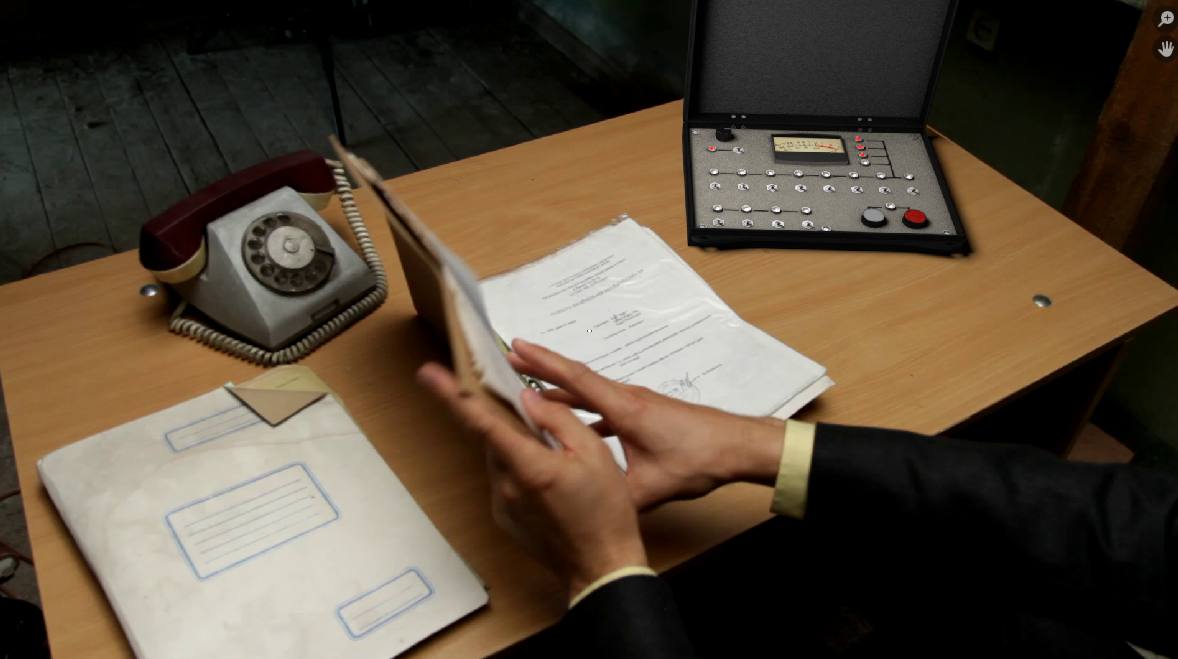
3) but in following frames only 3D elements were rendered on black (non transparent) background and it looks like this – and obviously file size is down to 2MB:
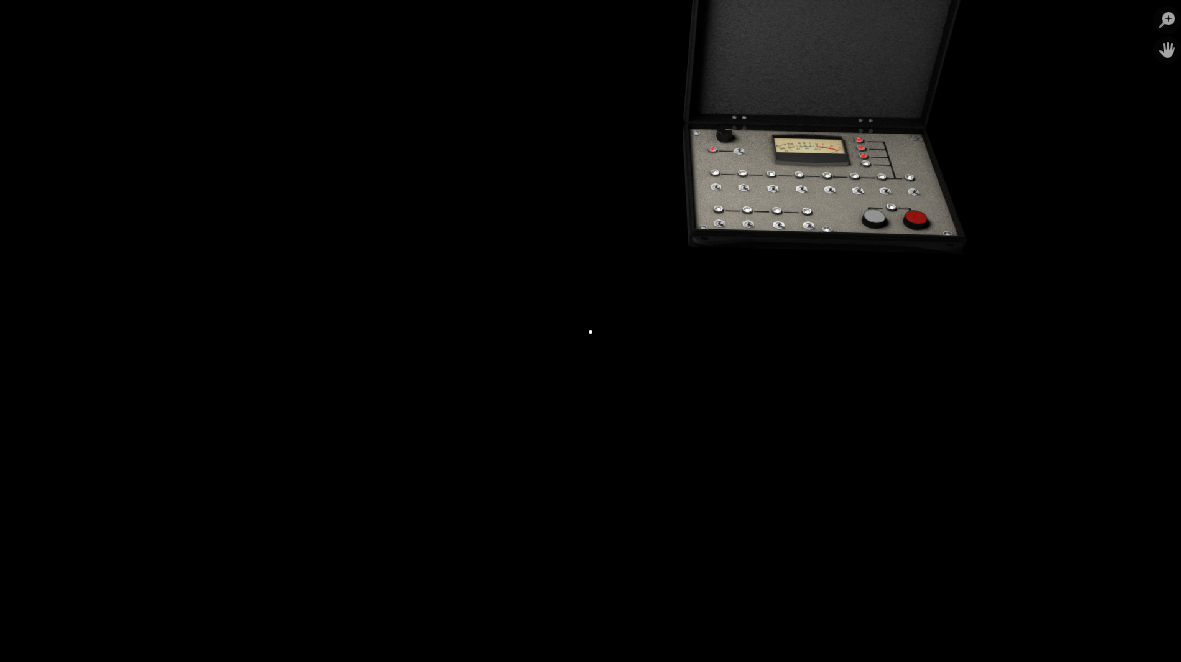
4) This leads me to think, that maybe there is some issue with movie clip node? Looks like every next frame is not updating as it should…
5) and here is the weird part: if I select any next frame in timeline and hit F12, frame renders correct, but when “render animation is clicked, all these issues (mentioned above) are coming up…
no solution so far…
-
AuthorPosts


- The topic ‘Compositing and rendering animation of EXRs, BUT… only first frame is correct…’ is closed to new replies.