
Collab2021 – WIP – Yukinoh
Forum Archive › Collab2021 – WIP – Yukinoh
- This topic has 61 replies, 10 voices, and was last updated 5 years, 3 months ago by
yukino hatake.
-
AuthorPosts
-
April 9, 2021 at 10:46 am #65671
I see I am far behind with my flower-task. 😀
So glad I survived till the weekend. Time to have a nice nap and start working right afterwards!
April 9, 2021 at 11:44 am #65672@adrian2301 thanks a lot, tomorrow ill go for the waterlily 🙂
@bun-bun yours are great too, kinda am lucky i am this week home , no work this week so i had all time 😀 . i am sure by this weekend with both our flowers we will have a lot of nice choices to fill up the field 😀
April 10, 2021 at 1:07 pm #65673Homework Submission – Week 1- Flowers
@theluthier hope they are somehow good. (Edit: added a mushroom )
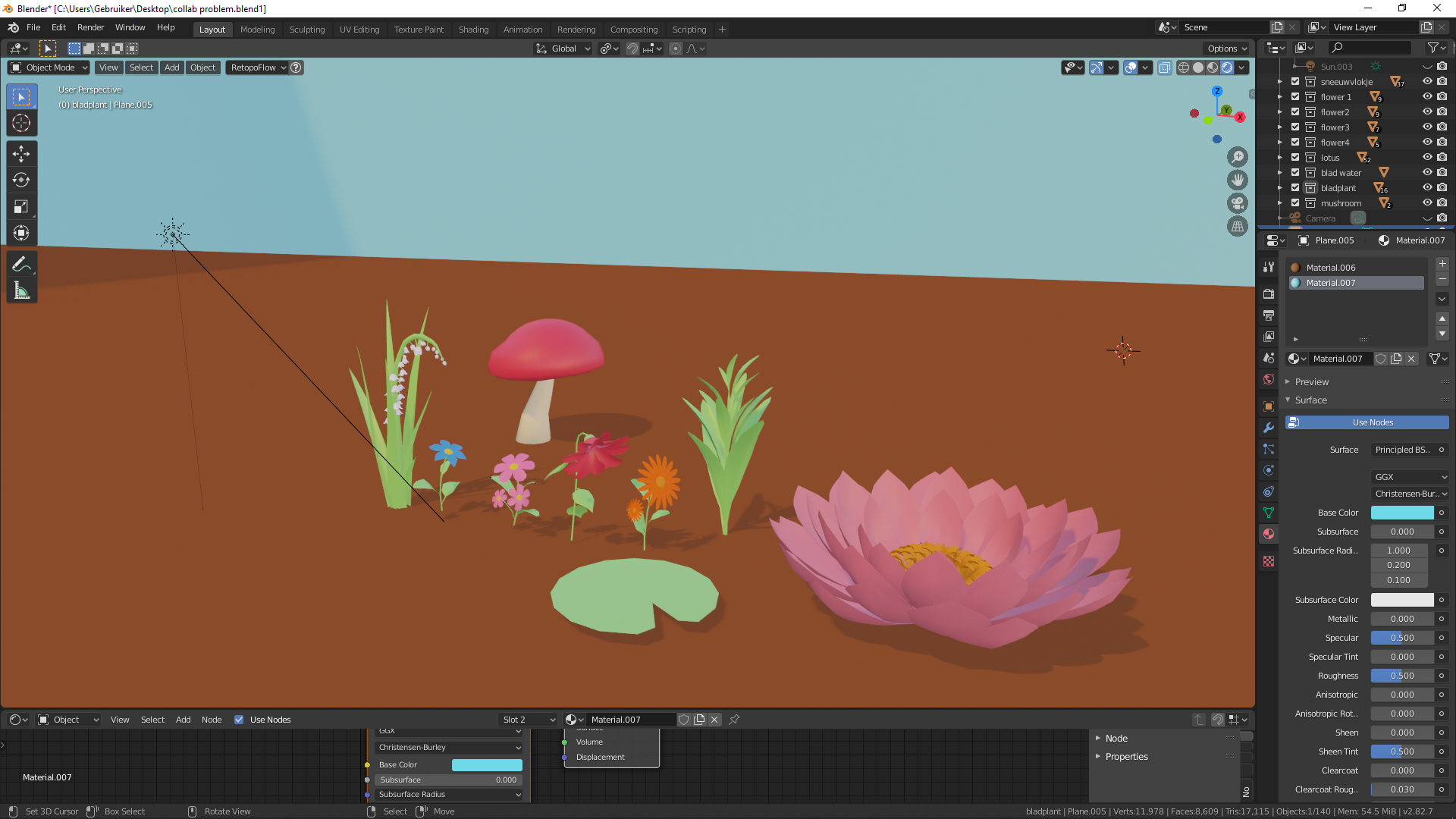
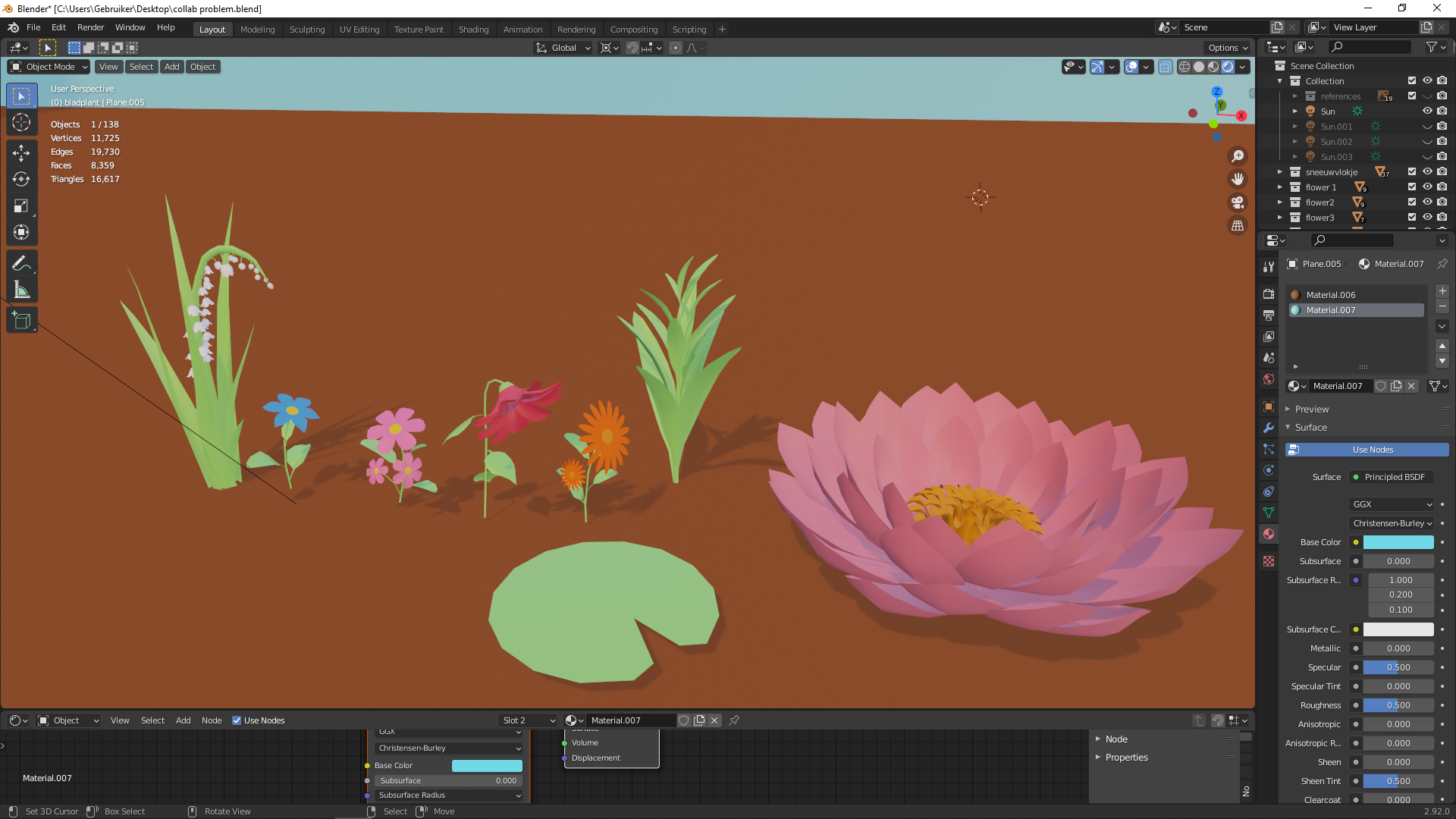
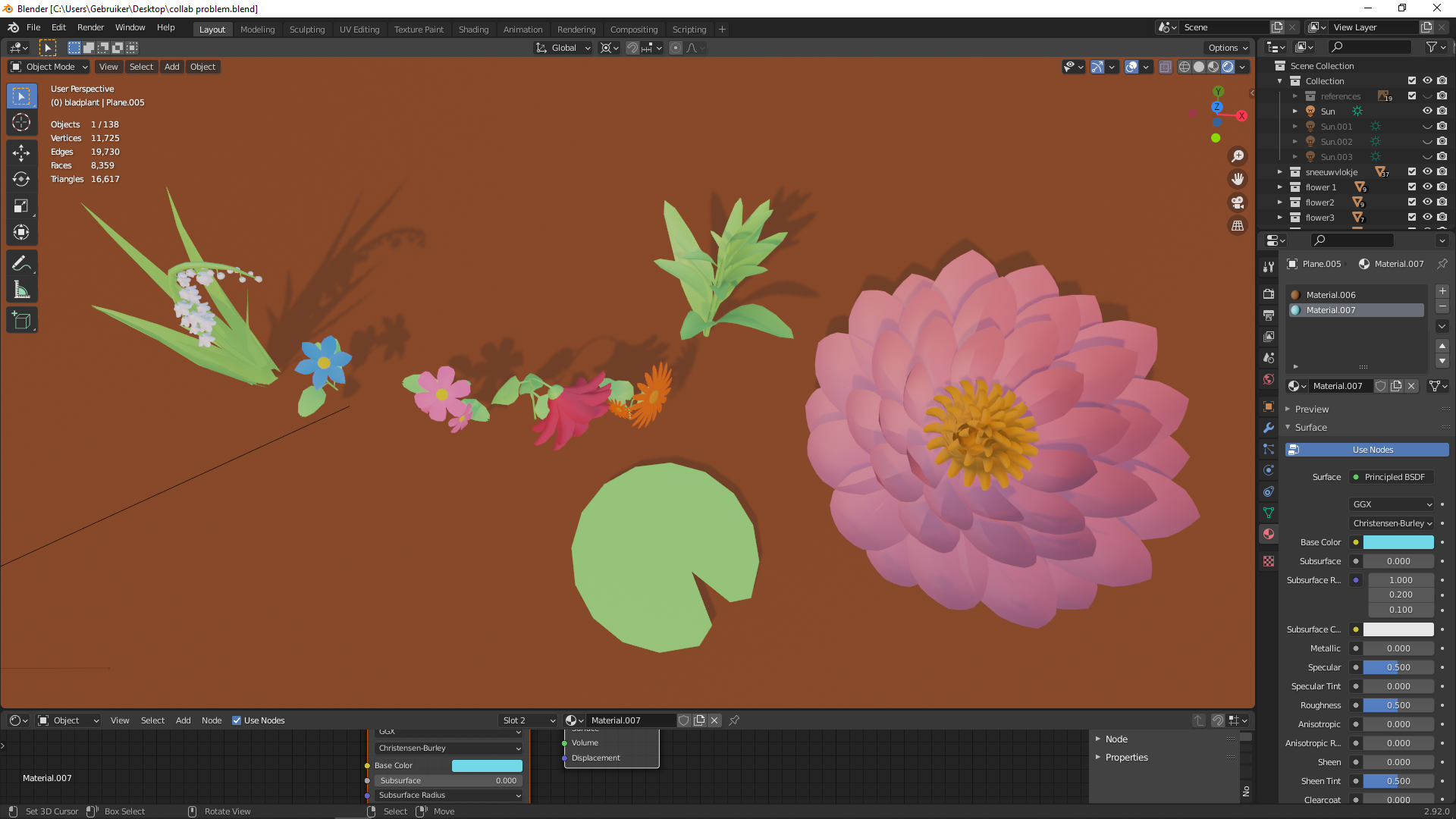
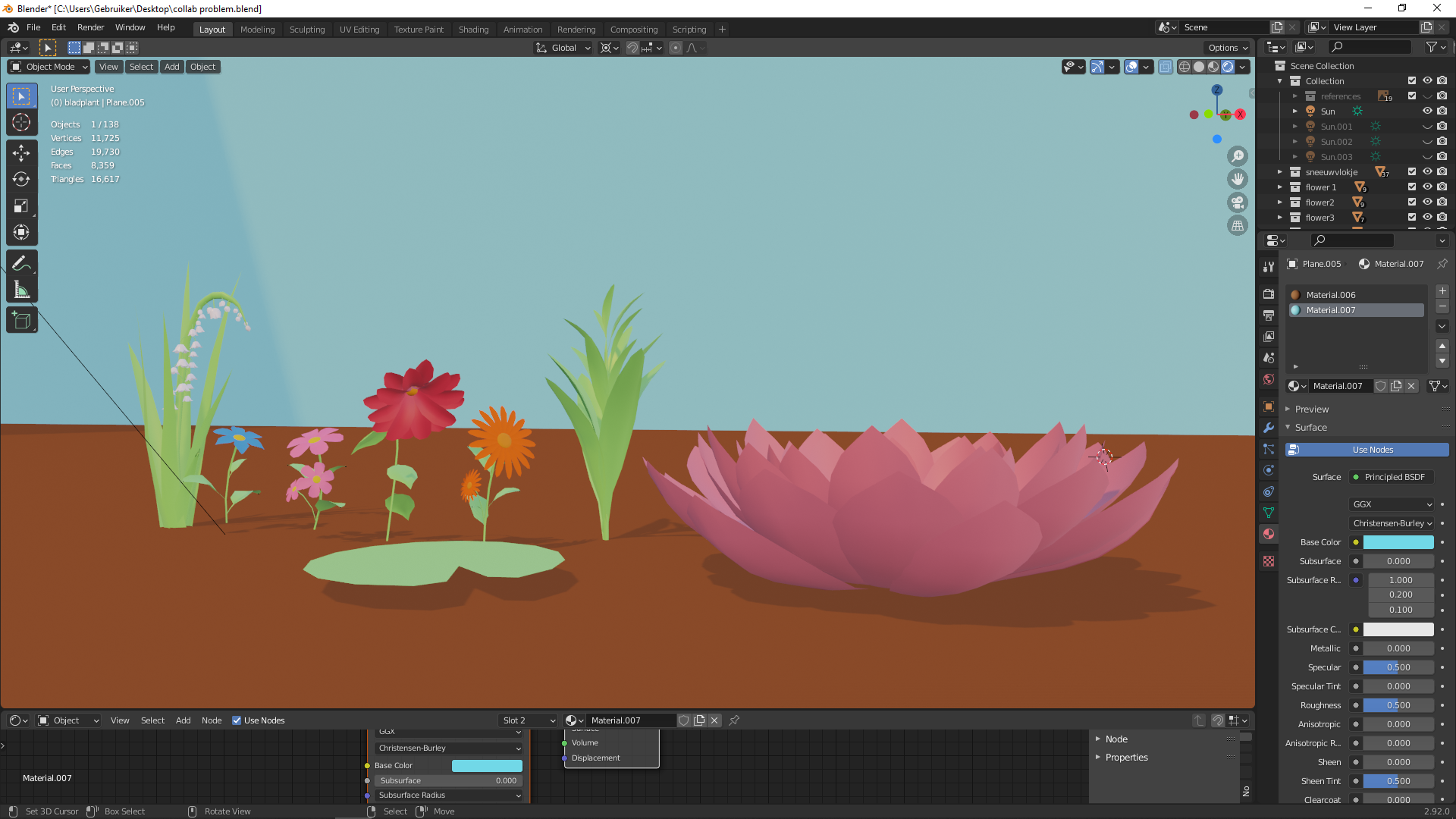
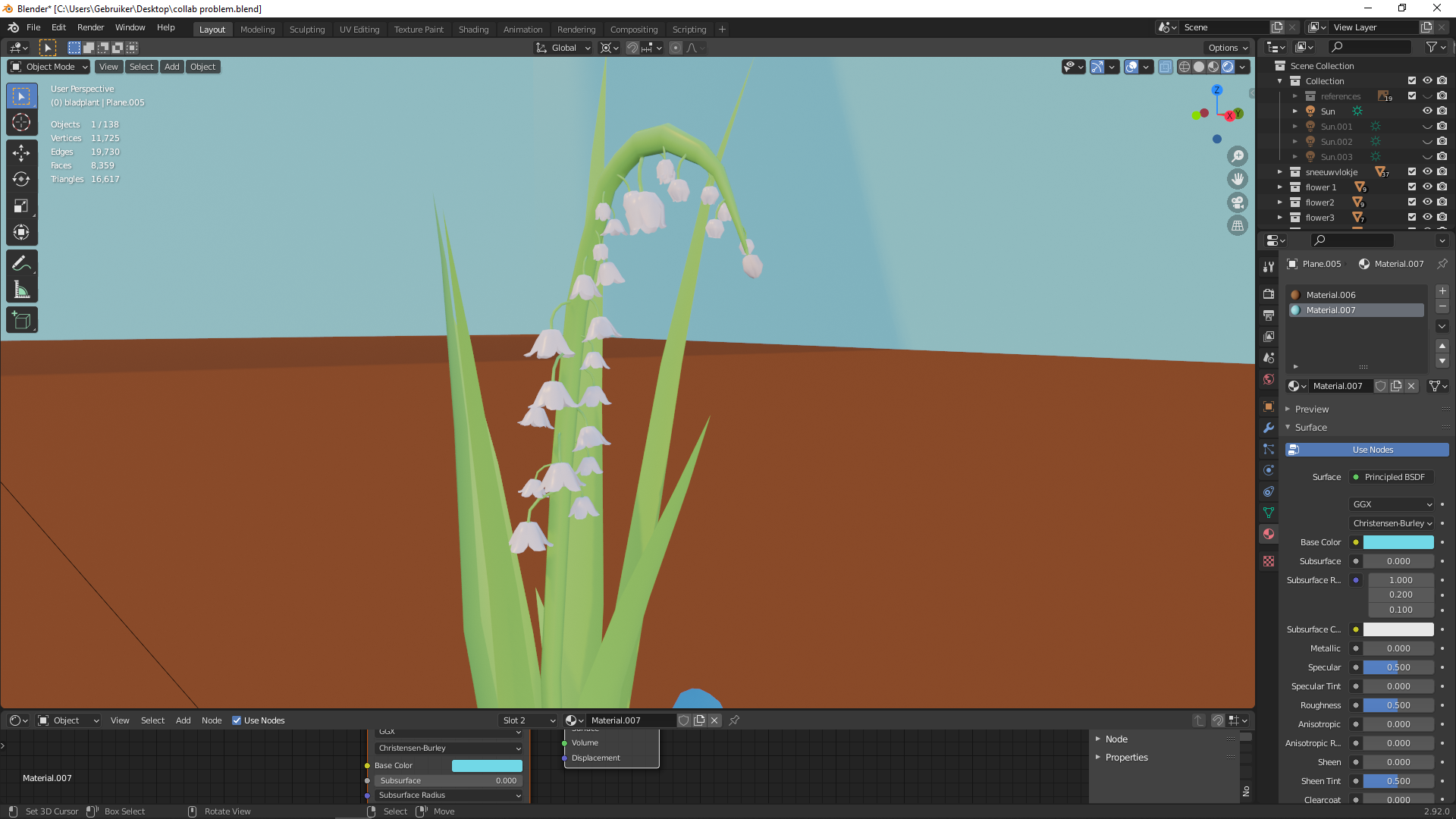
i still wanted to make even more flowers, but then again i still need to texture them so i better dont take too much 🙂
April 12, 2021 at 3:18 pm #65674What a flower library @yukinoh1989!! You really took this asset by the horns and developed a great collection. You get full points + some extra for the effort 👏
Everything looks great but I’m wondering about the flowers circled in yellow:
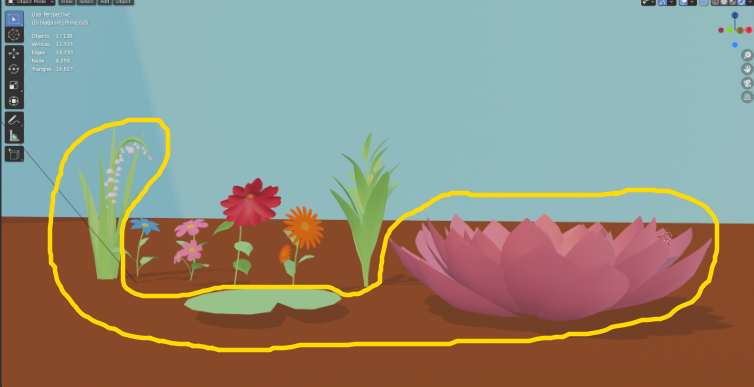
I LOVE the water lily aesthetic but I’m afraid the stream need to be moving too quickly to support such plant life. Maybe I’m wrong and should do some research, but I associate water lilies with more stagnant bodies of water like ponds. Hopefully I’m wrong! But if the stream needs to be moving swiftly enough to move the water wheel we may need to omit the lilies.
What do you think about this logic @spikeyxxx?
Lastly the left-most plant with small white flowers – While it is truly lovely! I’m afraid it’s a lot of detail at a small scale. I expect it may prove too heavy an asset for a barely-noticed effect. Even if we omit the water lily and small-white-flowered plant, we’ll be in great shape for populating the scene well!
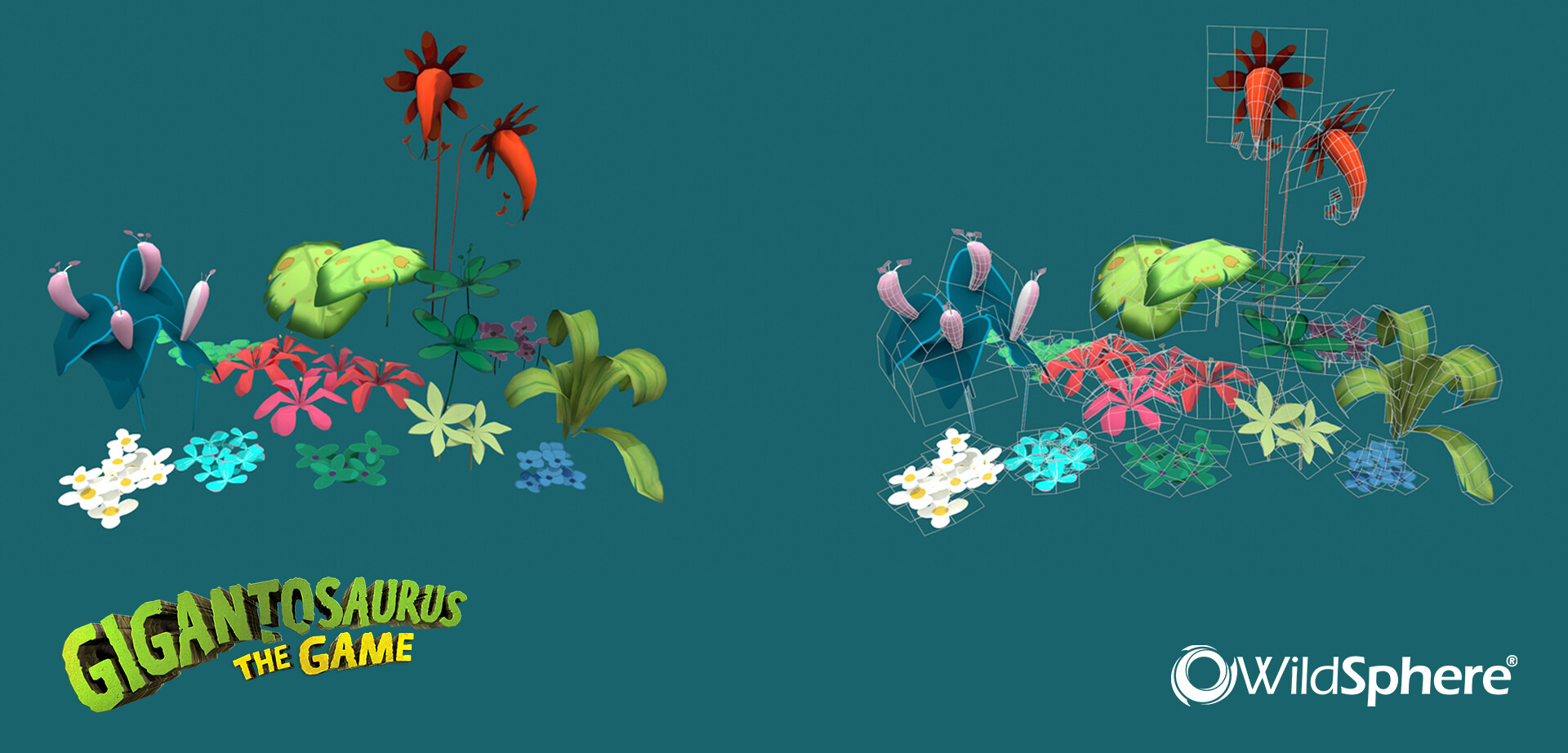
For week 2, sculpting is probably overkill. Instead how do you feel about looking into optimization techniques for flowers? See this artstation gallery about how simple geometry with alpha-mapped textures are good for optimal flower effects:
 April 12, 2021 at 3:34 pm #65675
@theluthier as @yukinoh1989 already mentioned, she is well aware of the fact that not all of her flowers will/could be used here. As I understand it, it is partly an exercise in making plants, which is hard enough in itself, but making them low poly as well…
But I aggree, that apart from the waterlily and lily of the valley, these are great for our scene.
April 12, 2021 at 4:08 pm #65676Both thanks for the feedback, indeed they both are pretty flowers, especially the waterlily, but it should fit in the scene and as you say with the strong current flow that might be not possible. Dont know much about flowers, but if those 2 go out it might mean i get back space for other flowers :). Of course depending how much time i get free. I will check out the reference to get some extra ideas and perhaps some nice tricks :).
Again both thanks for the time and feedback 😀
April 13, 2021 at 9:45 am #65677I’m starting a KEEP THE LILIES petition, who’s with me??
After our discussion on water flow in the team leads meeting @theluthier , did we abandon the waterfall for a more tranquil, peaceful body of water at the front of the house?
My thought was, if I can explain it laterally from house forward, So it goes House/ waterwheel into a small pond and then under a bridge and then a small stream meandering into a forest or wood.
Like the artwork suggest it opens out a little just before the bridge, and that’s where the waterlilies grow. With the natural rock dam I suggested at the rear of the house to generate the power to turn the waterwheel then the water would naturally slow again.
SAVE THE WATER LILY
April 13, 2021 at 12:23 pm #65678well that seems like a wonderfull idea to indeed save the waterlily:D its a really nice flower so if i can optimize it a waterlily 2 or 3 should not harm the file 😀
April 14, 2021 at 12:36 pm #65679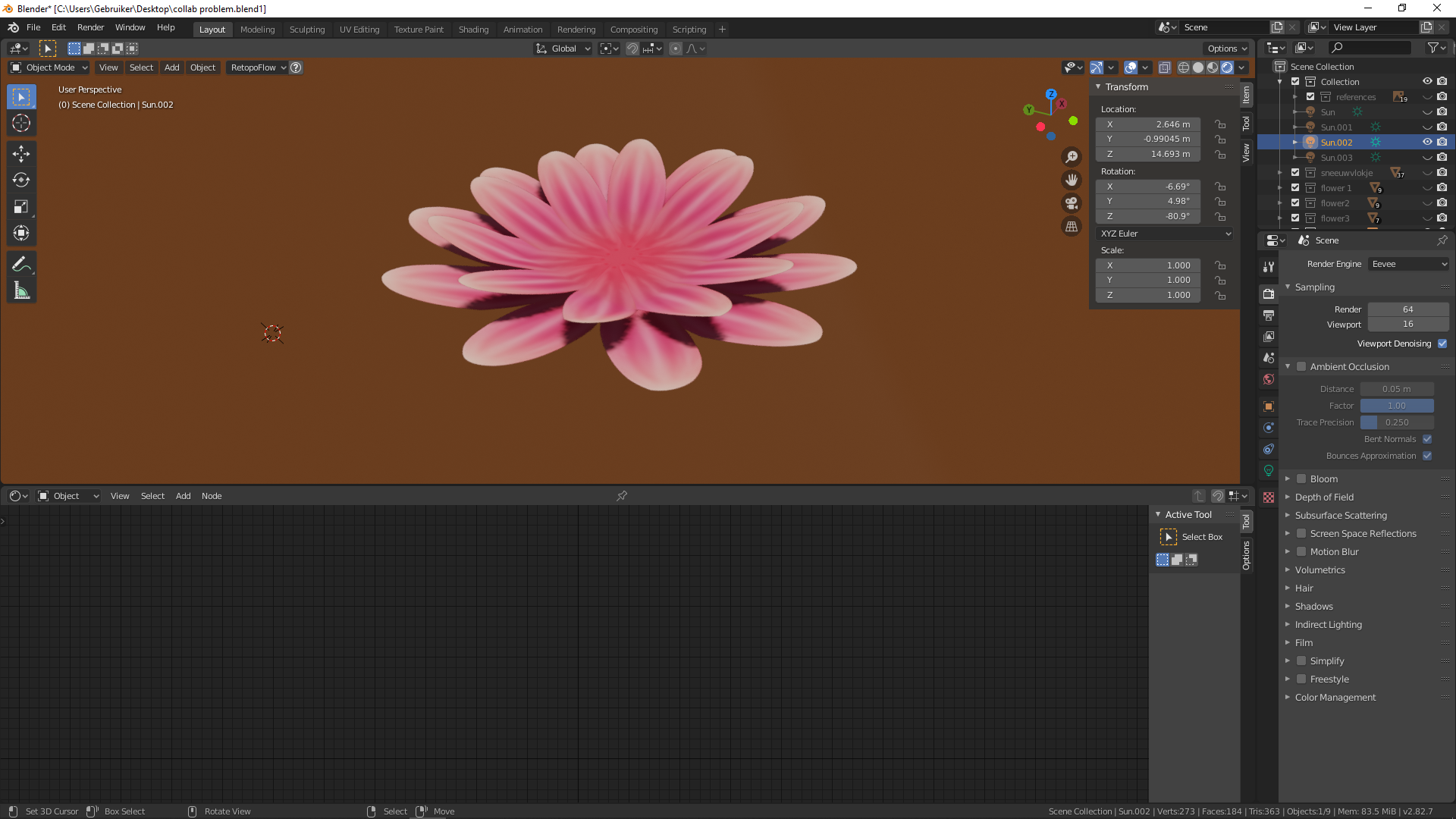
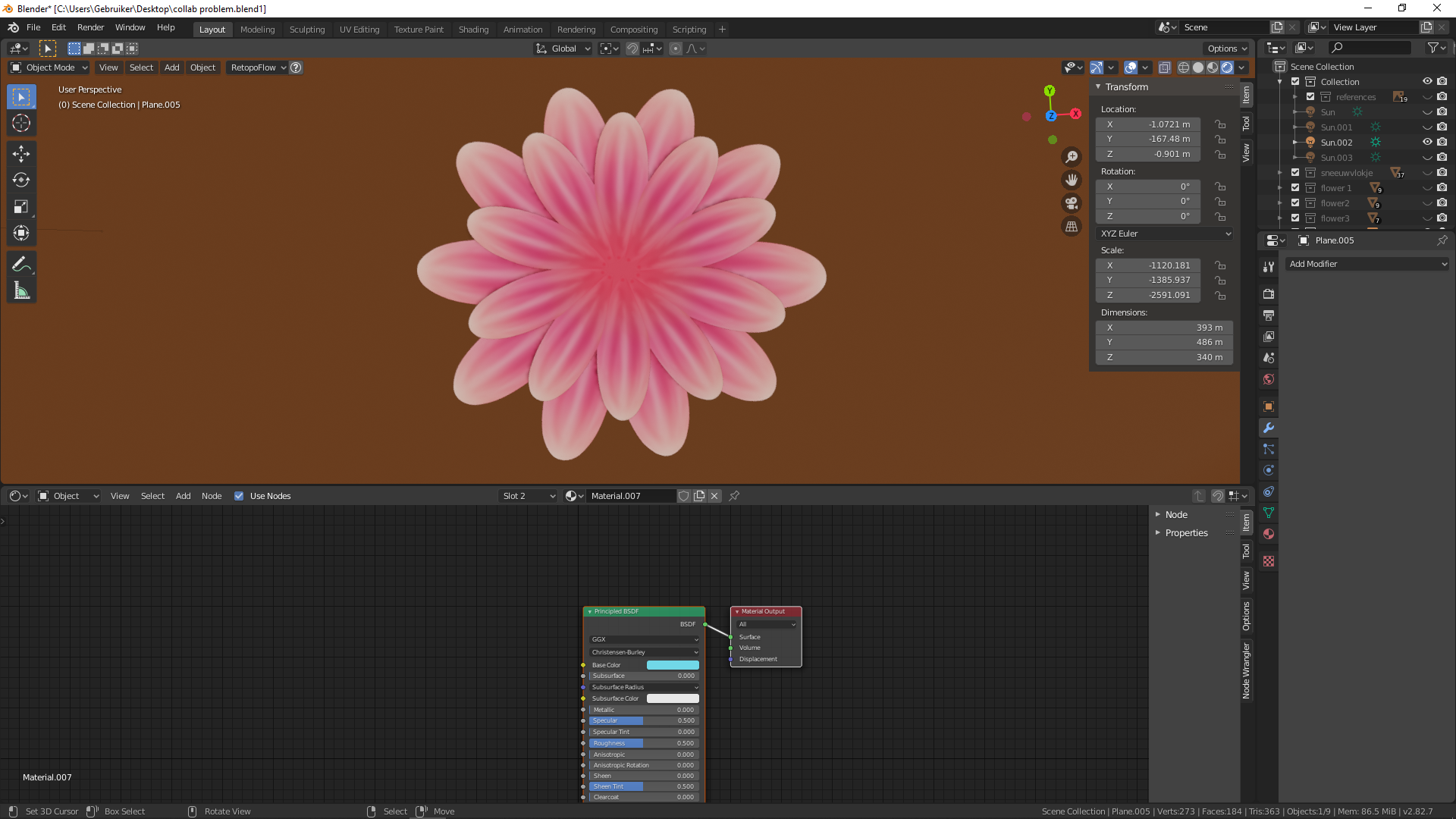
it looks better from the top view xD
this flower exist out of 2 layers and has 48 verticies
would this kind of style be ok? (the pink space in between will be covered by one of the center of the flowers . )
April 14, 2021 at 3:14 pm #65680I think it looks amazing. Especially the color scheme is spot on!
My only suggestion would be the one given by Kent during the live-stream:
Try to get rid of the perfection of your model, because nothing in reality is this perfect. Try to adjust the orientation of individual leaves, try to change scale and rotation and maybe do a final pass for the image texture before applying it to the low-poly version of your mesh.
Have to figure it out myself though … Maybe I should apply my own advice first and start lecturing others later. 😀
April 14, 2021 at 3:32 pm #65681@bun-bun thanks you so much for the kind feedback. What do you mean with final pass? Indeed i still need to make the imperfection and the middel of the flower :). And dont worry about lecture, it will only improve that way. I am happy to receive feedback
happy to hear too you love my collor picking 😀 been a while since i used my drawing tablet so this week will be fun.April 14, 2021 at 4:00 pm #65682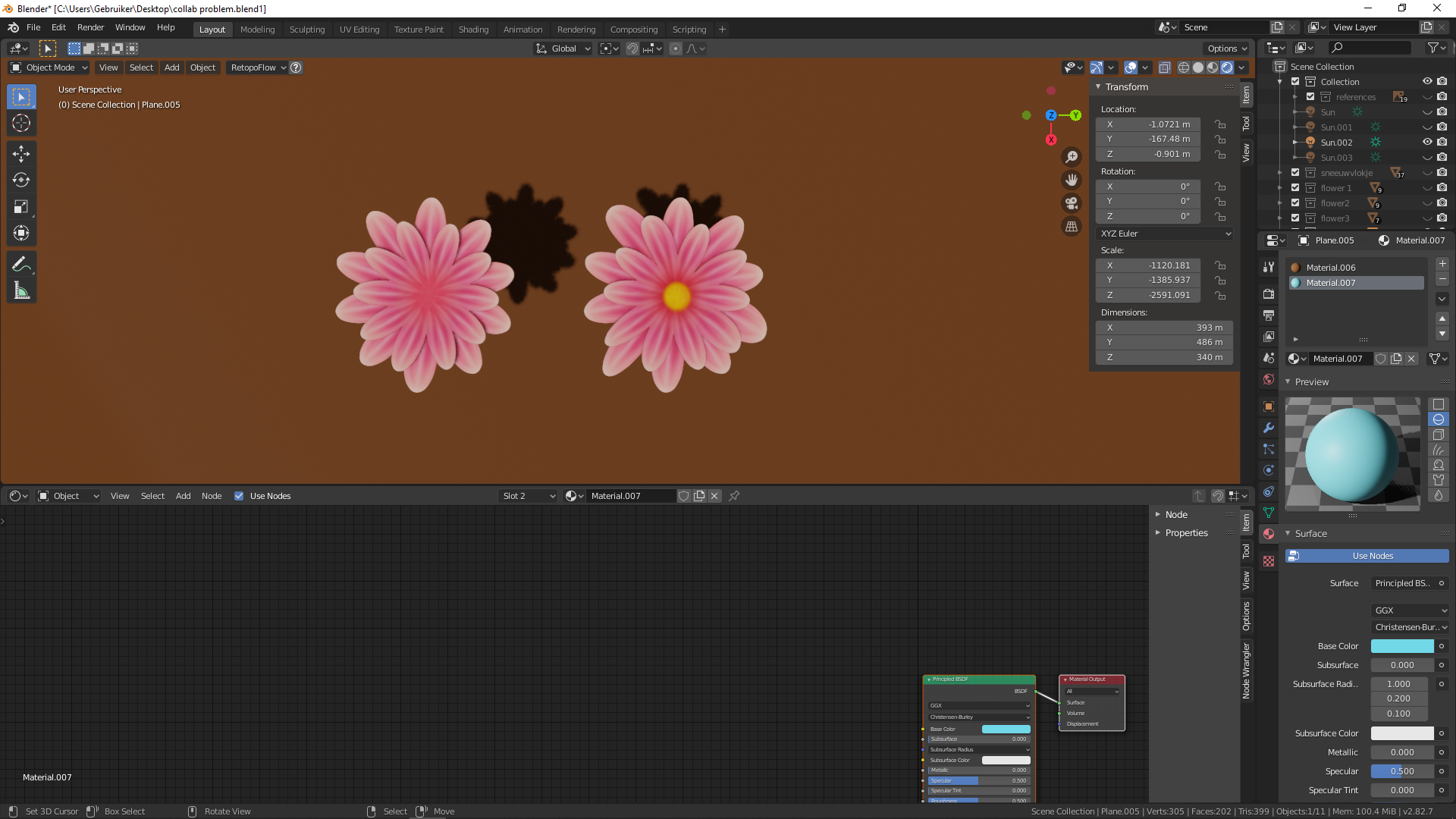
added the inner of the flower and also made it imperfect. kinda think its a bit too much , perhaps i should reduce the imperfection a bit?
what do you guys think ?
should i also create the inner (yellow part) part of the flower like this or should it be seperated ? right now this flower still is 48 verticies
April 15, 2021 at 1:43 am #65683The level of imperfection looks good to me (certainly no too much!).
As long as you keep your Vertex count low, you can use any method.
Considering the artwork, you might even get away with something like this:
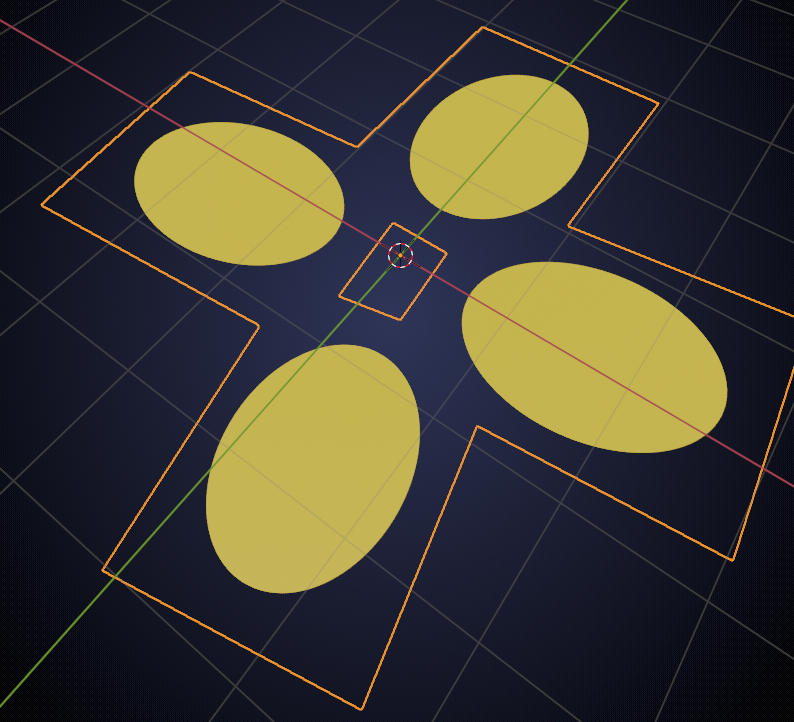
unconnected leaves 😉
Although I’m not sure if @theluthier would accept something like that…
April 15, 2021 at 2:30 am #65684just managed to redure it to 24 verticies
left one has 48 and the right one 24 i think there are no strange places and it still looks good.
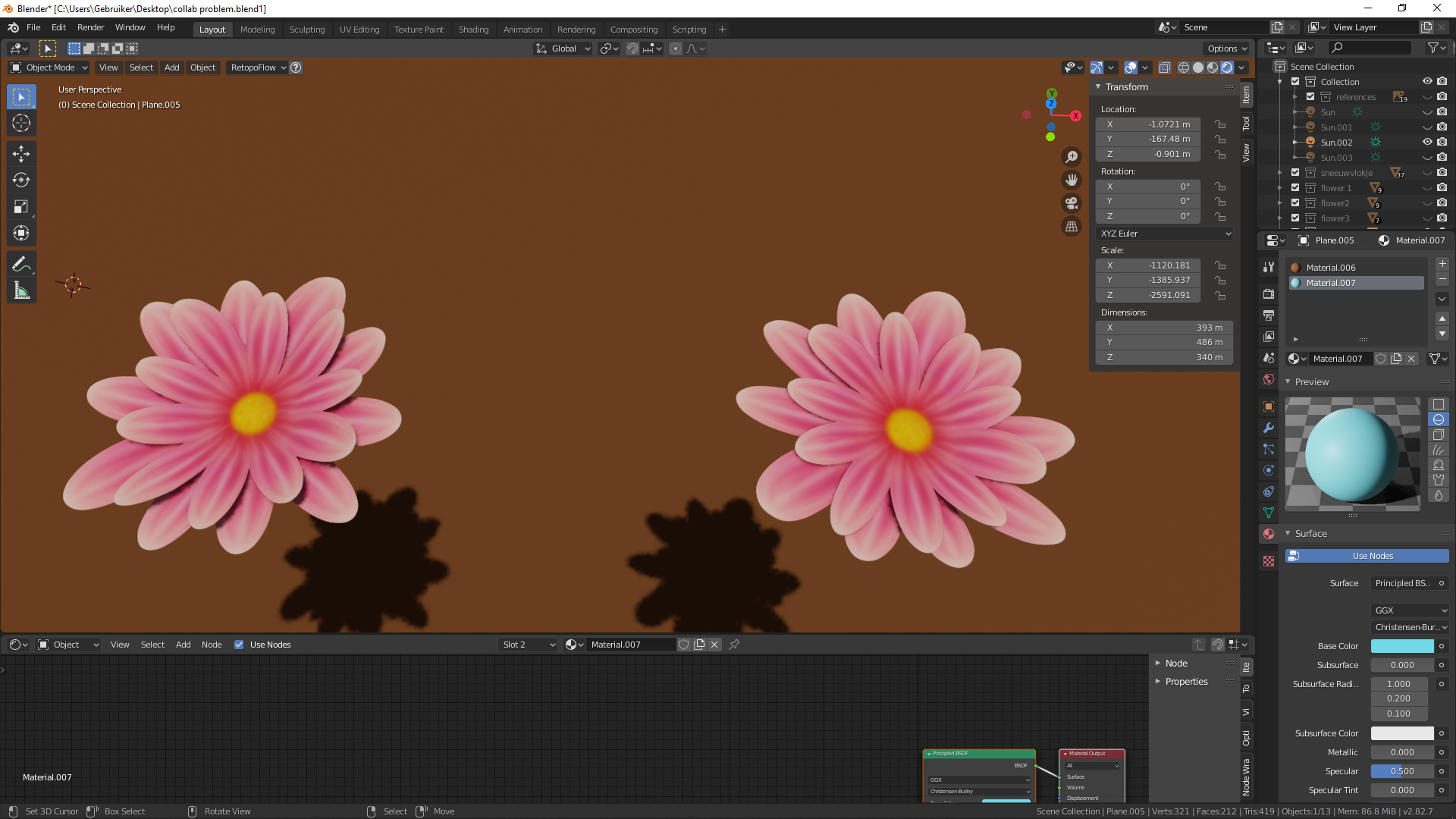

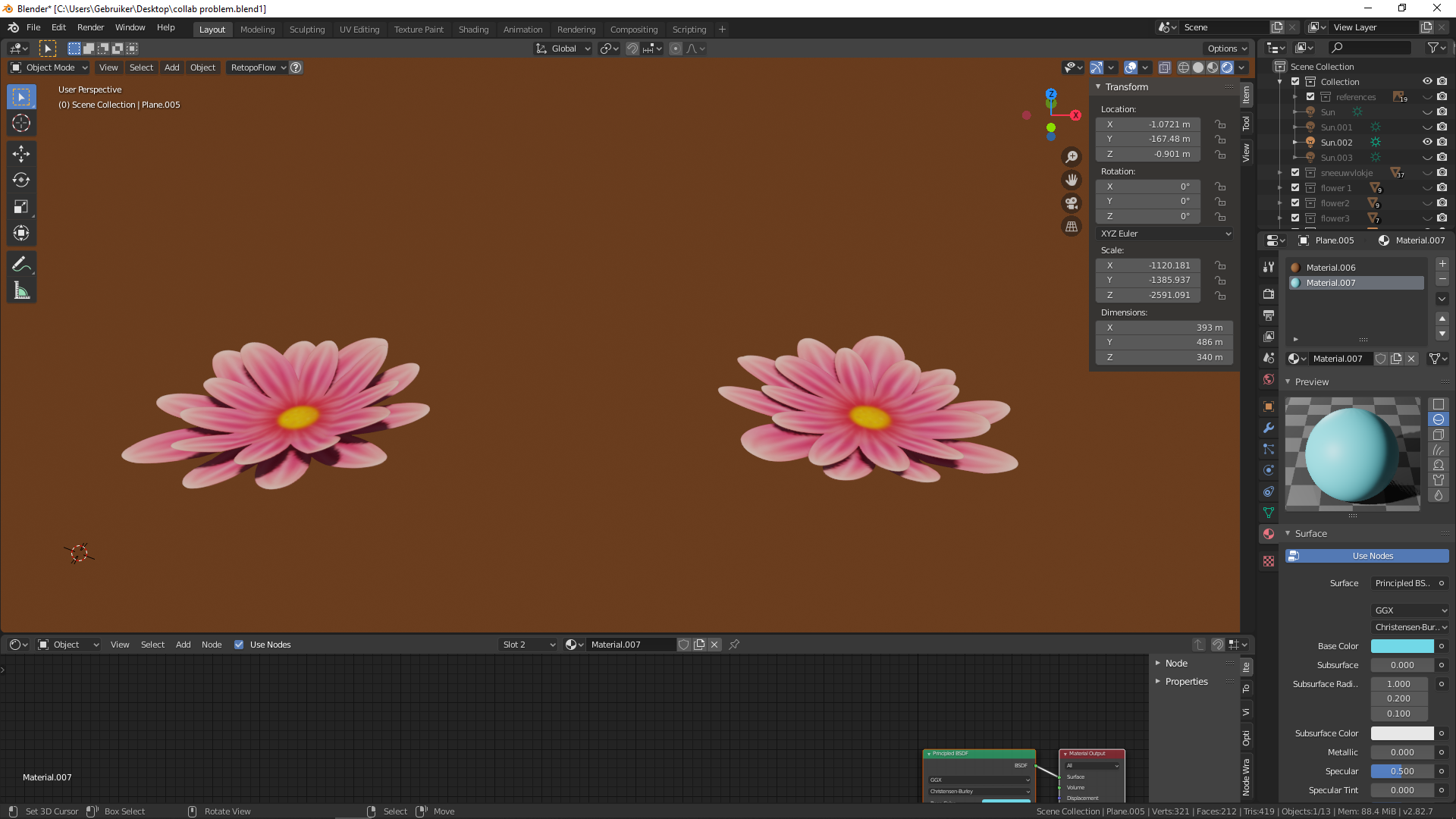
the curving is slightly lesser but still not too bad i think, let me know what you guys think .
if its good with 16 verticies (actually 8 if i where to only have one layer of leaves) then ill go draw several flowers this evening and post the new ones over hereApril 15, 2021 at 2:48 am #6568524 Vertices is excellent!
And the difference isn’t too big, so well done, Yuki!
I wouldn’t make it one layer to get it down to 12, that would be sacrificing the quality too much.
-
AuthorPosts


- The topic ‘Collab2021 – WIP – Yukinoh’ is closed to new replies.