
Collab2021-WIP-ullreym
Forum Archive › Collab2021-WIP-ullreym
- This topic has 38 replies, 11 voices, and was last updated 5 years, 4 months ago by
spikeyxxx.
-
AuthorPosts
-
April 17, 2021 at 12:48 pm #65437
Assets: Nature E: FG Tree B My Work in Progress
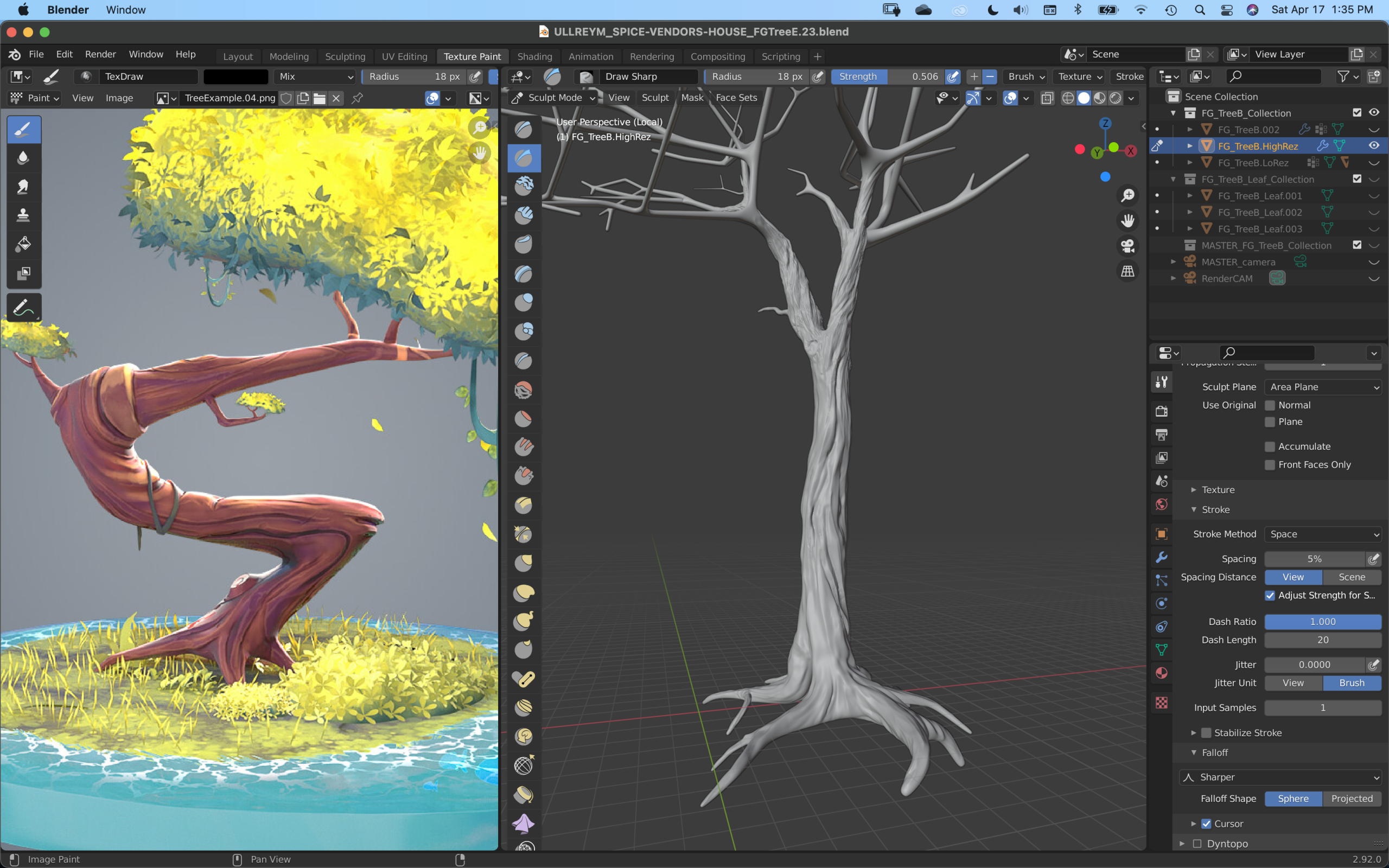
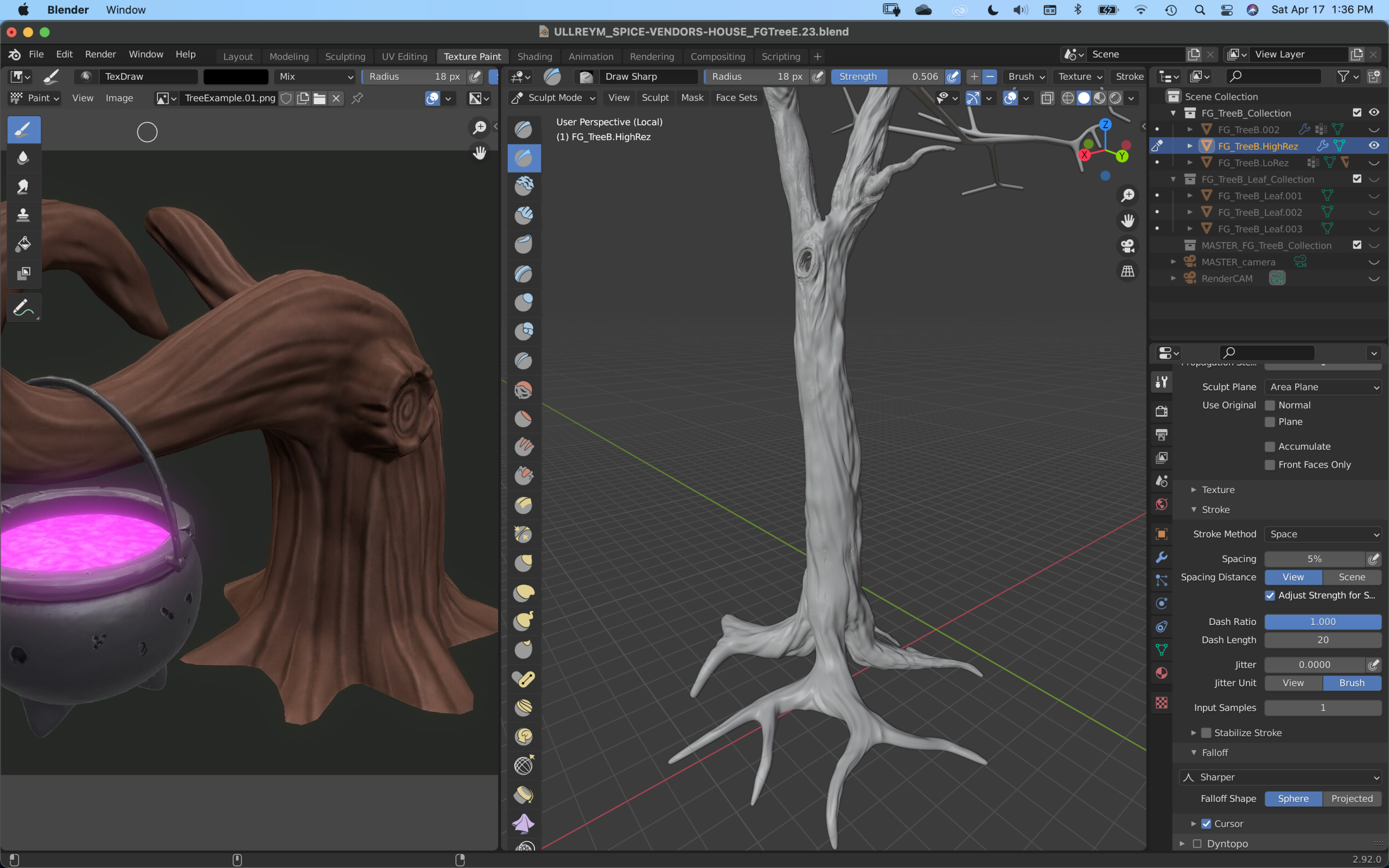
- Using the stylized samples, I smoothed out the bark of the tree with a combination of the scrape brush and smooth brush.
- The Draw Sharp brush came in handy adding creases and gouges by alternating with the CTRL button.
The process of sculpting has a calming effect as I created the twists and swirls in the tree trunk. I took inspiration from the sample art that @theluthier provided in my critique. I am really looking forward to the finished product once the UVs are created the texture painting is complete.
 April 17, 2021 at 1:01 pm #65438
Hello @tobles,
In the video example, Kent used a Voronoi texture to add a hammered look to the metal of the wall lamp. I figured that if I painted a rough greyscale image of bark in Blender’s image editor, I could use it the same way as the Voronoi texture on the Sculpt Draw Brush. I tried the Anchored Stroke Setting, but I found using the Texture Mapping as a Stencil and Stoke Method set to Space, allowed me to rotate and scale the painted texture as I needed to in order to add variety to the bark.
April 19, 2021 at 12:36 am #65439Homework Submission – Week 2 – FG Tree B
Assets: Nature E: FG Tree B My Work in Progress
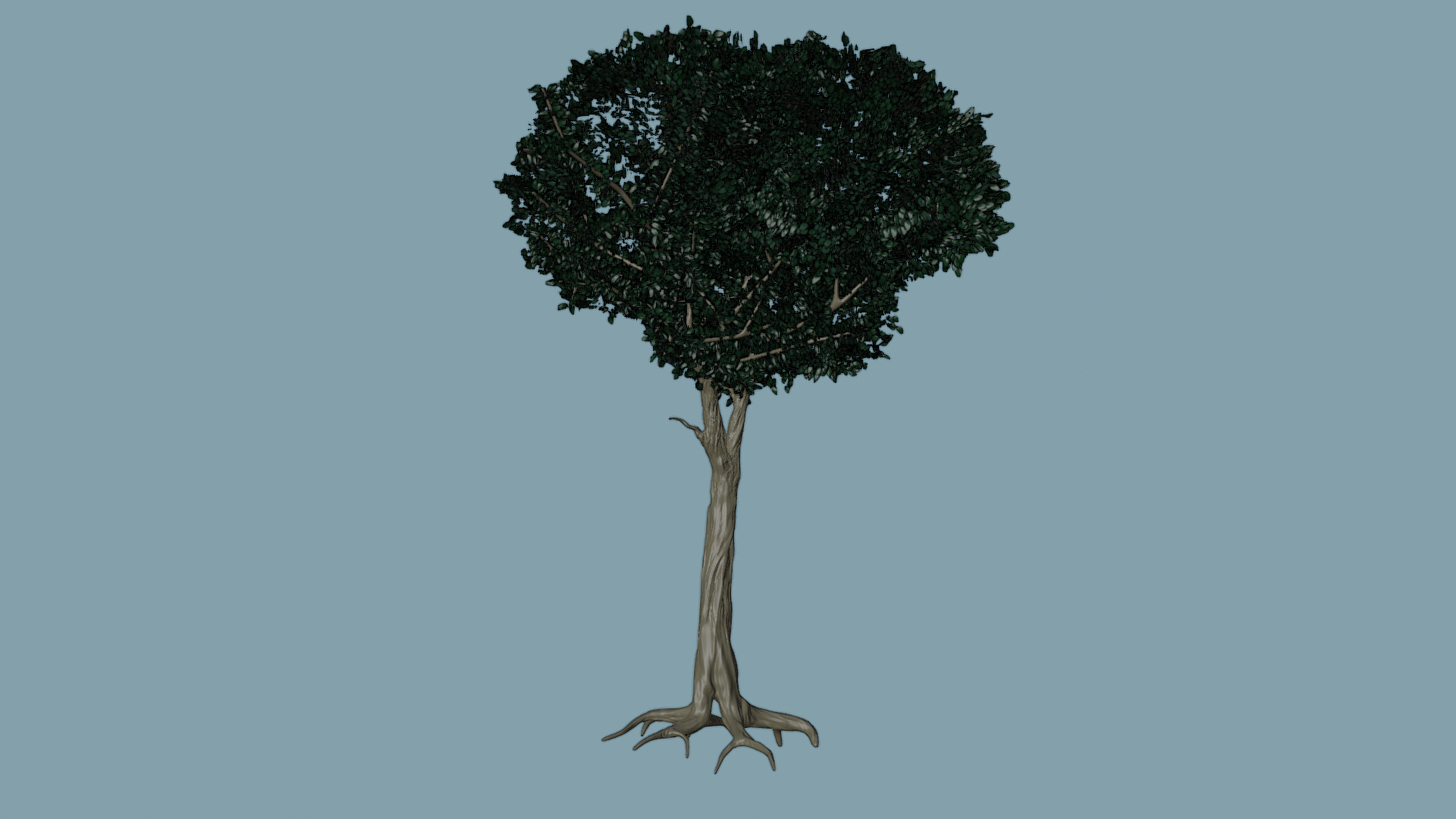
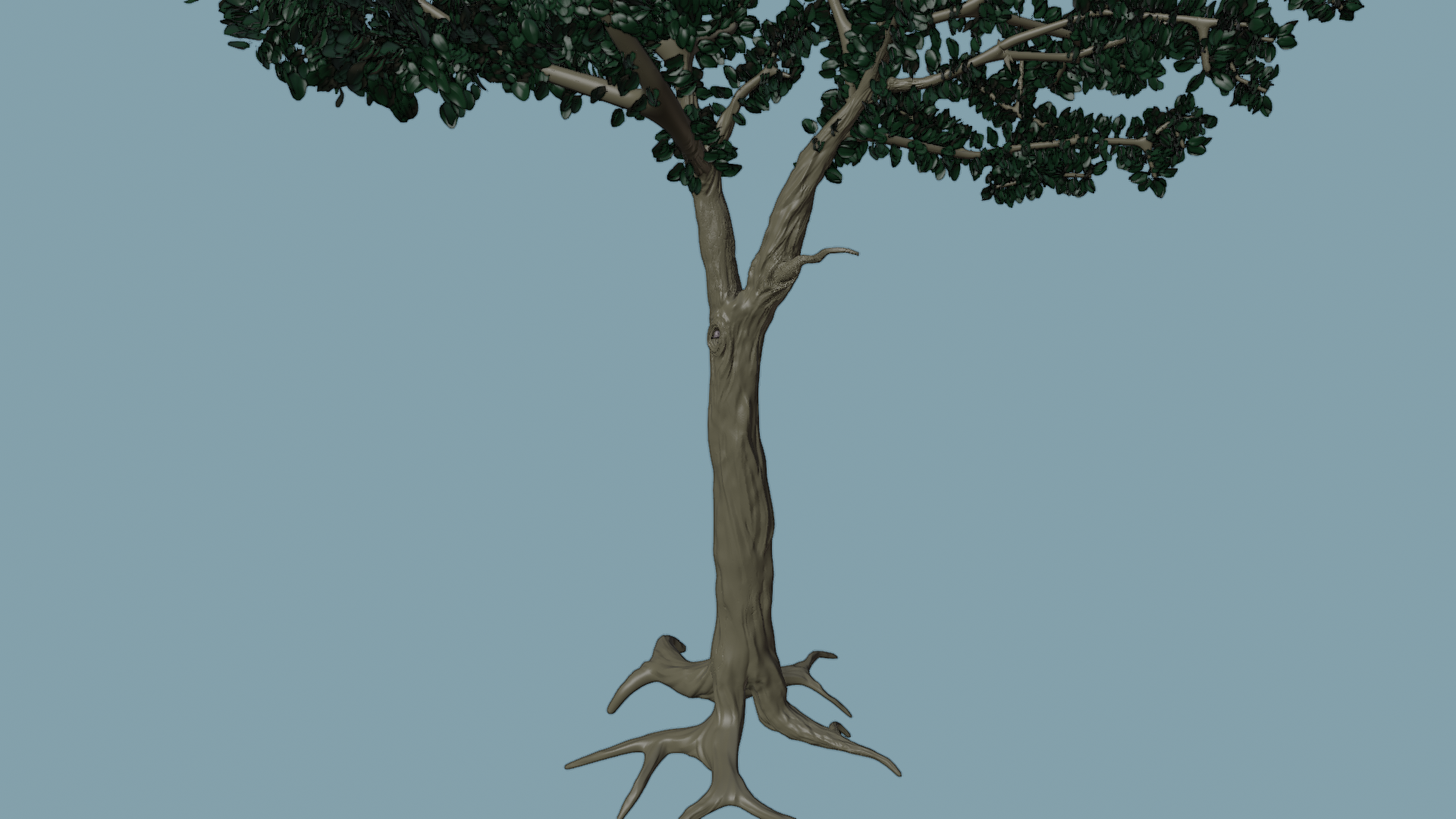
- I used the provided art direction to alter the style of the sculpted detail. Knocking down the higher frequency cracks and crevasses, I used Smooth, Crease, Draw Sharp and Scrape Brushes to achieve this goal.
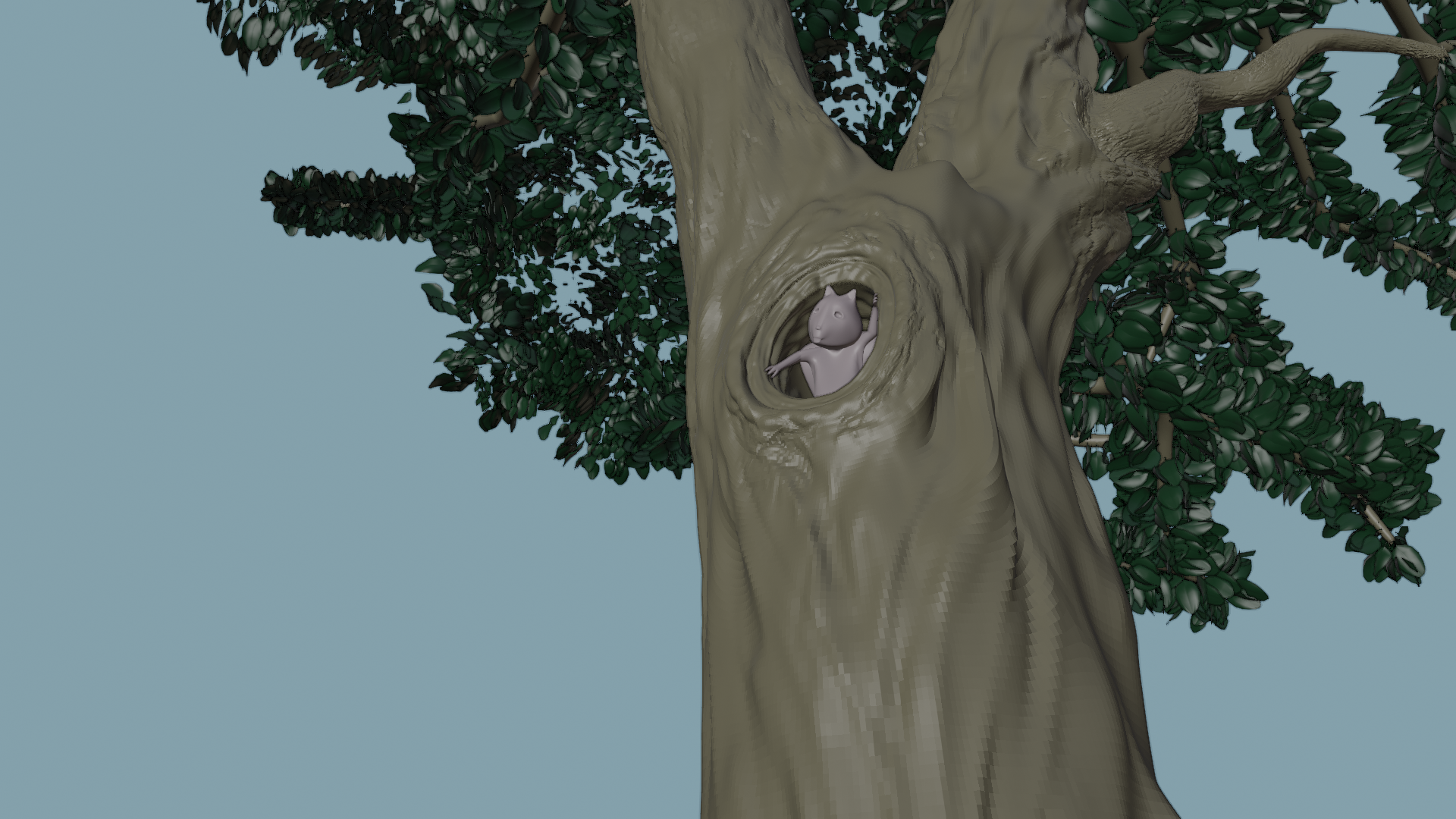
- There is a bonus woodland creature hiding in the hollow of the tree unseen by the render camera.
I had to do some traveling this week and was working on the project remotely. The little squirrel is the result of four hours on the airplane. I do not recommend 3D modeling with the trackpad emulating a 3 button mouse. It will work, but it is extremely difficult. When I wasn’t in the air, I found the time to do the sculpting with the graphics tablet. This I highly recommend. 😁
 April 19, 2021 at 3:07 am #65440
The squirrel looks great in there!! 👍😃 I love little hidden additions like that
April 19, 2021 at 7:36 am #65441@beefkeef Thanks my friend, the little fella is inspired by Bob Ross’ pocket squirrel “Peapod.” Sometimes Bob would paint Happy Trees with Peapod tucked into his shirt pocket.
April 19, 2021 at 9:50 am #65442Now THAT tree detail is what I’m talking about! Way to go, sir 👍 The only thing to look out for is the polygonal artifacts. Smooth shading could solve it. If not they you’ll need to subdivide again to smooth it out. Those will show up in the normal bake if not resolved.
Outside of week 2’s scope, the leaves you have look amazing individually. However they’re going to need to be much more cheated for the final effect. Currently they’re structure like the real world: Tons of individual leaf objects growing on every branch. It looks great and reflects the reality! Unfortunately this structure will heavily bog down our final assembly scene.
At last I managed to find some time over the weekend to play with such tree leaf illusion techniques. I’ll be talking about it during the stream tomorrow. Hopefully that helps point you in the right direction!
April 22, 2021 at 5:46 pm #65443The hole in the trunk is so realistic. Well done! I love the squirrel too! He’s soo cute!
April 25, 2021 at 1:21 pm #65444Homework Submission – Week 3 – FG Tree B
@theluthier and @jlampel
Assets: Nature E: FG Tree B My Work in Progress
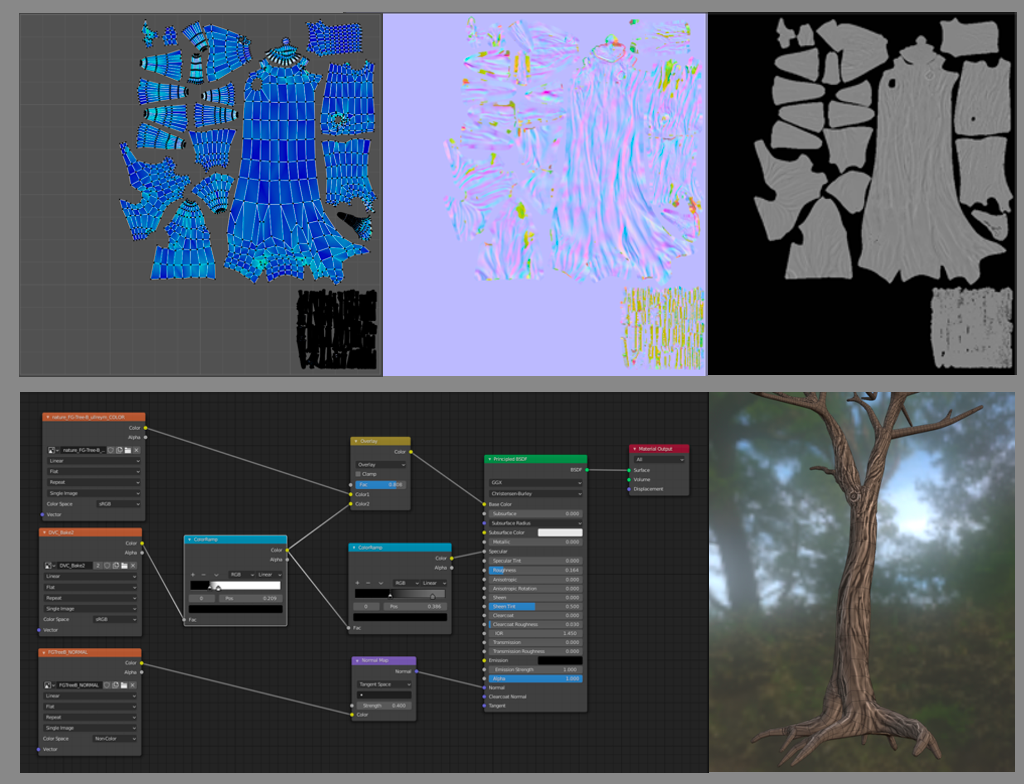
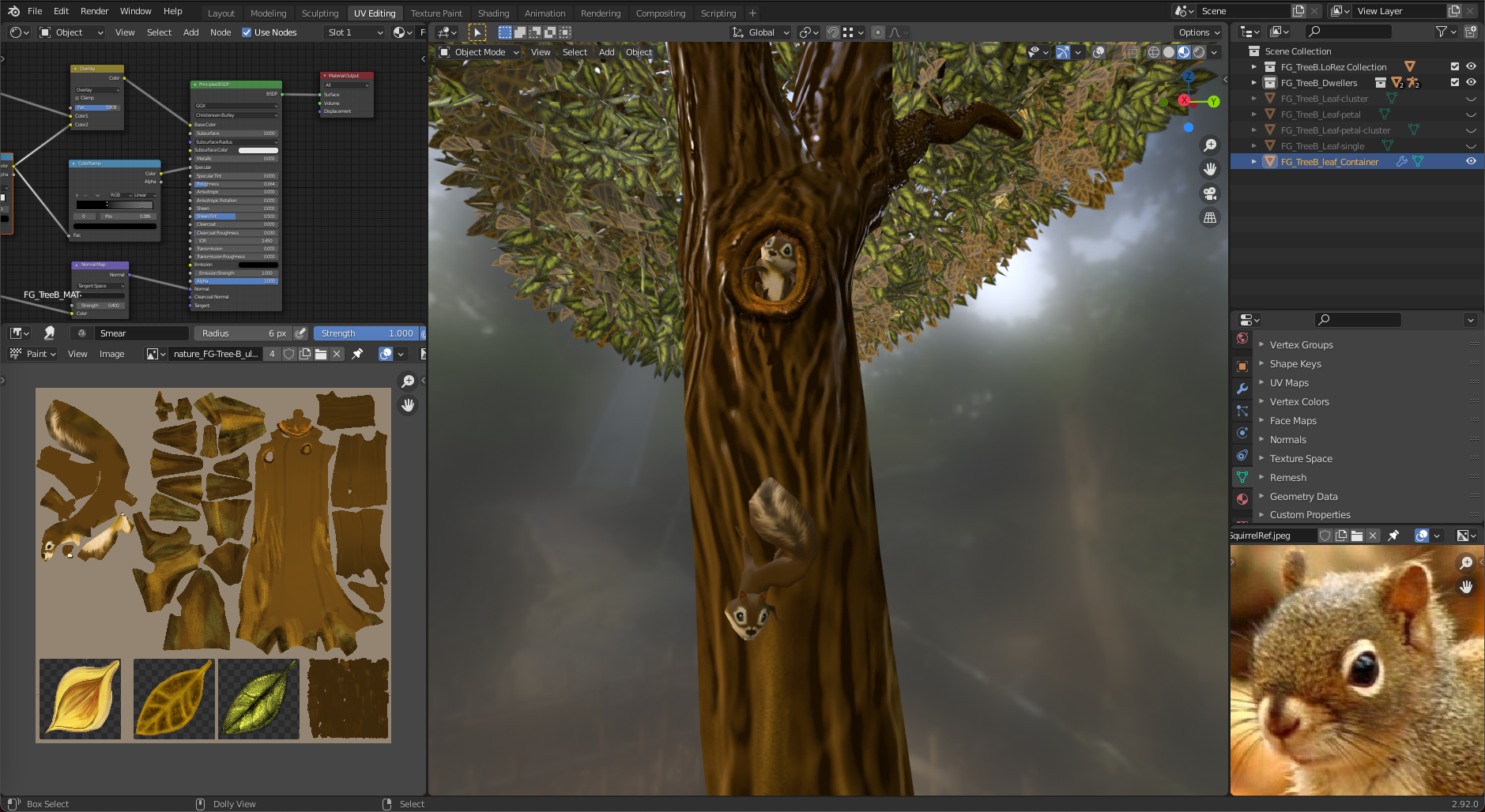
- I finally was able to produce the two maps from the high-resolution geo. Yay!
- I learned why to create the UV map first in a project like this.
- The UV map shows some unused texel density real estate. That is for the vegetation and occupants of Tree B.
Long story: I had to do some time traveling this week. 🤨 After the week 2 live stream I was so eager to start the sculpting process I skipped a vital step in the production of the Dirty Vertex Map. Yes, the UV map is a necessary step in the process. I had to go back through my saved revisions of Tree B and collect the pre-applied Mulitres high-res model and go back and try to find the base model that had a matching vertex count. I could not, unfortunately.
To produce the Normal Map I needed the UVs on the lo-res model, but I made those after I had decimated the base model the high-res was based on. Because the high-res model didn’t need its own UVs for the baking process, all was well.
To produce the Dirty Vertex Map all was not well. The high-res detail needed to carry with it the UVs so the baking process could know where to put the images. Ugh! No UVs on the high-res model. I could not copy the UVs because the decimated lo-res tree and the Base model of the Multires tree had mismatched vertex counts.
Short story: I had to recut the UVs of my base model, duplicate and up-res it, append a high-res tree, and use a shrinkwrap modifier to capture my lost high-res detail. The blend file swelled to over 11GB with the different duplicated high-res trees in it. My computer crawled for many hours and took long breaks while trying to accomplish what I was demanding of it.
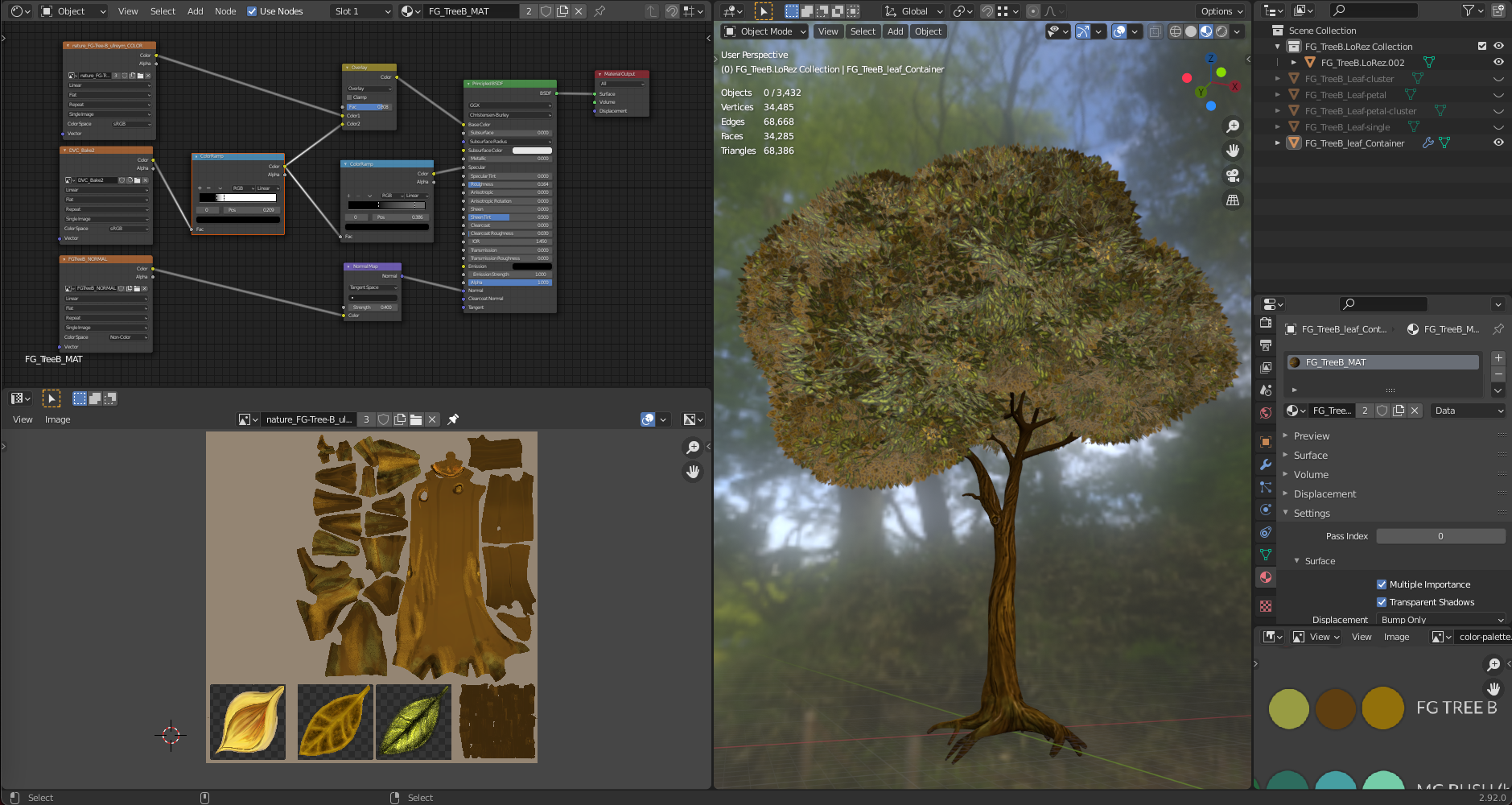
Leaves: I had made an attempt to use instanced collections as particles, but I was making instanced collections of collections and it didn’t work for me. I had to join the collection as one object and that made the difference. I used the color swatch for the texture painting process. I used the three colors provided and added variety with blending modes with the paintbrush. I made a top and bottom part of the leaf as well as a blossom. This is loosely based on the Magnolia tree in my front yard.
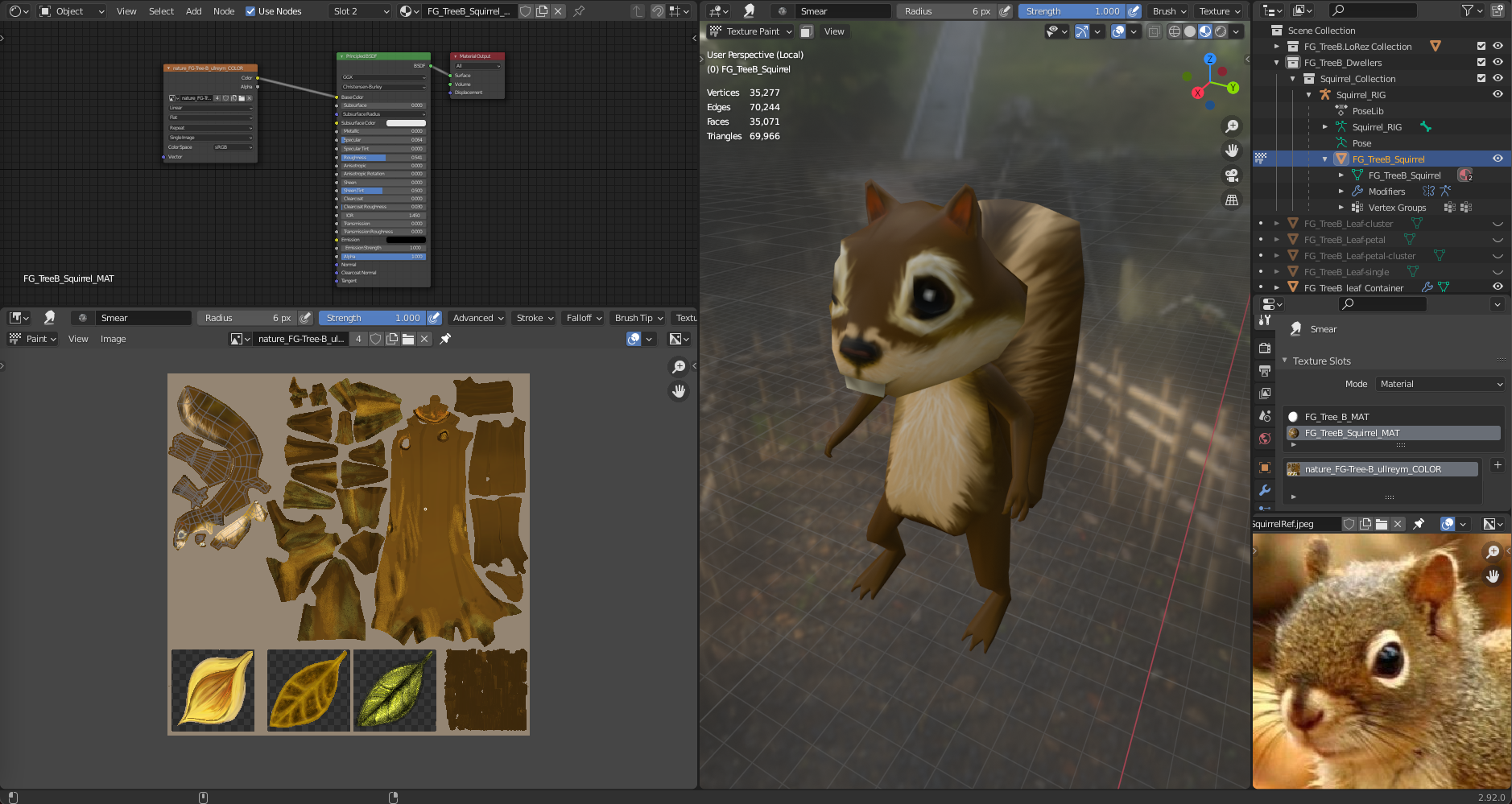
Arboreal Dwellers: I thought that if there was time I could add some squirrels to the tree just out of view of the render camera. The texture painting part was so fun. I enjoyed using the smudge tool to blend the furry effect. I created a simple rig for the creatures and posed them as best as I could with just forward kinematics.
 April 26, 2021 at 2:29 pm #65445
ha ha, love the chipmunks, sorry squirrels @ullreym , looks like road kill in the texture map. Tree looks amazing, I had a look at the file, the leaf shape and color are perfect.
April 26, 2021 at 3:39 pm #65446What a fantastic asset @ullreym! The addition of the squirrels – come on! Such a nice touch. Honestly I think you can call this one done 👏
After linking it into the assembly file, I tweaked the tree a little bit. Namely I dialed down the contrast in the leaves to fit better with the existing trees. With the contrast of each leaf so strong it was hard to visually understand the leaves as a whole. So I mixed them with a randomized color to lessen the effect while maintaining its charm.
Also I changed how the leaves were populated and the shape of the population source. Instead of populating the surface I changed it to populate the internal volume of the mesh. This gives a fuller, slightly more random population pattern. Likewise moving around the individual leaf islands made for a fuller, less repetitive pattern.
- Overall very small finishing touches on an excellent asset. Feel free to look over the tweaks in the MASTER file: SPICE-VENDORS-HOUSE/SCENES/MODELS/MASTER_nature_FG-tree-B_ullreym.
A couple questions I have for you:
- The file is saving at 406 MB which is quite large for what it is. However I can’t find what’s heavy in the scene. Can you look through it and see if there’s any stray multires objects or something?
- The branches of the normal map have some significant artifacts. I noticed a “fixed” version in the scene but disconnected from its local counterpart. Could you save the fixed version to the TEXTURES folder if I’m interpreting that right?
April 27, 2021 at 1:45 am #65447@ullreym Those squirrels are great! 👍 It’s probably beyond the remit of the Collab, but I think if we could say have some of them strategically place around the scene popping in and out, like the non-playable characters in Mario Kart, it would give the scene just a little bit more life to it. 🦉 And maybe a stray low poly owl sweeping passed the camera at some point?
Sorry, my inner Cecil B. DeMille is showing again.
April 27, 2021 at 8:33 am #65448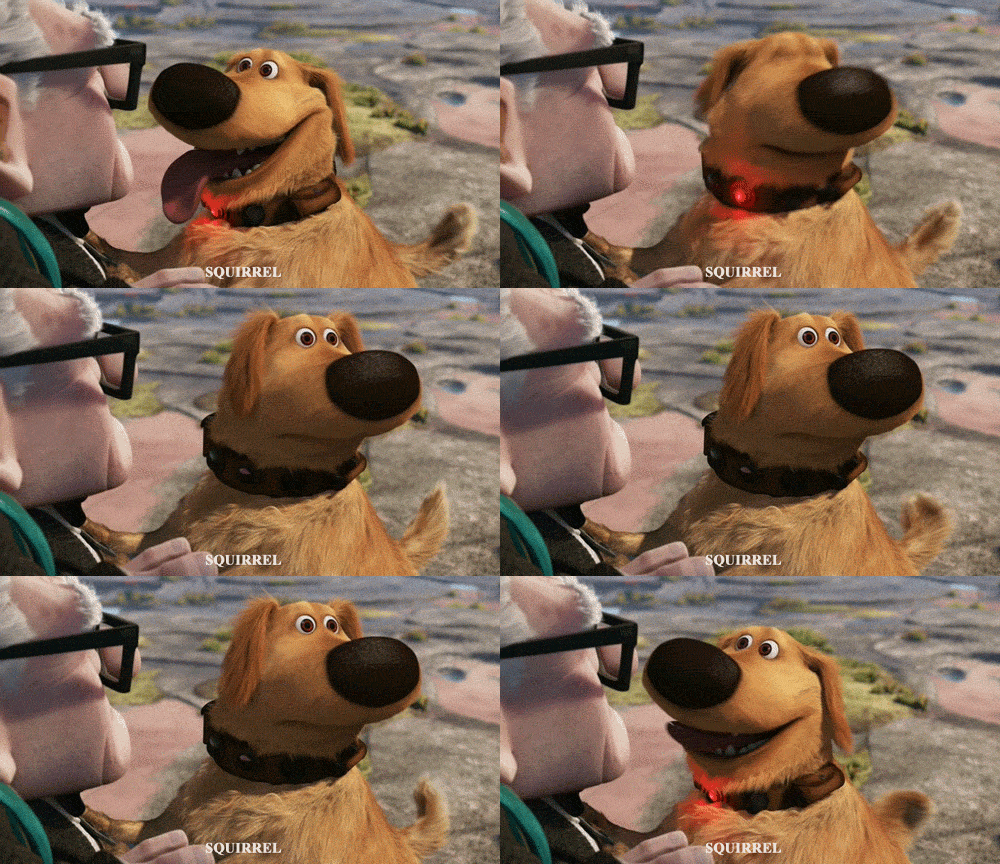 April 27, 2021 at 11:55 am #65449
Also I changed how the leaves were populated and the shape of the population source.
@theluthier I would love to see these steps. Some of the particle settings are still a mystery to me. I knew I wanted the leaf clusters to point in a certain direction, but I could only find ‘random’ settings. I will also seek out why the file is yet so large and tweak the normal map and alleviate those artifacts.
April 27, 2021 at 11:58 am #65450looks like road kill in the texture map
@adrian2301 It does! Poor little fella. I’ll name him Rodney RoadKill and his friend Peapod.
April 27, 2021 at 12:01 pm #65451🦉 And maybe a stray low poly owl sweeping passed the camera at some point
@vincav81 The broom would definitely help him keep his balance whilst riding his unicycle. Haha!
-
AuthorPosts


- The topic ‘Collab2021-WIP-ullreym’ is closed to new replies.