
Collab2021 – WIP – danitufi
Forum Archive › Collab2021 – WIP – danitufi
- This topic has 40 replies, 7 voices, and was last updated 5 years, 4 months ago by
Dani Tufeld.
-
AuthorPosts
-
April 16, 2021 at 9:41 am #65255
Thank you very much Kent!!!
I have posted my replay on the team thread, I will upload the project as well ASAP.
I totaly agree with you on the clusterd size and will add some more shadows,
I wanted to give focus to the leaves, next task is sculpting and stylizing the trunk for sure!!!
April 16, 2021 at 1:22 pm #65256April 16, 2021 at 2:57 pm #65257Thanks @danitufi! I’m trying to play around with your tree but I can’t figure out how to adjust the leaf material. I see the collection instances but I can’t find my way to the source to adjust its material…
Can you point me to the source for the leaf collection instances?
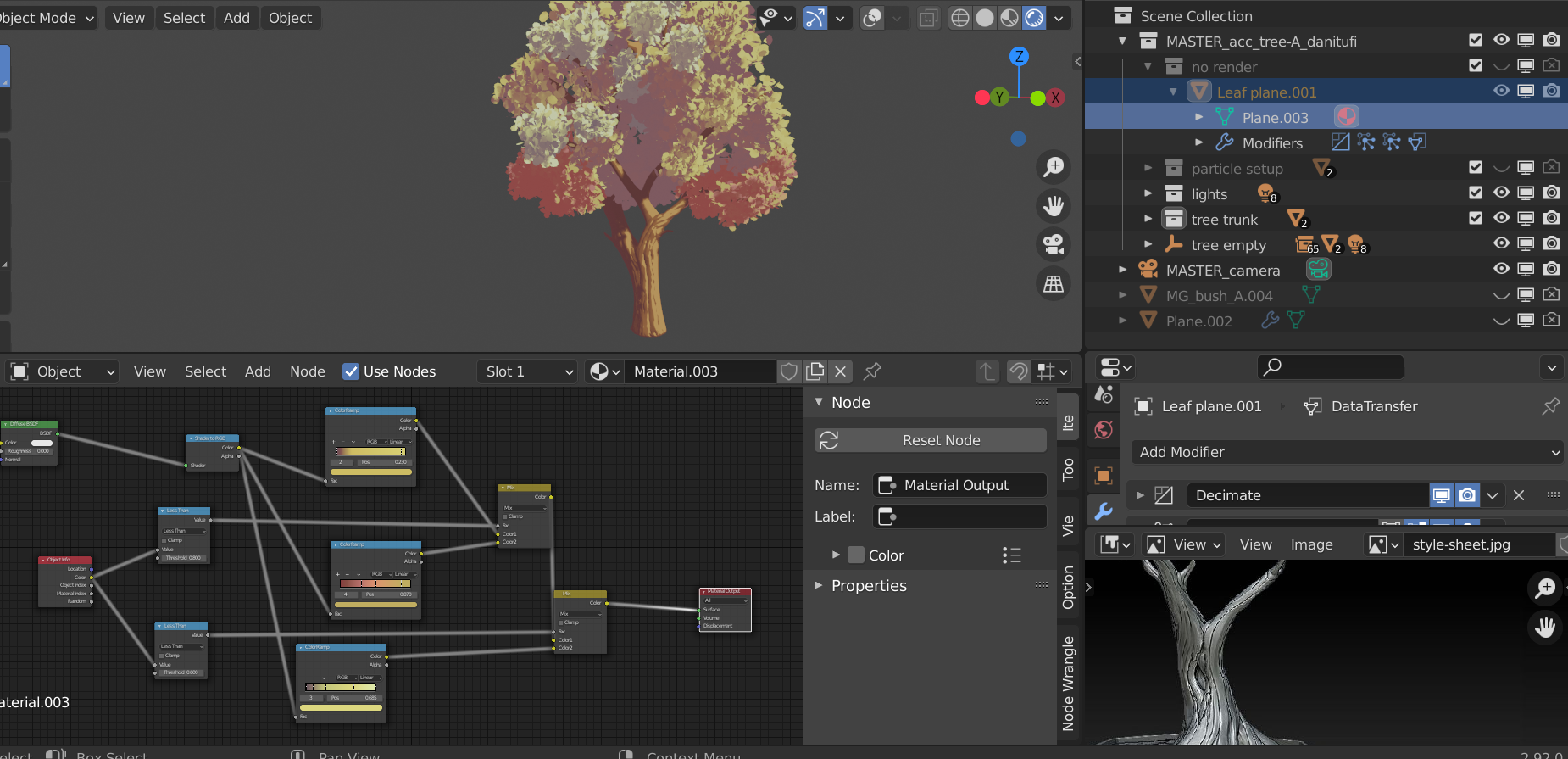
April 16, 2021 at 4:14 pm #65258Hi Kent, In collection: “no render” =>
the leaf plane is the origan of the leaves collection, you can control his material and adjust the shape of the leaf itself in edit mode.
 April 16, 2021 at 4:19 pm #65259
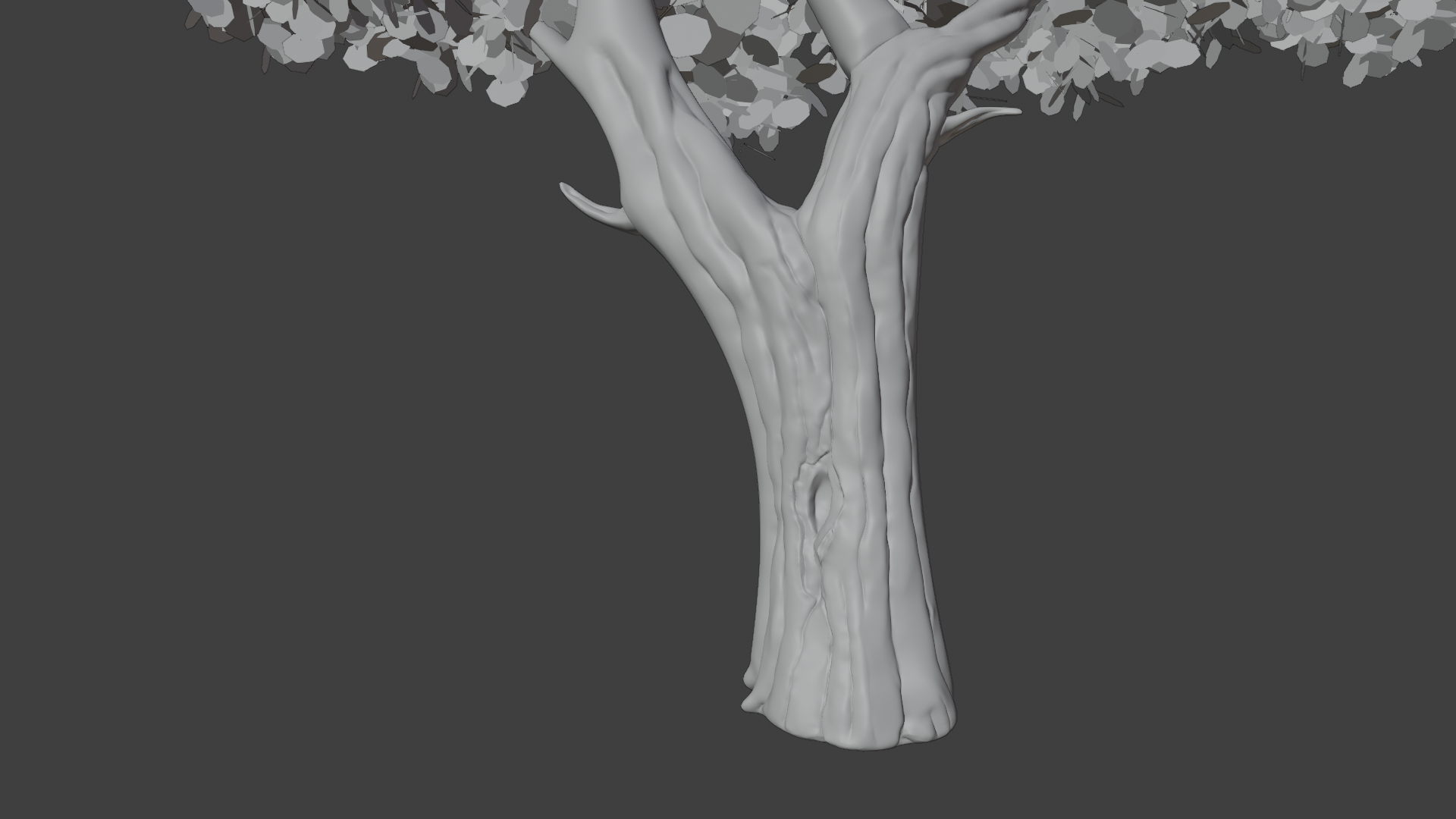
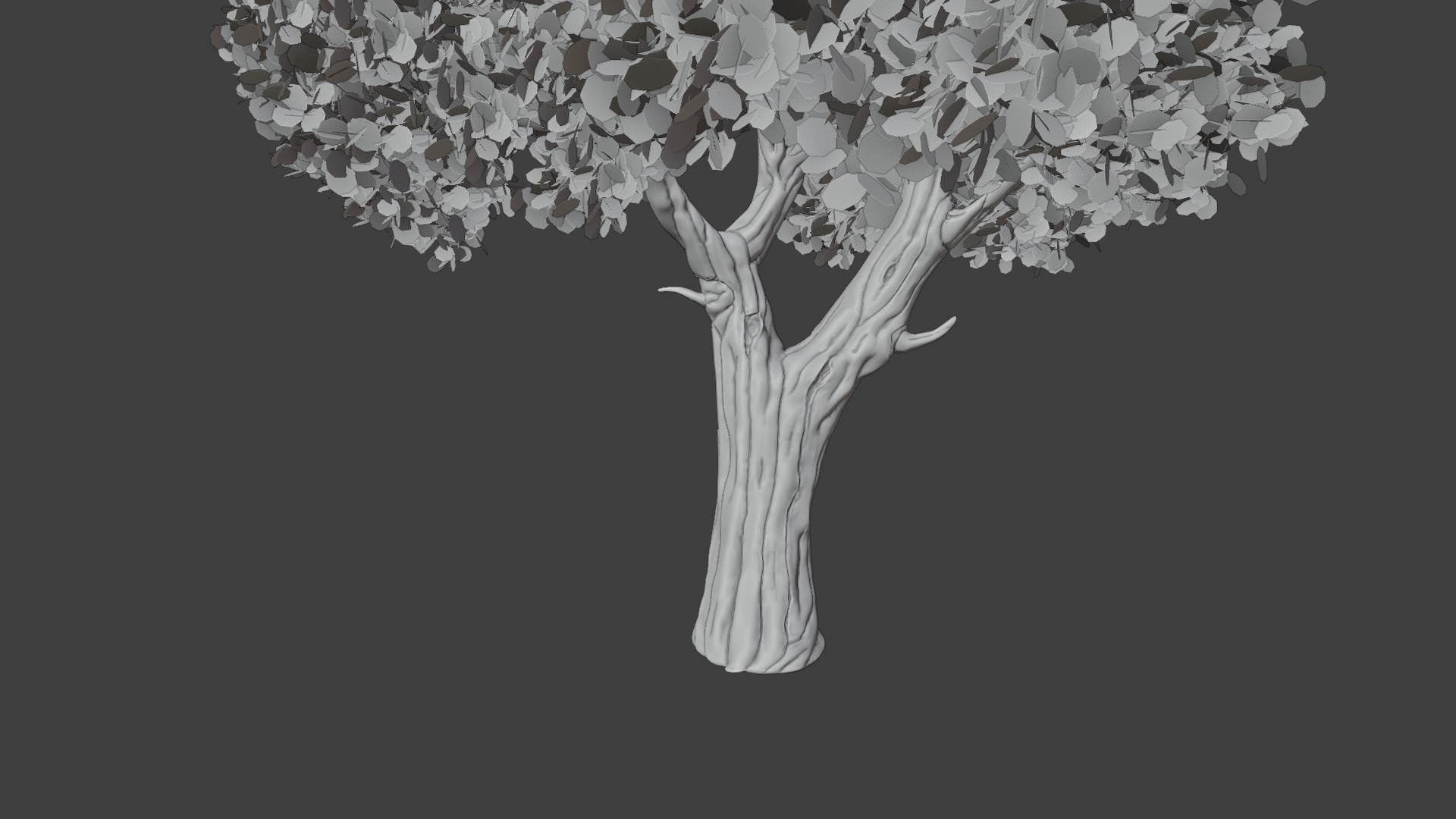
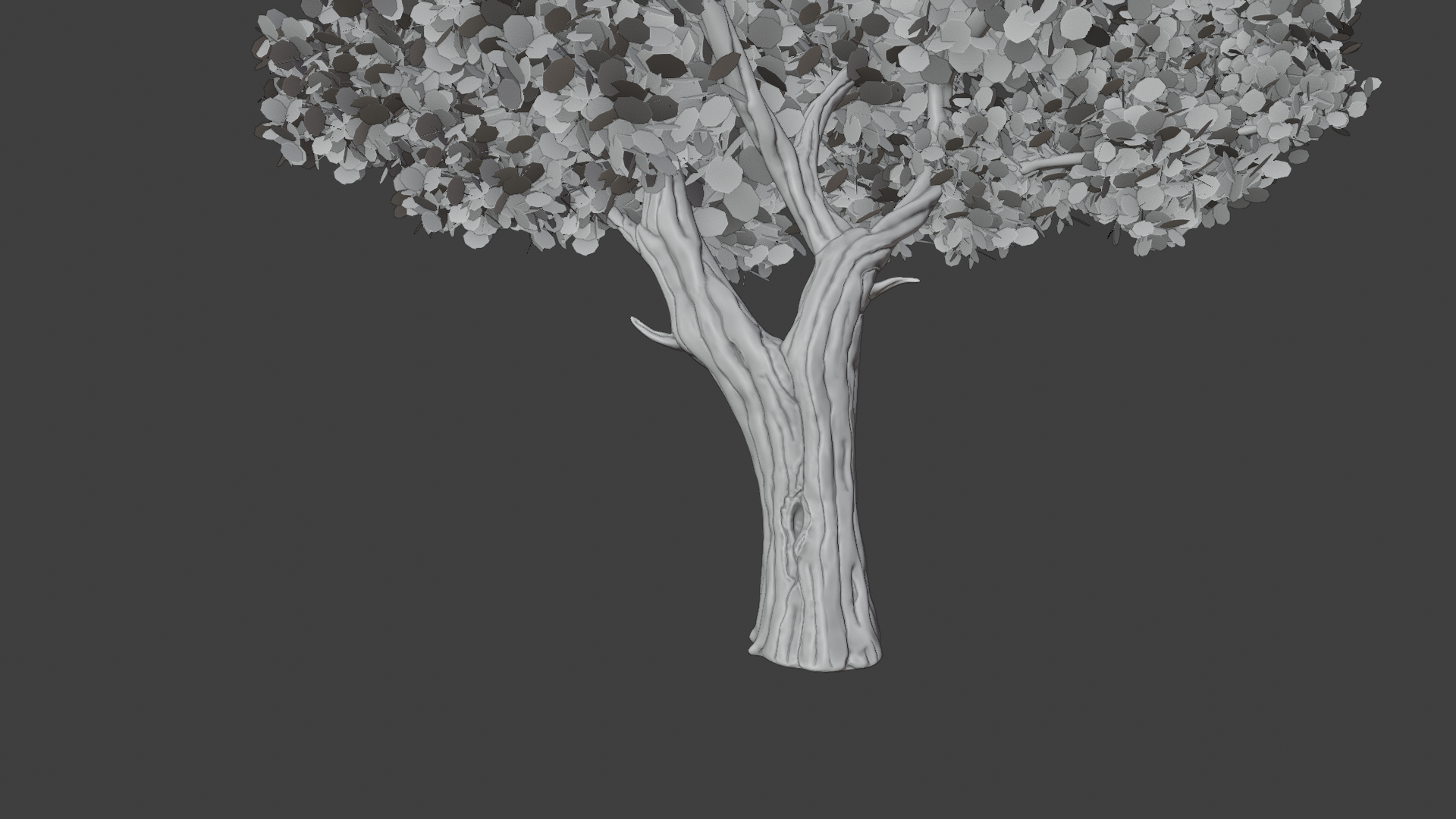
sculpting – work in progress
 April 17, 2021 at 10:19 am #65260
Yes yes YES – that sculpt is looking fantastic. Keep up the good work @danitufi!
Also thanks for the advice about your file setup. I’m still confused because I drastically changed the material of the leaf plane.001 object but still don’t see a difference:
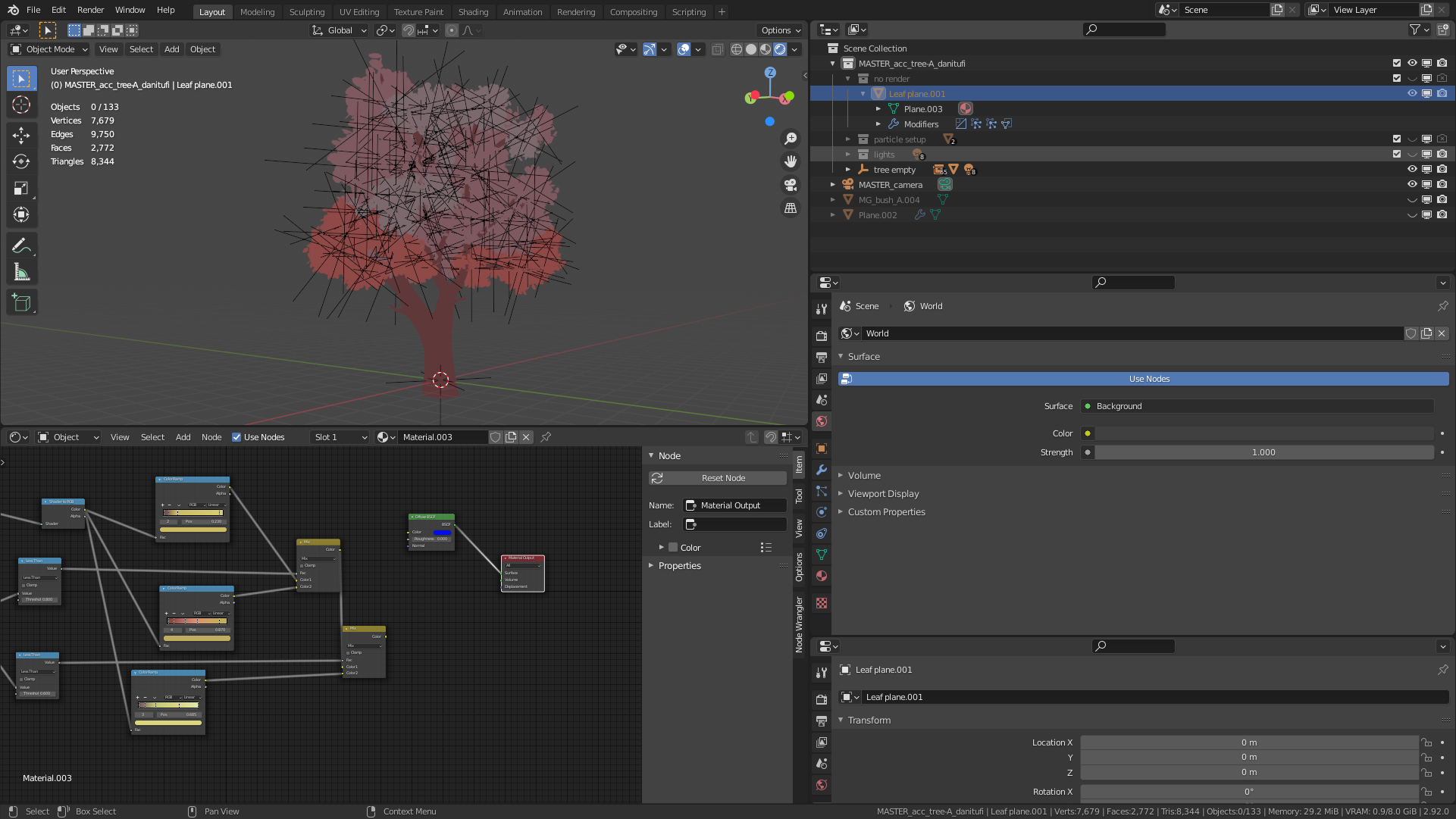
I added a bright blue diffuse node to the material yet the leaves remain the same. Also it appears that there’s multiple materials applied to the leaf clusters (various shades of red). Hence why the various materials have multiple users but I can’t find those users…
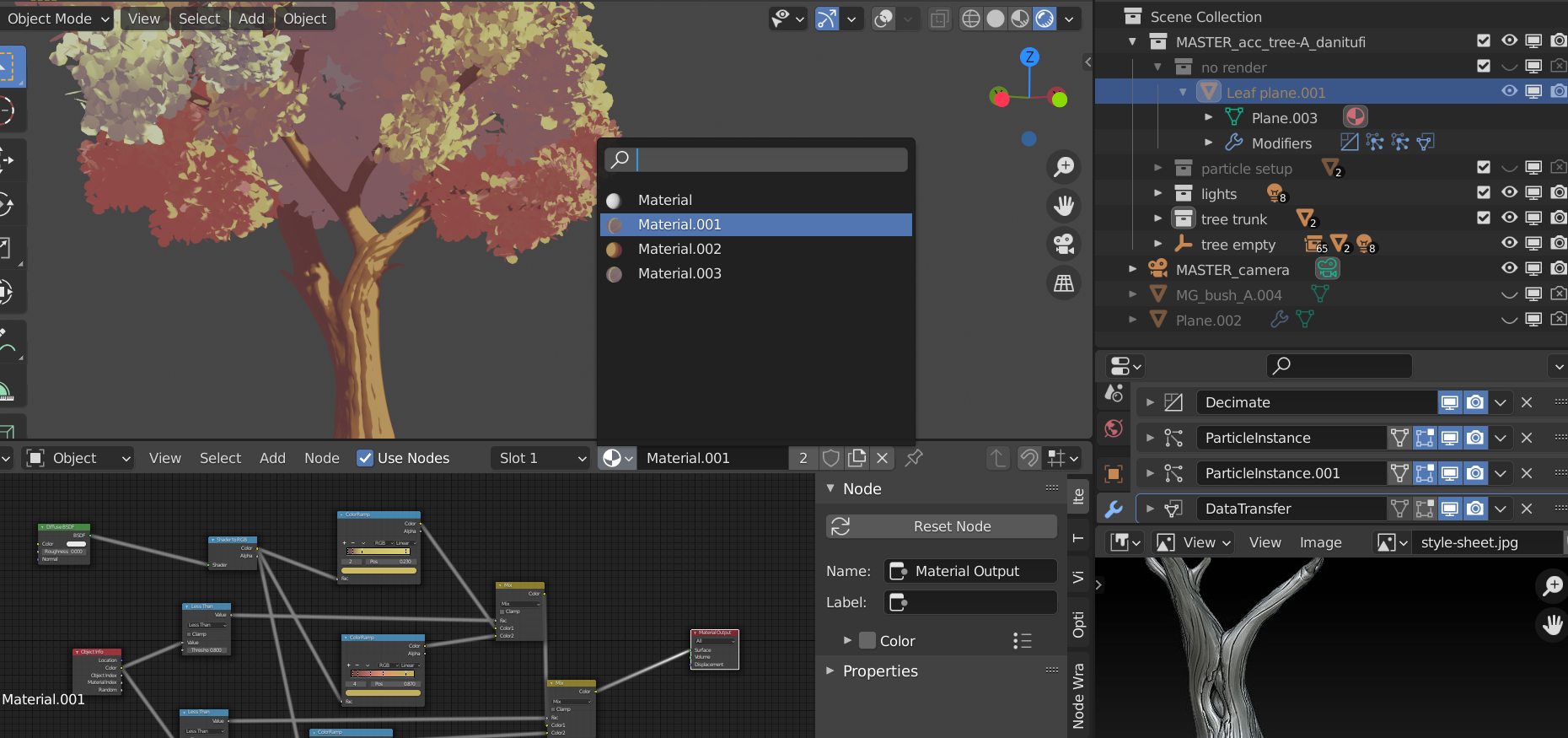
April 17, 2021 at 11:08 am #65261Hi, I guess something went wrong in the copy paste proccess and and extra material was added,
when on “Leaf plane.001” change the material to “material.001”.and it will be fixed.
 April 17, 2021 at 11:23 am #65262
P.s the different shades come all from one material, and controlled by changing the viewport object color
April 17, 2021 at 11:35 am #65263One last thing, the color of the material is highly effected by the light in the scene ( i saw that your light collection was off)
There are 2 sun lights and some point lights that manipulate the variety within each shade in the color rump.
I dont know how will it be incorporated in the final scene, but probably some adjustments will be needed.
🙏🙏🙏
April 17, 2021 at 11:54 am #65264controlled by changing the viewport object color
@danitufi Eureka! I should have been able to figure that out 😅 Thanks for clarifying, I get it now – clever work 🤝
April 18, 2021 at 1:18 pm #65265Homework submission – week 2 – Tree A FG (sculpting)
April 19, 2021 at 9:19 am #65266I LOVE your sculpted tree trunk detail! Exactly the aesthetic I hoped to see for the trees. Very nice work, sir 👏
I’m going to talk about your tree during the stream tomorrow so catch that live (or recording) for some feedback on the shading!
April 19, 2021 at 11:49 am #65267Wow!!
Thank you so much @theluthier,
This project is super exciting for me and I enjoy every moment of the proccess.
Definitely will be in tomorrow’s stream, like every thuesday!!
April 20, 2021 at 3:52 pm #65268Amazing work! I also really love that trunk. My only suggestion for going forward would be to have each one of those leaves be a group of textured leaves in that same general shape rather than one giant leaf. In the concept art it looks like each leaf is pretty big, but it only works because the concept art will only be viewed from that exact distance. It also means that you could save on polys by making them basic planes. For this project, try that out and see if it helps. We’ll also need these to interact with light, but until you get to the texturing and materials phase, previewing it with an emission is totally fine. Keep up the good work!
Edit: Just saw Kent’s message about talking about it on the stream. I’ll go back and watch that so we’re on the same page
April 21, 2021 at 12:43 am #65269Hi @jlampel,
Thanks for all the comments,
So I tried working on leaf materisl, but beacuse it all based on particle system, texturing each group will give a uniform spread of color thru out tree, and we are looking for more areas of color compering to were the sun hits, thats way I went with ghibli method.
But if you think there is a different way to approch it, would love ear your thoughts.
By the way I saw at the stream yestarday kent used diffrent method and came out pretty cool,
How can color the entire leafy part of the tree in chunks of colors?
-
AuthorPosts



- The topic ‘Collab2021 – WIP – danitufi’ is closed to new replies.