
Collab2021 – WIP – createtaiwan
Forum Archive › Collab2021 – WIP – createtaiwan
- This topic has 69 replies, 10 voices, and was last updated 5 years, 4 months ago by
Dave Hudson.
-
AuthorPosts
-
April 28, 2021 at 6:23 am #65130
Hmmm…. Yes, I guess I could now that all the editing is done and I don’t need them floating there in the center of the world.
April 28, 2021 at 5:03 pm #65131@createtaiwan Considering that the ground seems to be uneven anyway I would tend to raising the ground and trying to match the artwork when aligning the fence. But I haven’t tried it yet how this would look in the landscape context. We should ask @theluthier for a final word since he’s the landscape modeler.
Putting the original fence parts into one collection and the linked duplicates into another and then linking the collection with the linked duplicates into another file would work. By this you keep the overview on how many different parts are in your fence.
April 28, 2021 at 5:16 pm #65132@createtaiwan Did you already contact the other fence modelers for the places where the landscape would need to be changed eventually by Kent @theluthier in order to allow a proper alignment of the fence with the artwork? Maybe you could find an agreement among the fence modelers where the landscape should be edited.
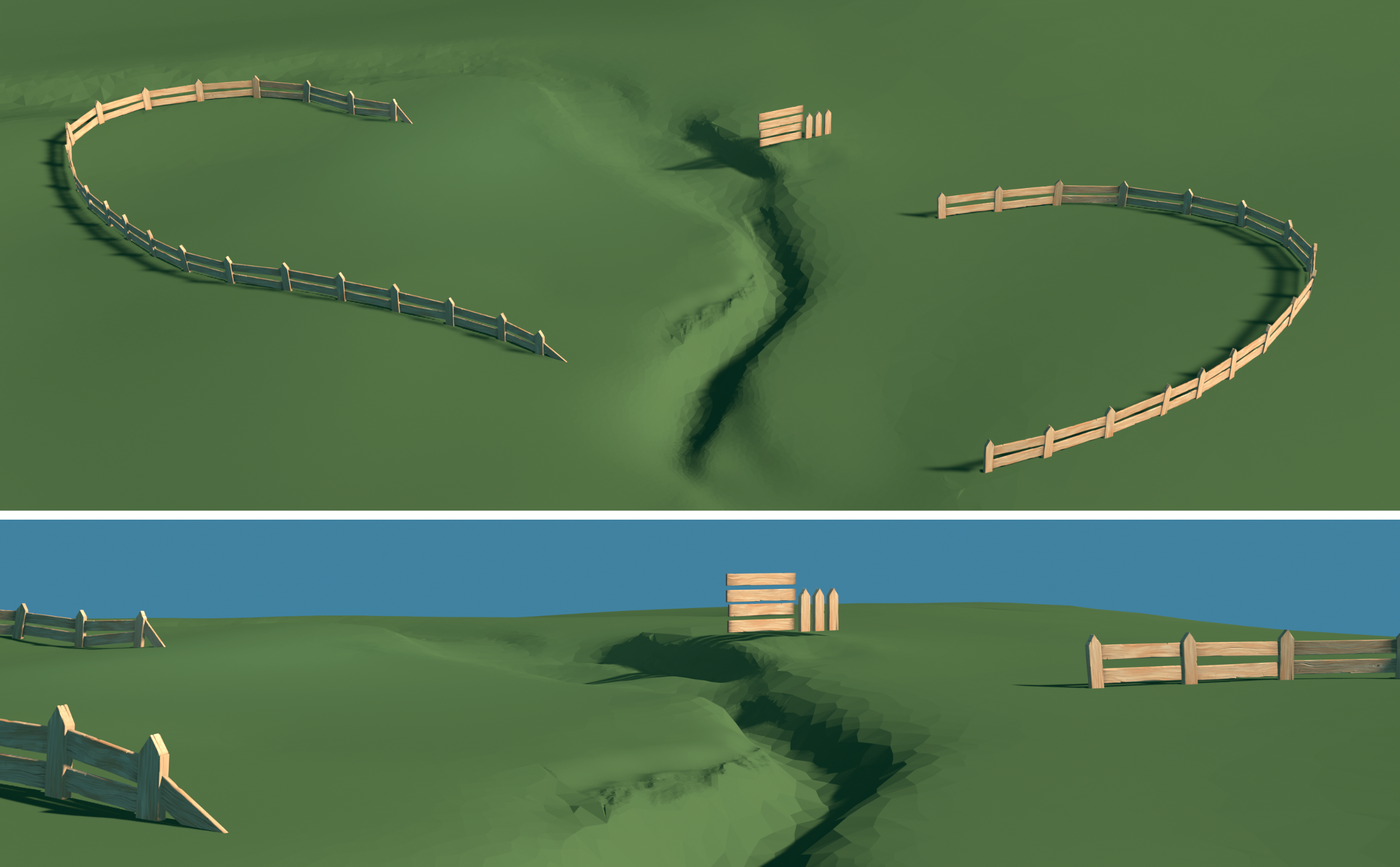
April 28, 2021 at 8:05 pm #65133Homework Submission – Week 4 – Fence
I can see that the fence has been added to the blockout scene… yay! I went ahead and moved the originals out of the MASTER collection, and the linked data seems to be loading in fine. So, I suppose I am officially done then? Unless you have anything more on the fence I will relax this weekend (actually going camping). This has been a delightful experience. Thank you.
 April 29, 2021 at 2:40 am #65134
Hmmm…. Yes, I guess I could now that all the editing is done and I don’t need them floating there in the center of the world.
To make things a bit clearer (hopefully):
A 3D model is just a list of Vertex (and Edge and Face…)information
A linked duplicate is an object with the same information about where it’s Vertices are (in relation to it’s Origin), you can delete any one of those duplicates, or even it’s original, and no information will be lost.
This plank:
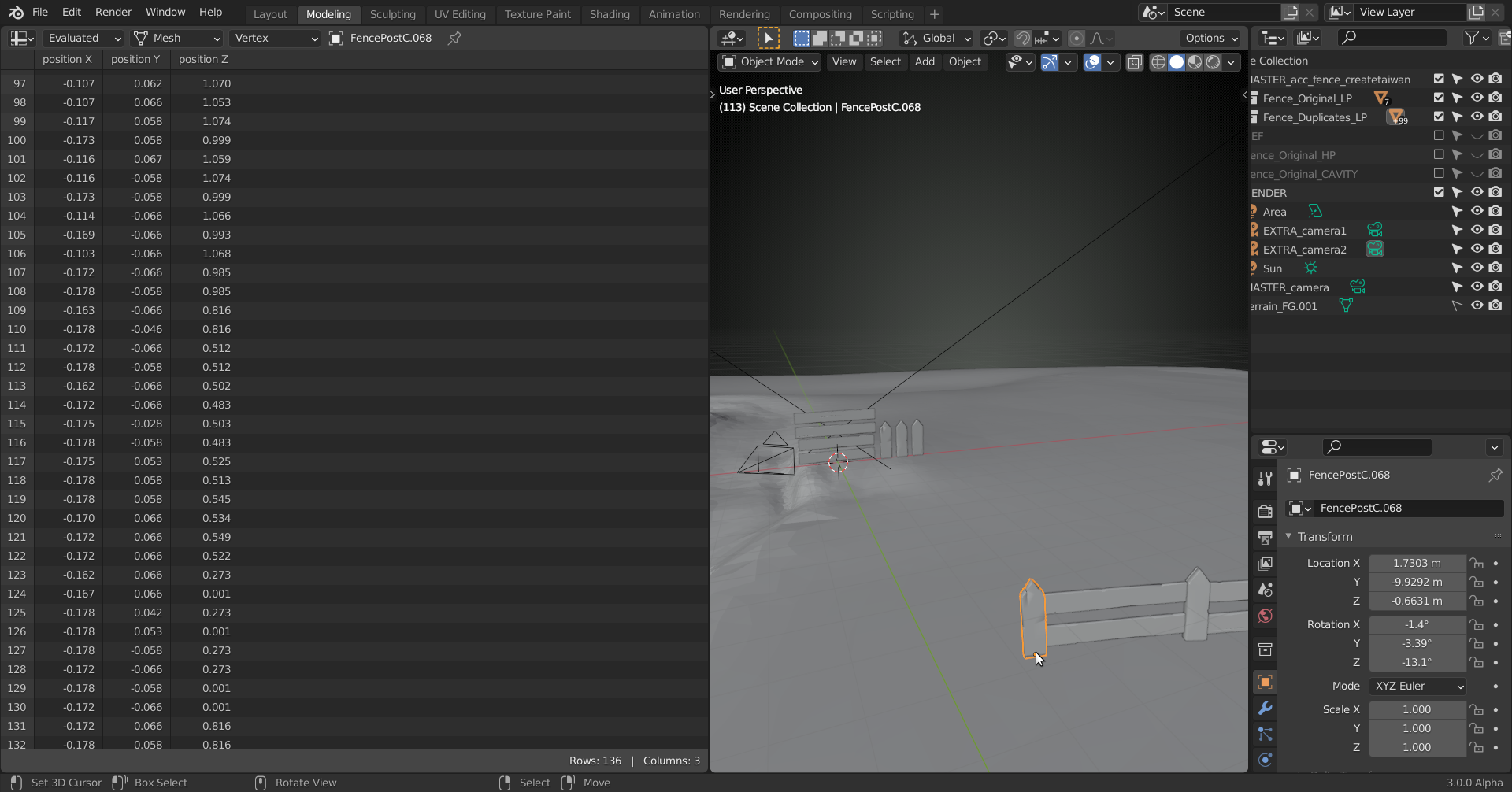
has the same Vertex info as this one:
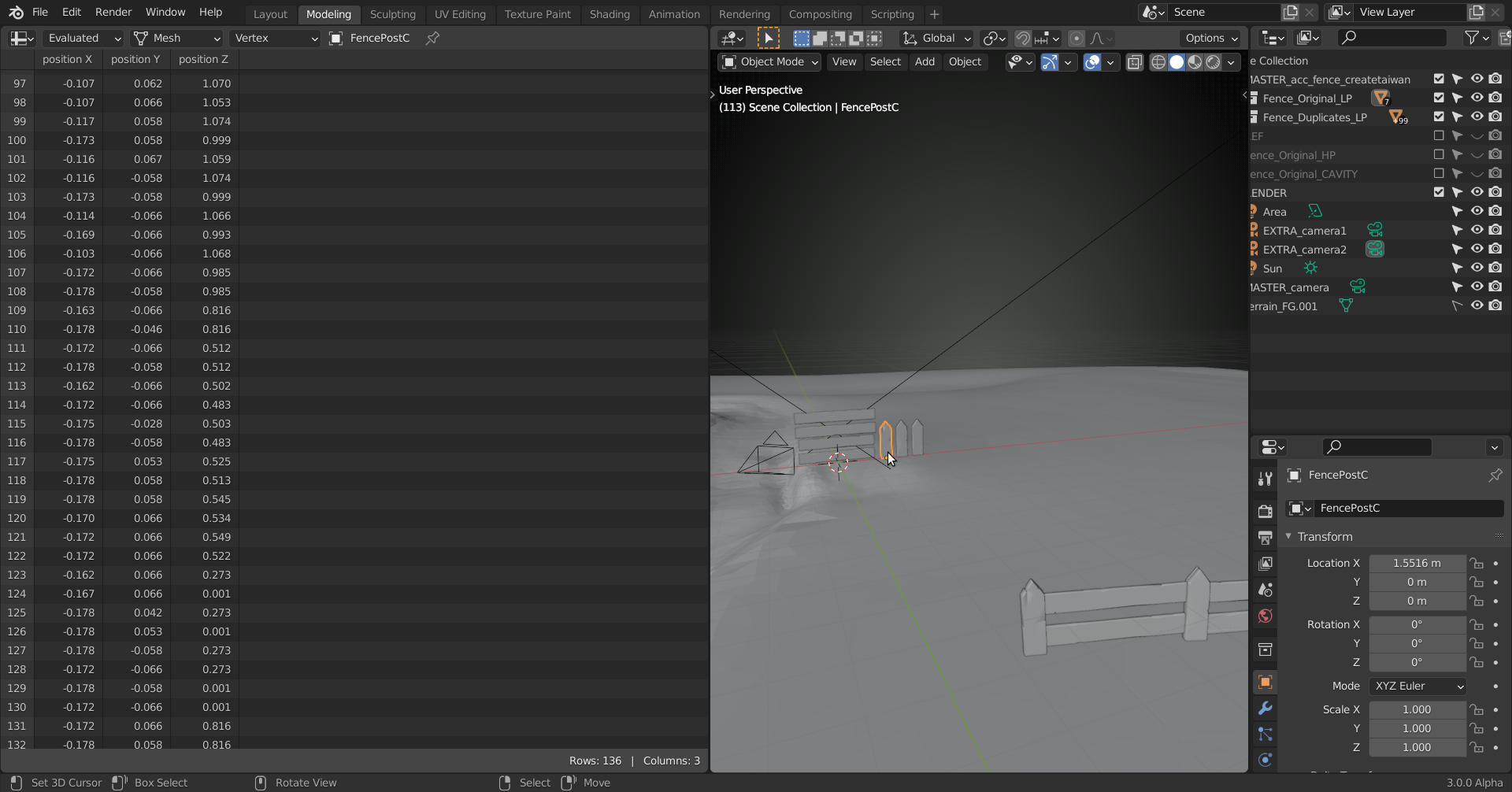 Deleting the original plank, doesn’t delete the list!April 29, 2021 at 10:13 am #65135
would the duplicates that share the data of the originals still contain the linked data
@createtaiwan Yes linked duplicates still source correctly when linked even if they’re in another collection 👍
You’ve done a masterful job with the fence, sir. The quality is fantastic, efficiency of the model structure is ideal, and your dedication to matching the art is stunning. You’re done as far as I’m concerned. Awesome work! 🤝
I’ve a couple thoughts about the fence right now concerning the layout. In two ways it’s unlike any fence I’ve seen:
- Rounded: I can’t recall seeing many curved fence layouts in reality. They may have a curved section, like following a road or something. But they primarily fit a polygonal shape with corners since most property lots are sectioned off this way.
- More open than closed: By definition fences contain something, whether animals or property boundaries. Some yards use a small section of fence as decoration but by “small” I mean only the corners of the property or supplementing a gate; meaning maybe 10% of total fence-able area.
The fence layout currently is a bit purposeless in this way; not closed enough to contain anything yet too populated to be mere decoration.
Right now it’s just some thoughts; not really sure the best route. Do these points even matter? As I continue fleshing out the scene and figuring out the ground (roads) it’s possible I will alter the layout a bit. But I will close with saying again, the way you matched the art is very impressive and commendable!
April 29, 2021 at 3:50 pm #65136@spikeyxxx You’re working with Blender 3.0 Alpha 👀👀👀😲😲😲!!! Is this list a new feature?
I also experienced that the “Linked Duplicates” make a file significantly bigger for each duplicate. I initially thought that a “Linked Duplicate” would just refer to the original data and simply add this “image” to a different location but it essentially just means that if you edit one object, the corresponding vertices in the other “Linked Duplicates” are edited automatically as well. Nevertheless, all duplicates have their own mesh data.
April 29, 2021 at 3:55 pm #65137@createtaiwan Excellent work 👍! If Kent reshapes the landscape, adjusting the fence shouldn’t be a big deal. For now, I wish you a relaxing weekend 😀!
April 29, 2021 at 5:11 pm #65138@duerer the Spreadsheet Editor starts in 2.93. Still evolving 😉
I don’t understand the enormous file size increase with linked duplicates either!
April 29, 2021 at 5:39 pm #65139@spikeyxxx I’m working with 2.93.0 Alpha where I can’t find this Spreadsheet Editor. So, it’s maybe 2.93 Beta? BTW, I’ve just seen that there’s a Blender 3.0 Cycles-X branch! Sounds interesting 🤔😀!
April 29, 2021 at 8:21 pm #65140https://www.youtube.com/watch?v=fv4V5XKyOBI
@duerer Yes, it does indeed sound interesting, but it’s probably only something that we’re going to realistically see in say either the 3.4 or 3.5 releases.
April 30, 2021 at 12:12 am #65141@duerer I can’t remember exactly when in 2.93 ( I believe it was still in the Alpha phase….) the Spreadsheet was introduced….but, when it’s there, it can be found in the rightmost column (Data).
Atm Cycles X is mostly improvements for GPU and large scenes, but it is very promising!
@vincav81, there will not be a 3.4 release; it goes from 3.3 (which is a Long Term Support release) straight to 4.0 😉
April 30, 2021 at 1:26 am #65142I stand corrected. Thank you @spikeyxxx When did that news get released?
https://blog.cgcookie.com/blender-3-0-what-do-we-know-so-far/
April 30, 2021 at 3:09 am #65143@vincav81 no, I stand corrected 😉
You are right, the releases go till 3.7 before switching to 4.0.
I don’t know why I had this wrong in my memory; I am usually really good with numbers…
It has been over a year that I saw this (februari 29th 2020) and I didn’t learn it by heart, but still…my memory is getting worse…
April 30, 2021 at 3:55 am #65144@spikeyxxx I don’t think your memory is getting worse, I think it’s because we’re all suffering from “Collab brain.” 🤯
Not to mention time zone displacement. I’m struggling to remember what day it is at the best of times.
-
AuthorPosts


- The topic ‘Collab2021 – WIP – createtaiwan’ is closed to new replies.