
COLLAB2021 – Team S.P.I.C.E.D. – NATURE BG
Forum Archive › COLLAB2021 – Team S.P.I.C.E.D. – NATURE BG
- This topic has 67 replies, 11 voices, and was last updated 5 years, 4 months ago by
Adrian Bellworthy.
-
AuthorPosts
-
April 15, 2021 at 6:03 am #65914
@adrian2301 I am happy to work on the background, I chose a mountain as it’s not something I normally model and thought it would be a challenge. I have sculpted a few things previously, but as an Engineer I generally have used Blender for hard surface modelling. I regret I didn’t continue with last years project on the excavator I did watch the first live stream, but couldn’t commit to the time need. The working in such a large team also appealed to me, as I generally work in a team of about 4.
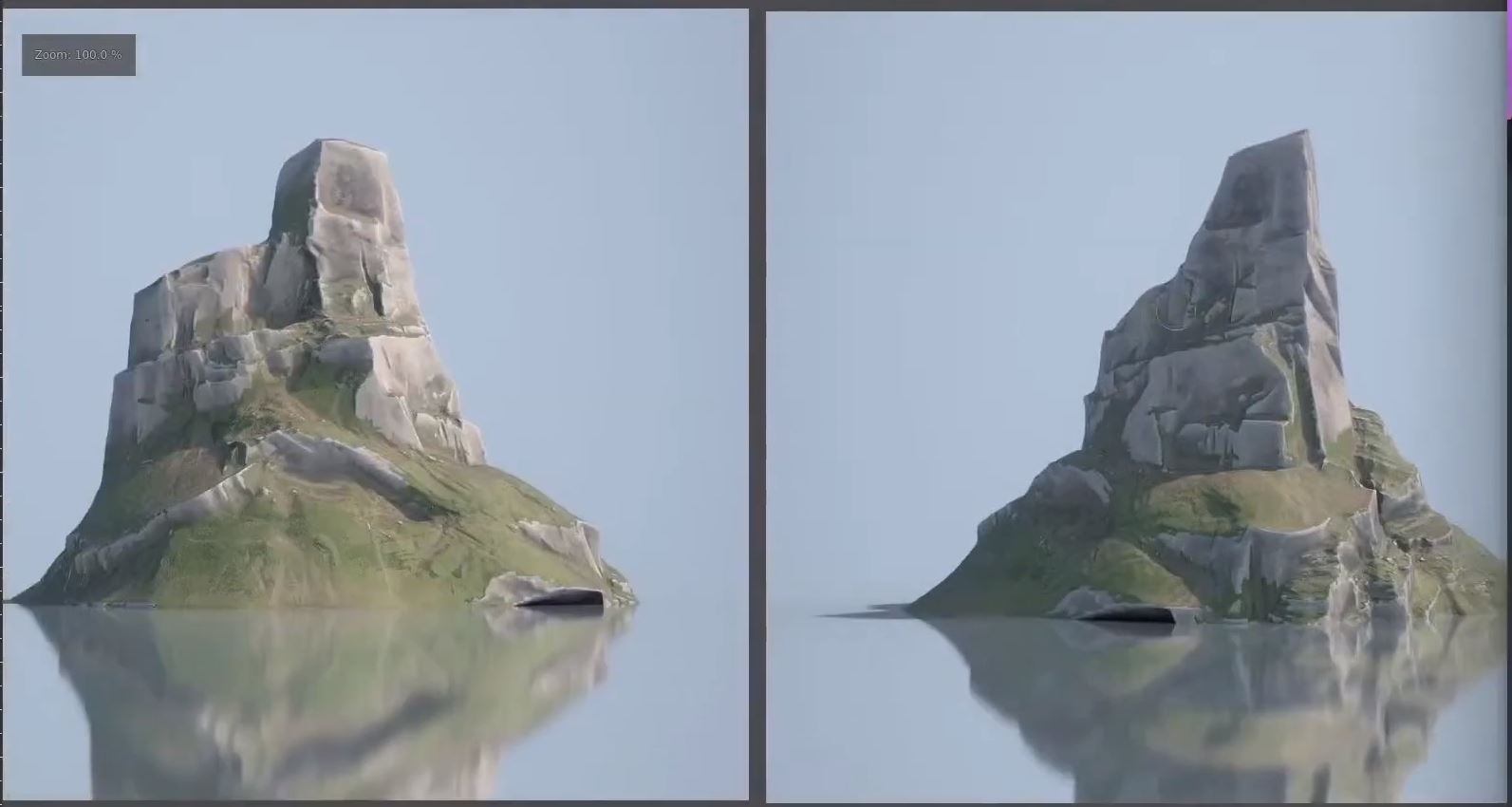
The images you have shown are great examples of the environment we could aim for, but when you compare them with @theluthier style sheet they’re probably a bit too detailed. I’m aiming for something in between the two. We also have to remember that if were moving the camera to look at the back of the house then some of the background will become more of the foreground.
Here’s a question is the smoke coming out of the tall chimney? I don’t see that on the asset list!
April 15, 2021 at 7:32 am #65915I see the images I posted and the images @theluthier posted as similar, For the distant mountain images a similar level of detail can be added but more pronounced so that it’s still noticeably from afar or is often the case scaled down. I hope that sounds clear, it does in my head.
If you look at the image on the right, on the right side where the rock and grass come together, at the bottom of the tall cliff, the detail could be more pronounced with more contrasting color between grass and rock, with exaggerated sharper edges on each step of the cliff.
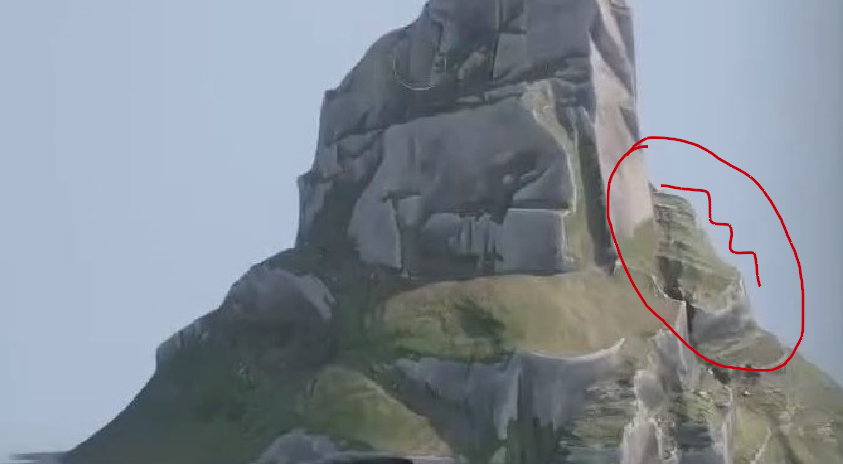
Sorry, trying to draw with a mouse.
But having said that our mountains are not as far away as in the images I posted, or we might have to add a few more trees for a dense forest to give the illusion of distance. And also notice the 5 images I posted are from an elevated position which also adds to the visual beauty.
April 15, 2021 at 1:35 pm #65916@daddios nuts, I did forget the chimney smoke asset. I wil…worry about that later 😅
April 16, 2021 at 7:46 am #65917Hi Team Spiced, how are you all doing?
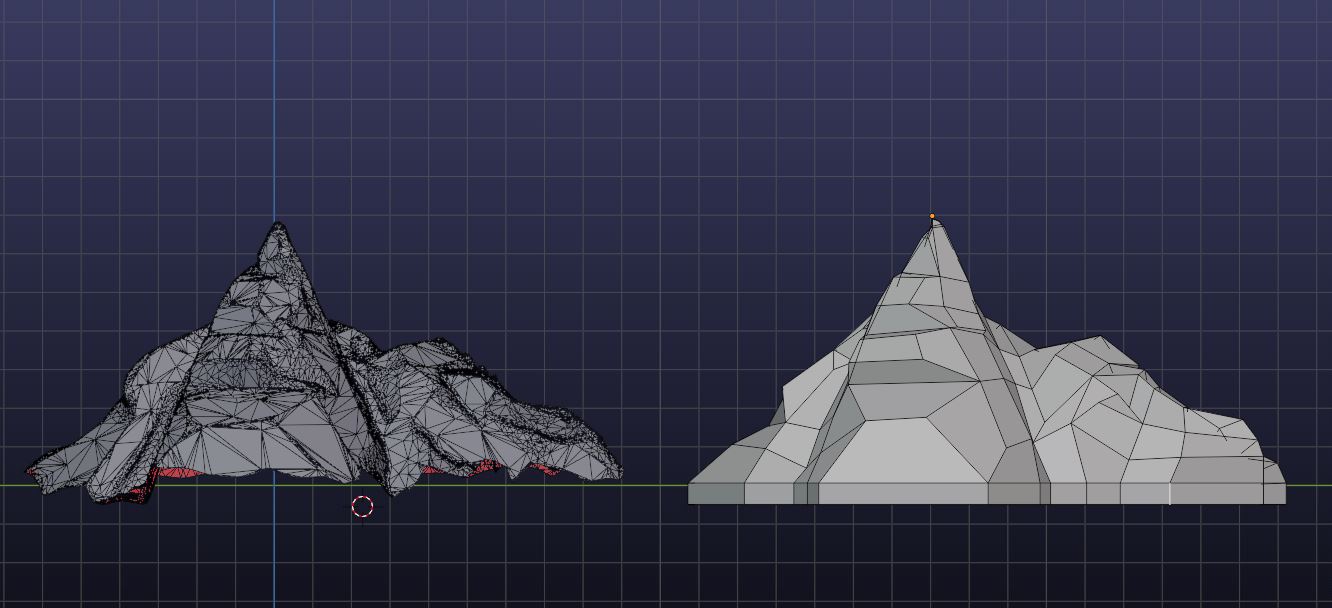
Not seen much of you posting on the team thread. It would be nice to see other peoples progress throughout the project. Today I took my dyno sculpted mountain, decimated it , then retopologized it ready for multi-res sculpting, not something I’ve done much of.
If any of you need some advice about anything Blender or project interfacing why not post here, I’m sure @adrian2301 or others in the team will give you a guide on your request.
 April 17, 2021 at 7:49 am #65918
Hi @daddios. I really like your mountain!
I reached a point with mine where I catch my self repeating the same steps over and over again trying to make it look better. (basically I dont know how to improve it)
Here is how it looks so far:
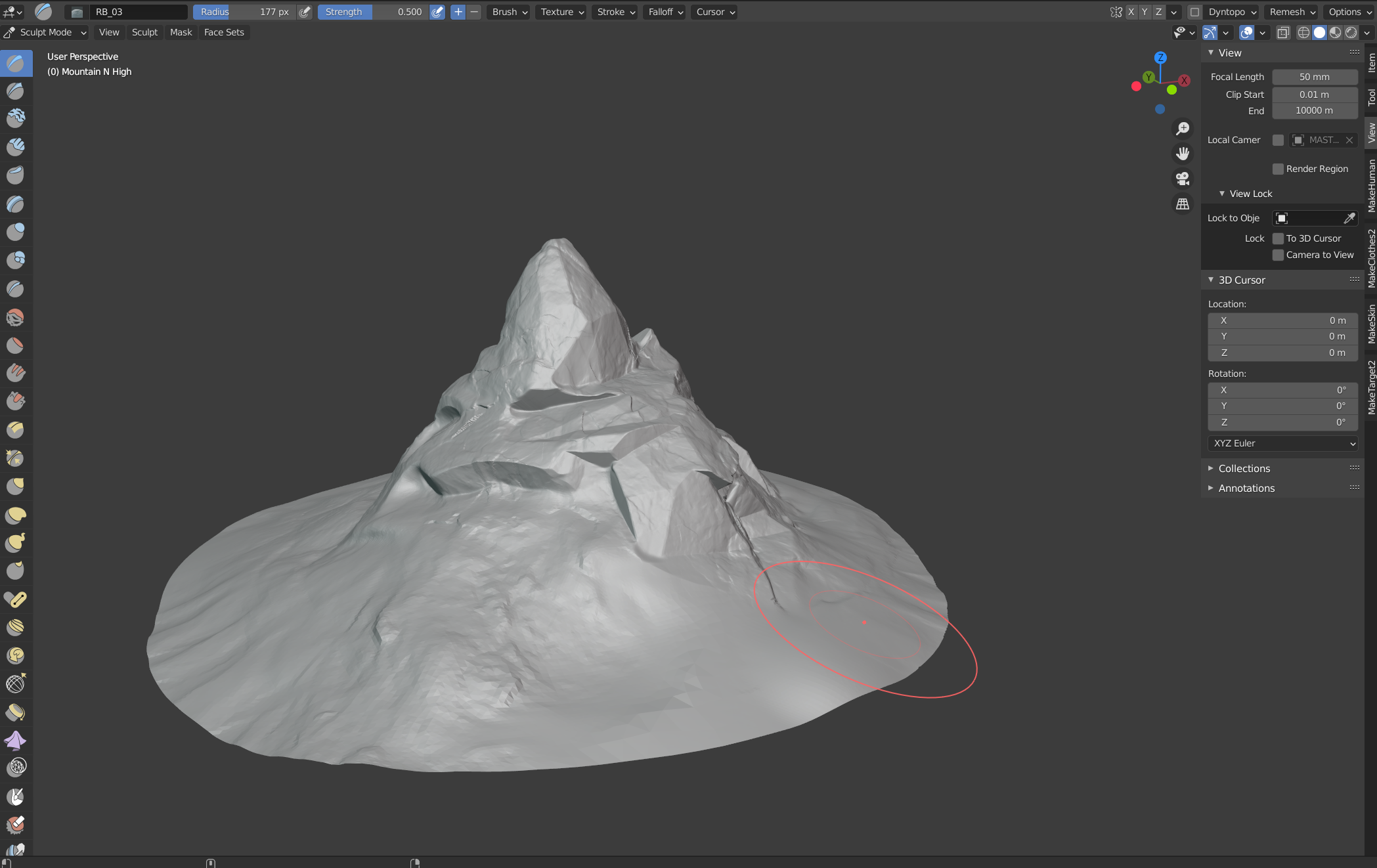
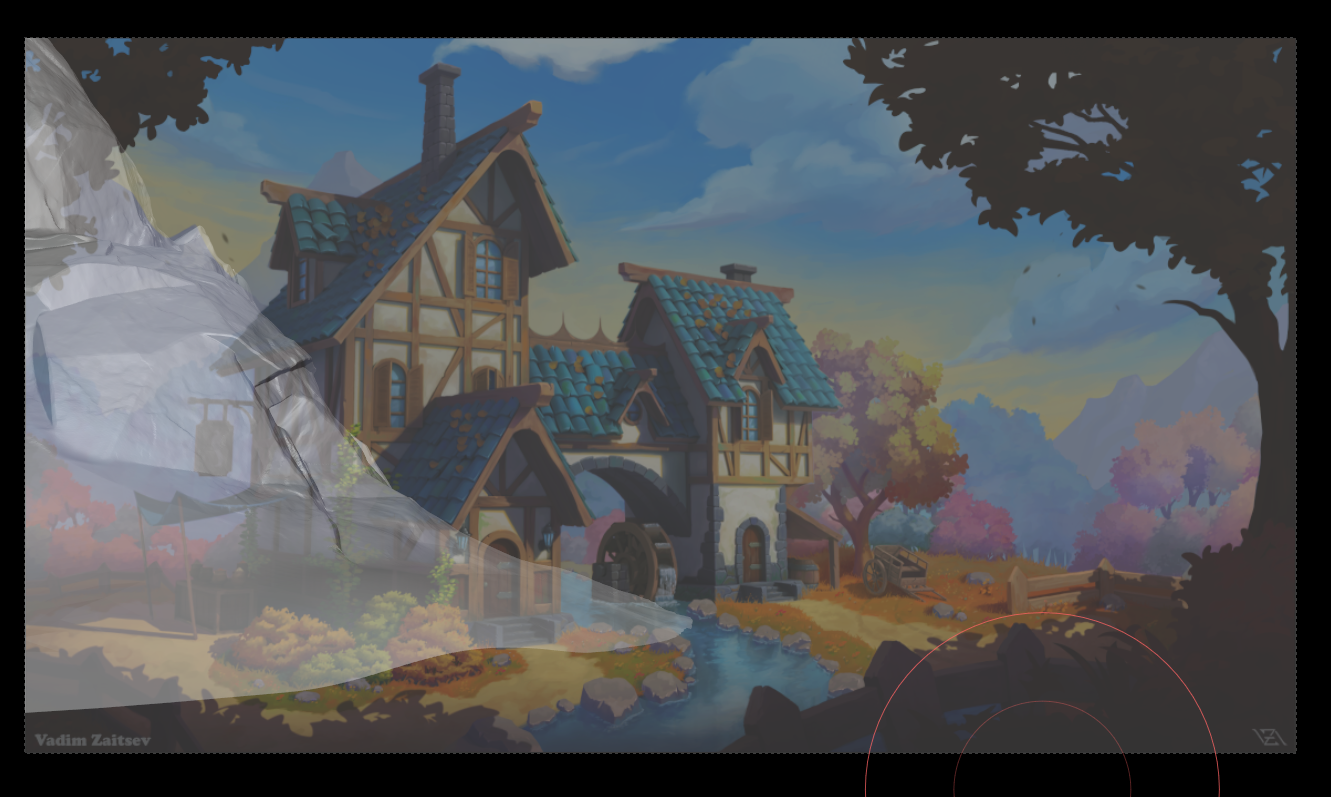
What do you guys think should i improve? or should i leave it like this?
And is retopo part of this week?
Have a nice weekend! 😀
April 17, 2021 at 12:29 pm #65919@mattdunn @tiborbleuel @daddios
Hey Mountain artists! I made a quick video as feedback to @danmelt (no commentary and should probably be watched at 1.5+ speed). I wanted to share it here to illustrate what I’d like to see from mountain quality:
Key points from the method:
- Dan’s mountain was sculpted with dyntopo and took 30+ seconds to open with a file size of 214 MB. I optimized this mesh with a quick retopo. Then converted to Multires and preserved the detail via shrinkwrap. Despite being a sculpt of over 2 million faces, new file size is 35 MB. Lesson: Multires is far more efficient than dyntopo!
- My feedback to Dan focused on improving “macro” shapes. I wanted so see more broad shape changes that effected the silhouette. Since there’s so little visible of the mountains in the art we need to fill in big gaps.
- My sculpting technique centers around the scrape brush (alternating between view and area plane as well as locking normal and plane). Note that I didn’t realize till much later than my retopo normals were reversed which messed up the Area plane sculpting (inverting its behavior to my confusion).
- Scraping via viewplane from the top is a powerful way to get the stepped layers in shape present in the mountain from the stylesheet.
- Admittedly I didn’t address the entire mountain, especially neglecting the base of the mountain. Don’t be like me – sculpt the whole mountain equally!
Hope this helps!
April 17, 2021 at 2:10 pm #65920Hi @tiborbleuel thanks for the complement, your mountain looks great too, is this a dynamic topology sculpt?
I’ve retopologized mine to very few polygons (190) and tried to add detail with a mulit-res sculpt as demonstrated by Kent on Thursday. When I try and bake the normal map the I get strange colours or nothing at all. I don’t know how large you have made your mountain but it looks like it a fair few Blender units like mine is. The only way I have manged to get any sort of normal map from a multi-res sculpt using the bake from multi-res option was to scale my mountain down to the same size as a 2 blender unit cube. You’ll have to let me know how you get on when you retopo yours and do the multi-res sculpt.
April 18, 2021 at 6:35 am #65921Yes it is a dynamic topology sculpt and my pc is having some trouble even tho it is pretty beefy. Im on the retopology part now like kent showed in the video. I will let you know how it turns out 🙂
April 18, 2021 at 8:08 am #65922Ok @daddios I converted mine to a multi-res Model (I am at 278 Faces). I will work on it a little more because I am not quite happy with the silhouette yet but I tried baking from Multi-res and it worked just fine for me even with the scale adjusted to the placeholder cone (around 1000m x 1000m).
I just followed this short from blender secrets and I had no problems:
I hope that can help you 🙂
April 18, 2021 at 1:43 pm #65923Here is where I am at with my mountain.
Anyone know what our target polygon count will be when we retopologize?
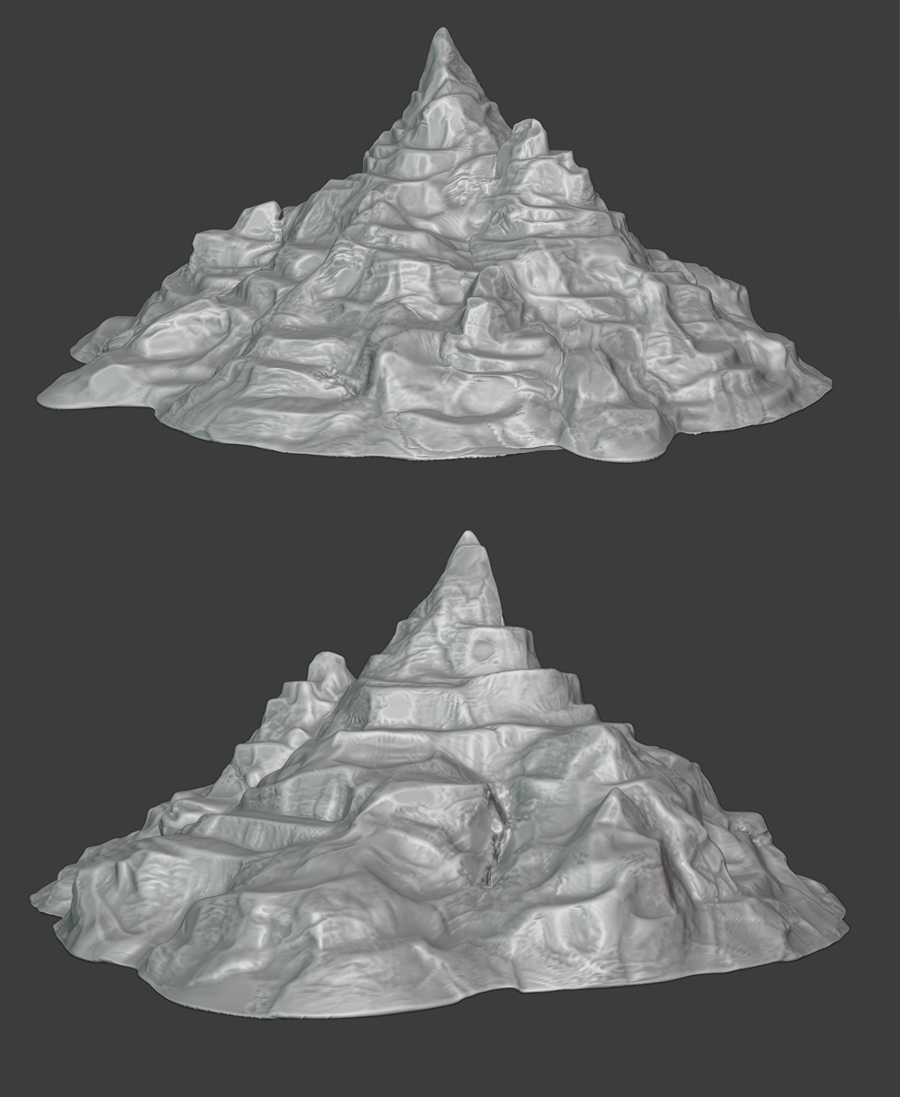 April 18, 2021 at 2:48 pm #65924
That’s a question for @theluthier , I would guess as low as you can go without losing the major detail, the finer detail will be taken care of with normal maps. That looks fantastic. You should be pleased with your work so far.
April 18, 2021 at 2:55 pm #65925Hey Team S.P.I.C.E.D. how are you all?
Just thought I would share my Sky and Clouds with you .
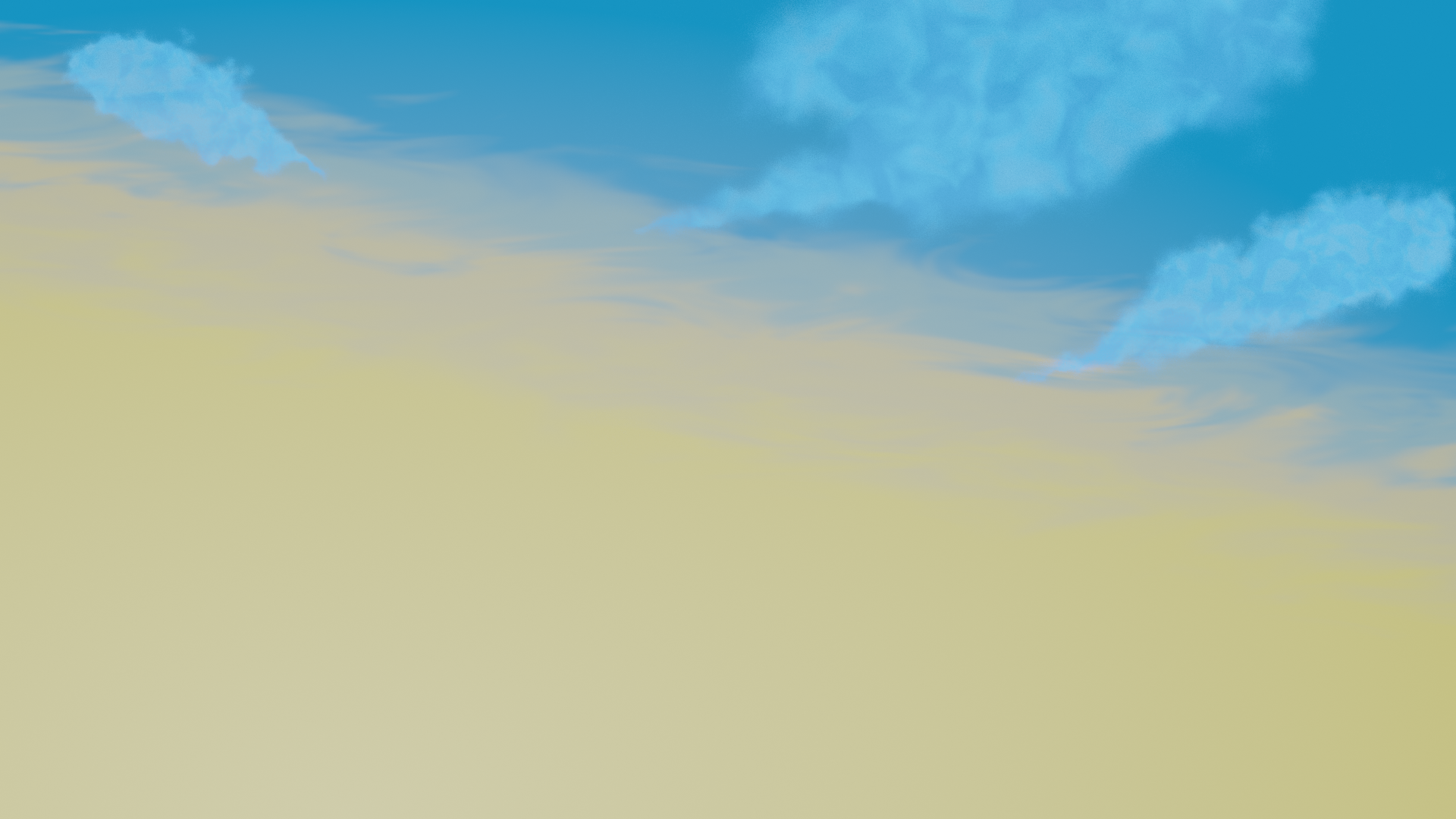 April 19, 2021 at 9:23 am #65926
Ooooooo that painterly sky gradient! LOOOOVE that @adrian2301. Precisely what I hoped to see.
The cloud shapes are looking really nice too! They’re a bit monochromatic toward the blue direction. Perhaps there isn’t a sun lamp in the scene to hit them with warm highlights?
April 19, 2021 at 9:39 am #65927@adrian2301 One more thing: I linked in your world (SPICE_WORLD 🤣) to my blockout scene and realized it’s texture coordinates are based on the window. Since we will be freely navigating this scene from all angles, we will need the sky to be 3D (not locked to the window / camera view. That technique only works for static camera angles.
April 19, 2021 at 10:24 am #65928@theluthier , I’ve made the adjustment to the world and added a sun lamp.
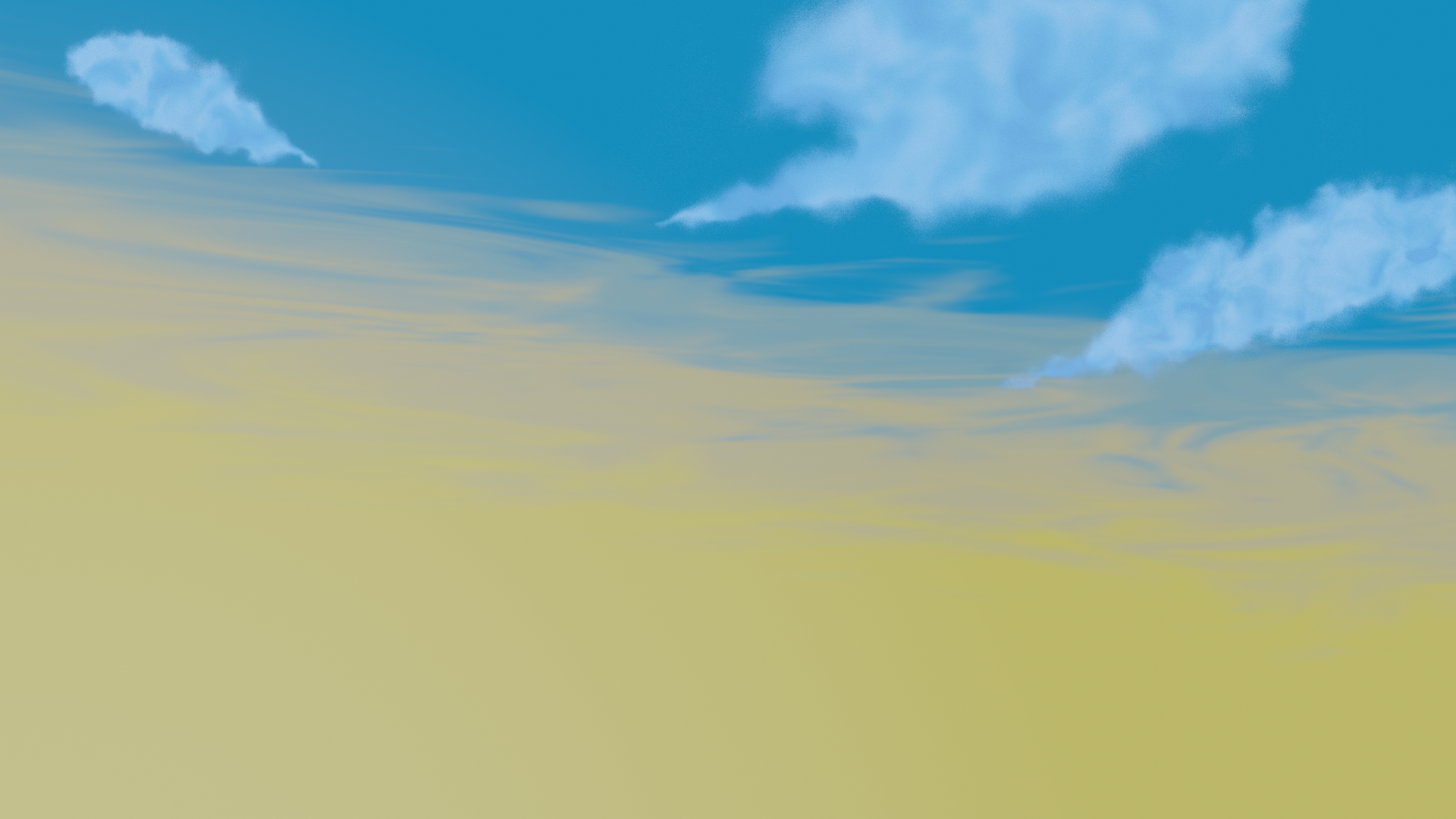
-
AuthorPosts


- The topic ‘COLLAB2021 – Team S.P.I.C.E.D. – NATURE BG’ is closed to new replies.