COLLAB2021 – If You Wanna Have Some Fun – NATURE FG

Forum Archive COLLAB2021 – If You Wanna Have Some Fun – NATURE FG

Viewing 15 posts - 166 through 180 (of 227 total)
  • Author
    Posts
  • #66630
    spikeyxxx
    Participant

      @rstich you are absolutely right, I forgot to explicitly mention that 😉

      #66631
      Kent Trammell
      Participant

        Leafy Foliage Techniques

        @benkroft @artifact @danitufi @frenchman @brzostek  @ullreym @notcastanza @stickdonkey @wardred @ketre @dyoc @pfbourassa @tijnkroon 

        I said that I intend to spend some time exploring leaf techniques this week. I don’t know if I’ll find the time to test such techniques myself, but I did research some vids and wanted to post them here before I forget. The techniques below look promising though they’re not all in Blender. To apply some of them would take some creative thinking:

        for FG trees

        For MG / BG trees:

        for Bushes:


        #66632
        Matthew Ullrey
        Participant

          Looks like we have some fun homework. Get out the popcorn and notebooks. Ha ha

          #66633
          Daphne Lameris
          Participant

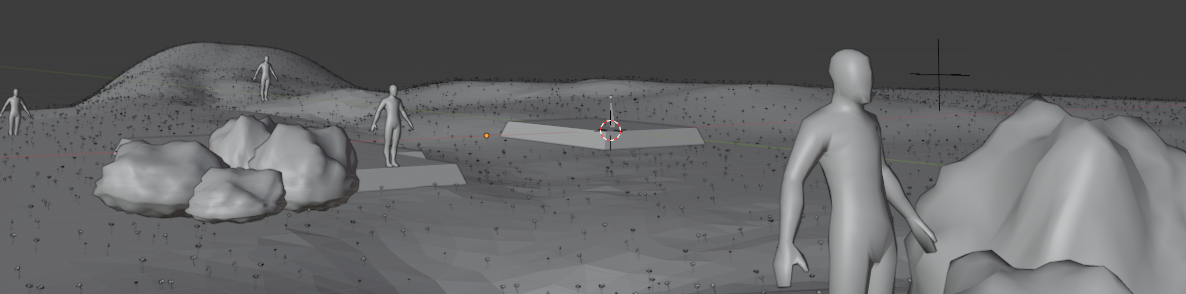
            Grass & flower people, has anyone figured out adjusting point density locally in with geometry nodes? 

            My goal is to have flowers located only near this empty. 

            For particles you can use weight paint, and I saw that in 2.93 you can use attribute sample texture. But since we’re working with 2.92, does anyone know? In the CG cookie youtube tutorial I saw that it is possible to get the location of each point from this empty. I just don’t know how to delete a point once the location is too big. 

            #66634
            spikeyxxx
            Participant

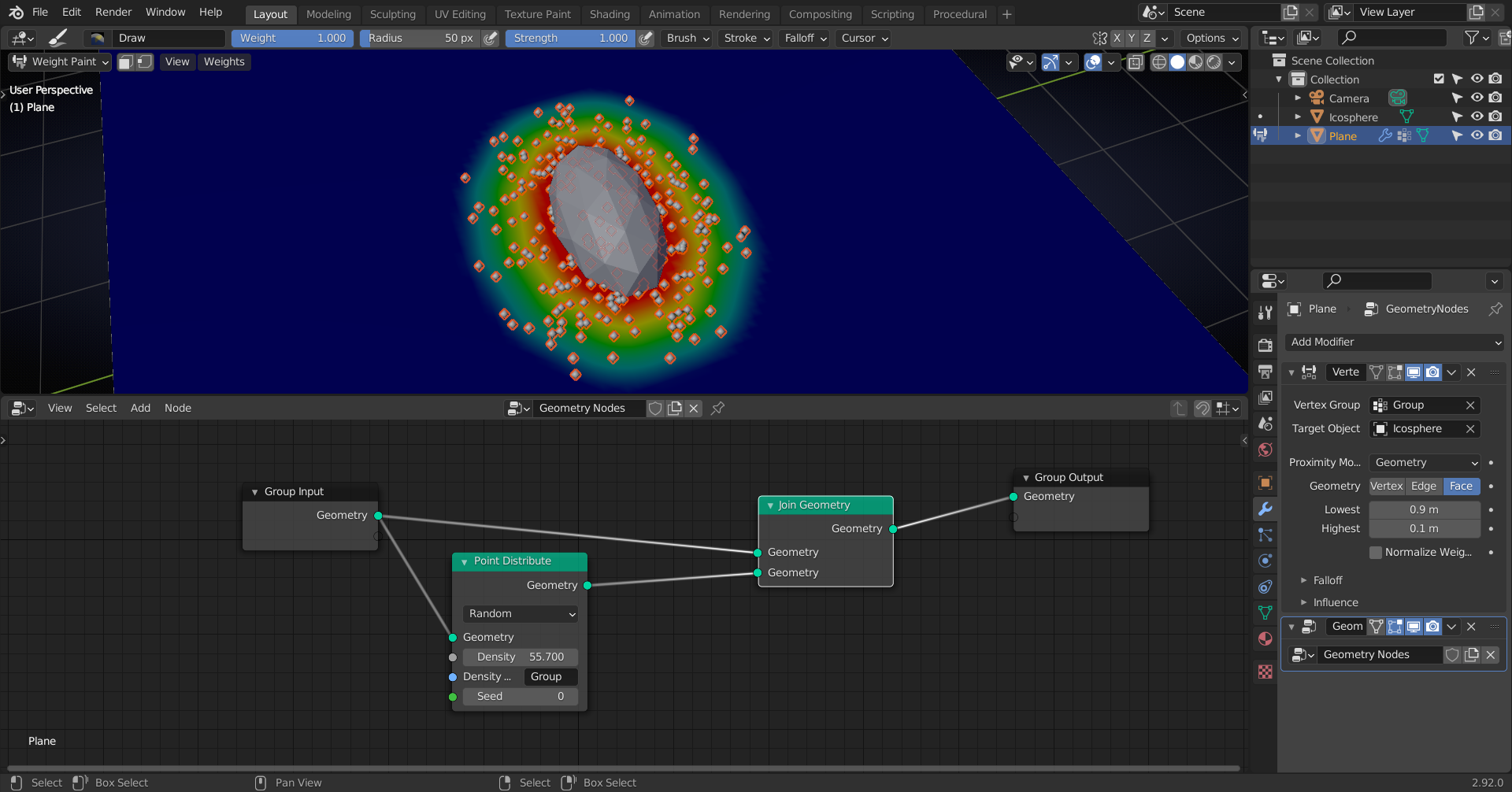
              Try the Vertex Weight Proximity Modifier before the Geometry Nodes Modifier, Daphne

              #66635
              spikeyxxx
              Participant

                #66636
                Daphne Lameris
                Participant

                  Thanks! I tried your setup but the location of the object isn’t doing anything. is there some setting I’m missing? I guess that normal weight painting is a fine option as well. 

                  #66637
                  James Langley
                  Participant

                    @spikey Just wanted to check as after the stream i got slightly confused, are we creating fully sculpted version and a low poly version, or are we sculpting with the mind set that we retopo to a low poly version later?

                    Or are we creating a displacement map from the sculpted version (that one’s a guess i have no clue what i’m talking about).

                    #66638
                    Daphne Lameris
                    Participant

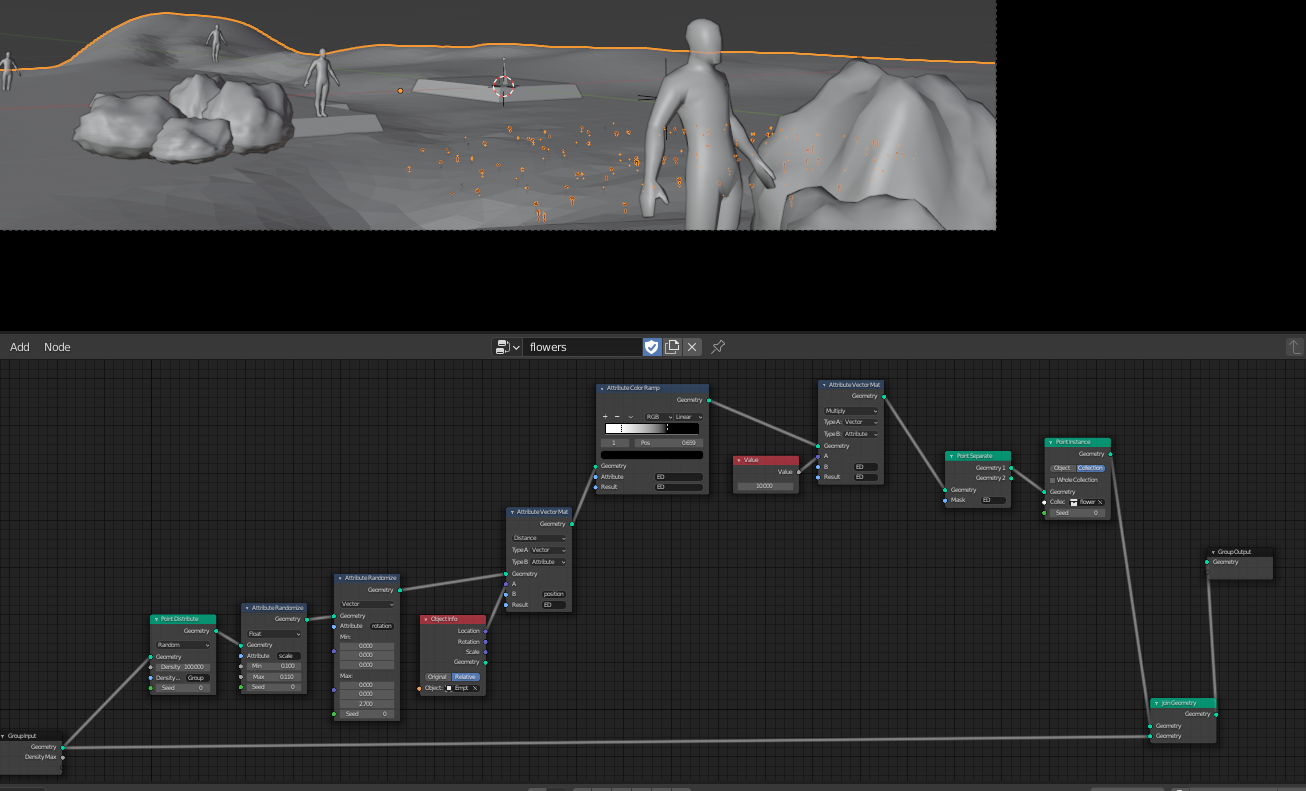
                      I got it working in just geometery nodes 🙂 The attribute color ramp controls the size of the spot and the Empty the location of the spot. Would probably have been less effort in figuring out why the other modifier wasn’t working, but I just needed to finish this puzzle. 

                      #66639
                      spikeyxxx
                      Participant

                        @daphne2 sorry, I was at Kent’s livestream 🙂

                        Yes, that definitely works, how you did it!

                        The reason I used the Modifier, is, because it can also use the surface of a Mesh, not only the position, which I need for placing grass blades around the rocks for instance.

                        The Vertex Weight Proximity Modifier is great, but you need to get everything right…which is tricky the first time…but then again that is true for a lot of things in Blender (and in 3D in general, I guess).

                        #66640
                        spikeyxxx
                        Participant

                          I’d say, make a low poly basemesh, that has the shape (silhouette) you want and then you can make a duplicate and sculpt on that, so you can later bake the sculpted details on the (UV map of the) low poly version.

                          Or, if you use the Multiresolution Modifier to sculpt the details, you could Bake from Multires…but I’ve never done that and would even then save a low poly copy, just to be sure.

                          #66641
                          Dani Tufeld
                          Participant

                            progress so far…

                            #66642
                            Kent Trammell
                            Participant

                              Now THAT is “leafy”! Is this a combo of leafy alpha textures on top of ghibli method?

                              #66643
                              Ben Reichel
                              Participant

                                Threw this on my PureRef.  

                                #66644
                                Dani Tufeld
                                Participant

                                  @theluthier 

                                  I used the Ghibli metod, but instead spawn blob shapes, I switch it with a plane in a shape of a leaf, and gave it random rotation.

                                  The material is the same as before, shader to rgb that gives it that uniqe look.

                                  I still need to adjust the colors and shades to much the art more…

                                Viewing 15 posts - 166 through 180 (of 227 total)
                                • The topic ‘COLLAB2021 – If You Wanna Have Some Fun – NATURE FG’ is closed to new replies.