
Collab 2021 WIP elcangrejo
Forum Archive › Collab 2021 WIP elcangrejo
- This topic has 33 replies, 8 voices, and was last updated 5 years, 4 months ago by
Florian W.
-
AuthorPosts
-
April 18, 2021 at 2:10 pm #65040
I’d love to see it!
April 22, 2021 at 2:33 pm #65041This is looking awesome! That dynamic paint approach seems to be working really well 👍
This is still heavily WIP since I’m working with a shader from Blendermarket which needs a lot of tweaking and digging to get it right 🙂
Which shader are you using? I’ll ask that you avoid using paid products for this since it means the legality of sharing our final scene with everyone would be questionable, but if you need help implementing some part of it from scratch I bet I can help you out.
I just posted a longer response to @procyonlotor ‘s WIP thread about the kind of shading that I’ll be looking for, so give that a read and let me know if you have any questions or think of a better way of approaching it. The TL;DR of it is that we can’t use emission shaders because we need it to receive shadows from the house.
Full points for week 2. Keep it up!
April 23, 2021 at 12:05 am #65042April 23, 2021 at 5:11 am #65043I was using a paid shader, yes. You have a point concerning the sharing and stuff, @jlampel .I was wondering if that might be a problem as well. So it’s good this is clarified. I still think it has some great potential as a template. Can we continue this conversation on Discord? 🙂
April 23, 2021 at 2:36 pm #65044That’s a cool method @spikeyxxx ! That’s certainly an option and I’m open to using it, but I’m not immediately convinced that it would give better results than regular shaders.
April 24, 2021 at 1:04 am #65045@jlampel it is not that I am in favor of this, but I just didn’t want to exclude Emission Shaders to begin with 🙂
The main thing is to stay close to the style of the Artwork and that everybody is using the ‘same’ shading method.
April 25, 2021 at 9:38 am #65046I’ll be posting something for the eye soon, I’m waiting for @jlampel ‘s input on how to imitate my paid shader for our project. A bit too diffcult just on my own. I’m also digging myself deeper into the Dynamic Paint feature since I believe it to be the best solution for collisions with rocks and landscape.
April 25, 2021 at 10:06 am #65047@jlampel @theluthier Are we going to be using the Unreal Engine? Kent mentioned it last Tuesday. This could mean we should make our creek in UE instead?
April 25, 2021 at 2:17 pm #65048If we’re using Blender I’m wondering if we should limit our view somehow, maybe with some kind of LOD? Performance is really down to its knees here in Eevee ^^’
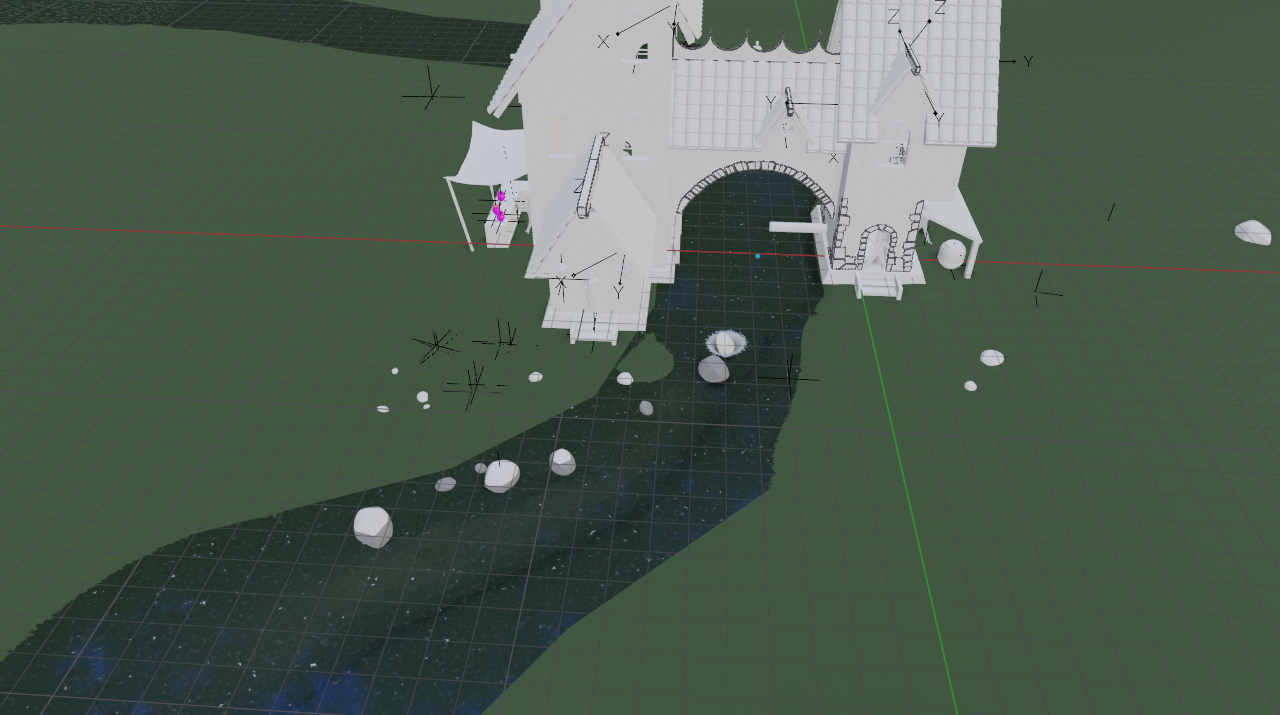 April 26, 2021 at 8:35 pm #65049
It’ll be for rendering in Eevee, and I don’t think we’ll have time to port over all the assets to UE.
Can you share the file? I’m not sure what would make it so slow. Is it super heavily subdivided or something?
Ok, on to the questions from the file from Discord. The Dynamic Paint effect is only really needed if the objects in the river are going to be moving around. Since we can have all of them be static, it would be much more efficient to just paint a mask for the foam using vertex paint.
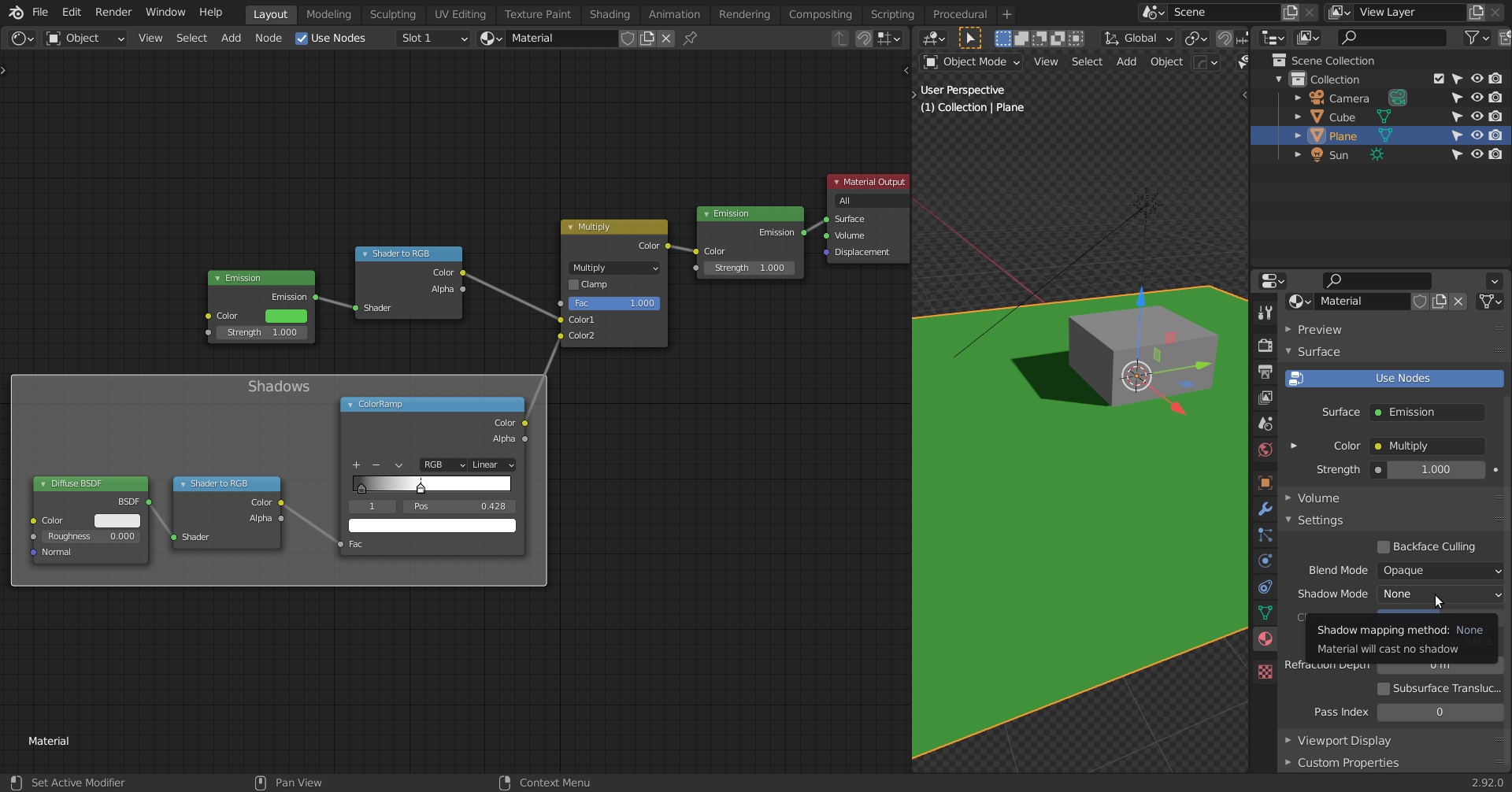
Using that vertex paint mask (which can be fairly soft so we can get a transition between black and white as well), we can set up a procedural shader that places the foam in those areas:
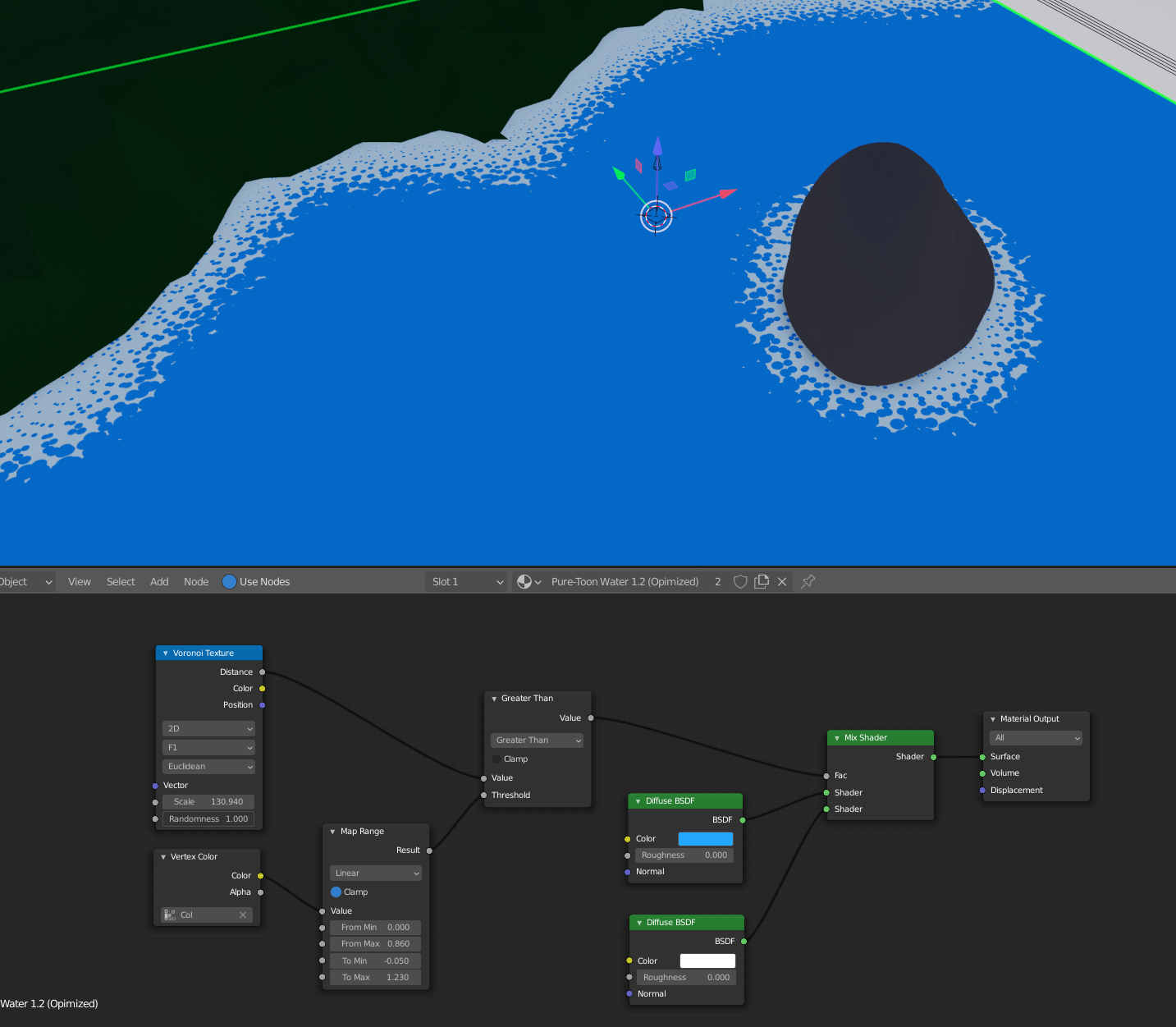
The texture in the example isn’t perfect, but hopefully it gives some ideas.
As mentioned on Discord, the original shader doesn’t do screen space reflections and it gets darker when looked at on an angle, so we need to go with something that behaves more believably to light so that it ties in well with the other parts of the scene.
We can then get reflections by mixing a transparent shader with a glossy shader:
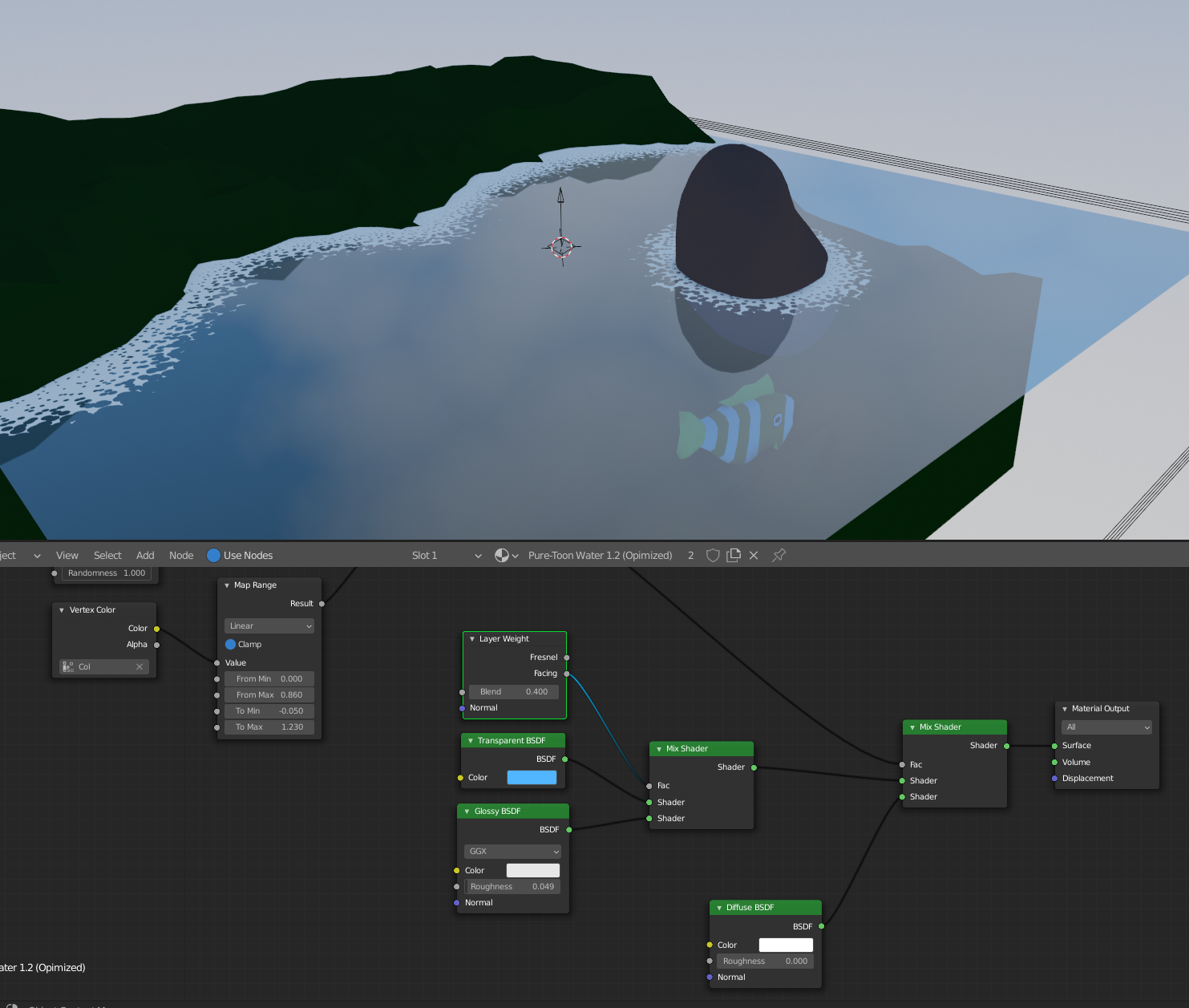
After messing with this setup I found that switching out the transparent shader for a diffuse or emission shader works better to help sell the colors. Which one you use is up to you, but be aware that both will look wrong in different contexts. I also added some bump (that can be whatever texture you want) to make the reflections wavy and the stack of transparent planes to give it depth.
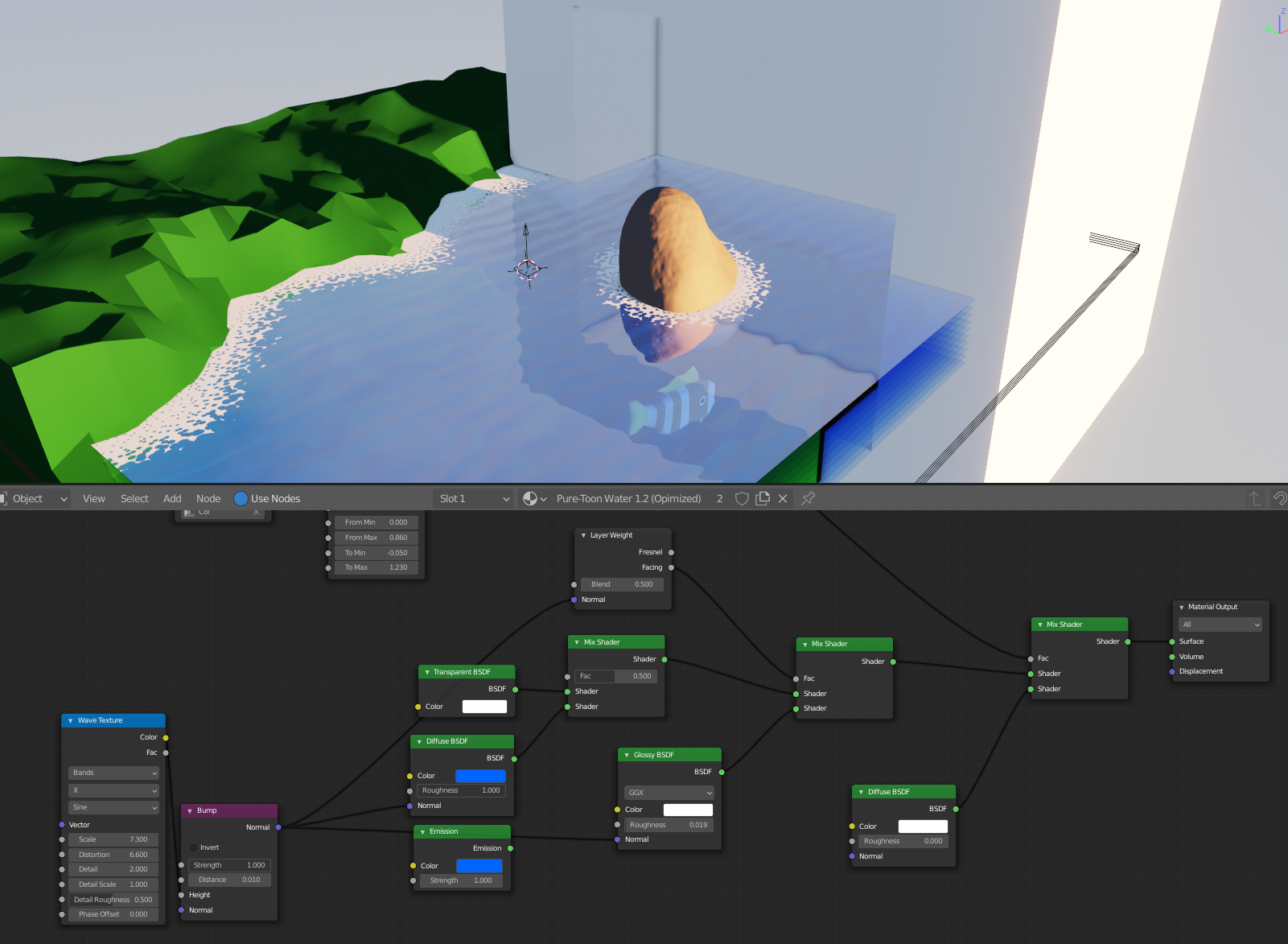 The file is in the drive if you want to poke around. Hope that helps! May 2, 2021 at 10:45 am #65050
My creek for week 4, based on @jlampel s shader and with some tinkering on my part. The creek consists of two layers which creates a depth effect I really like, especially with the foam. I built a “close” version of the creek, leaving the far away parts out – something I couldnt figure out how to implement without killing performance.
I will correct the speed of the animation after I wake up.
I want to use the time after week 4 to make fish and maybe some water plants and little rocks to scatter inside the creek.
May 2, 2021 at 5:10 pm #65051@elcangrejo, it looks like you are finishing up with your project. And, your creek in the animation looks great. I’d love to post your artwork in the TSMF Blog. Please let me know if you create a still money shot.
May 3, 2021 at 2:48 pm #65052Looking cool! Is it up on google drive where I can check out the file?
May 3, 2021 at 4:44 pm #65053Yes, it’s in the Nature/FG folder on GDrive.
May 4, 2021 at 1:50 am #65054I didn’t intend this to be a competition situation. Unfortunately, communication with @procyonlotor didn’t work ( no blame, it’s just unfortunate) so we have two submissions now. I’d really appreciate if we could somehow combine the best of my and @procyonlotor ‘s work. @jlampel, @theluthier what do you guys think?
And yes, I’m worried my hard work might be left out 😉
-
AuthorPosts




- The topic ‘Collab 2021 WIP elcangrejo’ is closed to new replies.