
Collab 2020: Modeling Heavy Equipment (Backhoe)
Forum Archive › Collab 2020: Modeling Heavy Equipment (Backhoe)
- This topic has 1,439 replies, 27 voices, and was last updated 4 years, 1 month ago by
Omar Domenech.
-
AuthorPosts
-
April 30, 2020 at 10:11 am #54107
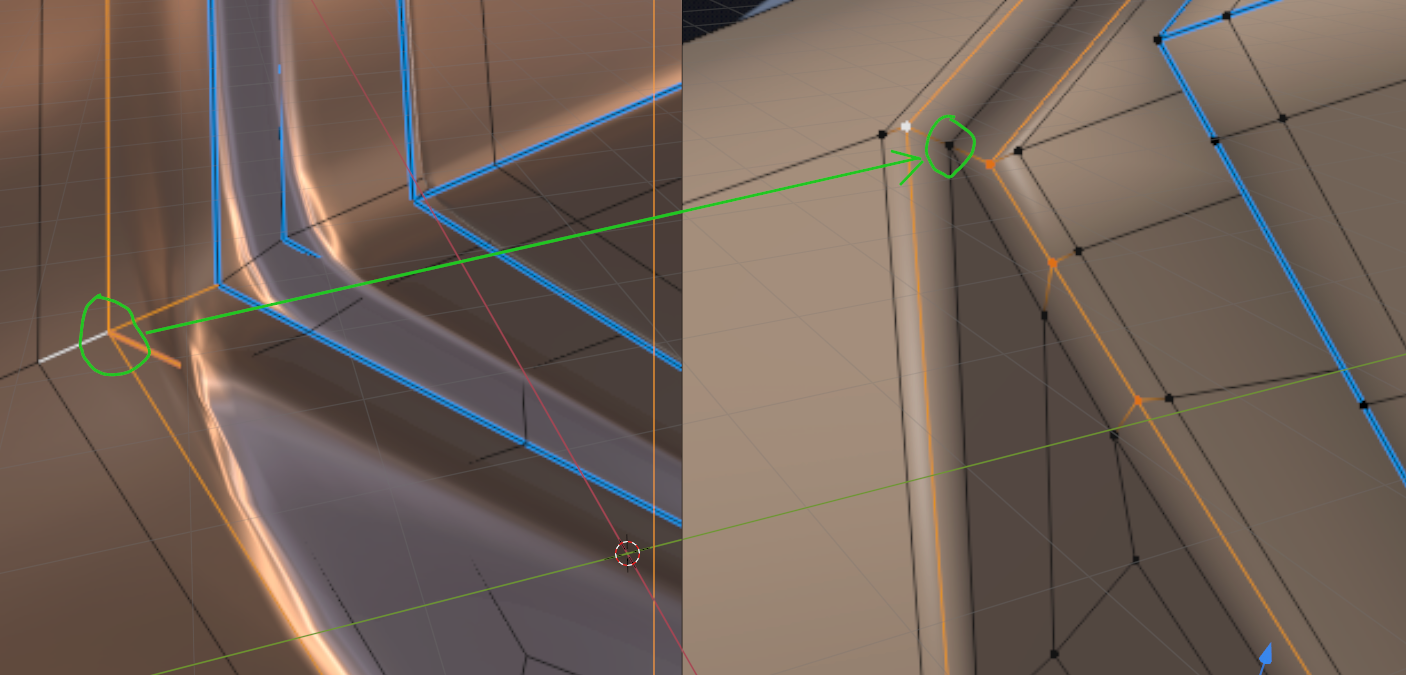
Does this clear it up? (probably not,,)
 April 30, 2020 at 10:29 am #54108
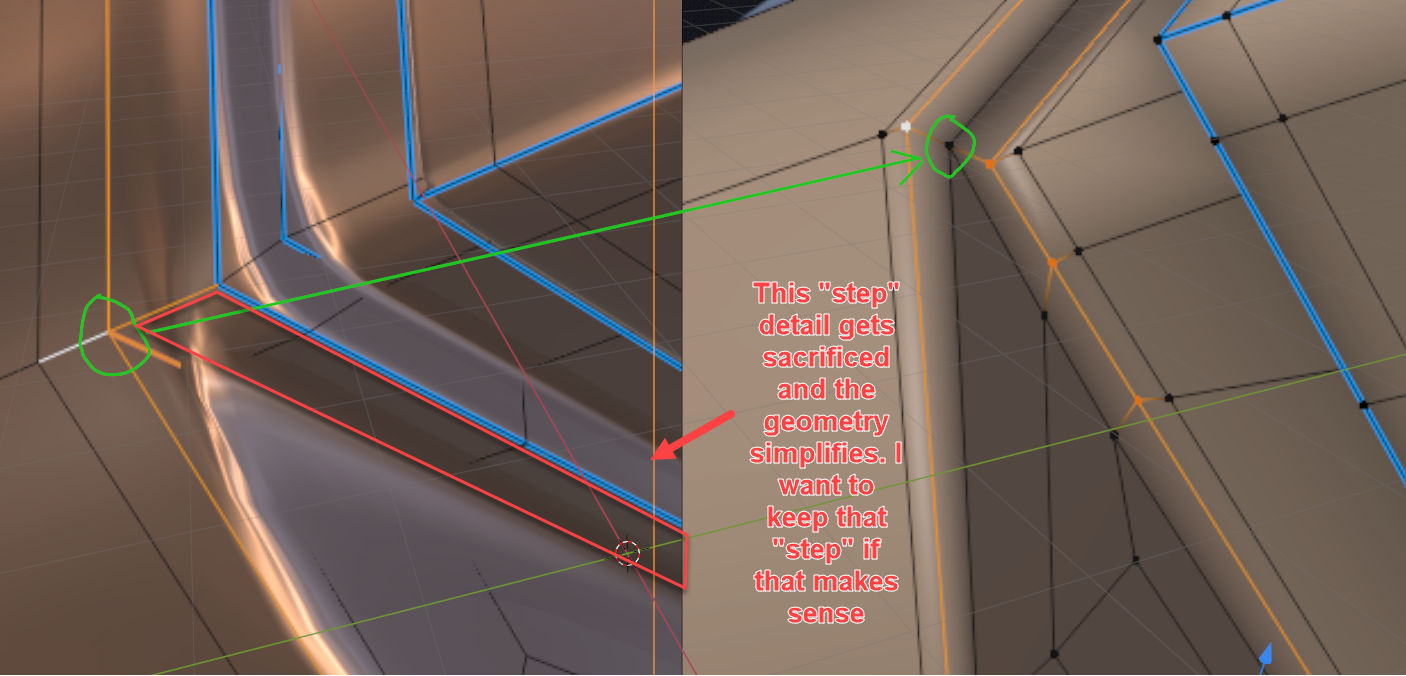
No you’re explanation is great but I think that removes some geometry with that fix on that particular section.
 April 30, 2020 at 10:42 am #54109
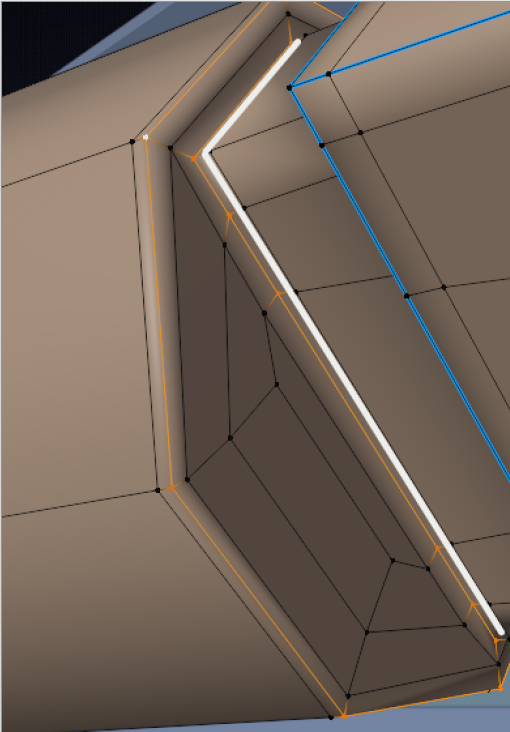
Oh, sorry I removed that detail;) I removed alot more and then re-made the connection and forgot that ‘step’, but that can easily be re-added with changing the topology of that area.
Just select the white face loop and do something like E, ALT+S, SHIFT Z…(or any other magical incantation that works for you):
 April 30, 2020 at 10:55 am #54110
@shanr Did you ever managed to resolve this? It must’ve been something to do with the object origins and modifiers you have on.
April 30, 2020 at 10:55 am #54111I don’t know what the technical term is called for that? A shoulder perhaps?
April 30, 2020 at 11:01 am #54112We must do the cables. I plan on putting all the extra crazy stuff that go into my part of the tractor. Since we focus on one part of the whole thing and since it’s such a long time in between streams, it feels feasible to go crazy on details.
April 30, 2020 at 11:15 am #54113Bevel (with weighted edges I pick, all set to a value of 1 and percent of bevel of 5%)
@blanchsb Remember Kent said to try and aim for software agnostic modeling, meaning don’t use stuff that are only a Blender thing. I think weighting the edges you pick is a Blender thing. The only modifier we should use is the SubD.
Let me try and have a look at your problem areas, that pinching in rounded from flat ares are always a headache.
April 30, 2020 at 12:06 pm #54114@blanchsb I think I misread the situation a bit…
Do you want this to be flat:

And this to be round:
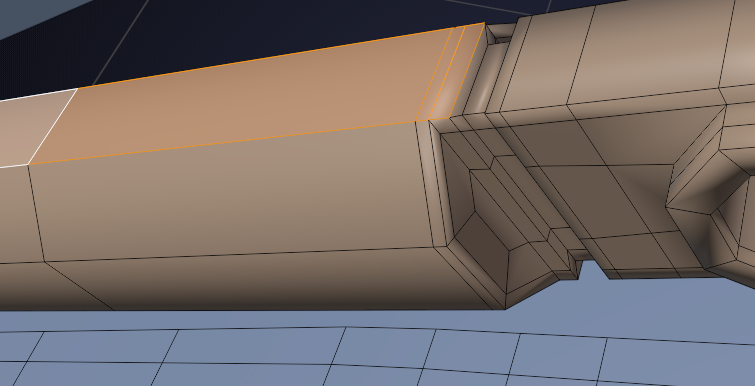
?
April 30, 2020 at 1:00 pm #54115I could give you something like this:
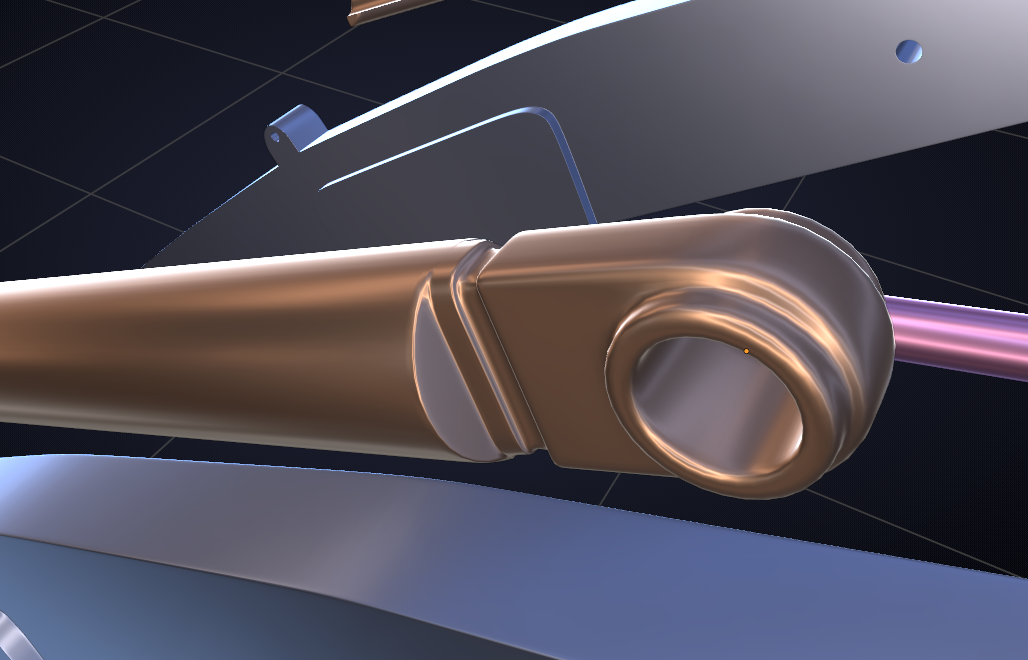
Which has this horrible topology( so far):

The thing is: you have a blue edge with only one holding edge to control the sharpness turning into a green edge that is supposed to be completely round, so the orange holding edge need to get away from the green edge to make that round if that makes any sense at all;)
The point is that an edge (corner) should have two holding edges, one on each side for full control…
I think you want the green part of the ‘block’ to be round on the top and flat on the side, but if you move the orange edges towrds the green ones, that will make the top flatter..
This is all very hard to explain in words, but I hope you get the drift.
April 30, 2020 at 1:01 pm #54116Yes! One side flat, the other side round; And I want that Lip/Shoulder on the “round” piece in the bottom image to stick out on the side (sticking out past the edge)
April 30, 2020 at 1:07 pm #54117Yes, sorry your answer updated on my first reply haha. I do want the cylinder section to remain a cylinder, which is why I am afraid to add any holding edges laterally along the cylinder (it doesn’t subdivide as a circle anymore when I do that or I am doing it wrong). I basically want a cylinder with nice crisp cut on the side that is completely flat and everything from that point forward will have flat/square features going towards the main pivot point Pin Hole on the right side.
Your updated reply looks much more like what I am after on the top “metallic”image.
April 30, 2020 at 1:11 pm #54118Crap @dostovel I must have missed that. I just wanted the bevel modifier there “for now” because it makes it so easy to go in and change simple shapes. I can pick what I want to bevel and what I don’t. I can always apply the bevel mod at any time and then it is just a subsurf.
But you and @spikeyxxx are right. Maybe I just need more”holding edges.
Haha I am feelig like @ketre now. Like a noob amongst pros. Can I join your Team Karen?
April 30, 2020 at 1:22 pm #54119Maybe I just need more”holding edges.
But holding edges at the right place!
I will have a go at it tomorrow, if @dostovel doesn’t come up with the perfect solution before that;)
I think trying to tweak this to get the result you want, is like trying to fix a broken vase with tape; it might look okay, but the structure will be awful.
I’ll just start from scratch (on this specific part) knowing what I(/you/we all) want as result!
That will give cleaner topology and therefor cleaner result.
April 30, 2020 at 1:45 pm #54120Ha! Million Dollar Question. Where is the right place for the holding edges haha. Yeah. Complex yet simple shapes give me such a hard time. I spend way too long on them. Thanks guys for the assistance. If anything I am learning what not to do and what to do to get results I want.
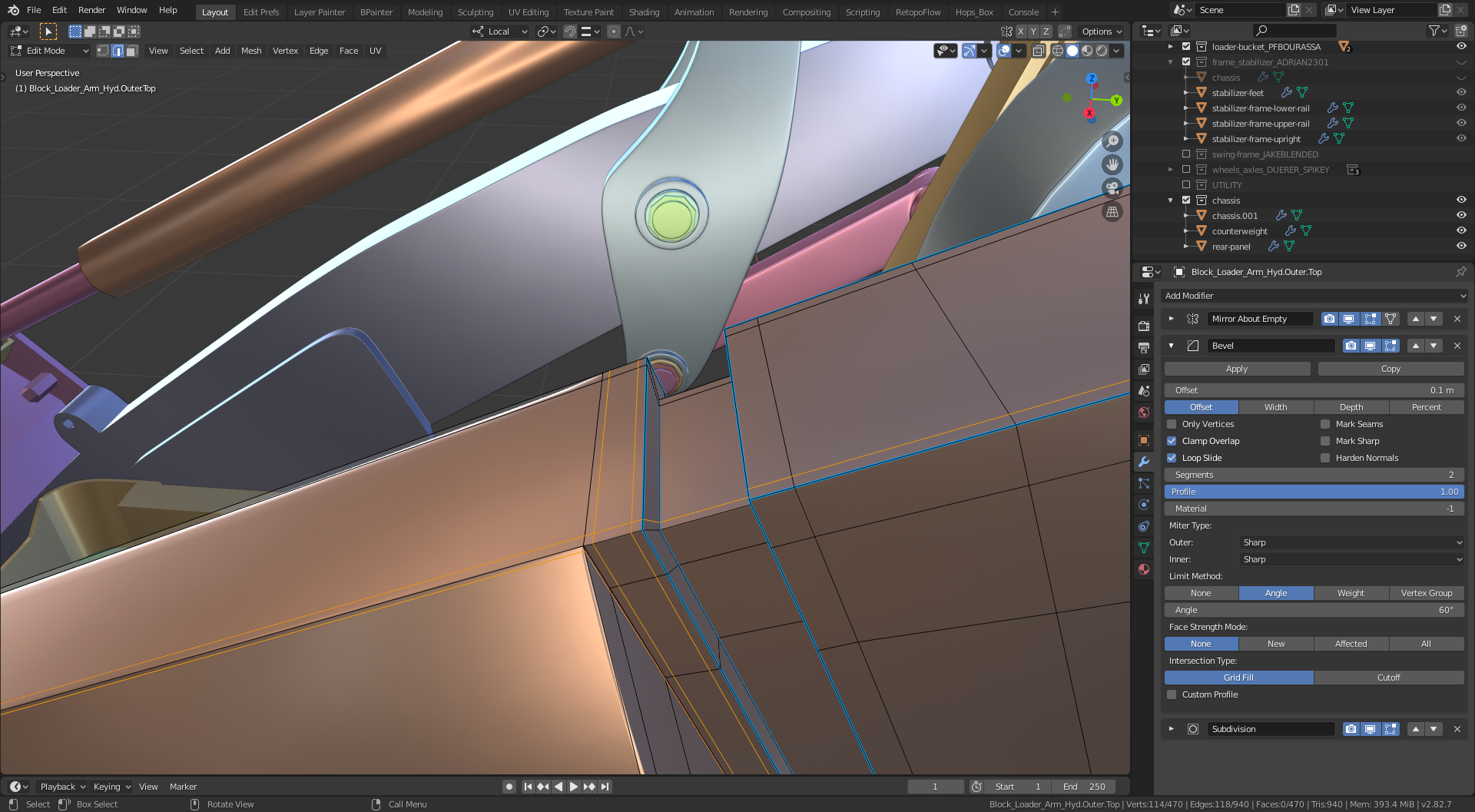
April 30, 2020 at 1:53 pm #54121@blanchsb If I understand correctly I think this is what yo are looking for.
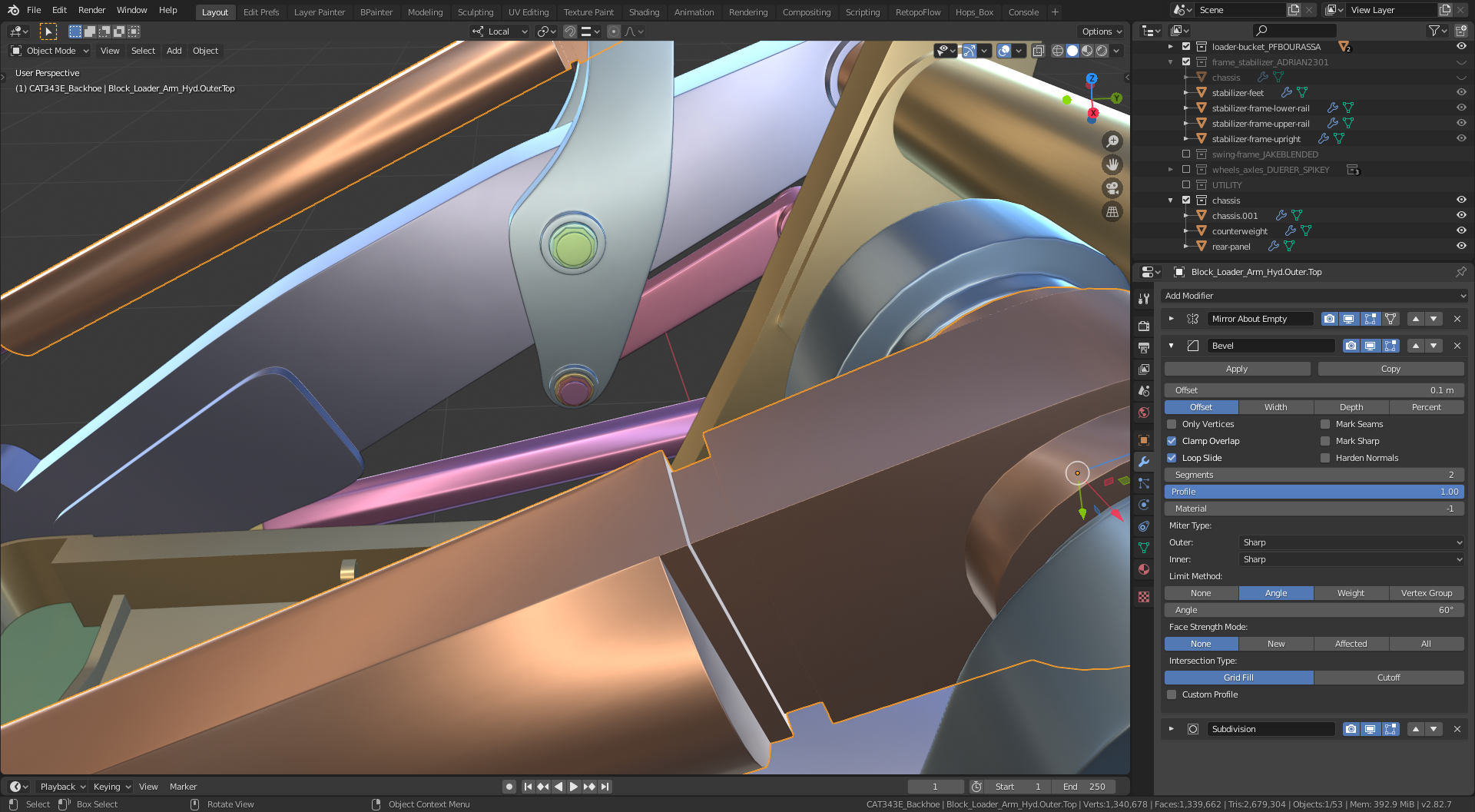
Added some edge loops and changed the settings on the Bevel Mod.
Changed from percentage to offset at 0.1 and from weight to angle and adjust the angle until it looks good, ended up at 60d.
With this just need to keep an eye on the rest of the model, but usually its just a matter of adding edge loops or changing the angle of the face slightly by moving edges by literally fractions.
-
AuthorPosts


- The topic ‘Collab 2020: Modeling Heavy Equipment (Backhoe)’ is closed to new replies.