
CGC Challenge Juli 2019, Vehicle WIP
Forum Archive › CGC Challenge Juli 2019, Vehicle WIP
- This topic has 67 replies, 8 voices, and was last updated 7 years, 1 month ago by
spikeyxxx.
-
AuthorPosts
-
July 11, 2019 at 9:41 am #47927
Didn’t do a lot of modelling the last two days, but tried to make sure everything is ‘working’; like, for instance, that the landing gear is able to move in the holes (that was a nightmare for me. I felt so clumsy. There must be an ‘easy’ way to do that, but with all these curved surfaces and strange angles, I had a really hard time.).
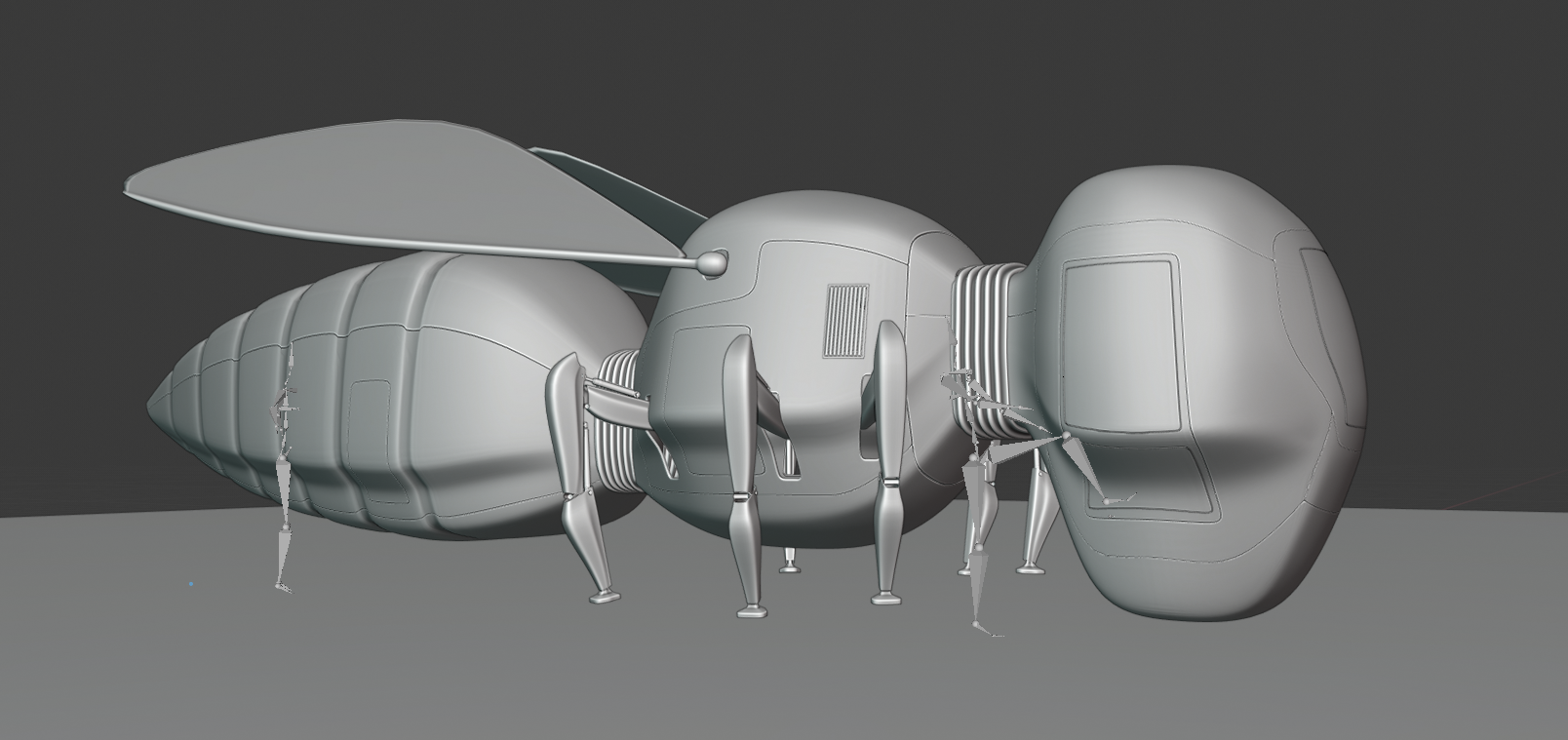
Still have no clue as to how the wings will be constructed ( I know how airplane wings work, but these are ‘flapping’ wings…), so tomorrow I will block out the interior of the cockpit and if time allows, take a look at the wings.
Then I can have a fun weekend detailing!
July 12, 2019 at 11:10 am #47928Back to modelling.
Some minor fixes and a start with the cockpit interior.
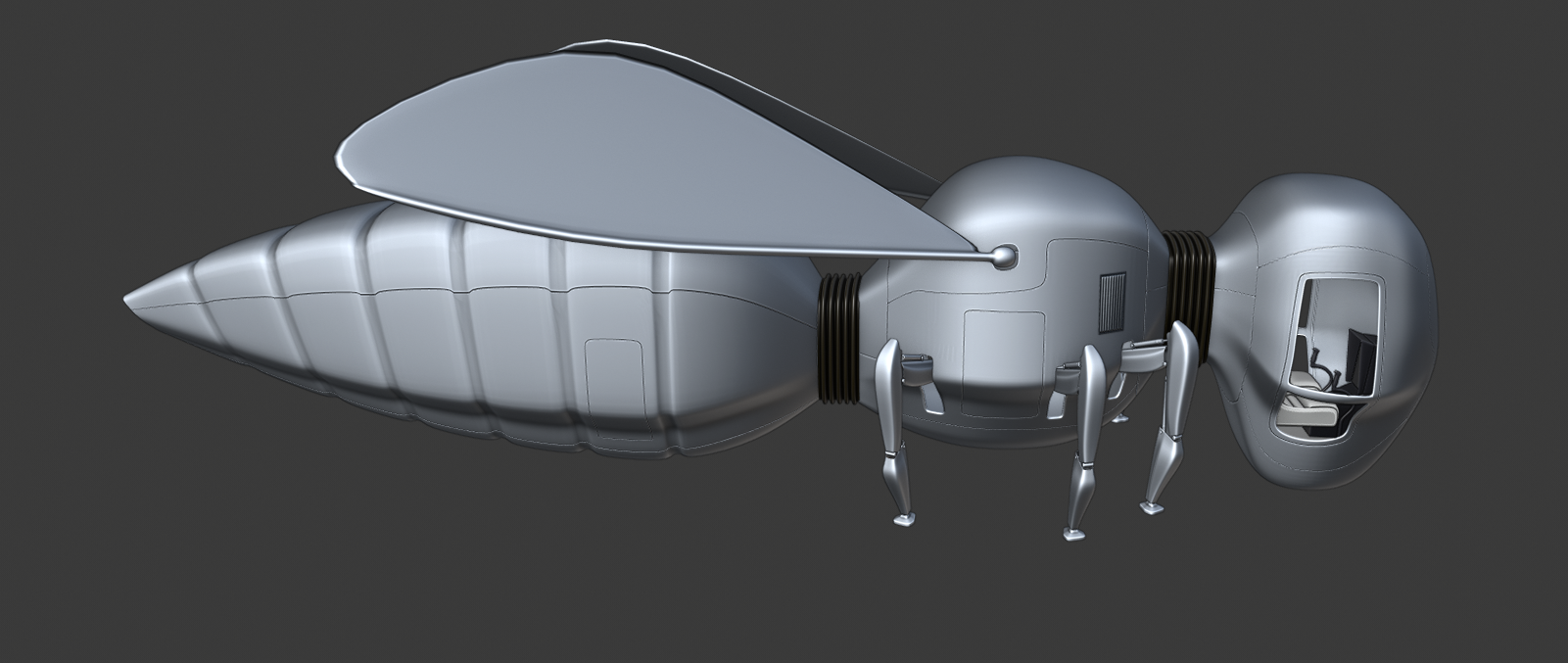
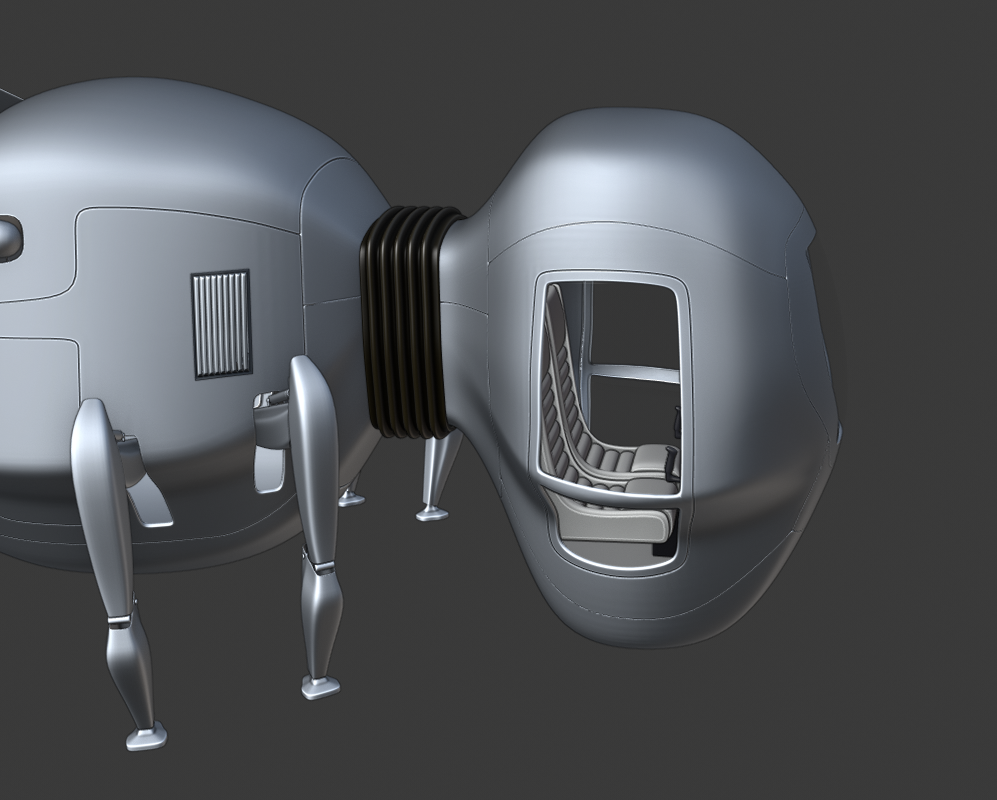
I’m beginning to get an idea on how to make the wings. That’s for tomorrow, And then immediately on to detailing!
July 12, 2019 at 1:44 pm #47929@spikeyxxx How do you make those lines and panels without messing up the topology?
July 12, 2019 at 2:22 pm #47930@williamatics Hi William, I use a ‘mould’, for instance, I have a ‘head_shape’ mesh. Then I use snapping to surface and a shrinkwrap modifier to make the topology I want. Now I can, for instance create edges, where I want a separation of panels. What I did was, I made a vertex group called Solidify and assigned those edges to it. Made a solidify modifier after the shrinkwrap and used the Solidify vertex group ( with settings to ‘Fill Rim’ and ‘Only Rim’). Use CTRL B with a number of three on those edges and select the middle one.
Now comes the genius part: I select those edges and press ‘V’ and my panels appear!
I know this is not a very clear explanation ( not like Jake Korosi’s!), but if this is not clear to you, I will try to explain it better, with some screenshots.
Just let me know if you want that.
July 13, 2019 at 8:33 am #47931Only managed the wings and how they are connected to the body so far.
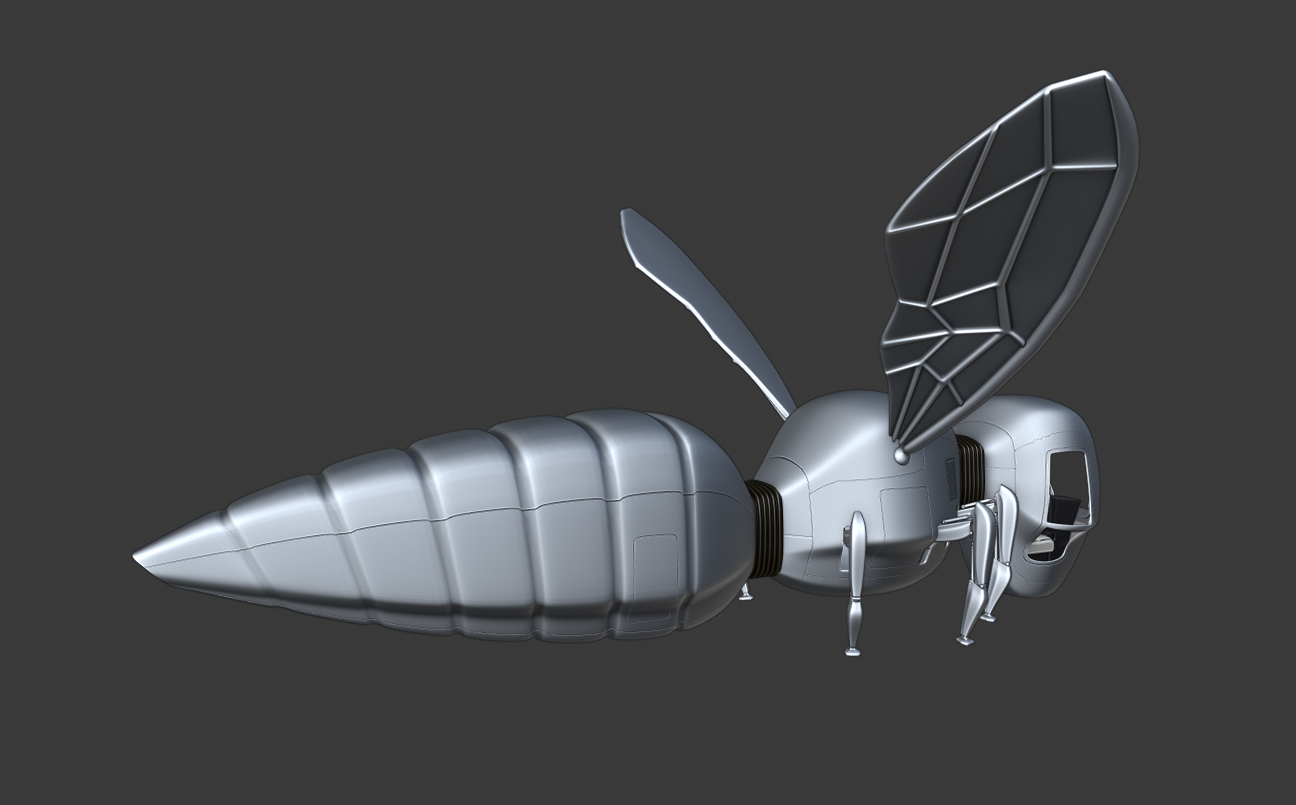
This took so much of my energy, that I’ll have to take a break now. Maybe later I will be able to get some more done, but I’m not sure about that…
Funny how sometimes something small can take forever to solve!
I used a UV Sphere as the end of the wing and it turned into an oblong shape as soon as I used a Subsurf on it: not round but oval!
Tried to solve that for hours and still don’t know why that happened. Used an Icosphere instead and everything was normal.
This is a mystery that will keep bugging me;)
July 13, 2019 at 8:41 am #47932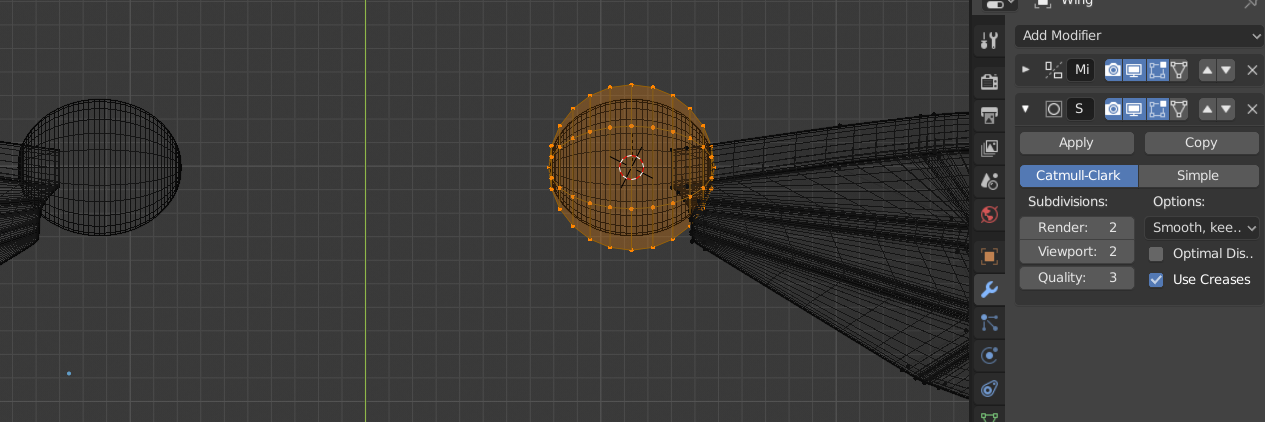
This is enough to drive me crazy!
July 13, 2019 at 9:10 am #47933@spikeyxxx Maybe it’s a bug..?
July 13, 2019 at 10:12 am #47934@smurfmier1985 I don’t think so. I’ve tried this in a new file and it didn’t behave like this.
But it’s not the first time that Open Subdiv has strange quirks, at least with me…
July 13, 2019 at 5:25 pm #47935@spikeyxxx It’s nothing to do with the good ol’ apply scale is it? Probably an obvious one for someone as experienced with Blender as yourself , but the amount of times I’ve pulled my hair out over weird happenings due to the scale being off is unreal
July 14, 2019 at 12:38 am #47936@frikkr In this case it wasn’t that.
I don’t know how I could have been so stupid…
The thing is, I used a UV Sphere with 6 segments and 12 rings. Because of the 6 segments it can look round or oval, depending on the viewing angle. If you look at it from the top you can clearly see, that, in this case, it is smaller along the X than along the Y-axis:
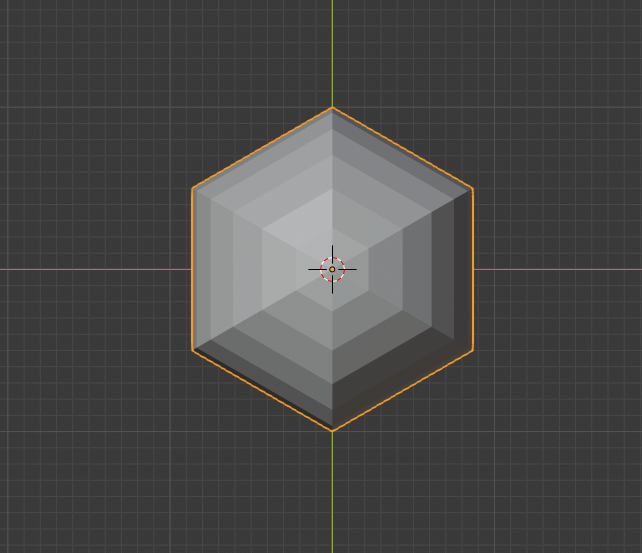
Because it has twice as many rings, those ‘angles need less rounding’ than the angles from the ‘hexagon’ when subdivided. Hence the ‘squeezing’.
It’s just a topology thing: it consists completely of stretched rectangles; that’s asking for trouble;)
July 14, 2019 at 11:48 am #47937This is going way to slowly! I will need some speed. Sorry, I mean that I will need to speed up.
Today I only put some screws on the air vent

and made the back door openable:
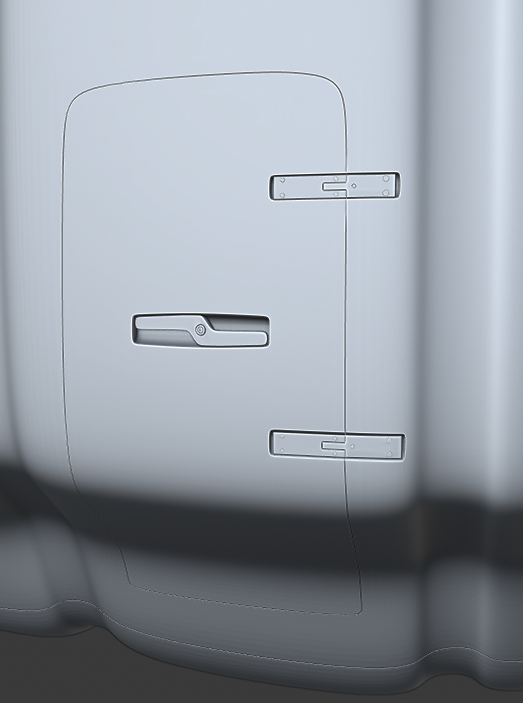
Not too happy about the result either, but it’ll have to do for now.
I give myself two more days to do the details and then I’ll start the shading.
If time allows I can always refine and add more details later…
Already thinking about posing and scene; I would like to have several of them, mostly flying, but then I would need pilots! (Or at least one…)
July 14, 2019 at 11:57 am #47938@spikeyxxx you won’t need a pilot when you find a nice composition from this angle:
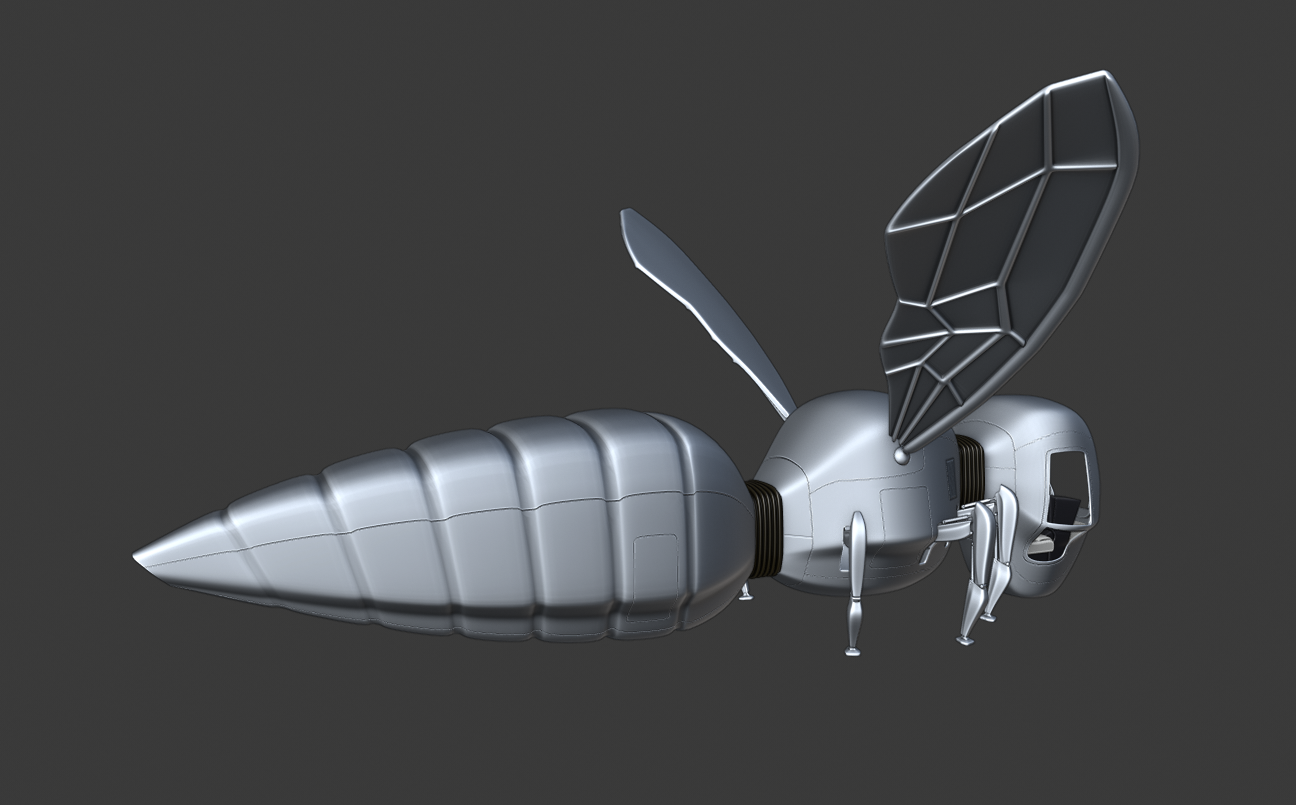
I think you make something dynamic from this angle, with a couple flying away towards something in the distance 😊
July 14, 2019 at 12:32 pm #47939@smurfmier1985 That’s a great idea! Thank you so much!
July 14, 2019 at 2:14 pm #47940@spikeyxxx Glad I could help you out 😊
July 14, 2019 at 2:43 pm #47941@smurfmier1985 The future is looking brighter now:-)
-
AuthorPosts


- The topic ‘CGC Challenge Juli 2019, Vehicle WIP’ is closed to new replies.