
Blake’s Polybook
Forum Archive › Blake’s Polybook
- This topic has 75 replies, 5 voices, and was last updated 4 months, 1 week ago by
Martin Bergwerf.
-
AuthorPosts
-
January 22, 2026 at 8:28 am #98738
Looking good.
And yes, Sculpting requires a lot of practice.
Also Remesh is not very good at lowering the resolution, because it can merge things that are close together (separate fingers on a hand, for instance, becoming connected). You can (temporarily, if you want) switch to Dynamic Topology and use the Density Brush to reduce the resolution of parts of your sculpt, or if you set it to Constant Detail, you can use Detail Flood Fill.
January 22, 2026 at 8:33 pm #98739Thanks! When sculpting bigger creatures (i.e dog), is it better to block out each limb or major feature and then join + remesh, or would pulling the anatomy together with a single object worth of clay be better?
January 23, 2026 at 1:15 am #98740Hi Blake,
It is very common with larger (many Vertices) characters to Sculpt parts of the Mesh (like limbs) separately and then Join them together, although I’m not sure if they’d use Remesh for that…Boolean might be better…
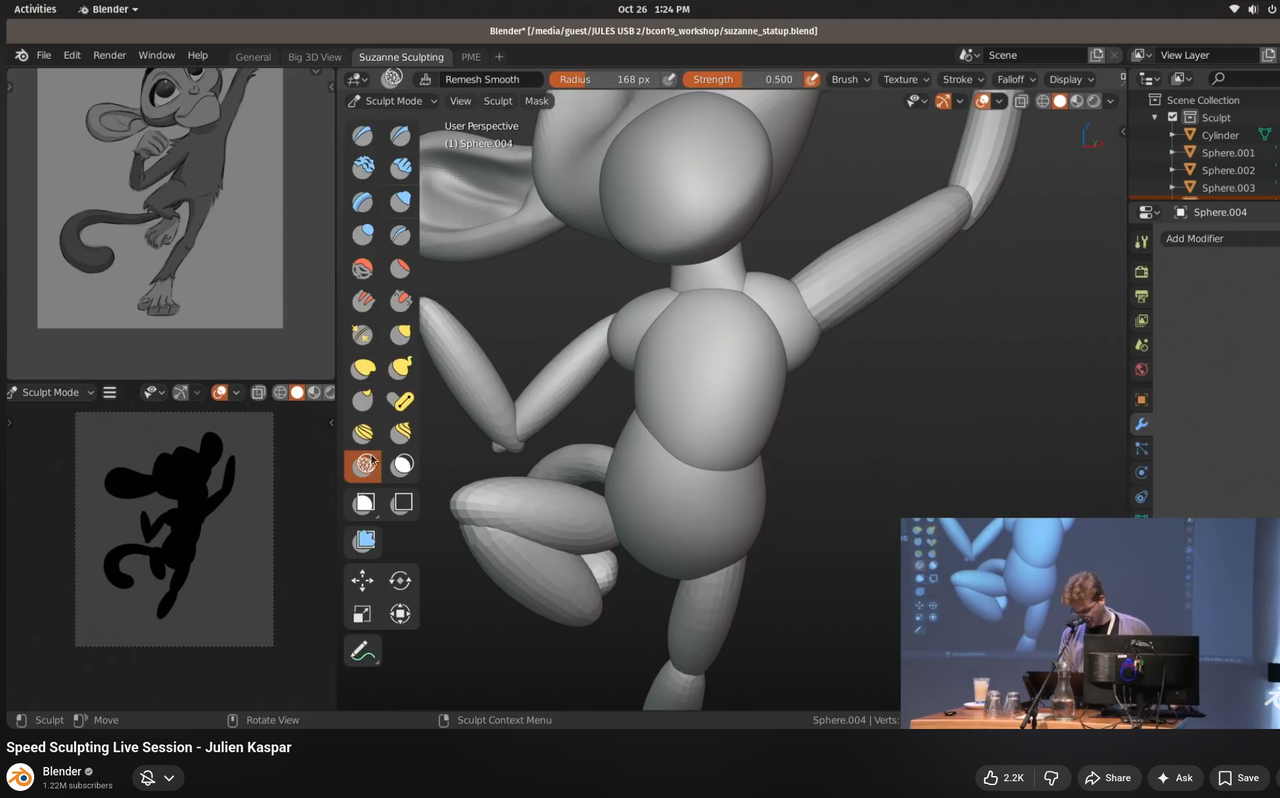
Another thing, and that’s probably what you are talking about, you see often, is to quickly block out body, head, arms, legs with, for instance elongated Spheres and then Remesh to join them together.
January 23, 2026 at 7:04 am #98741Yeah I’ve seen people mostly doing it from a single mesh, pulling out the limbs with the snake hook brush and making it all together. The way I like to think about it is that if it’s like that in real life, then it’s like that in 3D. Like my arms, legs, hands, feet, they are all one so I’d sculpt them as one. My watch is separate from my body, so I make the watch separately.
January 23, 2026 at 7:11 am #98742But some people like to block out first, like here (at BCon 2019):
 January 23, 2026 at 7:27 am #98743
In other words, the world is your oyster, there is no wrong way, just explore both options and see which you feel most comfortable with.
January 23, 2026 at 8:44 am #98744Indeed, find your own way.
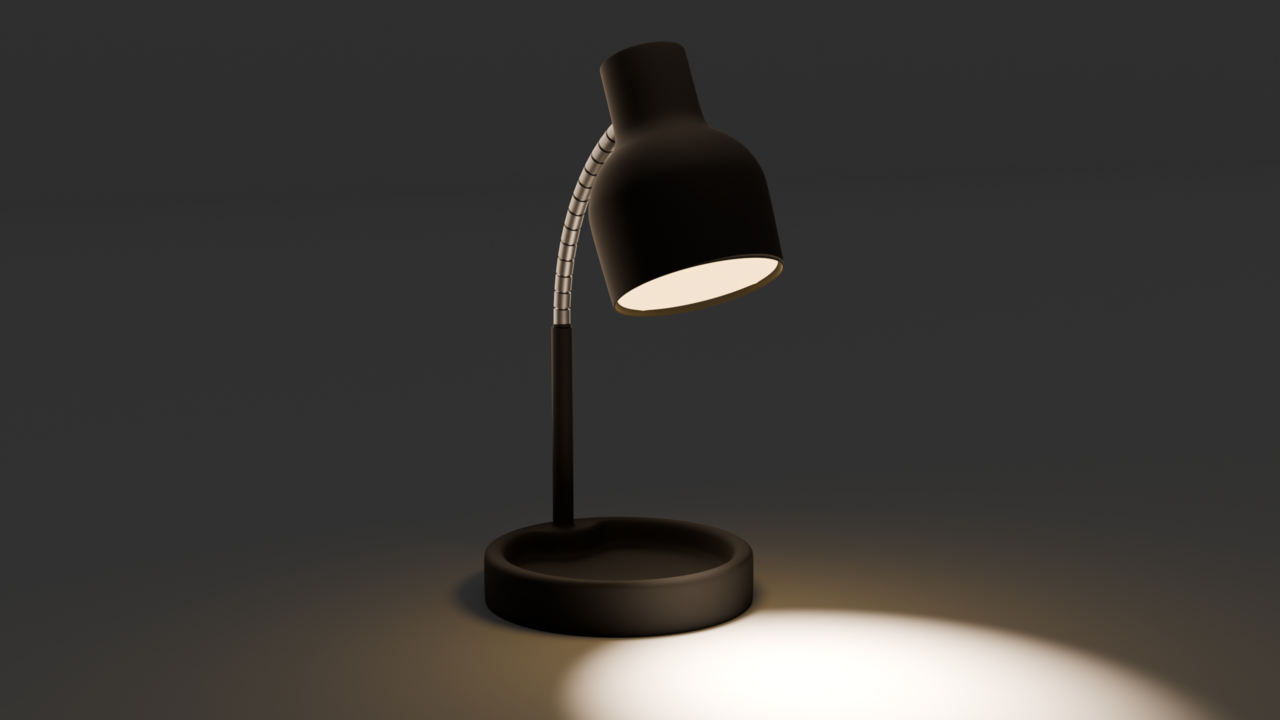
January 24, 2026 at 9:05 pm #98745Messed with lighting on my old lamp after taking the lighting fundamentals course.
 January 25, 2026 at 12:01 am #98746
 January 26, 2026 at 8:29 pm #98747
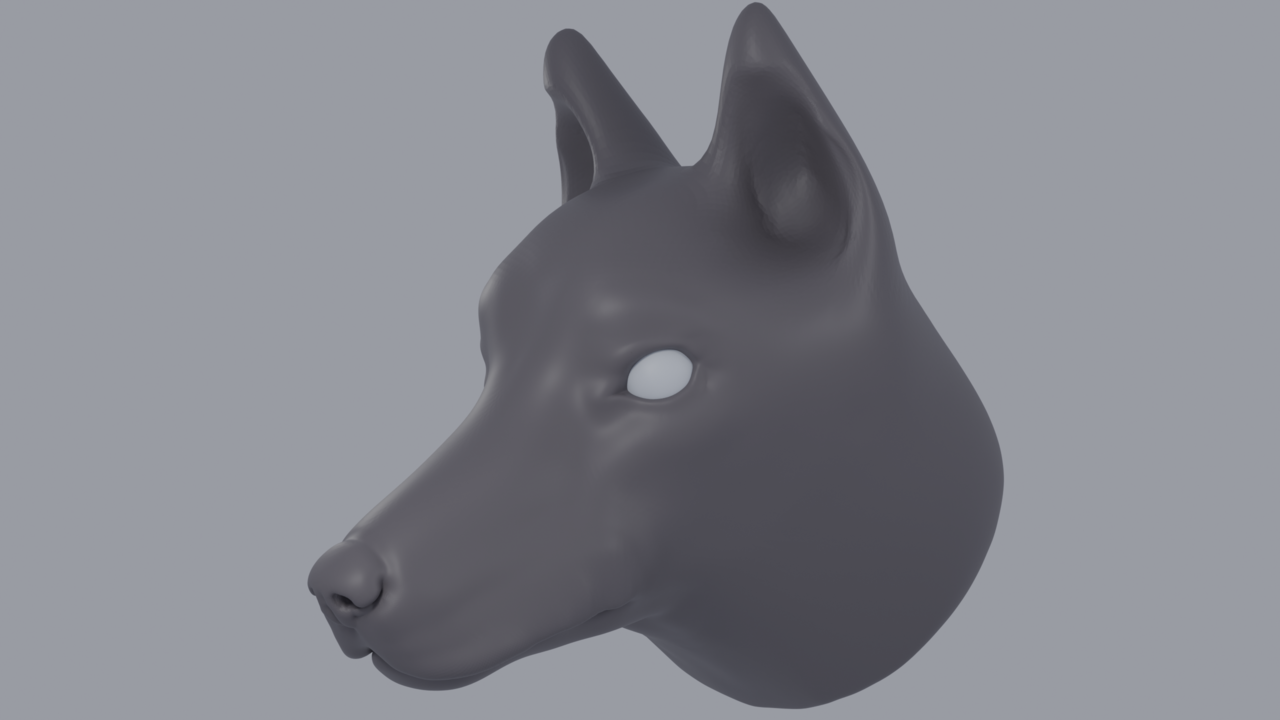
If I wanted to take the nose and make it black, add shaders to it, etc, would it be best for me to retopologize the dog head *first*, and then assign the portions of the nose as a separate material/shader? Or do people just spend the time selecting each vertex in their dense mesh (lasso select etc) and use vertex groups, or separate the nose as an object? What would be a good way to go about this?
January 27, 2026 at 2:47 am #98748HI Blake, that’s looking good!
Most people would probably just Retopologize it, but there is another way; if you you are not going to deform the Mesh, you can Paint directly on the Sculpt:
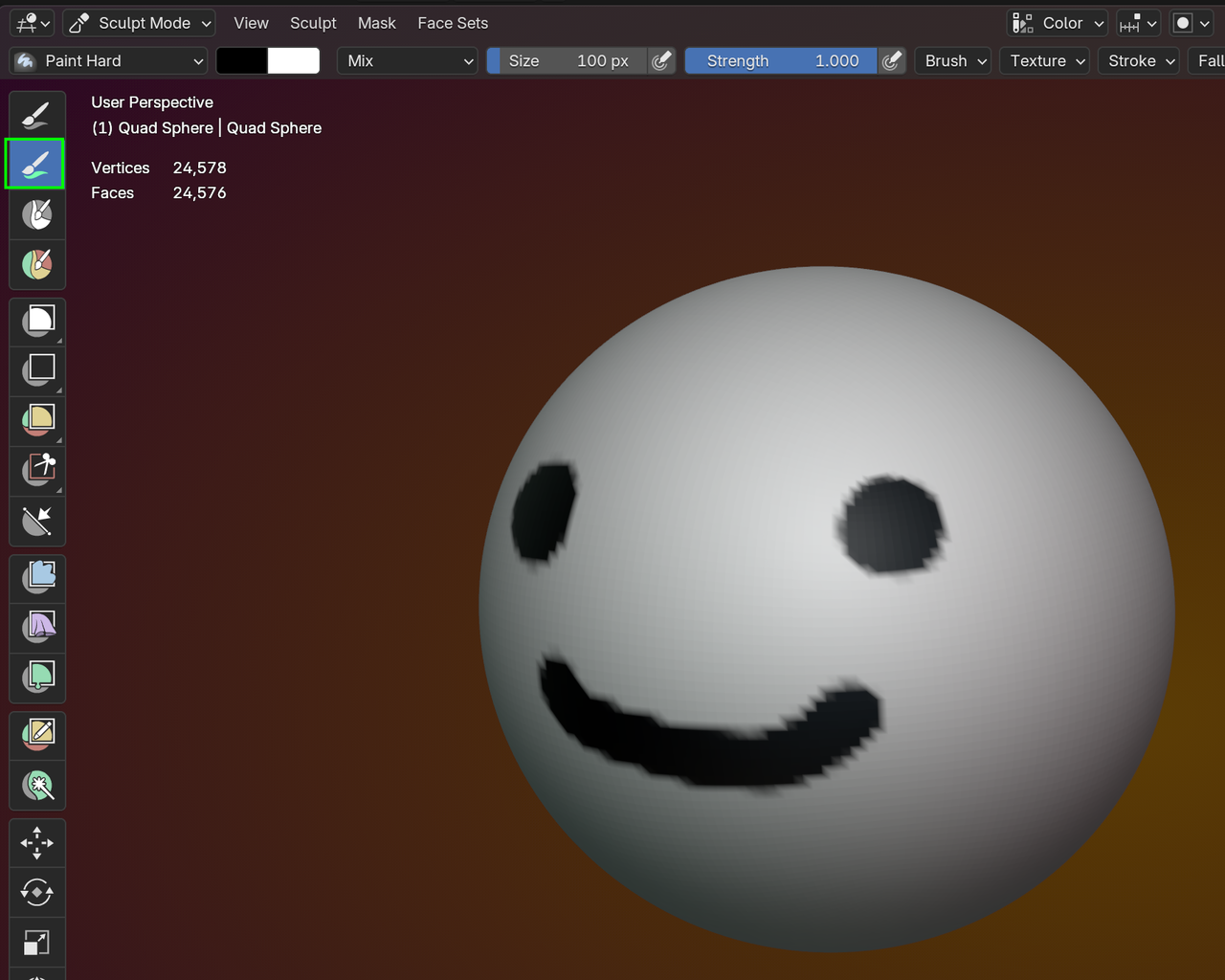
You just get the Color this way though and if you take the longer way of Retopologizing the Sculpt, it’ll be a lot easier, to Assign different Materials to each part (like the tip of the nose would be shinier, than the fur part).
January 27, 2026 at 7:29 am #98749There’s also Vertex Paint mode, in which you assign a color to the vertices, so you don’t have to retopo. Kent uses it a lot. We can point you to a lesson if you want to see it in action.
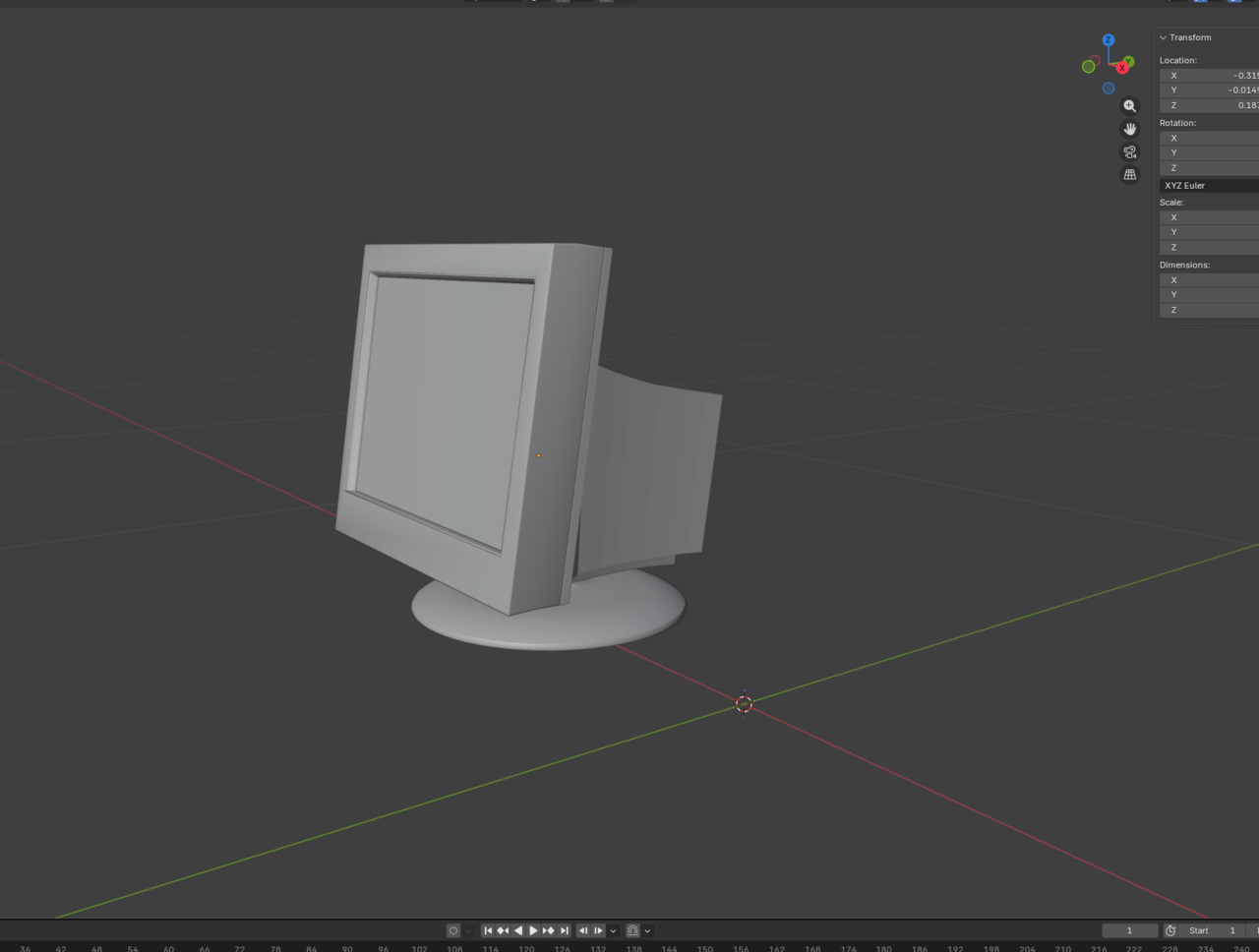
February 1, 2026 at 12:51 am #98750So, I’m making a monitor. Something that I saw in regards to feedback is to model each piece of this vintage monitor in separate pieces, just as it were in real life. For example, model the front bezel, then screen, then back. This is fine, but is there any issue to creating one singular model and then separating them when I’m ready to add modifiers, shaders, etc? Or, just keep them as one model and select parts of the model to assign materials to? I guess this is where my confusion lies, as when I am ready to move the back part of the monitor to the screen, it feels frustrating to do so. With my previous lamp project, the shapes were simple enough for me to separate each part, but something slightly more complex (the monitor) is where I’m not sure which direction to take.
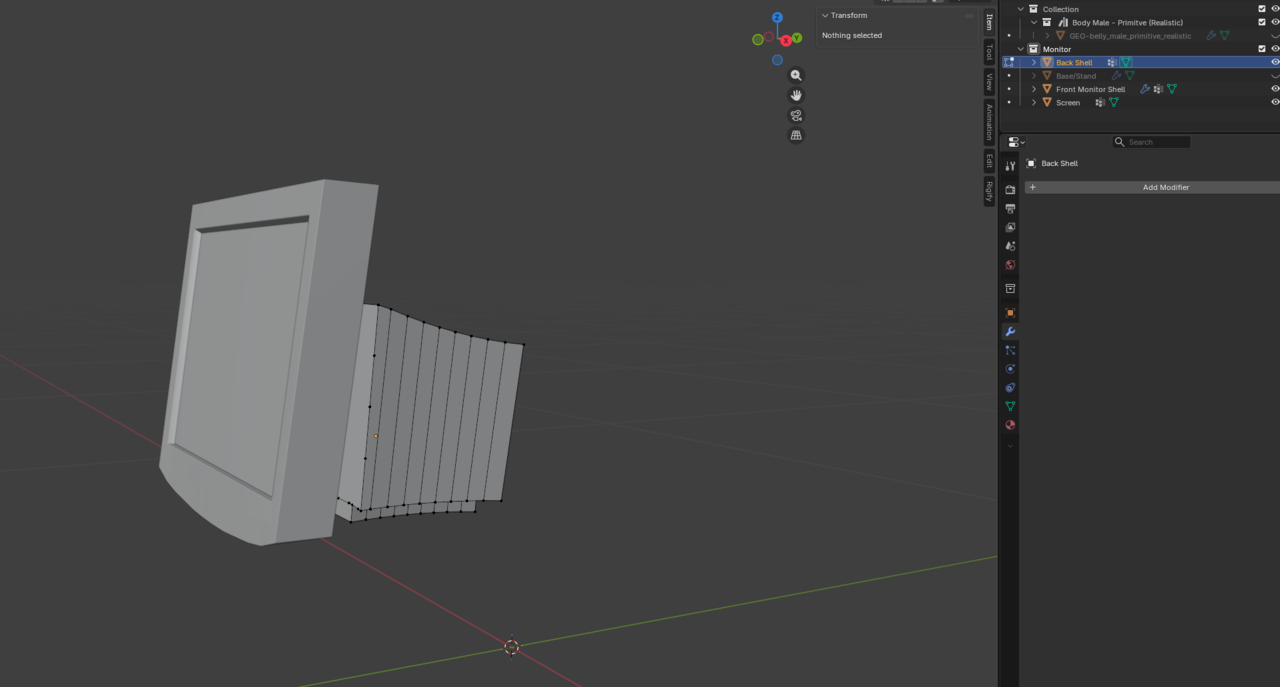 February 1, 2026 at 1:20 am #98751
Hmm, seems like just block modeling in one go and then separating each part individually might be the best method for this project..
February 1, 2026 at 1:26 am #98752This has taken HOURS so far, just because of messing around with different workflows and trying new things… Really wish I did this a little faster for what I have so far, lol. A lot of this is just practicing, learning, and messing around to see what works.
-
AuthorPosts


- The topic ‘Blake’s Polybook’ is closed to new replies.