
BC4-1810 Homework, Marco Modena
Forum Archive › BC4-1810 Homework, Marco Modena
- This topic has 50 replies, 9 voices, and was last updated 7 years, 10 months ago by
Kent Trammell.
-
AuthorPosts
-
October 15, 2018 at 3:44 pm #43437
@mamo Not sure if this is an effect of the material or the lighting, but the rim seems sharper on the goal than on your result, but otherwise, looks like a pretty good match. Nice work on the car!
October 15, 2018 at 3:51 pm #43438nekronavt Can you help?
That is sweet 😀 😀
But that is fact if @nekronavt Pavel tries something that is going to produce solution 🙂
October 15, 2018 at 7:30 pm #43439Excellent work this week @mamo. Your vehicle looks good; very clean render. I only have 2 minor notes:
- Reflection wonkiness where the car meets the ground. I’ve seen this happening a lot on Eevee renders this week, where the reflections just seem to cut off on the ground close to the car. I believe the issue has to do with the “Thickness” setting of Eevee’s screen space reflections. Try increasing that value till the reflections continue properly underneath the car.
- The ground texture could use some bump. It looks like the ground has a good asphalt texture but without a bump it starts to look like a massive black granite countertop. Converting the texture to a bump map could be that extra touch it needs.
Again those are minor. B+ from me on this half of the homework.
Your light match is quite good as well, though with one overarching note: Breadth of light coverage. In the source render, all lights are concentrated mostly as rim lights. It creates a unique setup; very strong for characters/busts. In your render the lights are positioned to illuminate more of the statue rather than primarily the rim. It makes for a much softer result – which isn’t bad, it’s just not quite the same. I tried to illustrate an example of corresponding gradients:
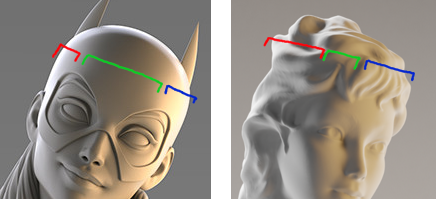
Hope that helps. Yours is still appealing but not a 100% match. Another B+ from me.
October 16, 2018 at 2:59 am #43440@silentheart00 the problem is in the mesh the only solution for the moment seems to be transforming all to mesh. It’s something due to the scale of the object but ctrl+a not working
October 16, 2018 at 3:18 am #43441FILES
file of the car with artifacts problem in the render:
file of the car with mesh correction:
file with character lighting:
October 16, 2018 at 3:20 am #43442@nekronavt If you want to check I have attached the files.
Thanks
October 16, 2018 at 3:22 am #43443@theluthier I have attached the files could you send me the corrections maybe underlining changes with some screenshot or with the grease pencil.
Thanks
Ps. For the car I used bump but probably the problem is in the choice of the texture
For the rim on the statue yes I had a problem with it is too strong I burn the background is too light I don’t see it, maybe compositing could be the solution
October 16, 2018 at 3:29 am #43444@gradyp It was a problem with the scale of the object if you transform everything to mesh it disappears
October 16, 2018 at 3:31 am #43445@gradyp yes I had a problem on setting the rim too strong I burn the background too light it’s not visible.
I attached the files maybe you could help me.
Thanks
October 16, 2018 at 5:10 am #43446@mamo I checked your file. The problem was in “Refraction Depth” value of glass material. Even with this car scale, it was too high.
1m value :
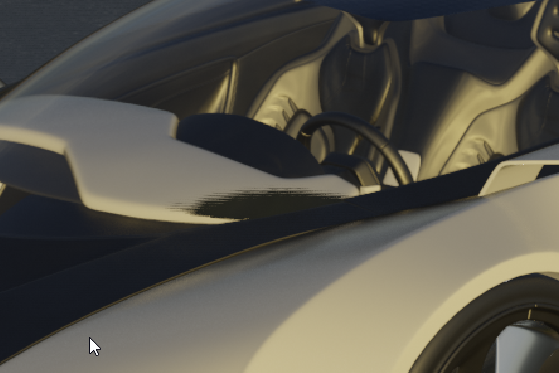 0.1m value: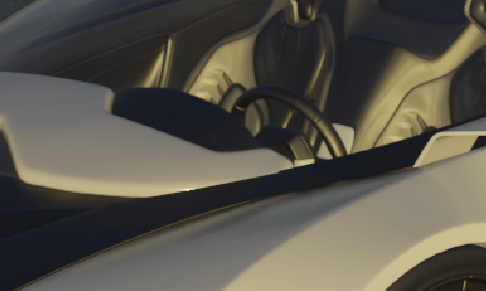
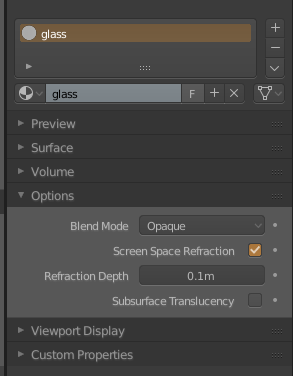
It’s better to scale everything to realistic sizes to prevent such confusions.
October 16, 2018 at 5:34 am #43447@nekronavt thanks I hadn’t seen it.
Is refraction depth the depth of the glass?
so 5mm could be better?
October 16, 2018 at 6:07 am #43448@mamo yes I believe it is the thickness of the glass. 5mm would be the more realistic value, however after playing with the value I found the one @nekronavt used work best for the glass of my car, so I think Eevee still needs a bit of fine tuning by the developers on this point. I recommend just playing around with the value till you find one that suits your scene 😊
October 16, 2018 at 6:37 am #43449@mamo I think so. But you should keep in mind that the whole car is overscaled and relative to it 5mm glass will be like a piece of paper.
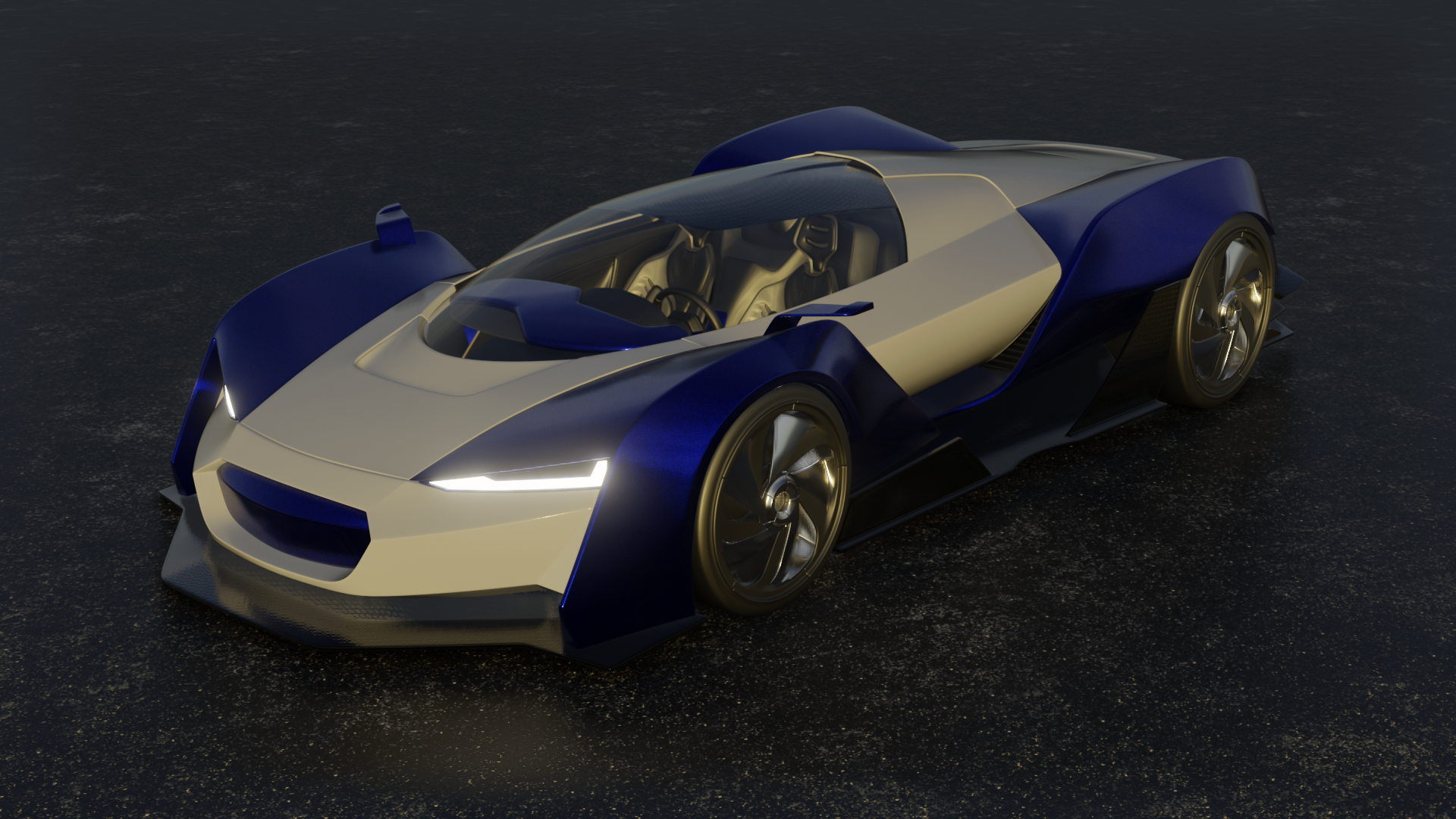
October 16, 2018 at 7:18 am #434505mm or 0.1m gave me really almost unnoticeable different results changed instead screen space reflection thickness and some bump in the asphalt and carbon fiber
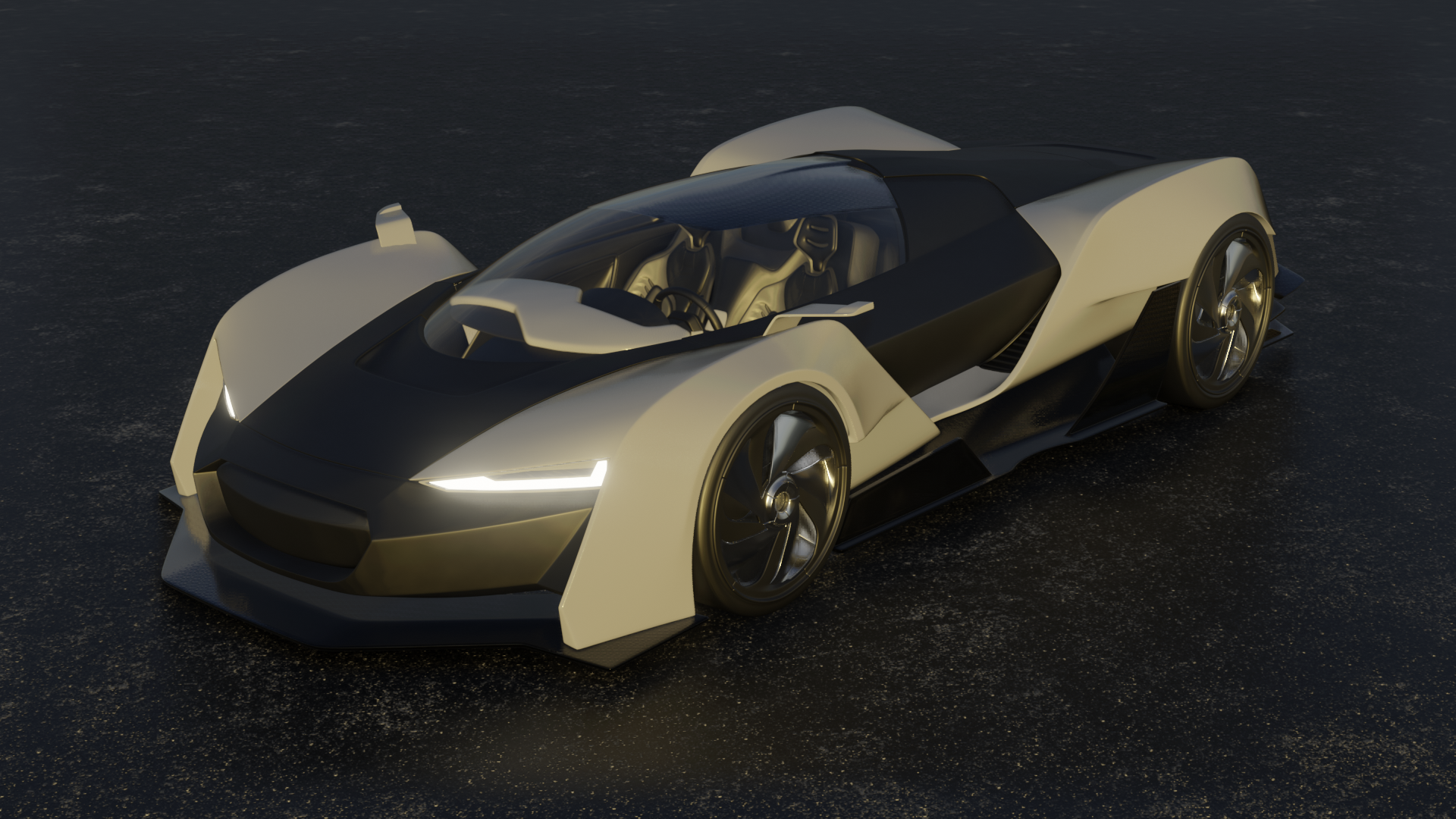 October 16, 2018 at 7:31 am #43451
another version
-
AuthorPosts


- The topic ‘BC4-1810 Homework, Marco Modena’ is closed to new replies.