ATTENTION ALL PROBLEM-SOLVERS: How would you approach this scenario?

Forum Archive ATTENTION ALL PROBLEM-SOLVERS: How would you approach this scenario?

Viewing 10 posts - 16 through 25 (of 25 total)
  • Author
    Posts
  • #83698
    Martin Bergwerf
    Participant

      Another (easier) way could be:

      let the sun rotate ‘around the earth’ at a constant speed (two Keyframes, Linear Interpolation) and in the time that the sun rotates 360°, let 24 hours pass (also at a constant speed). That would still leave the issue, that a Sun Light in Blender doesn’t have a Location…but with a Bone (or an Empty), a Point At and a Copy Rotation Constraint, that could be solved relatively easy, I think…

      #83699
      Martin Bergwerf
      Participant

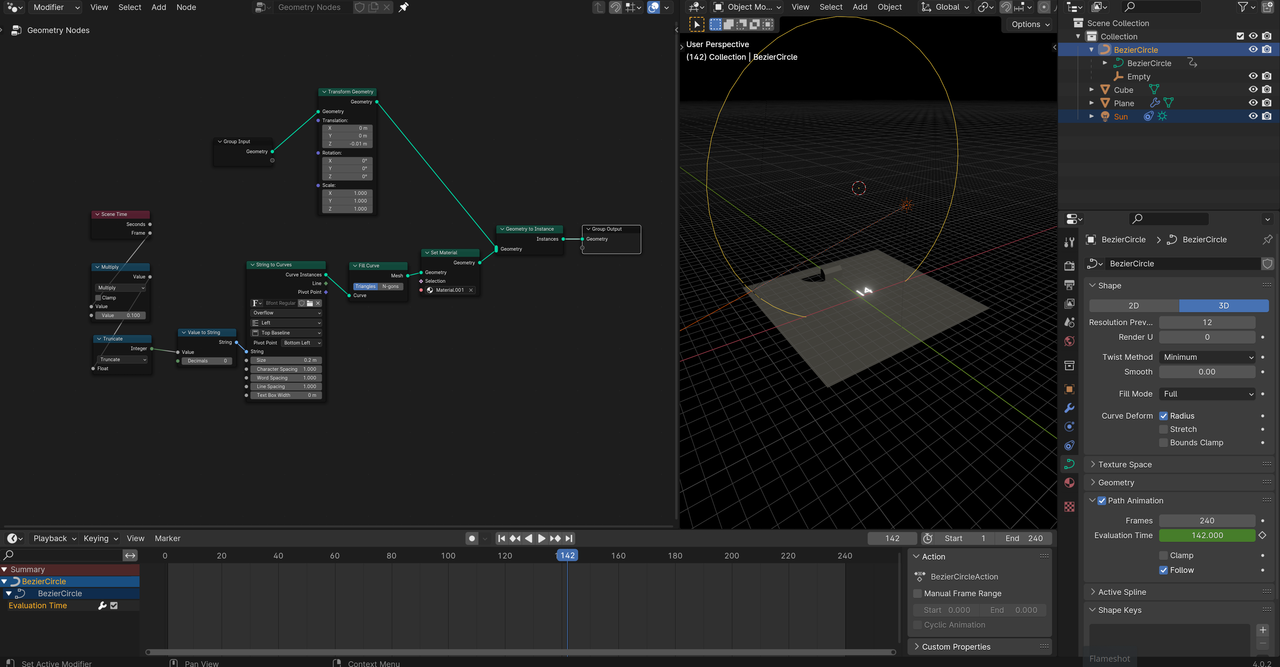
        Just tested it, with just the(not yet ‘aligned’ to the sun) hours:

        sUN_2.png

        If you want to have a look at the file:

        https://drive.google.com/file/d/1xGIhErGq8MSZAUNRAcqAmtl9raEiKnRM/view?usp=sharing

        #83700
        Juan M Muñoz
        Participant

          I looove how this forum collaboratively works towards finding solutions that seemed a maremagnum (an inmense chaos) to me just a few days ago. Thank you all, and @spikeyxxx, your solution is also possible! Instead of using textures, you can directly use the fonts from Blender, which is a practical solution to this problem.

          #83701
          anarchymedes
          Participant

            I’d just replace the clock display with a text object: then it should be possible to use Blender Python API to update its value based on time or the current frame. This example of writing into a text object is pretty old (Blender 2.6) but who knows: it may still at least suggest the right direction; this one isn’t much newer (2.81) but shows a workaround for a possible issue with updating a text object on every frame; and that one (9 years old – which version was current then?) shows several short practical examples of showing the current frame, etc.

            The challenge would be to find a suitable font – but since the clock isn’t very close, it doesn’t have to be perfect. 

            #83702
            Omar Domenech
            Participant

              Sounds like the setup worked and the clock changes the sun? Make a short screengrab video Juan, see how your setup is working since it’s a very unique thing you tackled.

              #83703
              Dwayne Savage
              Participant

                @spikeyxxx and @Infoxicao just had a thought, another way to do it would to be to have a single texture with all the numbers 0 to 9 with exact number of pixels across for each number. Then use the UVWarp modifier with a UV Map just for the numbers on the clock or maybe a plane. Then use a driver for the x offset. Add a step modifier to the driver F-curve. How would one go about figuring out the math? Also I’m going to play with @spikeyxxx Goenodes setup. I probably should finish the particles course or assembly course first. 

                #83704
                Dwayne Savage
                Participant

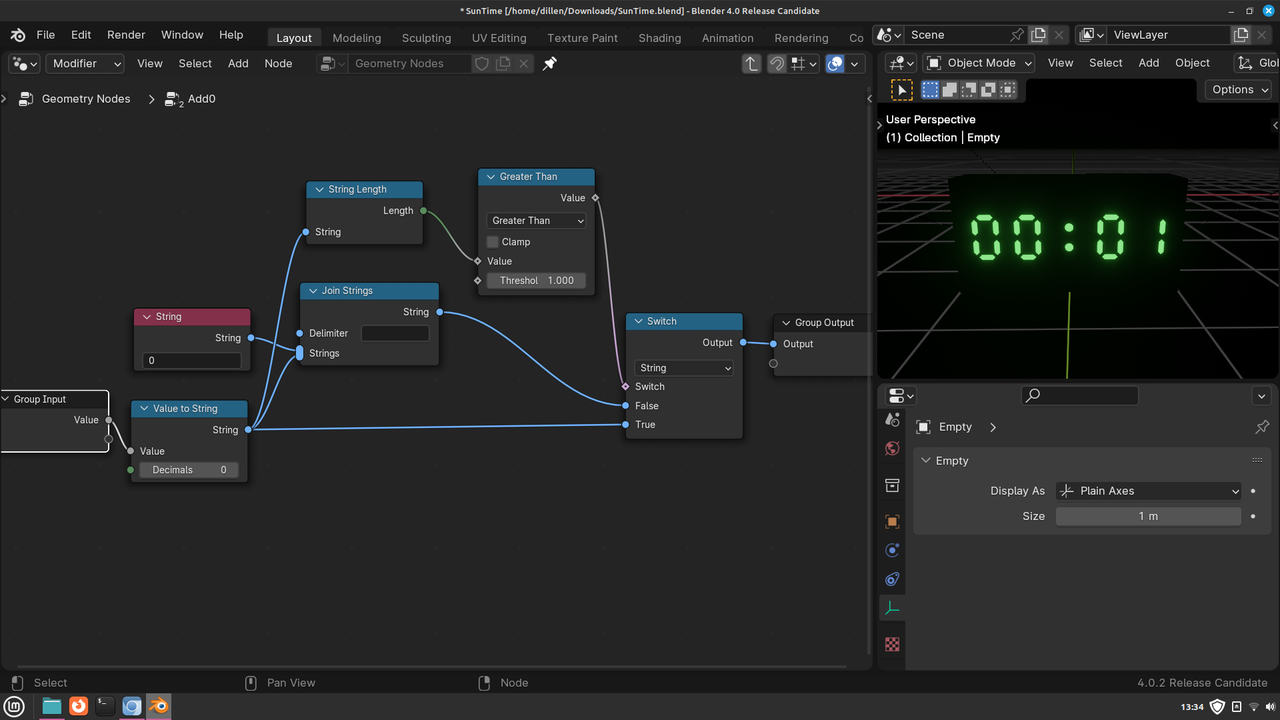
                  @spikeyxxx method paired with this Digital Font I think is awesome. It also appears to be a pretty simple setup. I really need to learn more about goenodes. The only problem I see is it removes the leading 0 for first 9 minutes. 

                  #83705
                  Martin Bergwerf
                  Participant

                    “The only problem I see is it removes the leading 0 for first 9 minutes.”

                    Yeah, I haven’t figured that out yet, but it shouldn’t be too hard to fix, I expect…Probably just using a Switch Node could do the trick..

                    #83706
                    Martin Bergwerf
                    Participant

                      …and @dillenbata3  @anarchymedes  and @Infoxicao about the posts before…it is amazing how many ways you can come up with when you start thinking about it, right.

                      #83707
                      Dwayne Savage
                      Participant

                        As usual you are spot on @spikeyxxx I didn’t even know about the switch node. It works great. I made it into a node group so I could apply it to the minutes as well. I’m Totally going to use this geonodes setup for my project. 

                        4-01-21 13-34-00.png

                      Viewing 10 posts - 16 through 25 (of 25 total)
                      • The topic ‘ATTENTION ALL PROBLEM-SOLVERS: How would you approach this scenario?’ is closed to new replies.