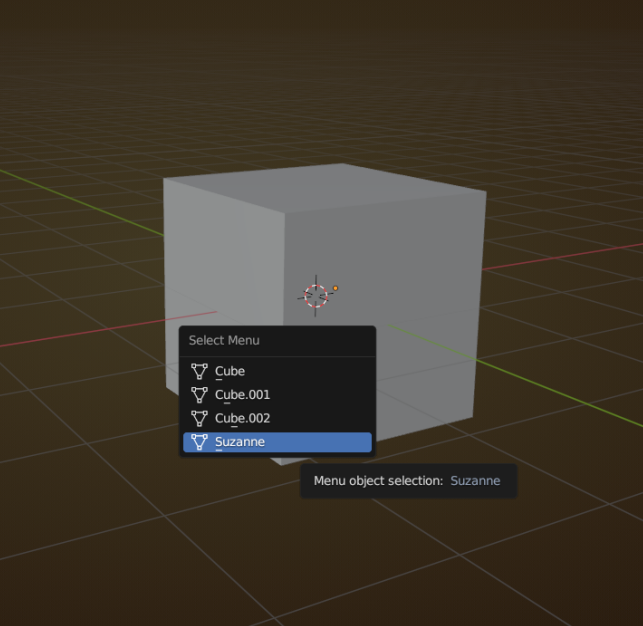
This has been around forever (tested it on the oldest Blender version I have on my computer, 2.66), but I just learned about it, (because it has gotten a sorting improvement): if you have several Objects behind eachother, or even when they are occupying the same space, you don’t have to go to the Outliner to select what you want, or cycle through them by keeping selecting; you can use ALT+Select and that will give you a list of all the Objectts ‘under’ your mouse pointer:
Maybe everybody already knew this, but it’s new for me.

