Reply To: Blanchsb’s Blender Nuggets
Forum Archive › Blanchsb’s Blender Nuggets › Reply To: Blanchsb’s Blender Nuggets

Gold Nugget #8: Think Smarter, Work Less
I have been using Fluent and Box Cutter a lot over the past month and been thinking about how to improve my speed on certain areas.
Blender modifiers were made to make life easier but they were also meant, if used properly, to make our work non-destructive (also called non-permanent) and able to change on the fly with extremely little effort. This modeling nugget is just something I have been trying with different daily exercises. I wanted a quick sample sheet to show the power of the message.
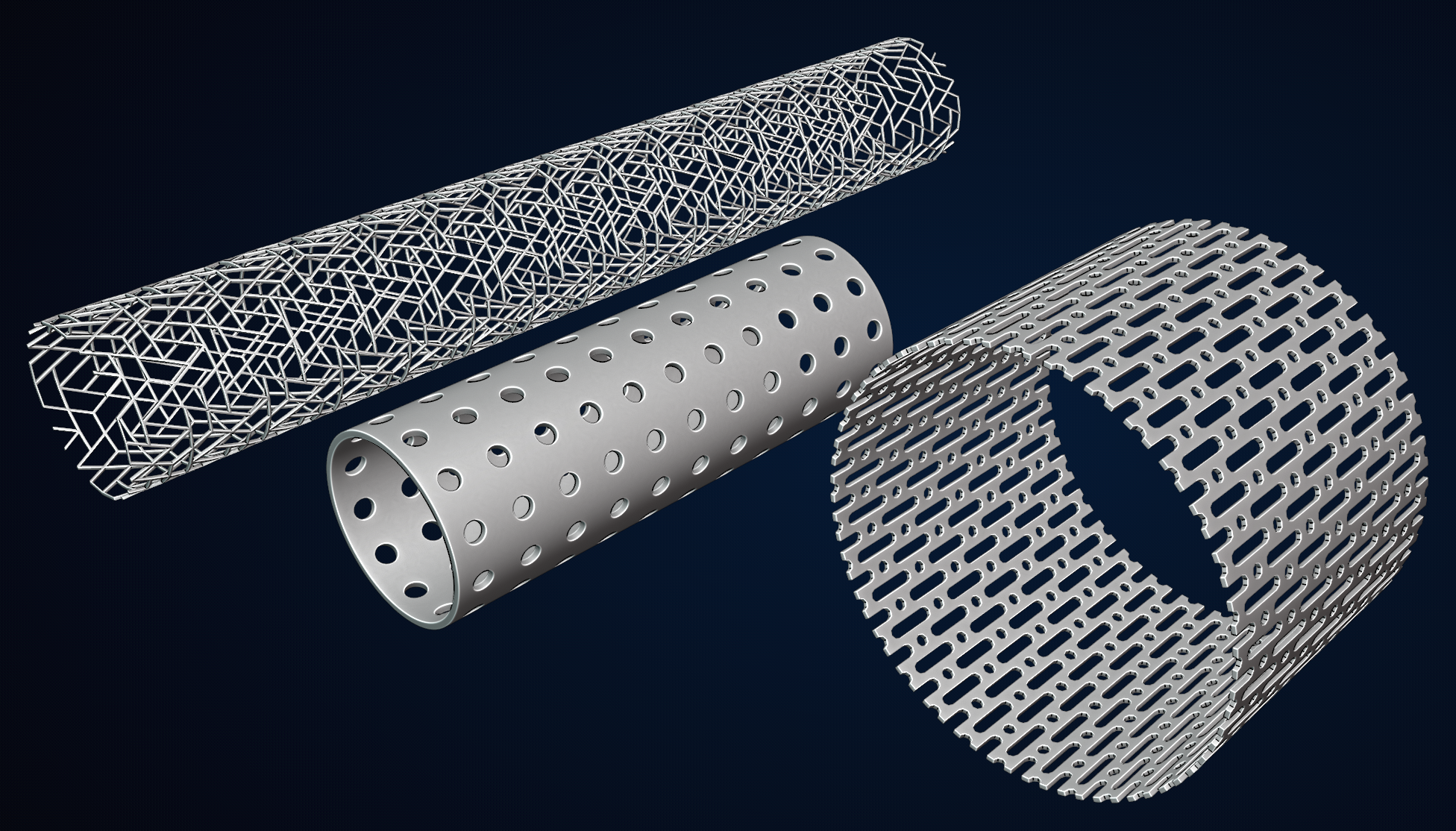
Todays example: Cutting holes into cylinders has bugged me for a while. So my exercise was to find a way to make it more dynamic.
The up front work pays dividends because everything is adjustable.
Step 1: Make Your Design Pattern. Orient the pattern to have a plane on the X-Z direction and set the origin to the lower left side.
Step 2: Add in an Array Modifier on the Relative Offset X-Axis and turn on Merge threshold. The count will define the adjustable length.
Step 3: Add in an Array Modifier on the Relative Offset Z-Axis and turn on Merge threshold. The count will define the adjustable diameter of the cylinder.
Step 4: Add in a Simple Deform Modifier and set to Bend and adjust Angle to 360° on the X-Axis
Step 5: Add a Weld Modifier to clean up the stray verts
Step 6 (Optional): add in a Solidify, Bevel, Sub-Division Surface Modifier as desired.
Step 7: Select object and turn on smooth shading.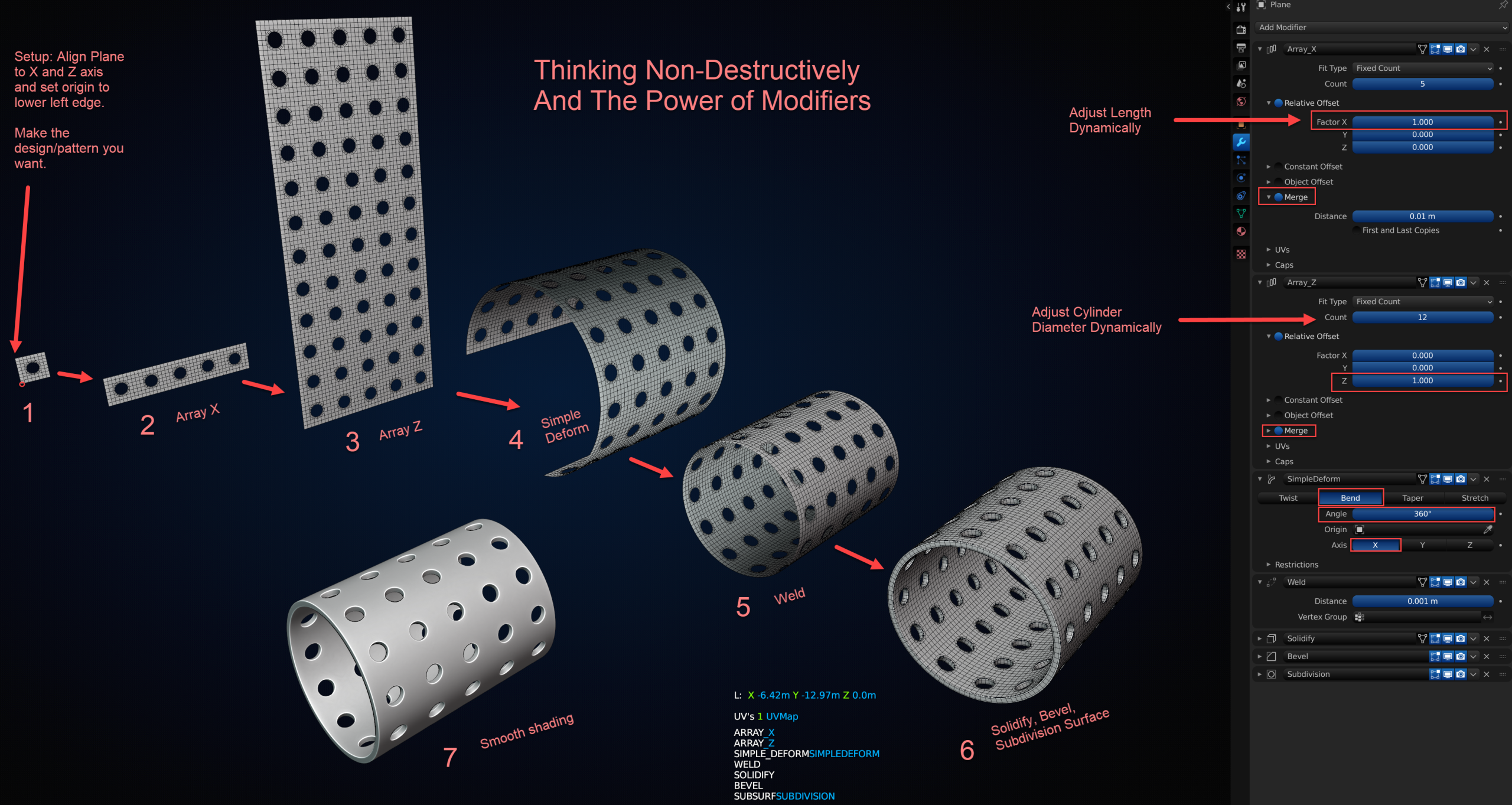
Changing the design at Step 1 opens up lots of possibilities. But adjusting Step 2 and 3 also has it’s benefits.