
Reply To: BC1-1808 Homework, Yukino Hatake
Forum Archive › BC1-1808 Homework, Yukino Hatake › Reply To: BC1-1808 Homework, Yukino Hatake

Now, I’ll be honest, I’m not *entirely* sure what your issue is, but after looking at your original file I’ve found two issues which would disrupt edge flow.
The first one is that there is a face inside the mesh. This is never a good thing, it’ll disrupt edge flows, make is so that you can’t place new edge loops, and can seriously warp a mesh if you have the subsurf modifier enabled. If you’re having edge loop issues, go into “wireframe” mode and make sure there are no faces inside the mesh.

The other is that you have some N-gons. In case you’re unawares, an N-gon is a face that has five or more verts attached to it. Now, edge loops cannot flow through tris or N-gons so if you’re going to be making an edge loop be sure to have quads only. Your N-gons were on the bottom, so we’re going to rectify them. First, delete all the N-gons (and the quad in between them, it’ll make sense soon), then select all the surrounding verts.
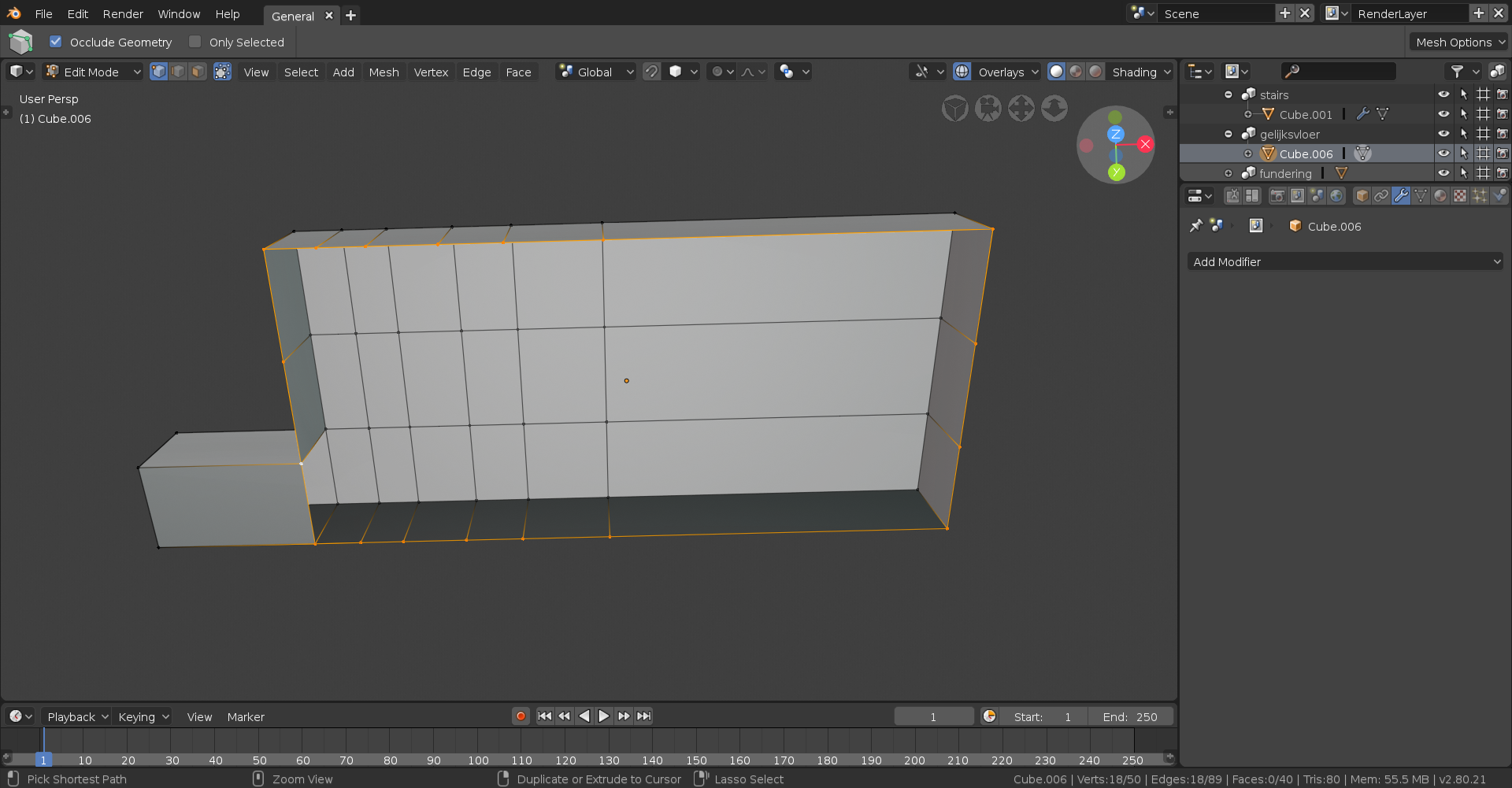
You’ll then want to make them one giant N-gon, so hit F to make a face. Now comes the important part. You’re going to want to pick two verts that you want to connect together and then hit Ctrl+J (or just simple J if you’re using the default 2.8 control scheme). This is different from making a face because any new verts formed due to a crossing of edges will be a part of the face, and not an entirely new face, which in this situation would cause some unsightly deformities.
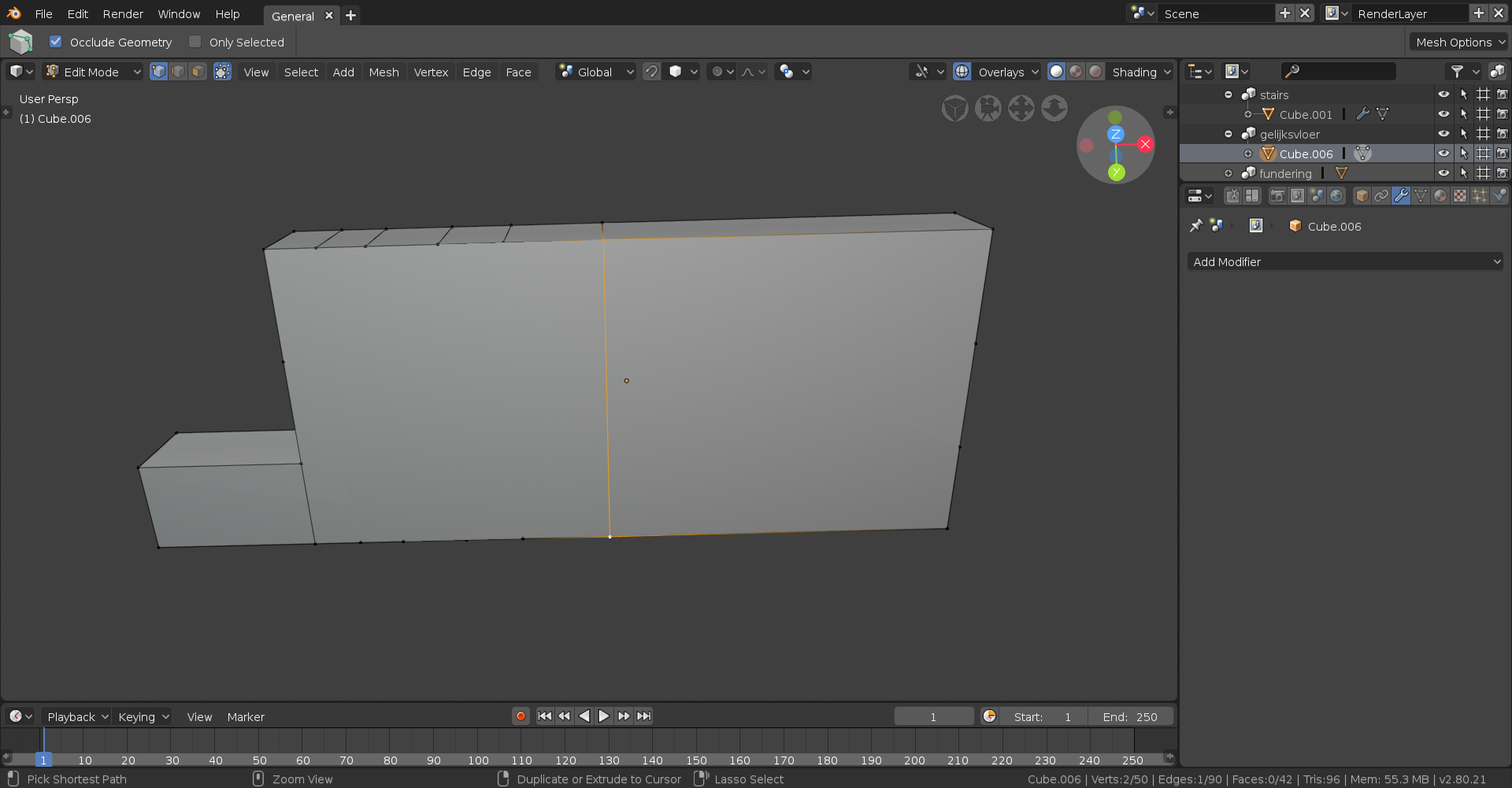
You’ll then want to repeat this until you have all quads.

Hope this clears up any problems you may have had, and hey if not, hope you learned something!