
Reply To: Blanchsb’s Blender Nuggets
Forum Archive › Blanchsb’s Blender Nuggets › Reply To: Blanchsb’s Blender Nuggets

Gold Nugget #9: Smarter Collections and Selections
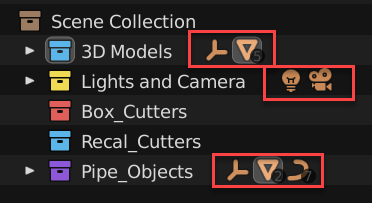
I stumbled on this and not sure what version it became available but the ability to click on icons to select objects quickly is really nice when you want a minimal view of the outliner. What’s even better is that it activates the Object’s more important properties by default when you select the objects this way. For example: clicking on the lamp will instantly show the lamp properties menu automagically highlighted. There is also a search bar for those of us who name our objects for easier narrowing.
You can click on the light and camera quickly too which means I don’t have to open collections to find certain objects.
Here’s a quick gif showing easy selections from the outliner.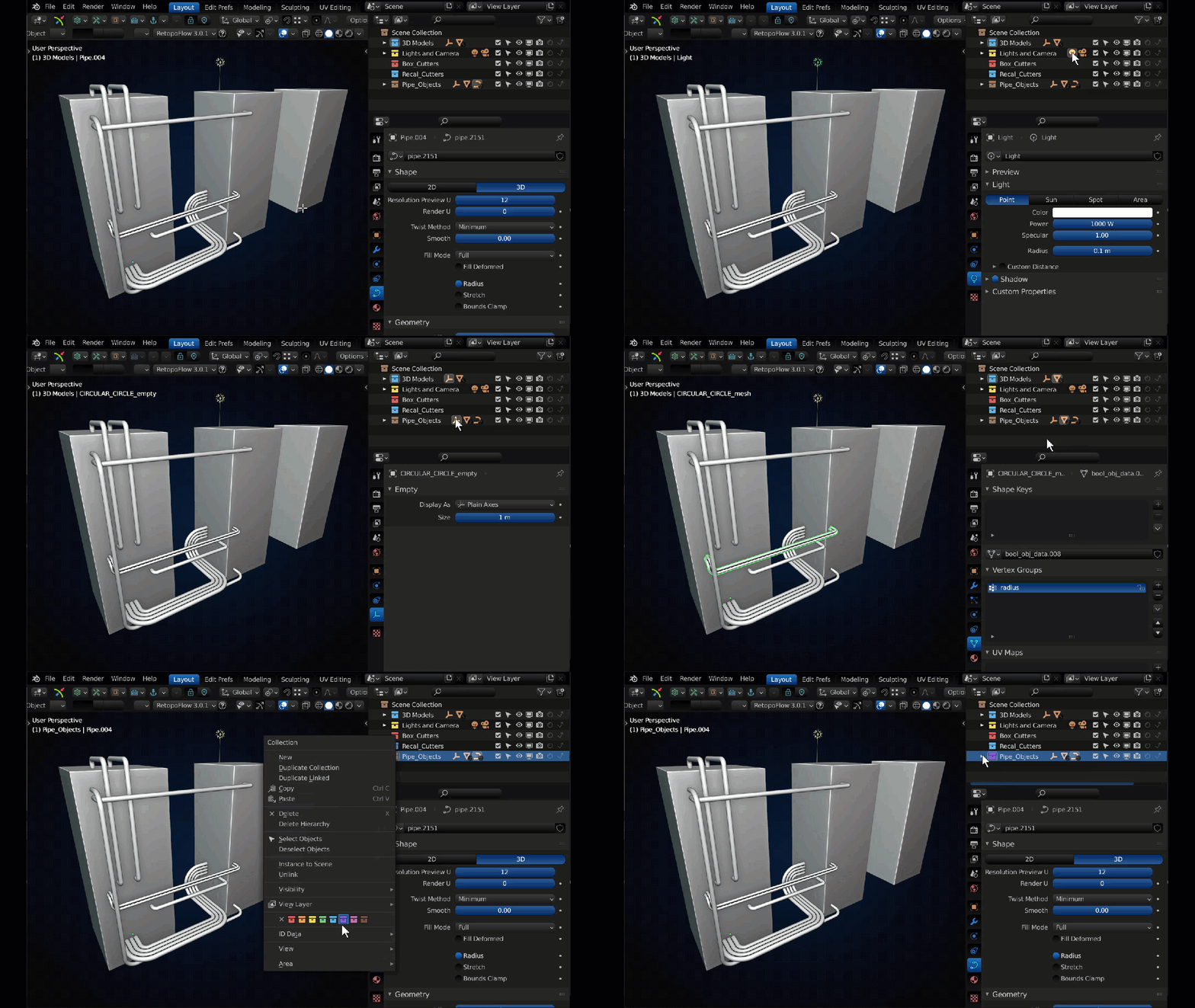
Remember to give your beloved collections some nice new colors to activate your right brain for better memory book-keeping. When your outliner is open and becomes infinitely long the color is displayed on a line all the way down the collection and is there to remind you which collection you are in even if you don’t see it’s name.
Also don’t forget to move items easily between collections using drag and drop in the outliner (along with some additional key operations like holding Shift while using drag and drop to make quick parents) OR in the 3D viewport you can select your object and it the M key for quick movement.