
FIXED: Hole visible in multi-res & Silly Bug
Forum Archive › FIXED: Hole visible in multi-res & Silly Bug
- This topic has 17 replies, 5 voices, and was last updated 4 years, 7 months ago by
nicoledub.
-
AuthorPosts
-
January 4, 2022 at 11:51 am #14610
When I gave my model the multires modifier and let it rebuild the subdivisions, a small hole appeared in the ear. The hole was not there, as I projected the details via shrinkwrap onto my low poly model and there is no hole in the topology.
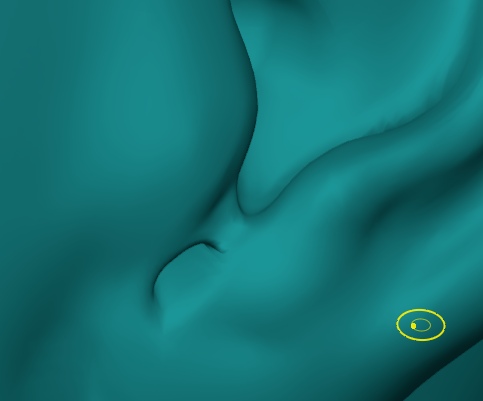
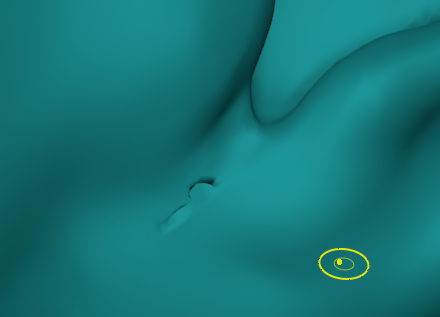 When I try to smooth it out, the hole gets bigger:
 Inflate doesn´t work either D: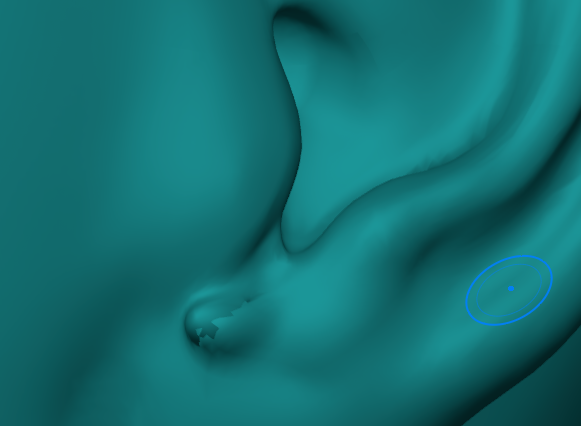
How can I get rid of this?
January 5, 2022 at 8:15 am #71933@fide , I think the best option maybe to add an earing.
Have you tried the simplify tool before inflate and smooth?
This normally works for me on this type of artefact.
January 5, 2022 at 8:32 am #71934Hey, thanks for the reply, @adrian2301 . Simplify doesn´t work either 🙁
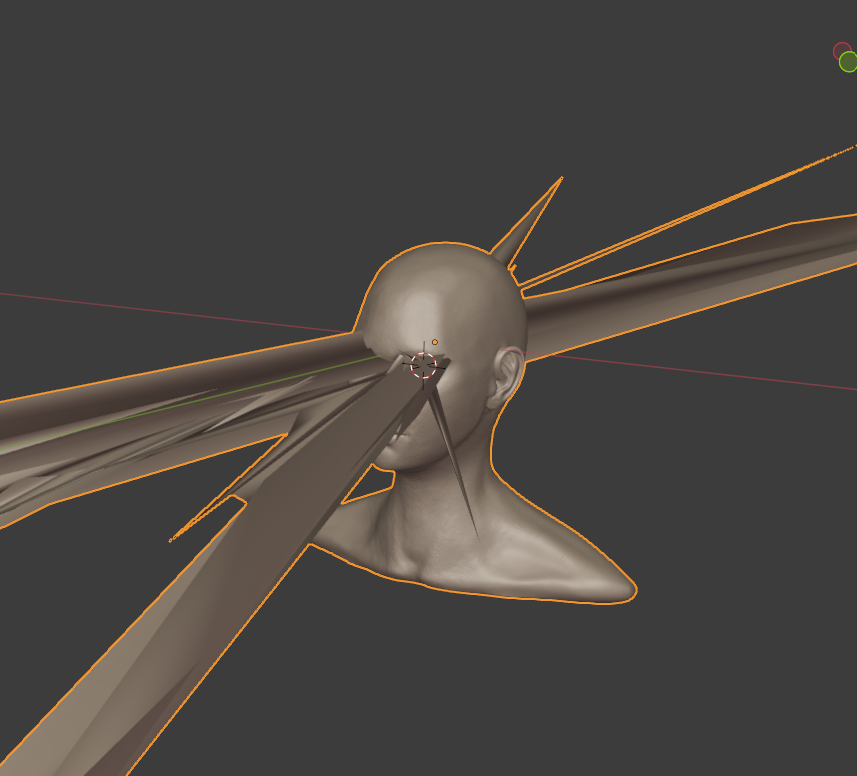
And now I also have the “silly bug”, which won´t go away either. Just as I finished the first detailing pass :((
 January 5, 2022 at 9:05 am #71935January 5, 2022 at 9:39 am #71936
@adrian2301, already did, but the fixes didn´t help. It´s really frustrating 🙁
January 5, 2022 at 9:45 am #71937The multires “reset” method might fix your issue if you find the behavior kind of buggy, but it looks like this artifact appeared as a result of rebuilding subdivisions.
It looks like this hole is the base of a multires “spike” artifact. Can you confirm by looking on the inside of the head for the point of the spike? Such spikes are an annoying multires bug but they can often be smoothed out as I did in chapter 3, lesson 10.
January 5, 2022 at 10:08 am #71938@theluthier thanks for your reply! Yeah it´s one of those spikes. I am able to smooth it out in sculpt mode, but as soon as I go back to object mode, the spikes – the hole in the ear and the ones around the eye – reappear…
January 5, 2022 at 10:16 am #71939Does the spike lessen when jumping to object mode? Keep in mind that the spikes are sometimes propagated through the subdivision levels. In the past I’ve had to smooth them out on each level to completely get rid of them 😬
January 5, 2022 at 10:41 am #71940@theluthier the spikes get way worse when jumping to Object mode. I try to smooth them on every level, hope this helps D:
January 5, 2022 at 2:23 pm #71941@theluthier unfortunately, smoothing didn´t work either. I was able to get rid of the spikes, but as soon as I changed the sculpt multires level, no matter if one step up or one step down – where I already had smoothed the spikes- they reappeared. When I toggled local view, without changing anything in the multires, they also reappeared 🙁
Is there anoher way to get rid of them?
I´d hate to start over with the pore detailing part, but at this point I´m reconsidering it….
January 5, 2022 at 2:33 pm #71942Did you try the “1b” method Adrian linked to? https://cgcookie.com/questions/15239-silly-bug-please-heelp#answer-58534
The extra step is exporting your top level of multires out as an OBJ and re-importing it before rebuilding subdivs. Exporting is a guaranteed way to refresh a model.
January 5, 2022 at 4:38 pm #71943I was able to fix it. I deleted the faces where the spikes were coming from, filled the holes again and now the spikes are gone. Luckily, the affected faces had no texture or details on it, so they almost looked the same. I had to smooth the eyelid part a bit though.
January 6, 2022 at 2:04 am #71944I recently discovered that the spikes can be generated even without using multires modifier.
Let’s take a look at the following example:
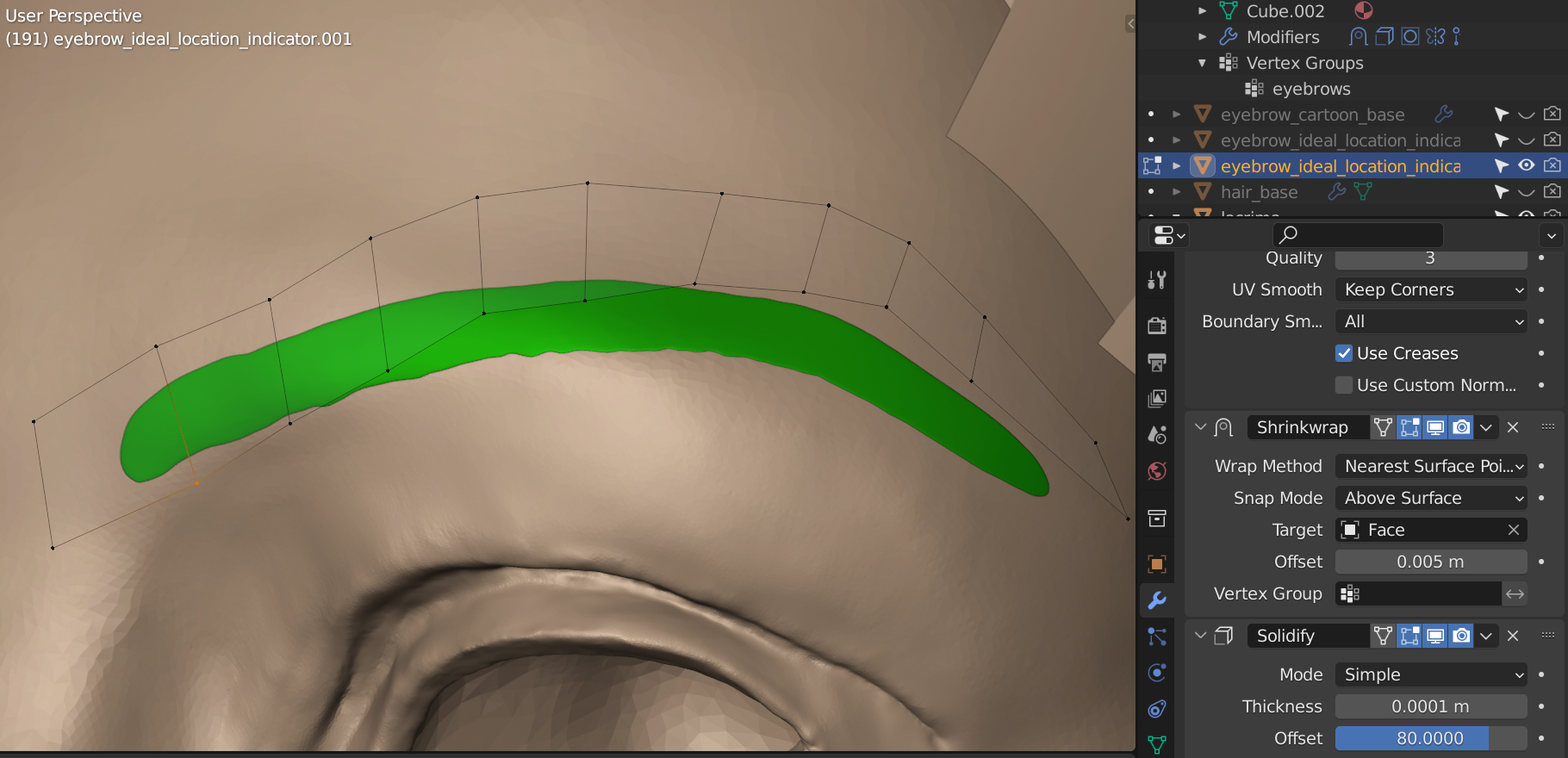 The eyebrow made by a separate mesh is shrinkwrapped on the un-retopologized head.
The small spikes are generated after adding loop cuts on the eyebrow mesh as the following screenshot shows:
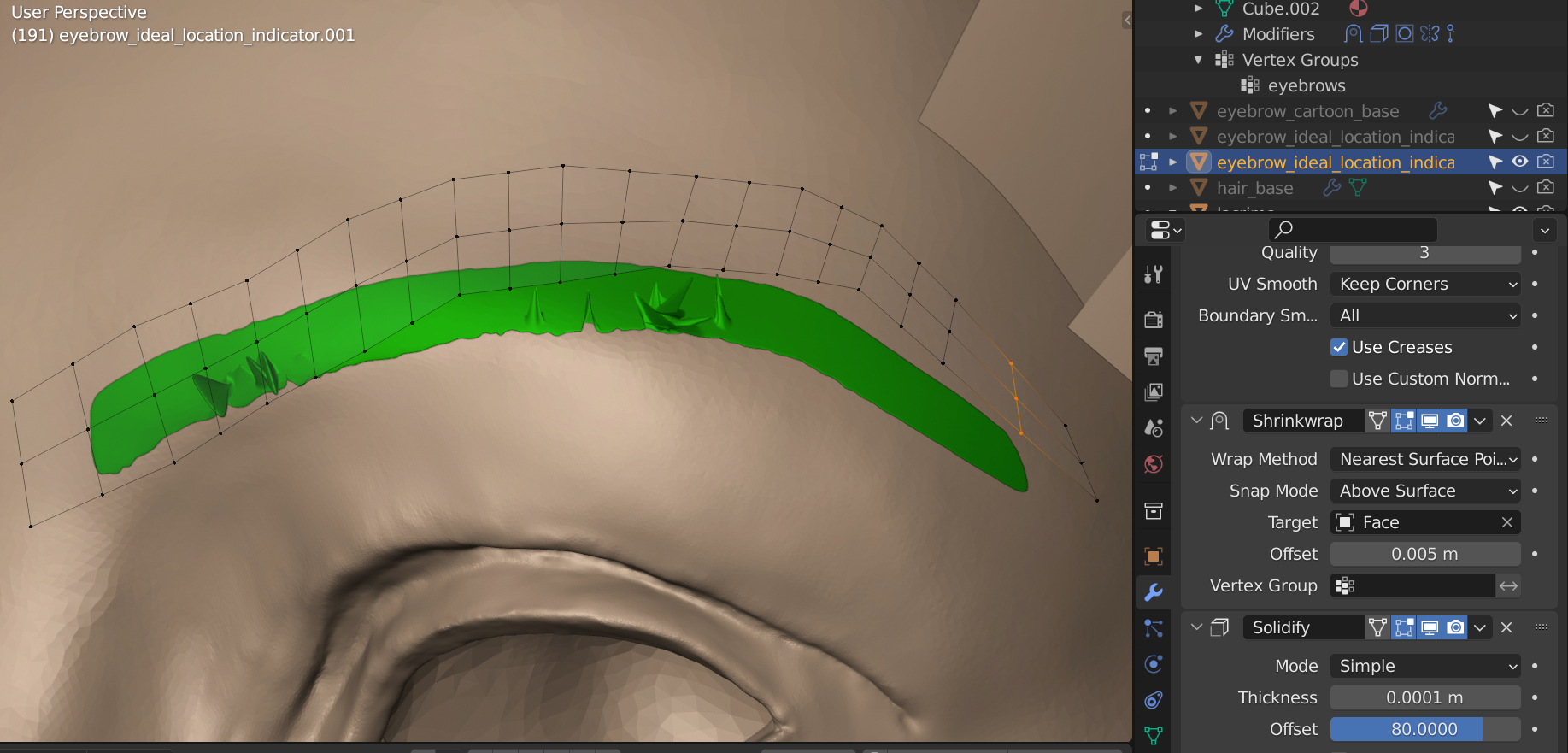 Now, let’s select the head and go to the Sculpt mode and turn on the Dyntopo. Use Draw or Simplify brushes to remesh only the area where the spikes occur. After that, go back to the Layout or Edit mode, and the spikes are gone. (If they are not gone, then repeat the process several times.)
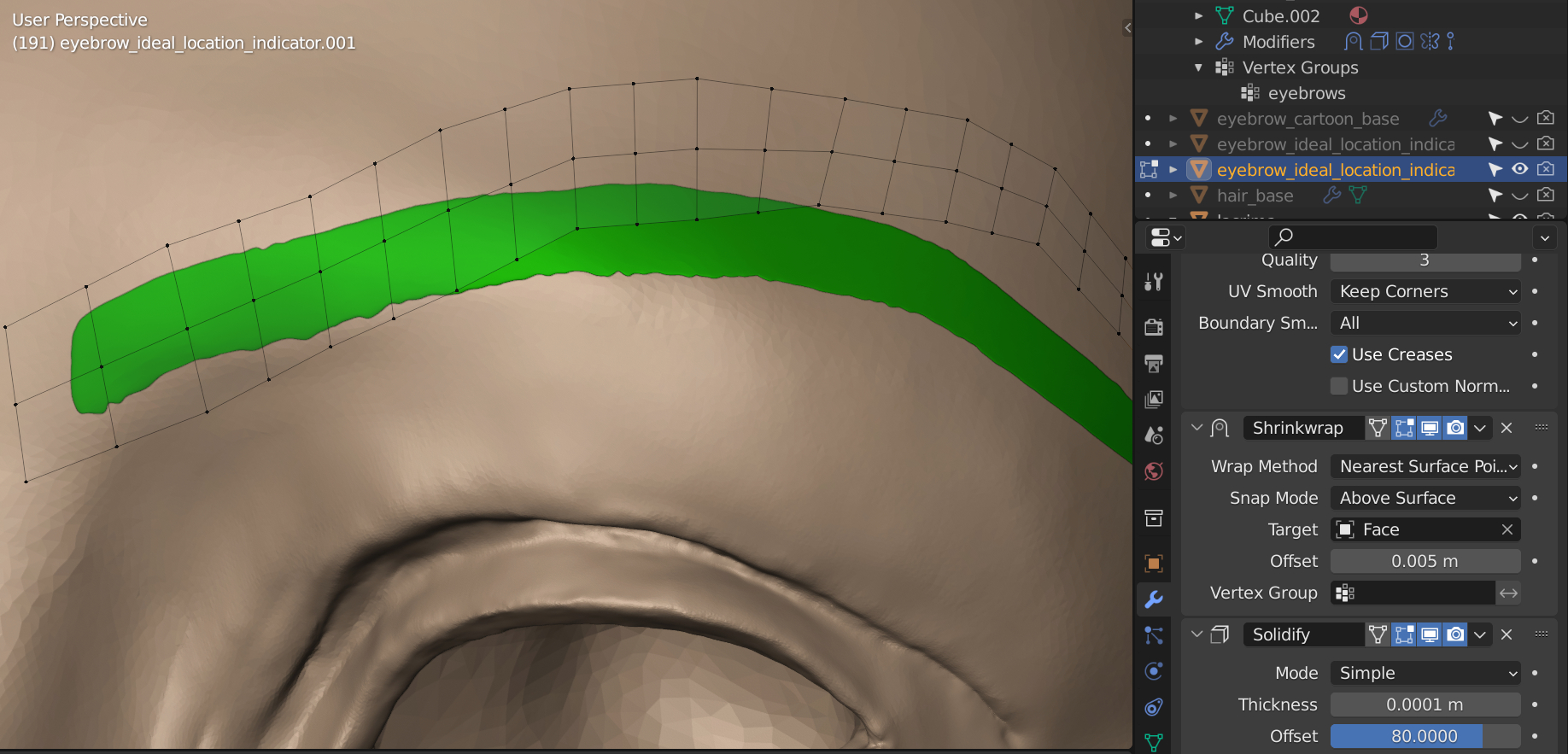 My Conclusion:
In my cases, the spikes are caused by:
1, the algorithm of the Shrinkwrap;
2, the haphazard locations and shapes of the polygons from the head;
3, the relatively denser loop cuts of the eyebrow mesh.
The spikes can not be generated if any one of the three causes is eliminated in my case.
Lastly,
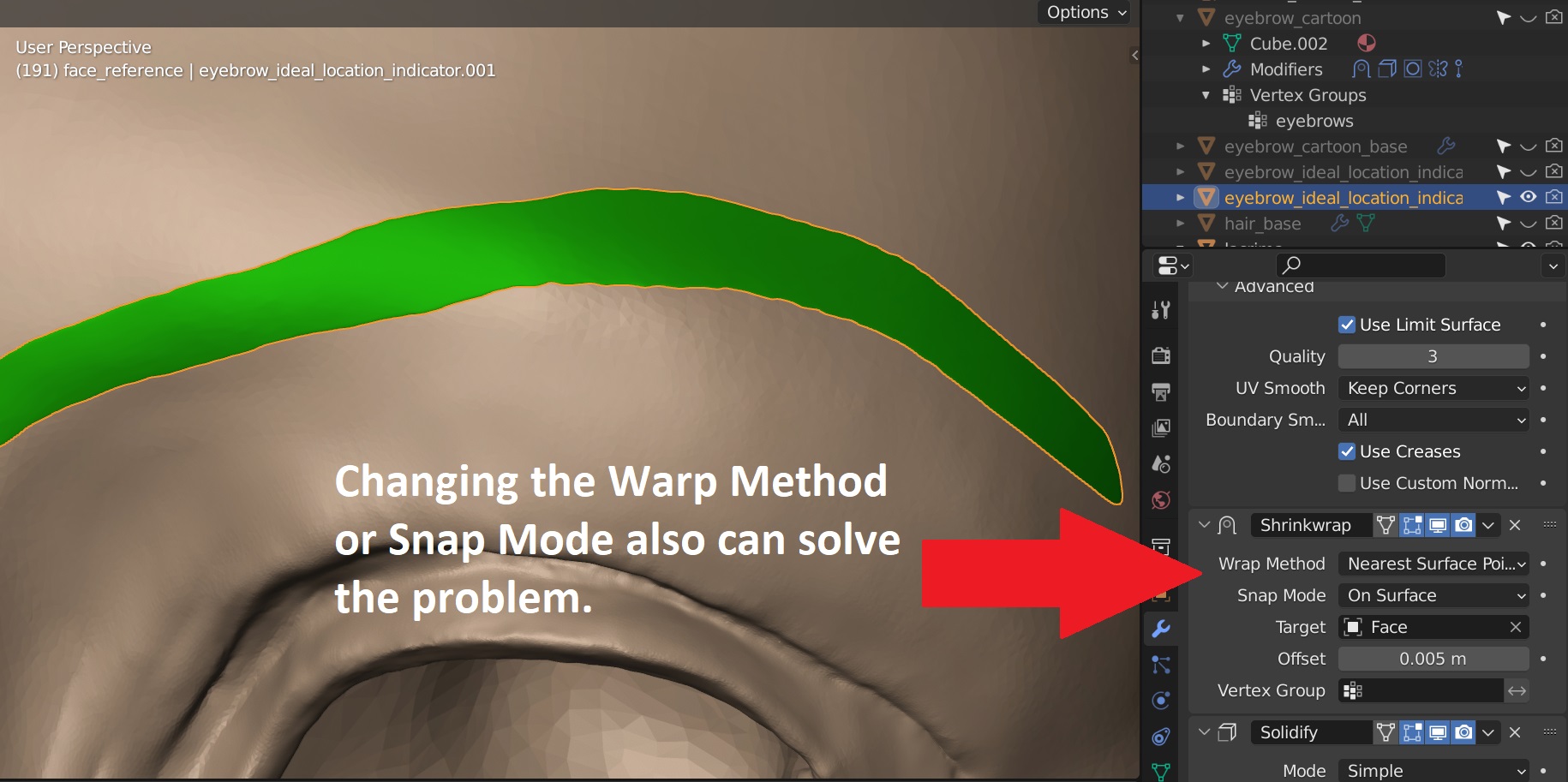 January 20, 2022 at 5:25 am #71945
I also suffer from the silly bug (working with Blender 3.0) everything was ok until I’ve noticed a pinch in the corner of my eye, after I used smooth brush and my silly bug appeared..… honestly I’ve tried everything you guys suggested and nothing works:(
Is there any way to salvage it or should I just leave the pinch and re detail the eye?,,,
annoying pinch -_-
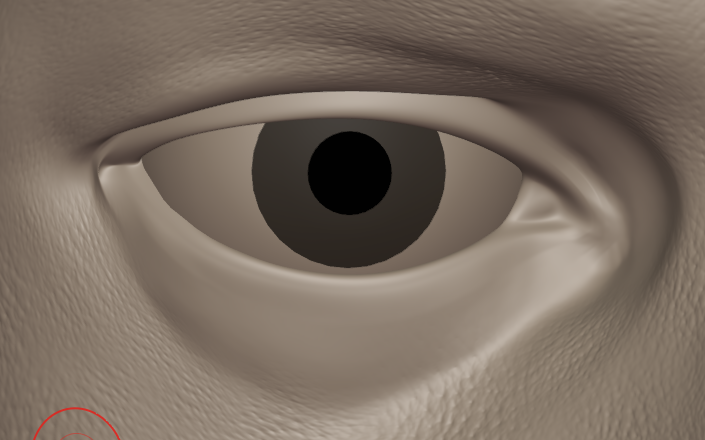 Silly bug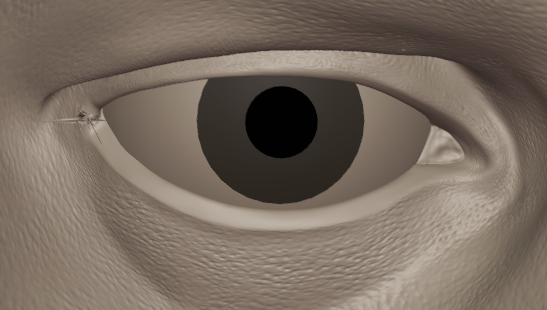
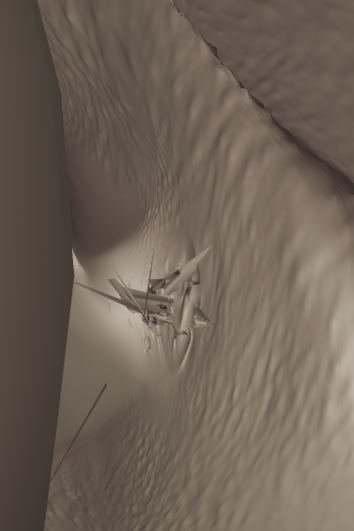 January 20, 2022 at 6:15 am #71946
You could try using with the clay strips brush lightly just in the area where you have the issue., then smooth it back and reshape the corner of the eye.
-
AuthorPosts


- The topic ‘FIXED: Hole visible in multi-res & Silly Bug’ is closed to new replies.