
COLLAB2021-WIP_procyonlotor
Forum Archive › COLLAB2021-WIP_procyonlotor
- This topic has 39 replies, 10 voices, and was last updated 5 years, 4 months ago by
John Sanderson.
-
AuthorPosts
-
April 11, 2021 at 6:28 pm #13828
Let’s do this we shall!
April 11, 2021 at 6:37 pm #68001Homework Submission – Week1 – Creek
I didn’t what to do for the modeling of this asset beyond what was already done, so I worked on the shader this week. It’s not finished still needs reflection and some kind of foam effect for the intersections. Here is what I have so far:
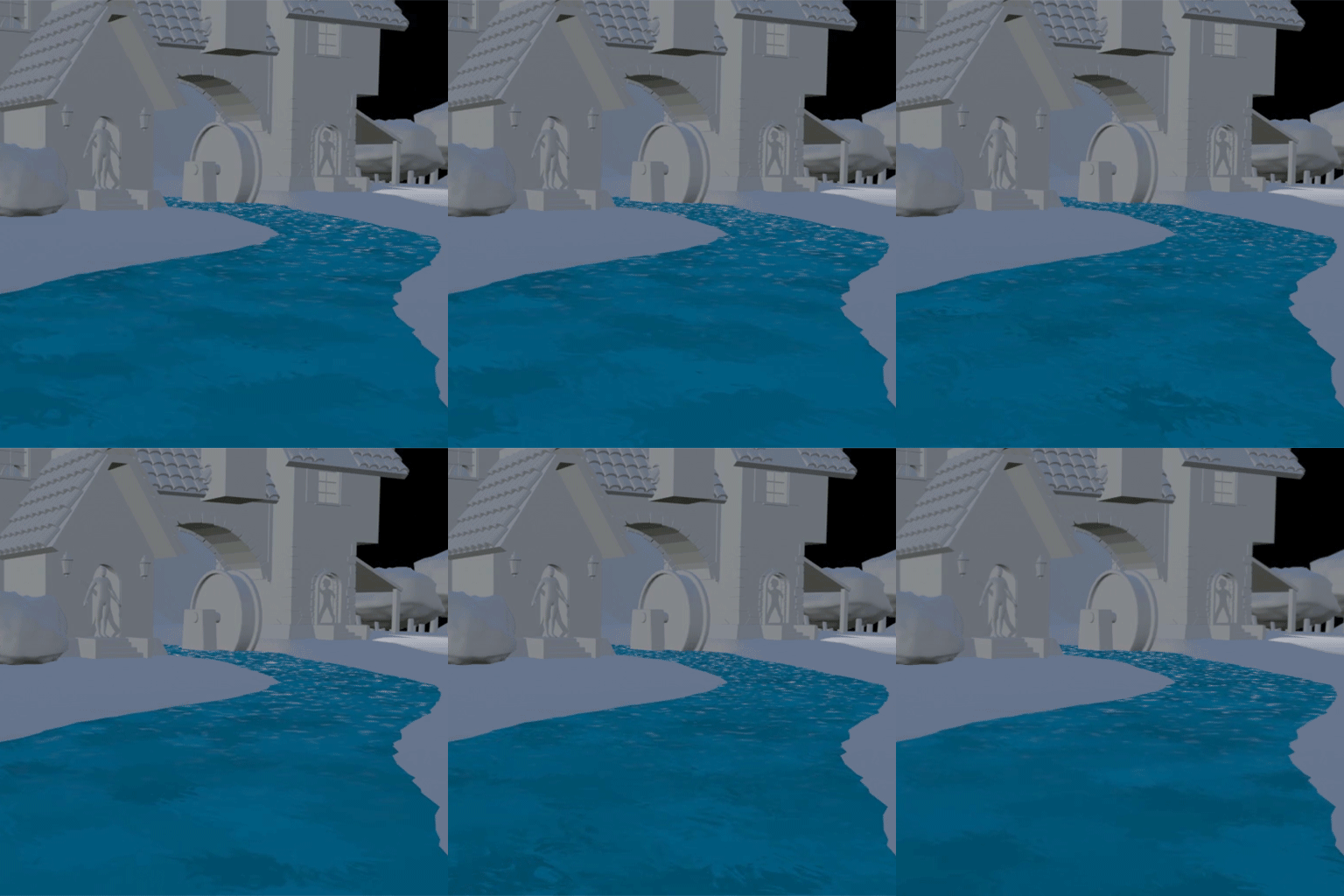
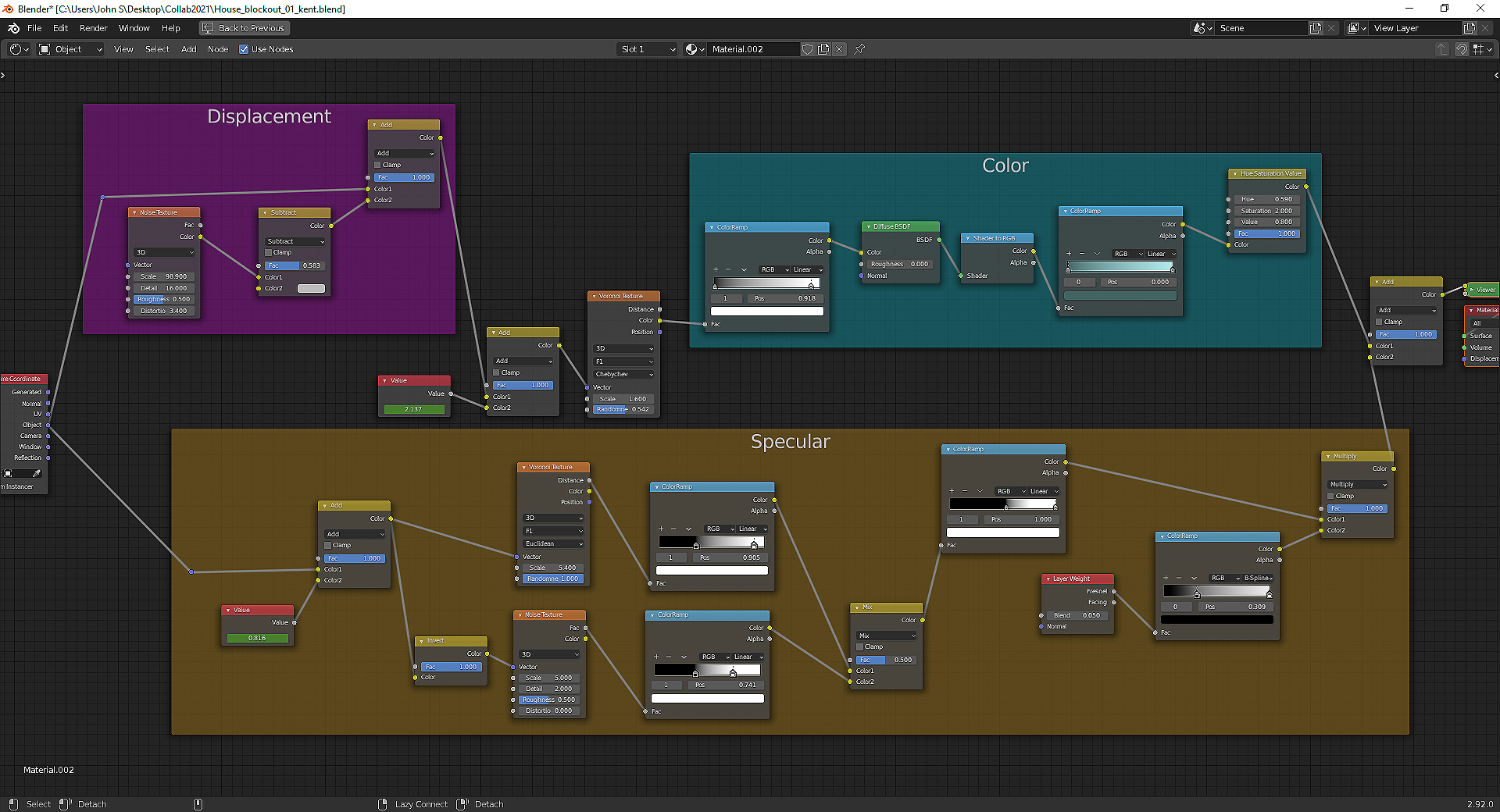
And here is the node setup if your curious. Spikey says the math is bad, which maybe true, but I’m putting math in the “finishing touches” category for now and just trying to find the right look. I don’t know how complex the shader can be before it becomes too cumbersome for eevee, but I don’t think I’m there yet. Any and all feedback is welcome!
 April 11, 2021 at 8:27 pm #68002
I like that it follows the path of the river. The white foam and ripples will really pop next to that blue. Can’t wait to see it.
April 12, 2021 at 1:27 am #68003I didn’t mean that the math is ‘bad’, just that it can be optimized. But like you said, first get it to work and then you can see if it can be improved 🙂
It looks to me though that water doesn’t follow the curvature of the creek, but flows in a straight line.
You could maybe use UV Coordinates in stead of Object to get the water to fix that….
April 12, 2021 at 6:19 am #68004Yes. I initially put it together on a sphere so the flow direction could be improved. That should be a pretty simple fix. I also may need to bake textures if we want the flow to cycle instead of just resetting after so many frames. Unless there is a way to cycle it procedurally without reversing the flow???
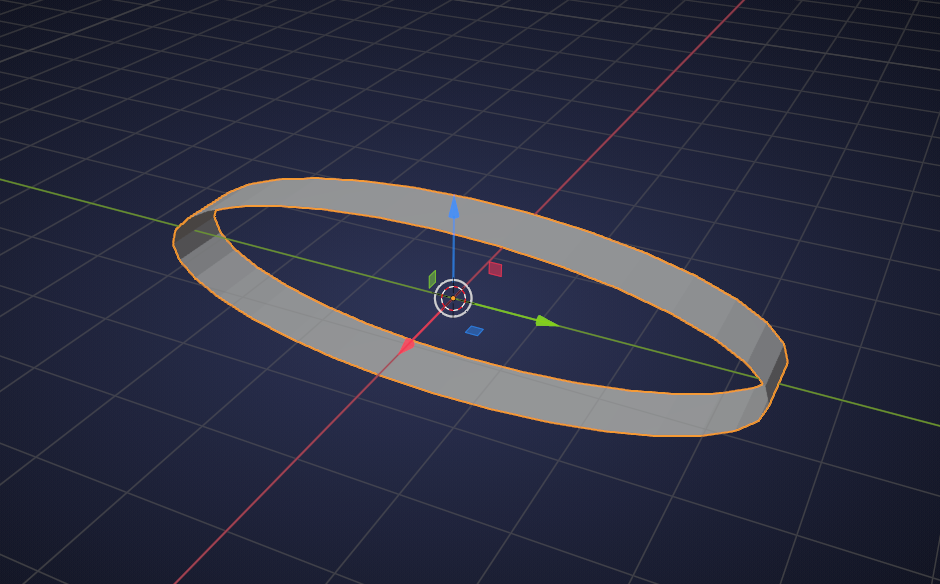
April 12, 2021 at 7:09 am #68005Unless there is a way to cycle it procedurally without reversing the flow???
My gut tells me that that is indeed possible….maybe using a band:
 April 12, 2021 at 11:43 am #68006
What a neat concept! Just like the moving sidewalks at an airport. 🛫
April 14, 2021 at 2:57 pm #68007Amazing week 1 submission @procyonlotor! As I said during yesterday’s stream, I’m very impressed by the resourcefulness you’ve displayed with virtually zero direction from me. You get full week 1 points easily 👍
Stylistically the main addition I’d like to see is some white water effects. Not as in rapids but more as a means to identify borders of the stream; where it interacts with the stones and edges of the terrain. It’s commonly called “edgefoam”.
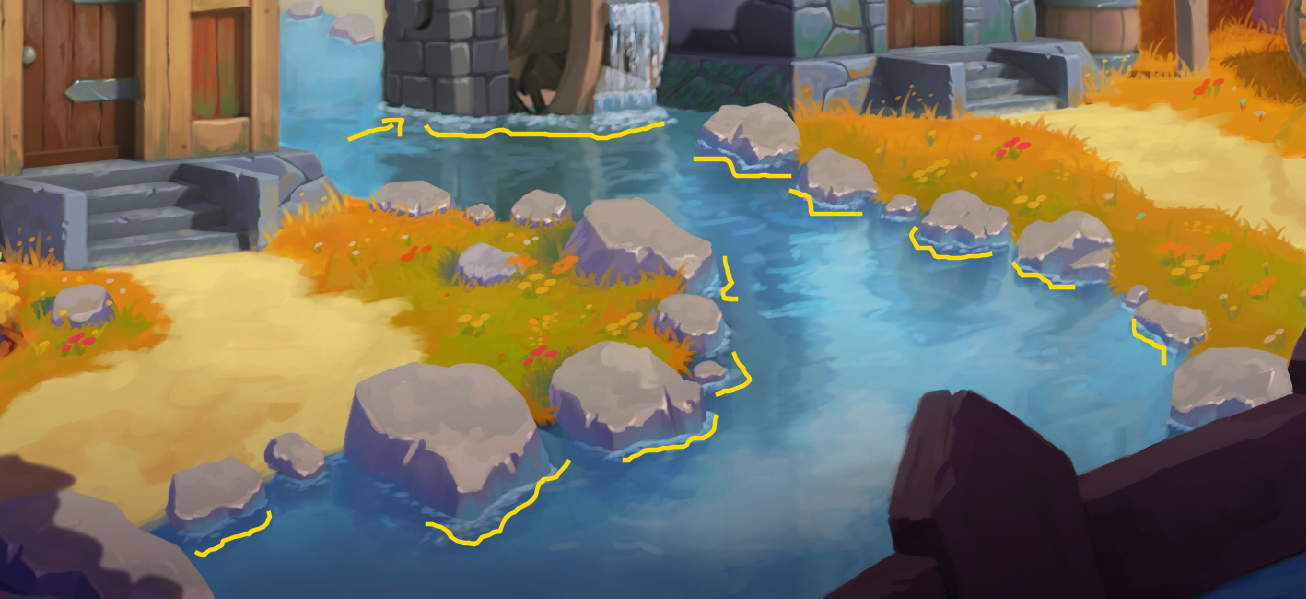
I’ve looked into techniques for this a couple times and have never been able to do it procedurally with shader nodes. Maybe there’s a way to do it but 🤷♂️. Alternatively you could try adding a dedicated strip of geometry along the edges of the water (slightly above the water) with it’s own shader to simulate edge foam. This guide seems insightful (though not with Bender).
April 14, 2021 at 9:37 pm #68008Thanks @theluthier for the feedback. Foam and reflections were definitely on my to do list. I will check out the video you posted for sure. Also my roommate caught part of the stream and suggested in your doling out “more xp than ever” to be sure Vadim gets approximately eleventy billion points haha
@elcangrejo i just caught the stream tonight and would be happy to team up if that is desirable. Just started a new job this week so I’ve been a bit tied up but plan to put in some time on this project this weekend
April 14, 2021 at 11:02 pm #68009Haha great suggestion! Vadim definitely deserves a cache of golden CGC XP points for his contributions to this project.
Congrats on the new job btw 🙌
April 16, 2021 at 9:41 am #68010@procyonlotor, congrats on your new job 🙂 I created a channel for the waterwheelers and us to discuss interaction of the wheel and our creek, I suggest we could team-up there too: https://discord.gg/Y474THR6
April 16, 2021 at 7:37 pm #68011@elcangrejo @spikeyxxx @theluthier I had an idea for edge foam. Still working out a couple of kinks but wanted to share the concept for feedback as soon as I could. Let me know what you think:
April 16, 2021 at 8:05 pm #68012Also having now listened to this I apologize for speaking at the speed of molasses haha. It’s Friday and my brain is a bit dead.
April 17, 2021 at 12:31 am #68013@procyonlotor fantastic!
One improvement would be to not animate the scale (which you also didn’t like…) of the Noise, but set it to 4D and animate the W value 😉
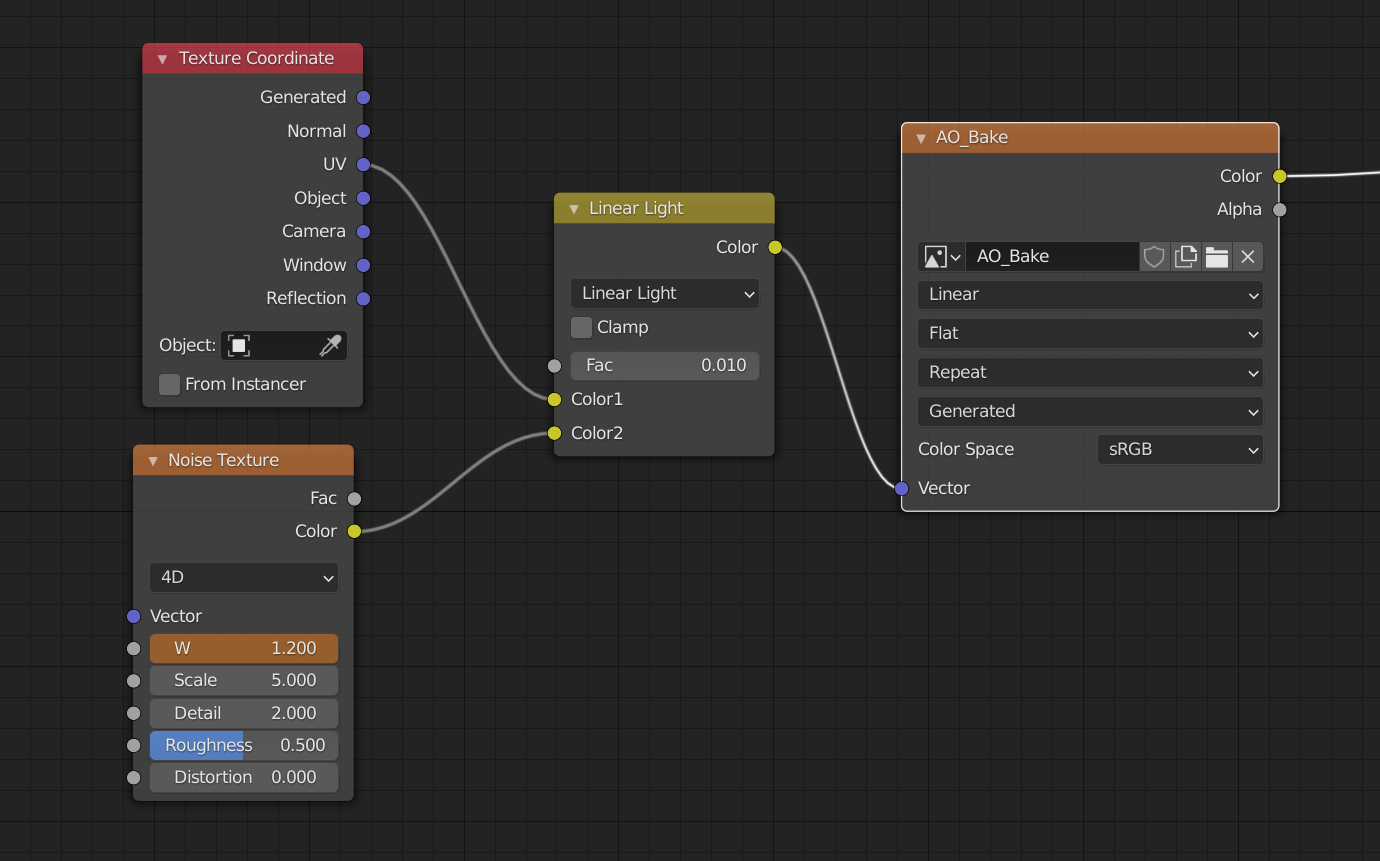 April 17, 2021 at 12:04 pm #68014
Looks nice! How exactly did you get the AO into doing this?
-
AuthorPosts


- The topic ‘COLLAB2021-WIP_procyonlotor’ is closed to new replies.