
Robbie Christie

Forum Replies Created
-
AuthorPosts
-
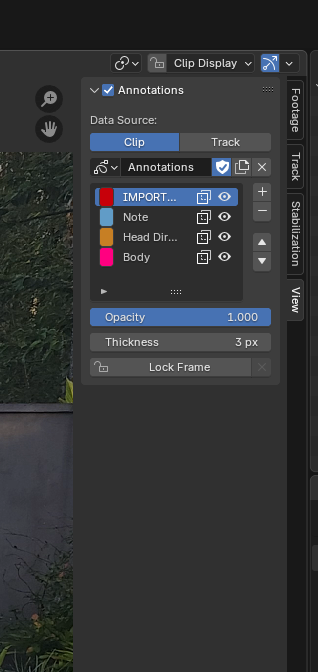
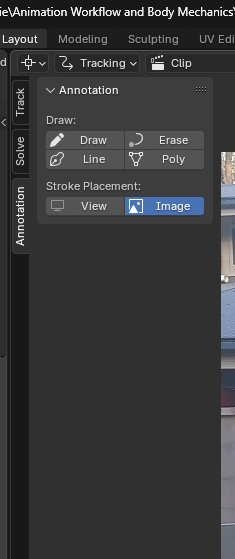
Same problem with Blender 4.4.3. Not having the functionally of the Grease Pencil within the ‘Movie Clip Editor’ window makes creating notes for the video reference quite a pain. For every annotation stroke made on the video footage, it resets to the cursor and have to re-select the Draw tool every time. There’s also no Onion Layers option at all.
 December 18, 2023 at 10:29 am in reply to: What use does the Disabled state of the Deform option within the Bone Setting serve? #82910
I am inconceivably enjoying this course. From all the way back in 2014 when I was riddled with self-doubt about being able to understand everything 3D art related (Generalist thinking), chipping away at the more technical processes like Rigging and Animation has increased that sense of confidence with comprehending the terminologies and basic techniques of these ‘behind the scenes’ aspects to 3D art so much. I’m looking so forward to getting to the stage of being able to animate some of the storyboarded ideas/ short cinematics that I have drawn/ written down.
As for the types of Bones that are found in an Armature, last night while reading over Dwayne’s responses I was looking at basic overview videos on setting up Mechanism Bones and what part they play in the overall armature in reducing the angle the Deform Bones have where they look unnatural/ twisted.
Control Bones in the basic form of how they can be used to move Deform Bones between 2 set keyframes. (I think) Pretty much what I saw was similar to Shape Keys.
But yeah, you’ve been absolutely fantastic with your explanations through out the videos. I’ve taken so many notes.
December 17, 2023 at 2:02 pm in reply to: What use does the Disabled state of the Deform option within the Bone Setting serve? #82908The Redo menu I know about, thanks for the tip of pressing F9 to bring back the menu after it disappears. After watching a few videos, I understand now why some Bones need to have the Deform turned off. Thanks a lot for the help Dwayne, there’s a lot of unpack over the coming days.
I had seen those Bones that help direct the Rig while messing around with imported models a long time ago, and figured out that they controlled the direction of whichever part of the body they were attached to. I however thought that they were part of some paid addon that pros use and not something you could set up within Blender without the correct coded functionally that would allow for someone to make it work.
December 17, 2023 at 8:32 am in reply to: What use does the Disabled state of the Deform option within the Bone Setting serve? #82906Ohhhh, those Bones that are out by themselves near joints on an Armature, single Bones just behind or in front of character rigs right.
I’m not at a stage of properly understanding how it all fits together. From what I’m seeing, there’s two types of Bones that are separate from the whole Rig that moves a mesh, Control Bones and Inverse Kinematic Bones, correct? -
AuthorPosts
