
Jasmine Wongus

Forum Replies Created
-
AuthorPosts
-
Thank you, @jlampel !! Oh, it makes me feel so good to do some great lighting there! Now I feel like running through all my old stuff and seeing if I can make the lighting better. BUT I wanna finish the course, first. 😀
Thank you, @frikkr !! 😀 Awwww, gee! I’m glad to be back! I’ll try updating whenever I can. ^_^
Ooooh, okay! Thanks a bunch! 😀 This is great info!
Thanks so much, Jonathan! I appreciate that and I’ll do so from now on. 😀
I love this course, it’s so helpful, and I’m going to play with the lighting in some older stuff, just to see how much better it’ll look!
May 16, 2020 at 9:32 pm in reply to: What do you want to know (or wish you had learned earlier) about lighting in Blender? #53766It’s here! ;_; I can’t wait to dig in! It’s perfect timing, though it seems my attention span has been all over the place. o_O
Oh, my pleasure, Shawn! I use GitHub sometimes, but never to say anything to anyone on it. XD
I got a link through GitHub to a more updated version on RetopoFlow; works better now. Gee, I hope they can somehow put that in the Blender Market. Seems like anybody can access that right now.
Anyway, I’m using a practice mesh and trying out contours, and PolyPen for getting into the inside details. I just need to remember that retopology class to figure out what I should do to best close the retopology.
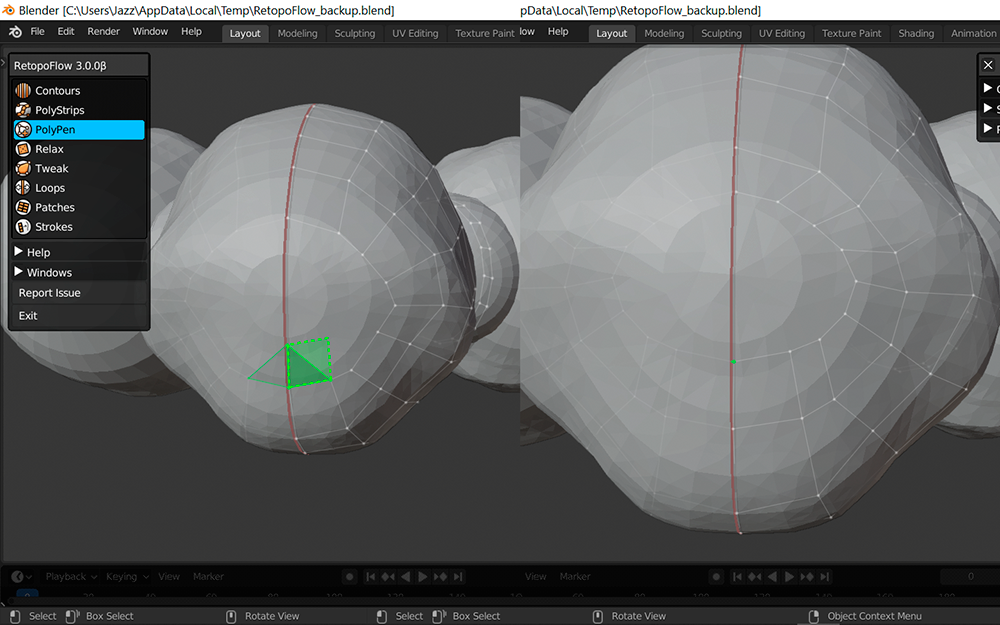
Oh, @blanchsb , I confirmed that link on GitHub that I mentioned above, where the shift + middle mouse wheel seems to work now in decreasing the face count. I let them know in that issue. I’m glad I found that post, too! I was going to post the issue, myself! I’m nervous posting things on GitHub. I’m shy. Ha ha!
Ahhh, thanks, @frikkr! It’s been a while, yeah! Things are well, considering the times. Ha ha! I hope things are well with you, too! I’ll keep showing progress on this, and I’m getting some great advice. 😀 Thank you so much! We’ll chat more soon, I hope!
Awesome! Yes, I’m certainly learning a lot. Next time I definitely want to keep things symmetrical until I’m completely done sculpting. This sculpt is more like a figurine, and that’s because I was scared to do too much with it. I’m learning so much, and this retopology part is going to be something else! Ha ha!
It’s a good idea for me to make plans, too. I just jumped in with everything, with this fear that I’d make mistakes. I made so many little ones that it doesn’t scare me so much right now. Thanks! You’re really helping me! I shall continue!
Thank you, @blanchsb ! I’m sure the notes will help some; I learned a few things so far, but it’s a little tough to get used to.
I’d been watching the version 3 video, but freaked out because I couldn’t even get the thing to work! I was so frustrated. I wasn’t sure, though, about reporting the bug because I didn’t know how to best formulate my issue. I should report it anyway, but I’ll try and reproduce the problem. I’m glad I managed to get a screenshot, though it was only that cube one.
At the time, I couldn’t make RF work when I just restarted Blender, so I just assumed I needed to restart my computer and refresh things. I’m glad that worked. We’ll see what happens today. 🙂
I’m also a little daunted by how I’ll need to make each feature work with my cat, since it’s no longer fully symmetrical. I guess I’ll just turn off the symmetry and see what happens. I’ll recall your notes as well, and update here!
Hi again @jlampel ! I have a problem: I want to try out RetopoFlow, but it hasn’t worked since I installed it. Here are some images ( I tried with other forms, too…sculpted and everything. I forgot to show that in the picture. Still couldn’t select):
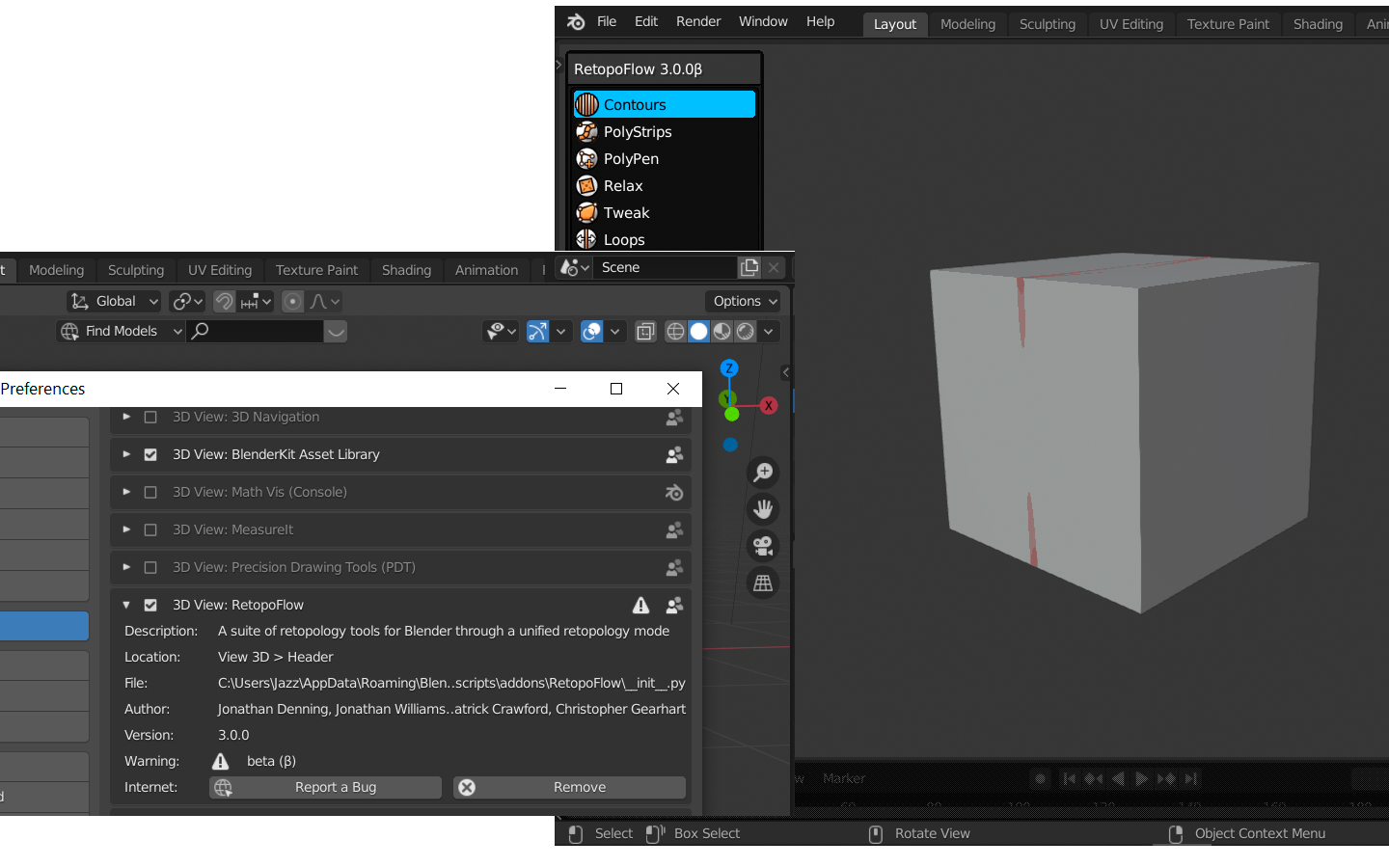
Besides a warning about it being beta, sometimes Blender doesn’t even show the tool at the header. When it does and I press the “Make Target” (or whatever it was called), I’m in the new area, Contours is selected, but I can’t do anything. There’s no cursor or anything, just the symmetry line. Even that actually works.
When I press escape to leave RetopoFlow, suddenly I can’t select anything in the regular Blender window. That bums me out. 🙁 I just bought it a few days ago. 🙁
EDIT: Never mind…once I restarted the computer, it worked. I have to remember that I hold Ctrl+drag to make a new contour or whatever. Phoo! I’m still gonna look at those livestream vids!
Thanks, @blanchsb ! I’ll take a look at them, 2 first! That’s good info, too; now I know what to watch for. 😀
@jlampel Oh! Then I know what I must do… For my sanity, I’m going to get that RetopoFlow. I’m too slow on my own, and I get so frustrated! I saw the jagged seams with a teddy bear I made lately. Not too nice, those jagged lines. 🙁 Still, I’ll do it for the convenience.
Thanks, all!
Hi, @me1958424 ! It has been long!! Good to see you, and thanks for the advice! I guess I’ll find a way to do it as quickly as possible. I’m so slow that I do need to leg up. Ha!
@jlampel, I thought of something: I want to do a little texture painting on the cat’s body, and right now I know there aren’t very good edge loops for seams after I’ve sculpted. What must I do next to ensure that I can make some seams if need be? For instance, if I want to add pink for the nose or something like that, but may the edges that I need aren’t flowing how I’d like.
-
AuthorPosts
