Xmas challenge 2021 WIP – dropping love this season

Forum Archive Xmas challenge 2021 WIP – dropping love this season

Viewing 3 posts - 16 through 18 (of 18 total)
  • Author
    Posts
  • #71561
    Sébastien Lenaerts
    Participant

      Okay, so far so good, I discovered how to use the frame number as input to randomize the tree lights over time .  I “manned” the sleigh and added the payload.  I used the graph editor a lot to finetune animation placement.  and the robot has got some color now. For the stars I did not go for procedural texture, rather artistically manual placement 🙂 .  The moon is a 4K texture I got from a free download site.

      Last part to tweak is the trails of the boosters, I will make them way shorter as I feel the long trails don’t really add anything except a lot of noise.  The text will get a last tweak as well.  anyway, time to get some sleep.  Cheers to you all!

      #71562
      spikeyxxx
      Participant

        Getting a lot better!

        About your node setup for the lights:

        you are multiplying a random value, between 0 and 1 with a number that goes from 0 to 1 over time (when you have 250 frames…). This means that if the random value is close to 0, hardly any change will happen over time (red lights stay red….blue lights start red and go through the ‘whole’ colorramp to blue). I don’t think that is what you actually want.

        And as an unimportant side note: multiplying 2 numbers between 0 and 1 always gives a result between 0 and 1, so there is no need to Clamp the Multiply Node…apart from the fact that the Colorramp Node also clamps its input…it’s overly careful, a bit like wearing a mask while in quarantaine 😉

        Here is what you could do for instance:
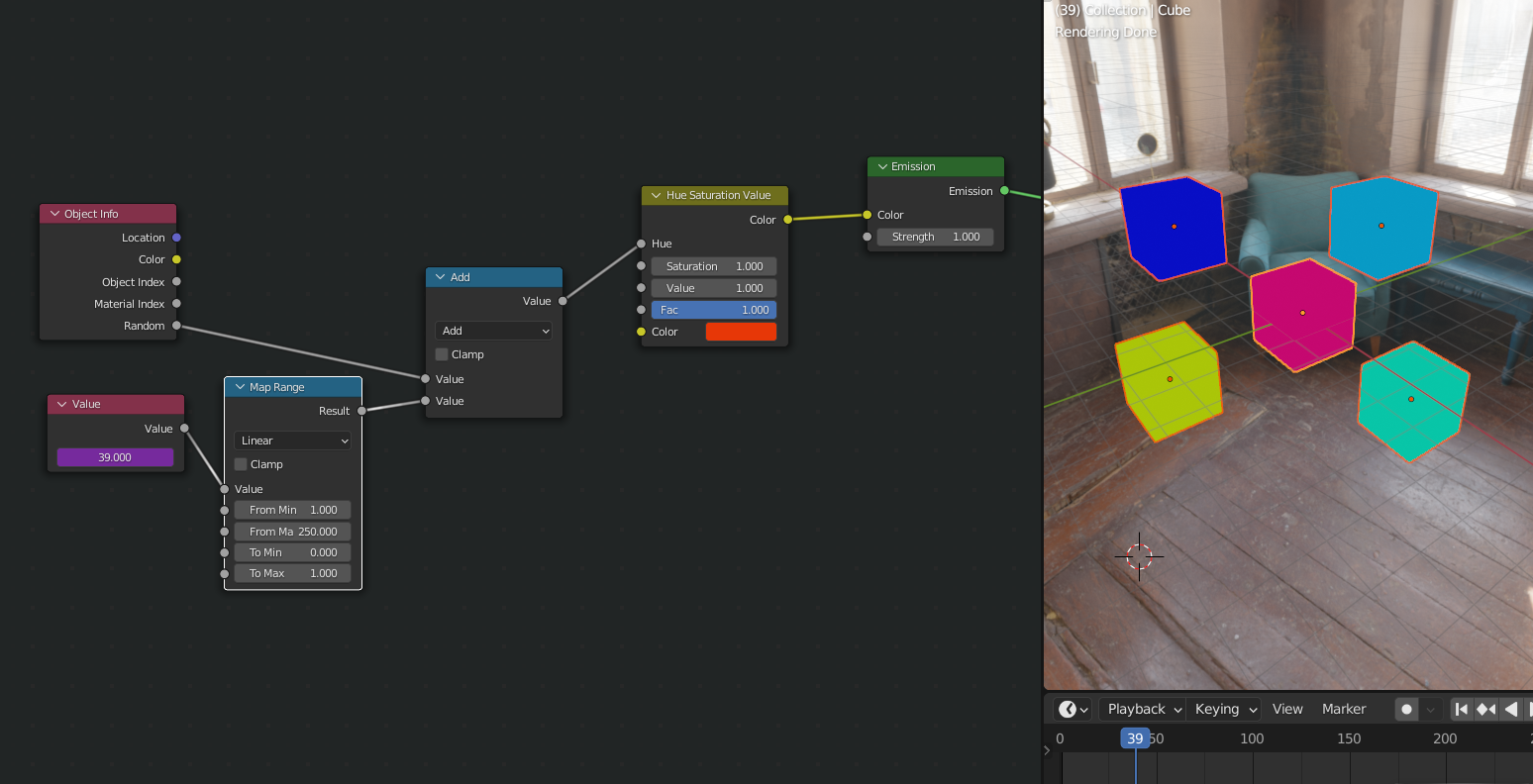
        If you want to use a colorramp for more control over the colors, you need an extra Math Node,:
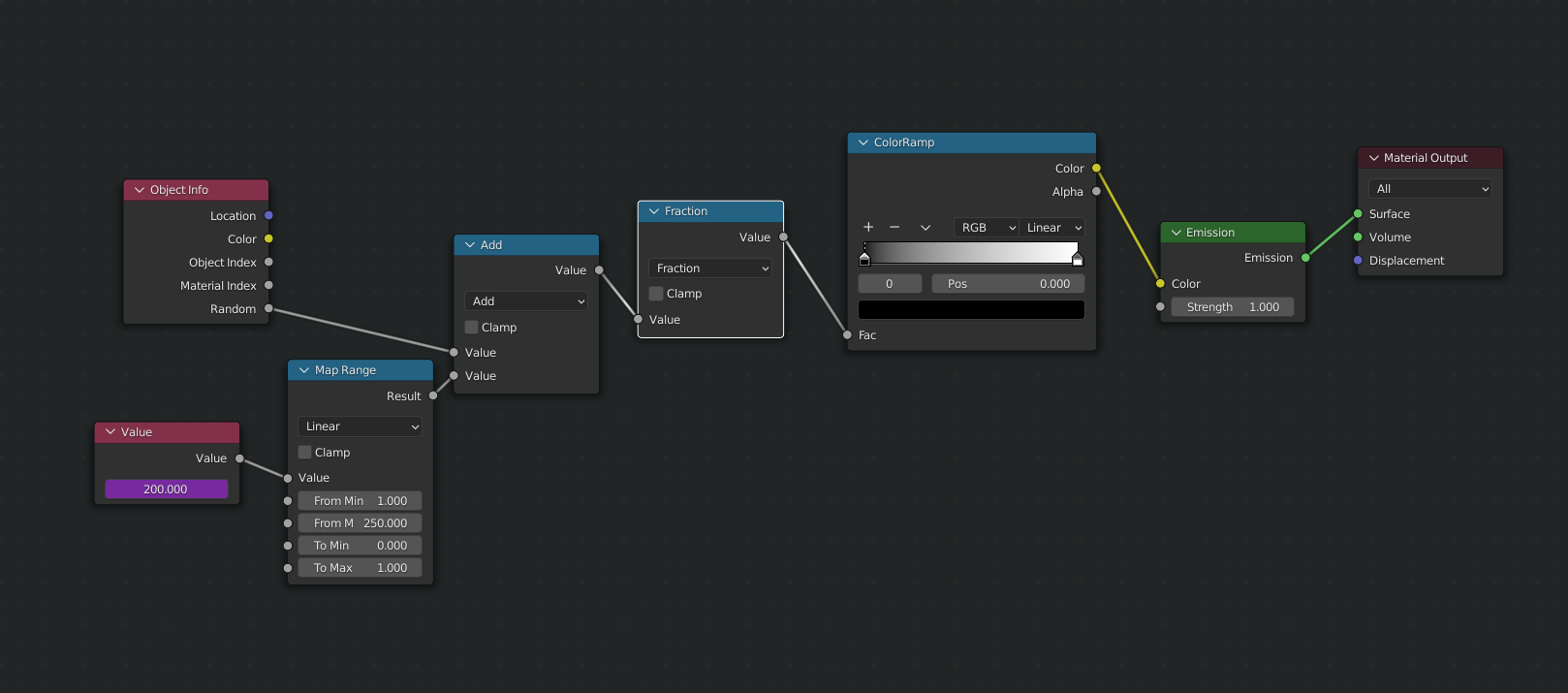
        Fraction or Modulo 1 both do the trick, but the values will jump from 1 to 0 (I mean like:…,  0.99,  0,  0.01, …). You’d need to take that into account with the colorramp colors.

        If you don’t mind it going back and forth, you could set the second Math Node to Ping Pong (for a linear speed), or use a Sine, but then you need to adjust its input… 

        Still, I applaud the effort you made!

        #71563
        Sébastien Lenaerts
        Participant

          Wow @Spikeyxxx, you saw right through what I was aiming for but merely could reproduce.  Indeed it was the only way to have a subtle color change that was random, every other thing i tried all lights changed together over time.

          I’ll update the file based on your input to get somewhat more playfull.

          I will also change the text animation tonight as I feel there is too much going on at the same time.  

          More after another day at the dayjob 🙂

        Viewing 3 posts - 16 through 18 (of 18 total)
        • The topic ‘Xmas challenge 2021 WIP – dropping love this season’ is closed to new replies.