Worth changing settings so 1mm = 1mm?

Forum Archive Worth changing settings so 1mm = 1mm?

Viewing 10 posts - 1 through 10 (of 10 total)
  • Author
    Posts
  • #17242
    Paul
    Participant

      Is it feasible to change a scene’s settings (scale, units, grid) to make 1 Blender unit = 1mm?

      Tried doing so and got something barely passable working, but encountered issues when dealing with features ~1mm in size.  Wasn’t sure if I missed something or if I’m just “going against Blender’s intended use”.

      #83006
      Dwayne Savage
      Participant

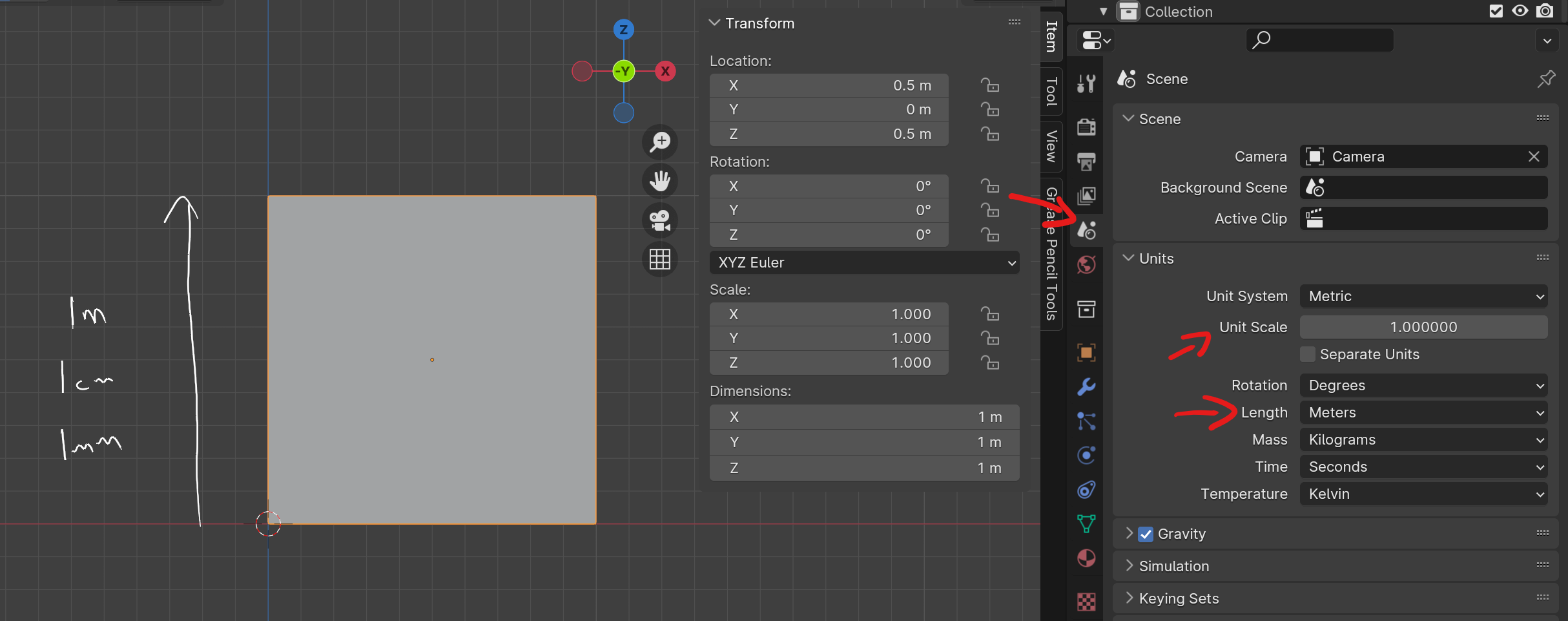
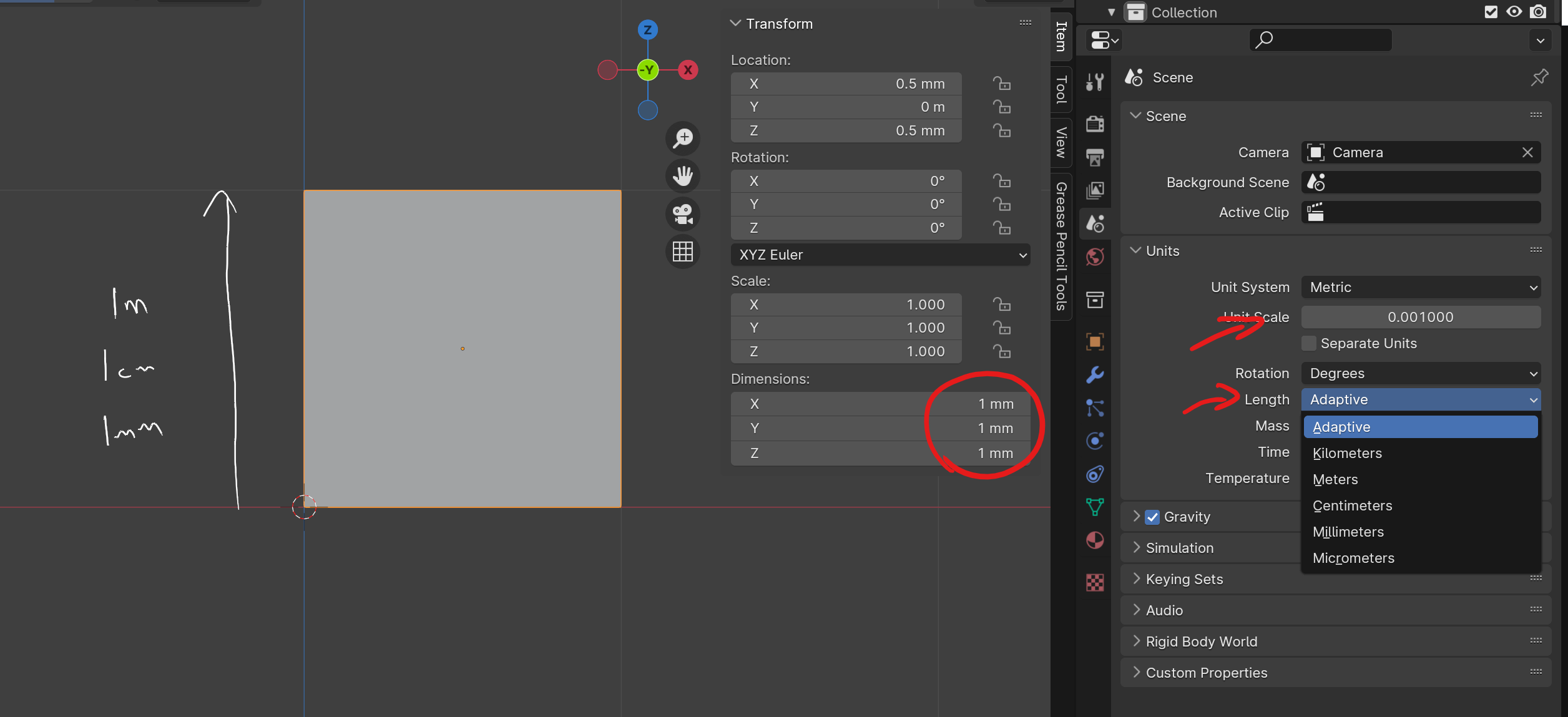
        Go to properties editor->scene tab->units panel-> change length to millimeters. By default in 2.80+ Blender defaults to meters not blender units. Side note Blender units has been meters for awhile. At least since 2.76b. I had to start with this version, because it was the last version that works on Windows XP. I’ve since switched to Linux. 

        #83007
        Omar Domenech
        Participant

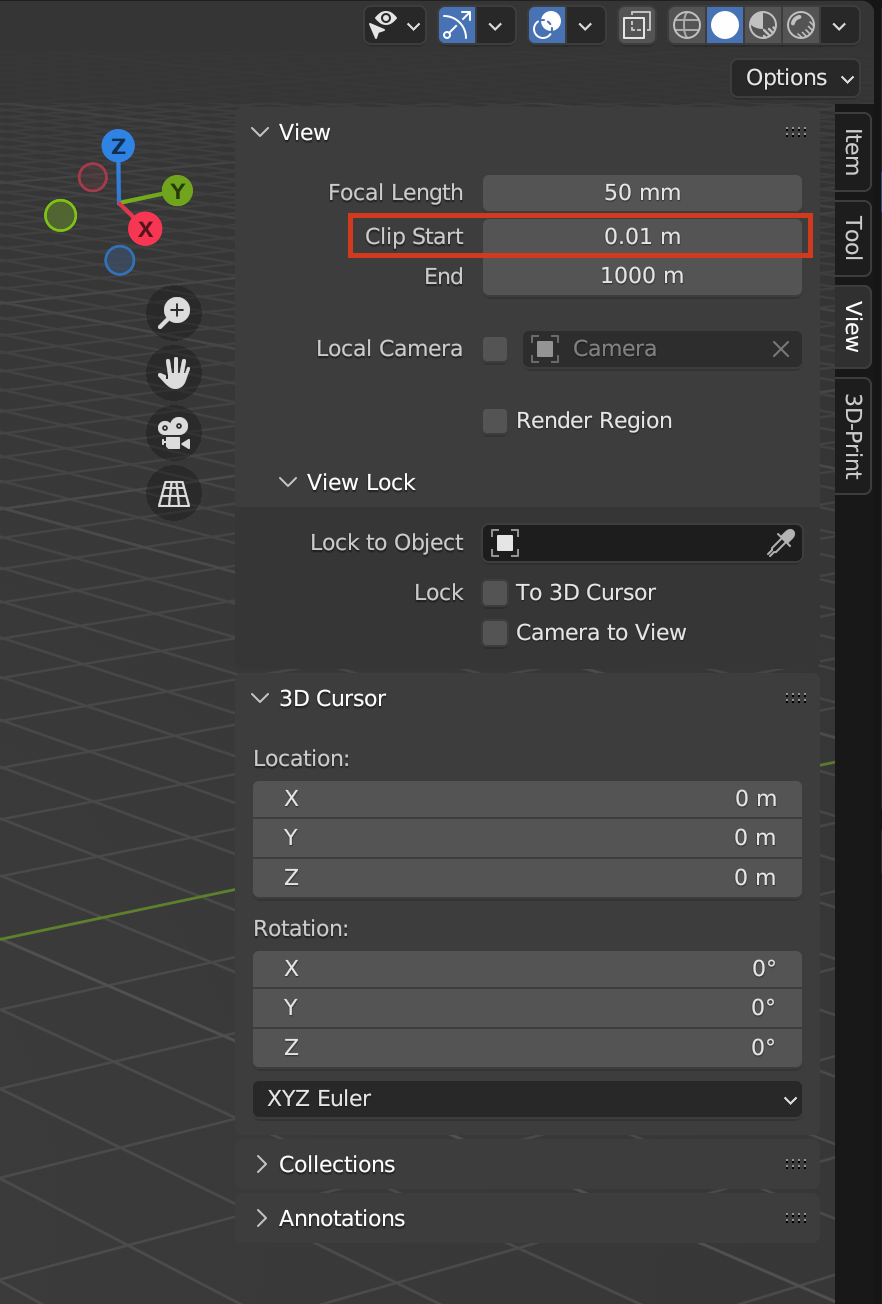
          I never like changing the units, it can make things wonky. You can always change the clip start in the viewport or camera if getting too close to an object is giving you trouble:

          Clip-Start.png

          #83008
          Adrian Bellworthy
          Participant

            If you are modeling small objects to want to change to mm’s
            Then as Omar said, you will need to change the view clip start to something smaller.

            #83009
            Martin Bergwerf
            Participant

              Hi Paul @Drennyn ,

              As already mentioned above,

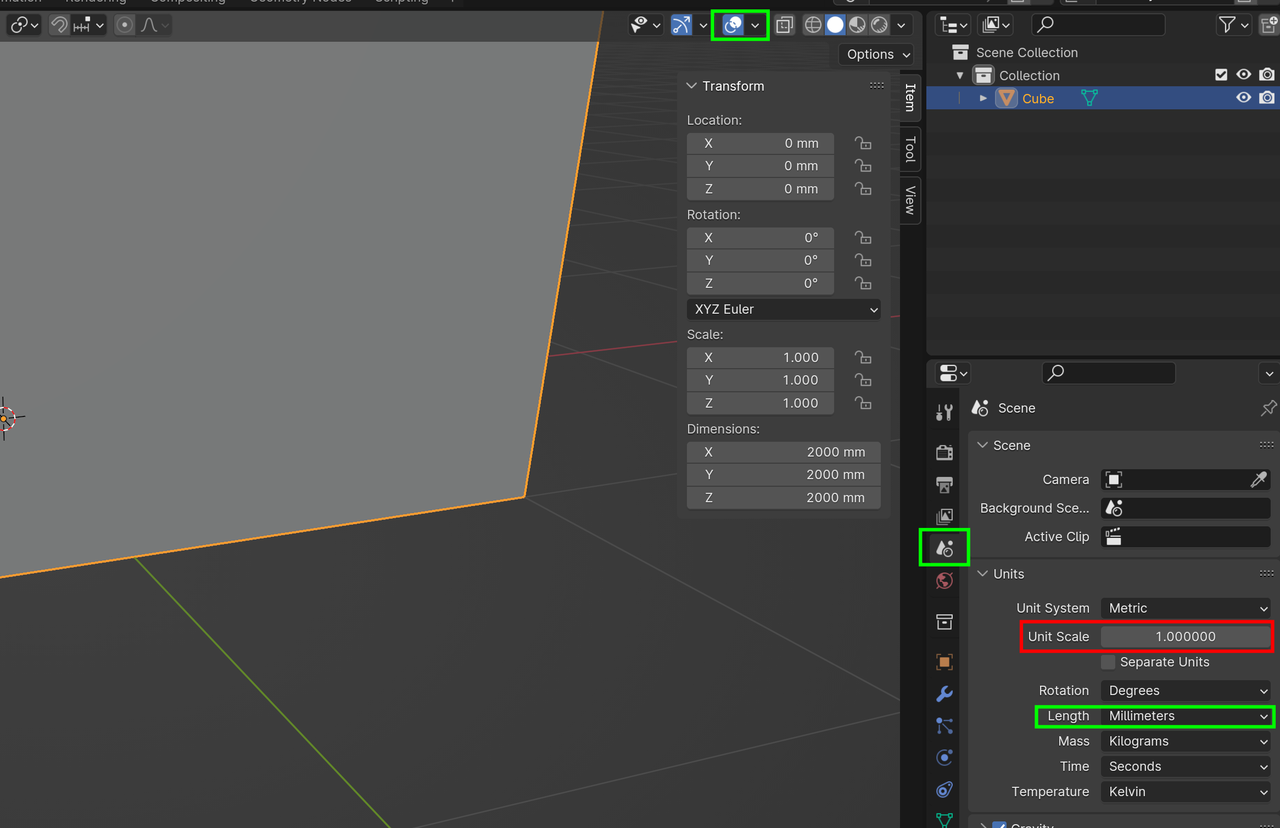
              I’d only change the Units to be displayed in mm:

              Unit.png

              Do not touch the Unit Scale, it might mess up lighting, Physics and so on.

              You can also safely change the Grid Overlay Scale, if you want.

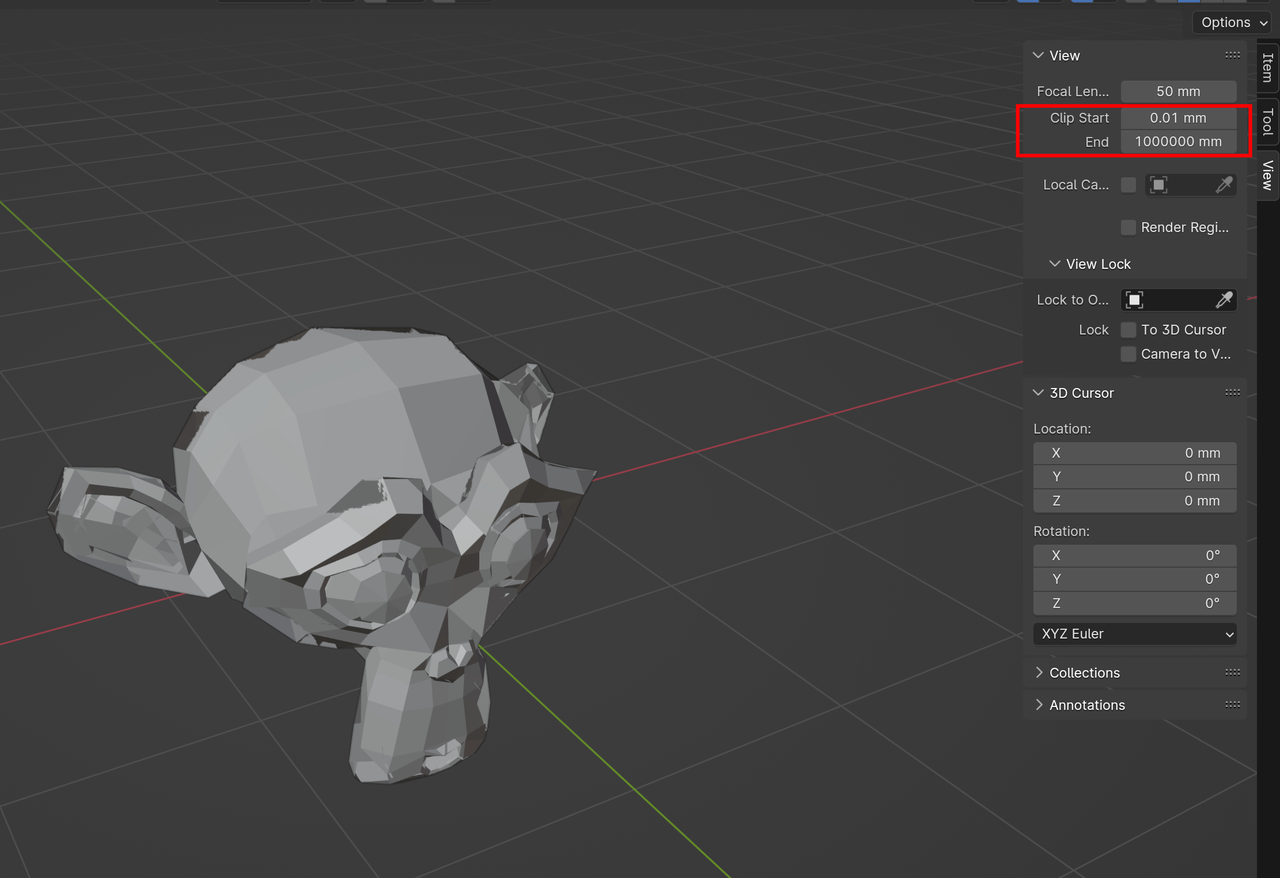
              Important: when you change the Clip Start, you also need to change the Clip End: Best is to divide both by the same number. So if you change the Clip Start from .01m to .001m, you should change the Clip End from 1000m to 100m.

              #83010
              Martin Bergwerf
              Participant

                This might happen if you fail to adjust the Clip End, for instance:

                Monkey Glitch.png

                #83011
                Martin Bergwerf
                Participant

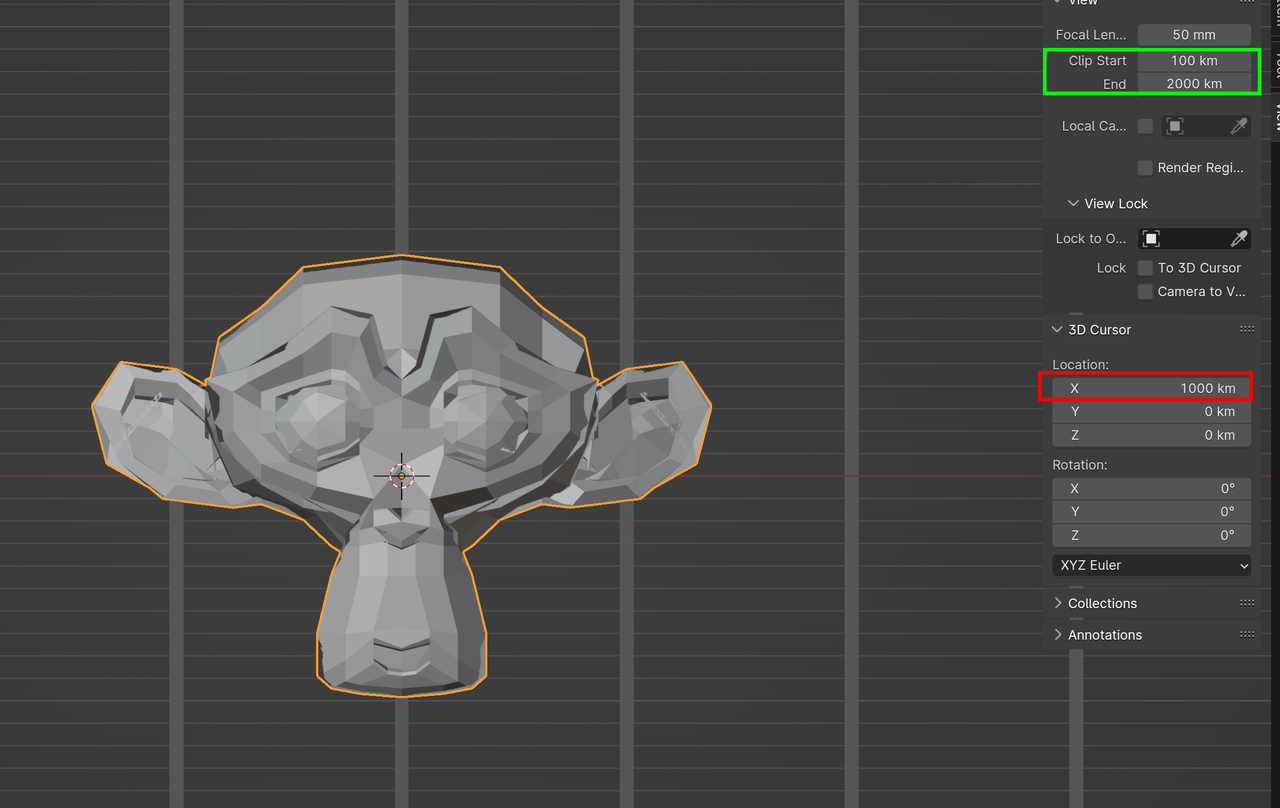
                  Also, don’t stray too far away from home (World Origin), or:

                  Far Away.png

                  Basically the same problem…

                  #83012
                  Paul Caggegi
                  Participant

                    The default is meters, when the unit scale is set to 1.0 but you can adjust using the Unit scale.

                    If we make our unit scale 0.001 (1mm is 1/1000th of 1m) and set length to adaptive, then the units will change accordingly.

                    #83013
                    Dwayne Savage
                    Participant

                      I feel like I should note that changing the length setting makes no changes to blender other than how it displays information. A 2 meter cube is still 2 meters. Blender just shows that 2 meters as 2000mm. If you’re using imperial a 2 foot cube when set to inches will show as 24 inches. So it doesn’t change anything other than the units you are working with. Some physic system like rigid body and cloth have problems with really small and very large meshes do to precision limitations of the CPU. In these cases we change the Unit scale. I personally like to set length to adaptive, because I want to do 3D animation and will be dealing with multiple objects at different sizes and I’m in the USA so trying to remember that 0.1 is centimeters and 0.001 is millimeters is difficult. That’s also why I use advance mode with my transforms so I can just type Imperial sizes and let Blender convert it to metric. I don’t change it to Imperial, because so far everyone I’ve done any work with uses Metric system. Let me know if you want more info on Unit Scale. 

                      #83014
                      Porter Nielsen
                      Participant

                        I agree with Omar, that changing the units can make things wonky; but an additional reason to be careful when changing the units is if you ever intend to share or distribute blend files with others. 

                      Viewing 10 posts - 1 through 10 (of 10 total)
                      • The topic ‘Worth changing settings so 1mm = 1mm?’ is closed to new replies.