
Wire Frame View
Forum Archive › Wire Frame View
- This topic has 17 replies, 3 voices, and was last updated 3 years, 11 months ago by
Martin Bergwerf.
-
AuthorPosts
-
October 4, 2022 at 10:58 am #15447
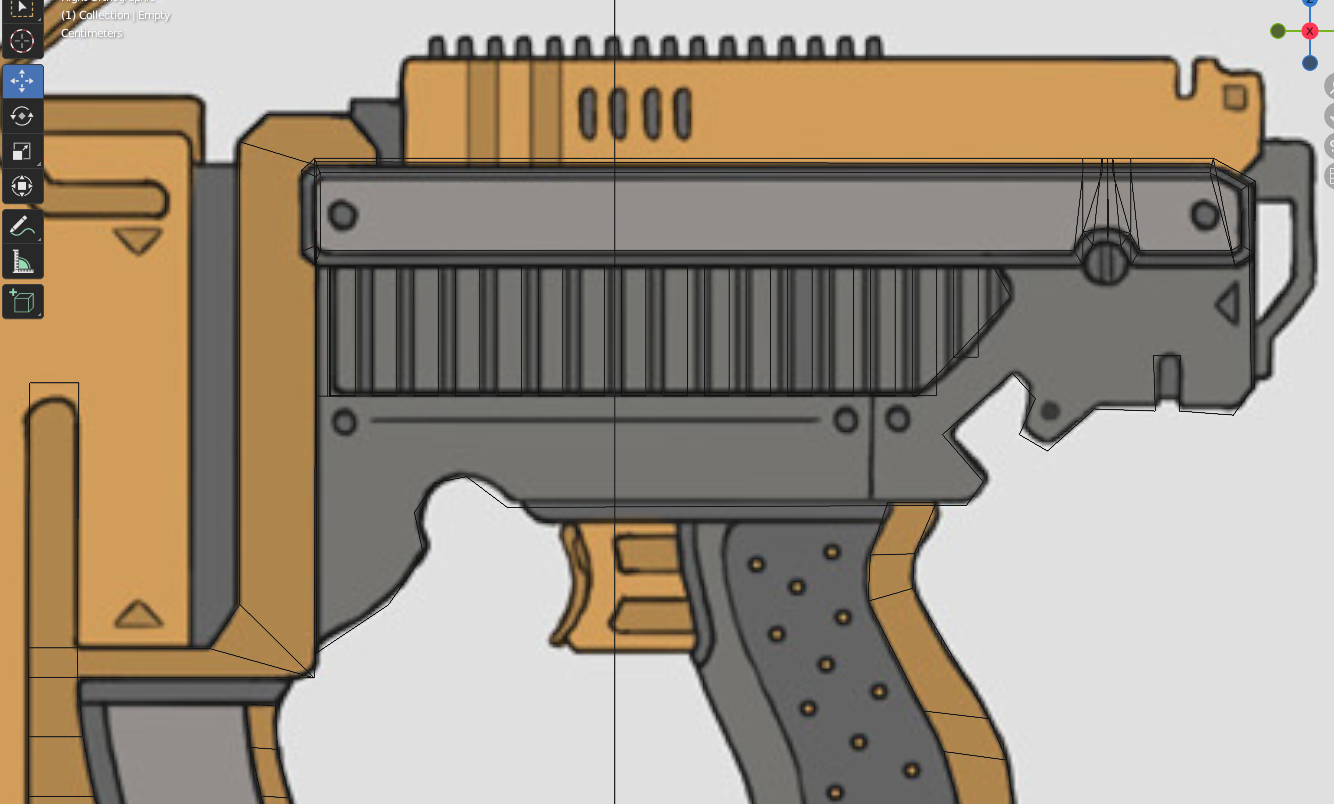
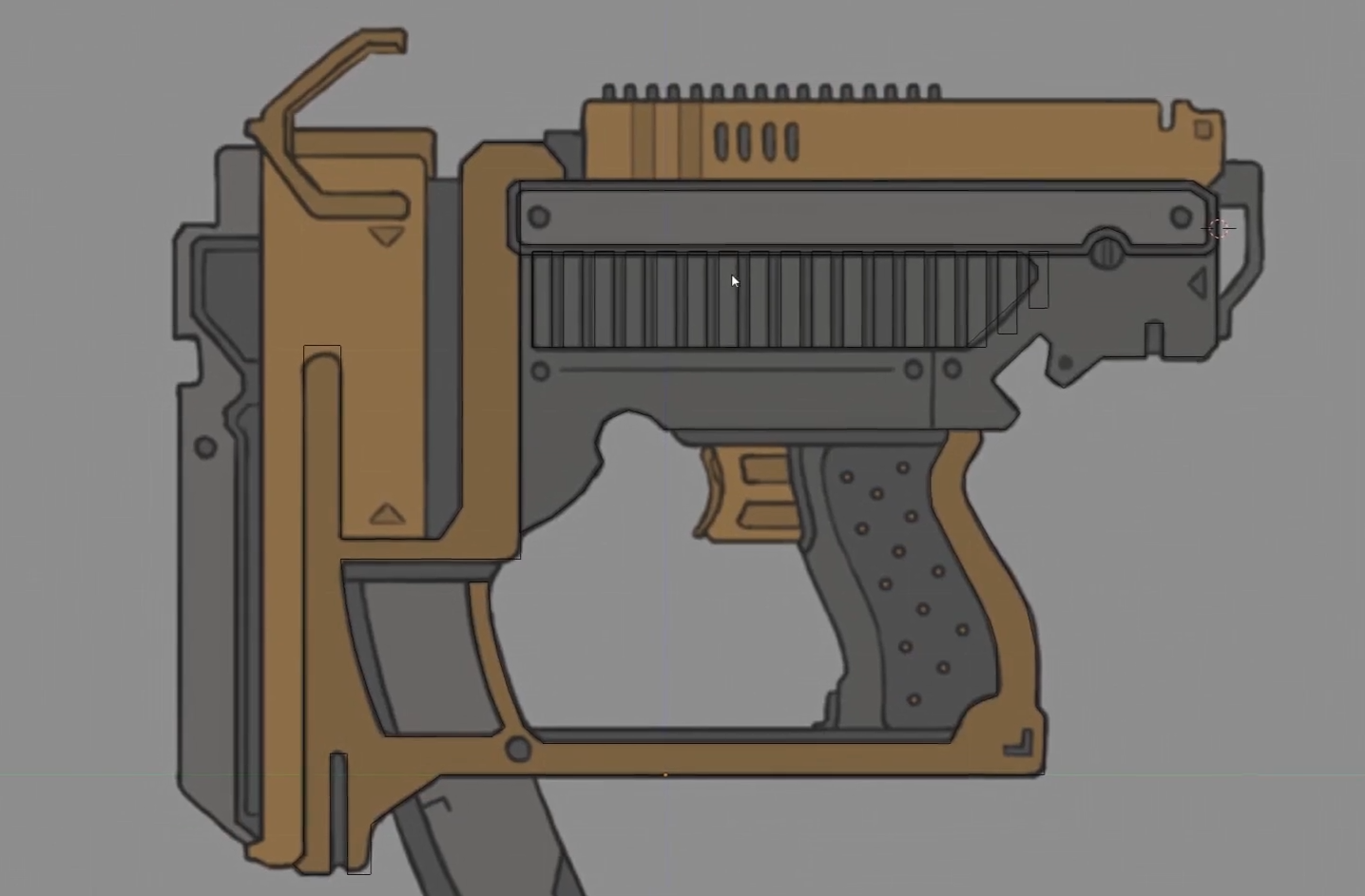
I can’t figure out why Jonathan’s wire frame view no longer has lines on the front faces. My model still has all the wire framing outlines of each vertex connection showing whereas Jonathan’s has just the framing outlines of all the overall object shapes we just filled.
I have the faces filled and everything appears to be fine and look fine.
Why is this?
 October 4, 2022 at 11:13 am #75512
That is probably because you are in Edit Mode on both Objects (or maybe they are still one Object…did you P > Seperate them ?)
After seperating them, go into Object Mode and then both Objects are still selected….you need to select the new Object, so that becomes the only selected Object. Then you can go into Edit Mode.
In the Blender Version you are using, you can go into Edit Mode on more than one Object at the same time! I think that is what happened to you.
October 4, 2022 at 11:32 am #75513Hey Martin!
They are all separated (I’m pretty sure I was very careful about that because I was not sure about the ramifications, but is there a way I can check to ensure they have in fact been separated by selection?)
When I try to go to each object tab into edit mode >> select all >> separate by selection is creates a duplicate of the same object I don’t want (at least now, when first drawing the shape we did)
They are all in object mode I just doubled checked.
October 4, 2022 at 12:44 pm #75514Could it be that you have All Edges enabled? (Highly unlikely, I guess, but possible and if so, the next solution wouldn’t work.)
These two Objects are the same, but the right one has All Edges checked:
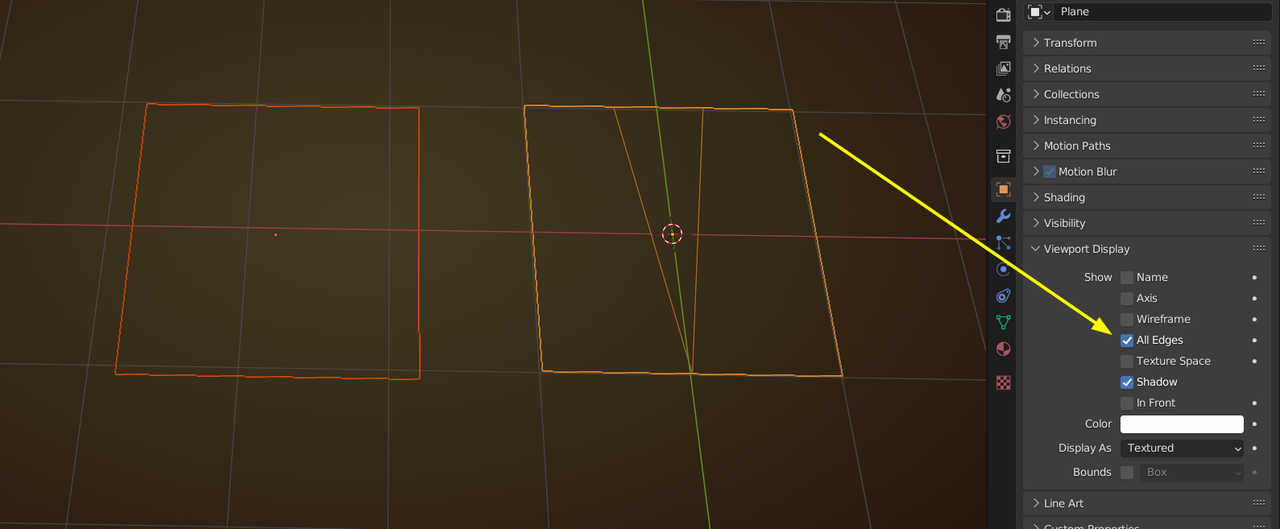
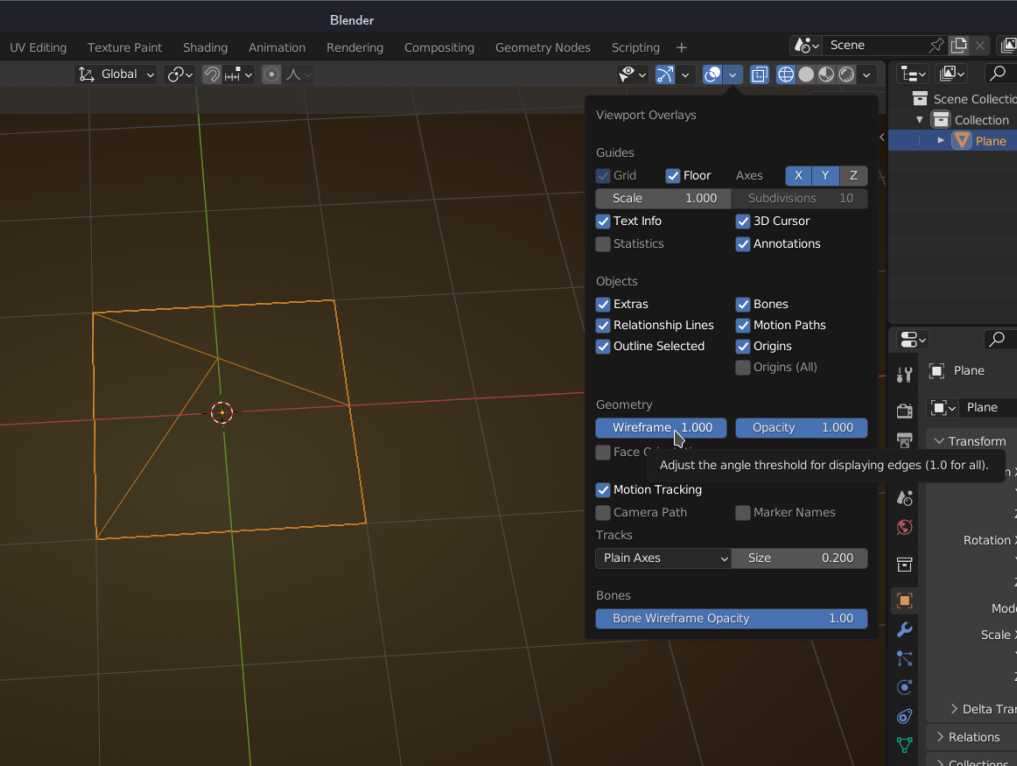
Or simply reduce the Wireframe Overlay anything less than 1 should work).
Honestly, I had to play around a bit..I never noticed this…definitely not something that would keep me awake at night…goes to show that all people are different/
October 4, 2022 at 12:47 pm #75515All edges seems to be disabled, so we are good there.
That was something I checked before asking you my question. Sorry I forgot to mention that. My apologiesss
Where do I access wire frame overlay?
Is there any negative impacts of these all of these wire frame edges showing?
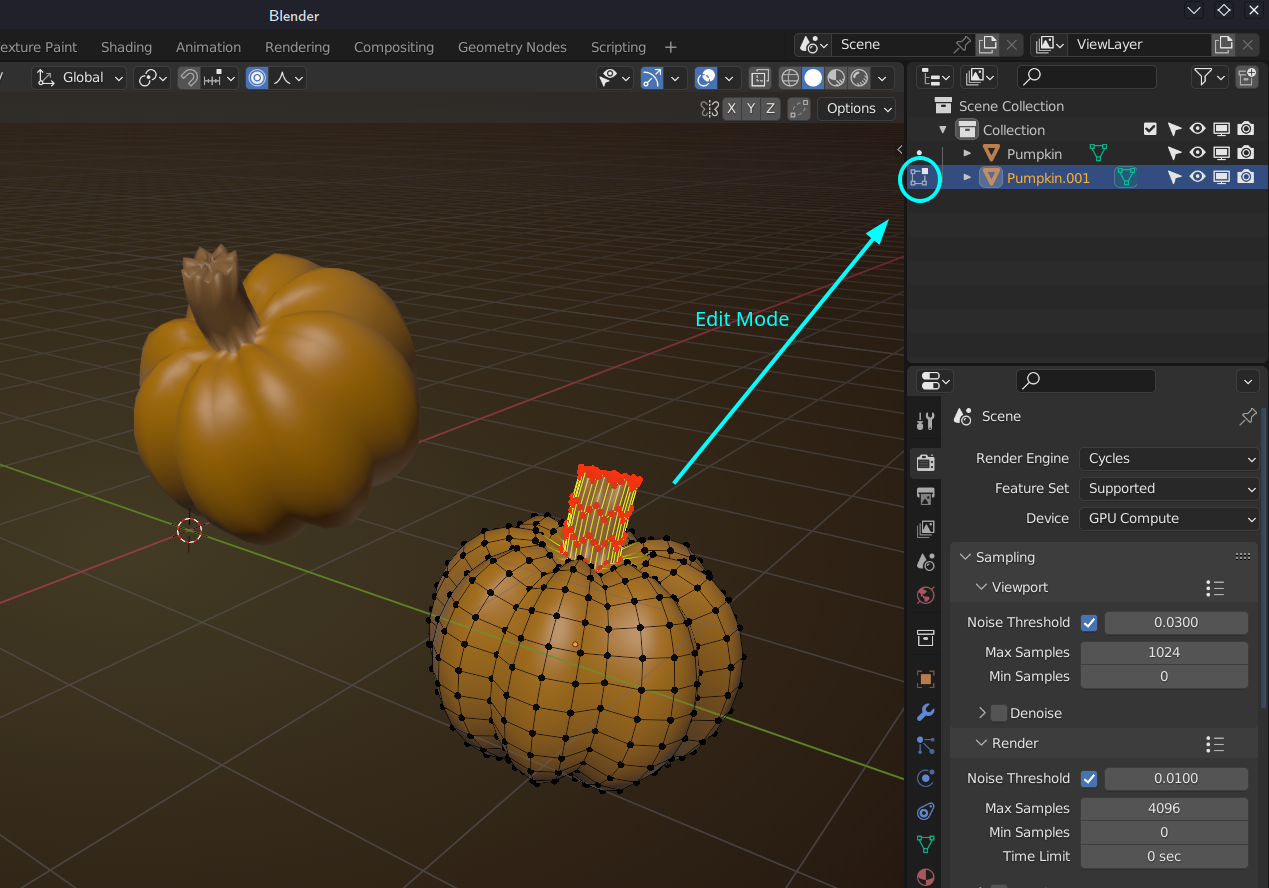
October 4, 2022 at 12:48 pm #75516Oh, and a good way to see if things are seperate Objects, is to look at the Outliner; you can also see if the Objects are in Edit Mode or not:
 October 4, 2022 at 12:51 pm #75517
That Wireframe option lives here (forgot to add the image before):
 October 4, 2022 at 12:52 pm #75518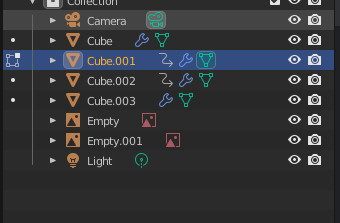
So if each object has a one to one edit”icon” next to it, this would indicate it’s a separate object?October 4, 2022 at 12:55 pm #75519If they have different names, they are seperate Objects. So, each line is a seperate Object.
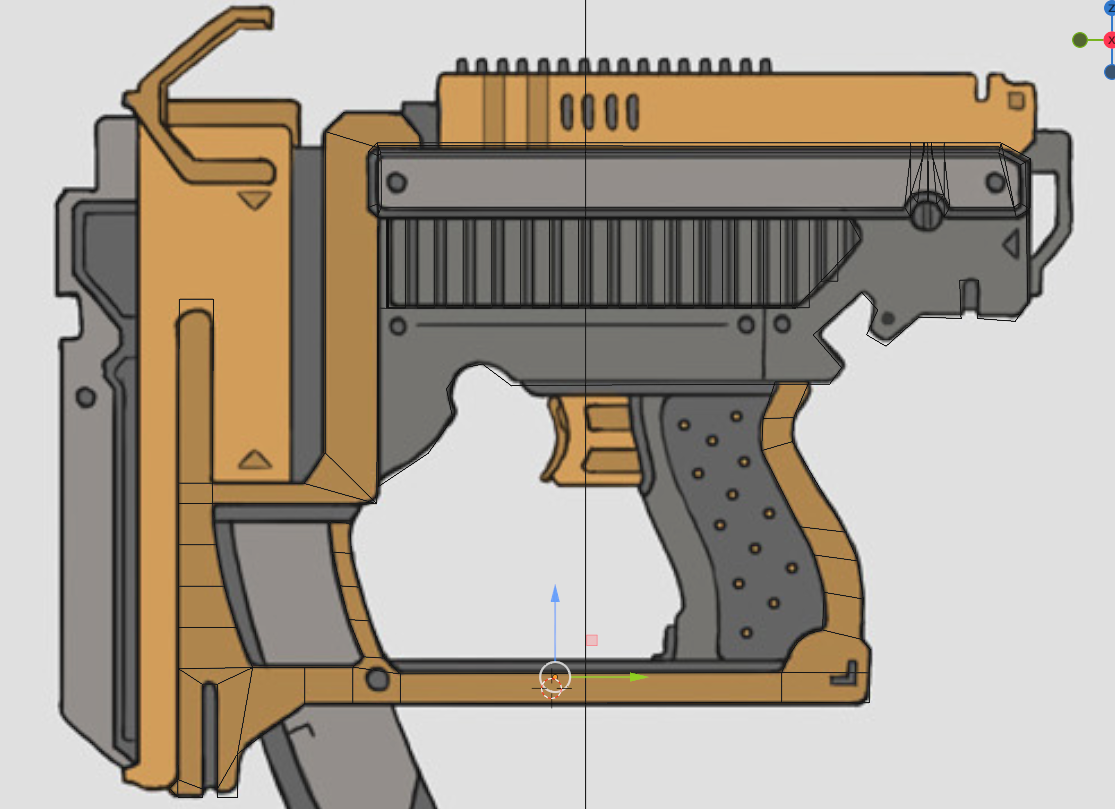
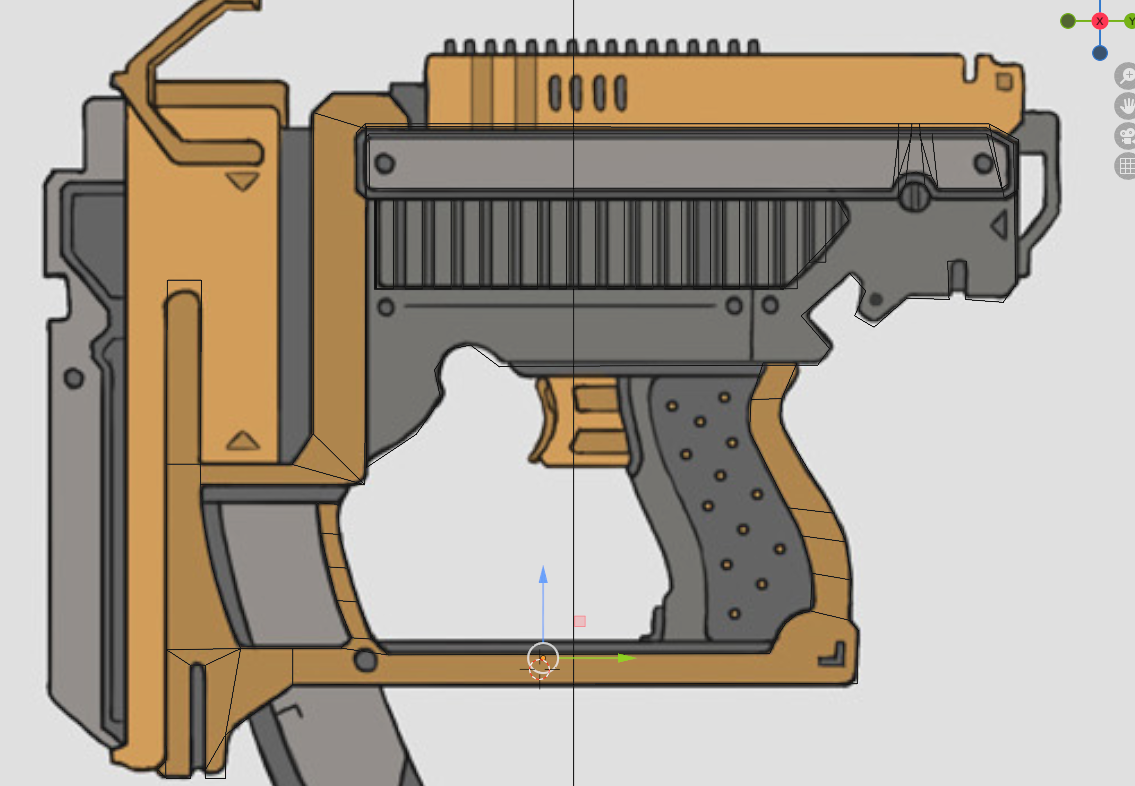
October 4, 2022 at 12:57 pm #75520I have attached two images:
One image with wire frame set to 1
One image with wire frame set to 0
When set to 0 it still does not get rid of most of the lines, but some. I will read about wire frames, but this seems like such a odd thing to get stuck on lol. Not sure what could be causing it.
 October 4, 2022 at 1:08 pm #75521
The only thing I can think of at this moment is, that that ‘face’ of that Object isn’t flat, as it is supposed to be.
Select that part of the Mesh in Edit Mode and then S, X, 0 to make it flat.
October 4, 2022 at 1:20 pm #75522Yeah that didn’t do it either. I’m not sure. Must have messed up something. At this point because that object has 3 parts extruded at different depths I think anything I do to flatten it will break it.
Is there anything inherently wrong with showing all of the edges (I think that’s they are referred to as)?
October 4, 2022 at 1:26 pm #75523Probably not, but if you can post a link to your .blend file here (via Googledrive, Dropbox, or so), I can have a look and see what is causing it.
October 4, 2022 at 1:28 pm #75524October 4, 2022 at 1:40 pm #75525Ok, thanks!
There is absolutely nothing wrong with your model! It’s looking great!
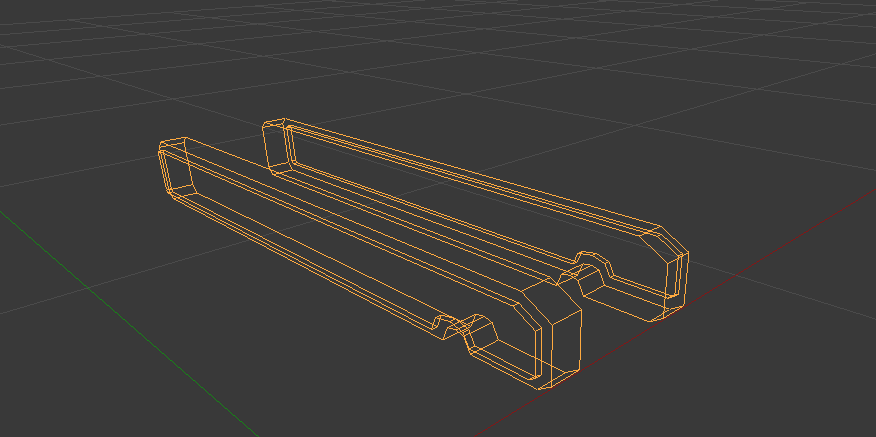
The thing that makes it look different is due to the older Version used in the video.
This is what that piece looks like in 2.79:
-
AuthorPosts


- The topic ‘Wire Frame View’ is closed to new replies.