Why your mesh so high vertz. but mine is low vertz

Forum Archive Why your mesh so high vertz. but mine is low vertz

Viewing 3 posts - 1 through 3 (of 3 total)
  • Author
    Posts
  • #8618
    Dim 99
    Participant

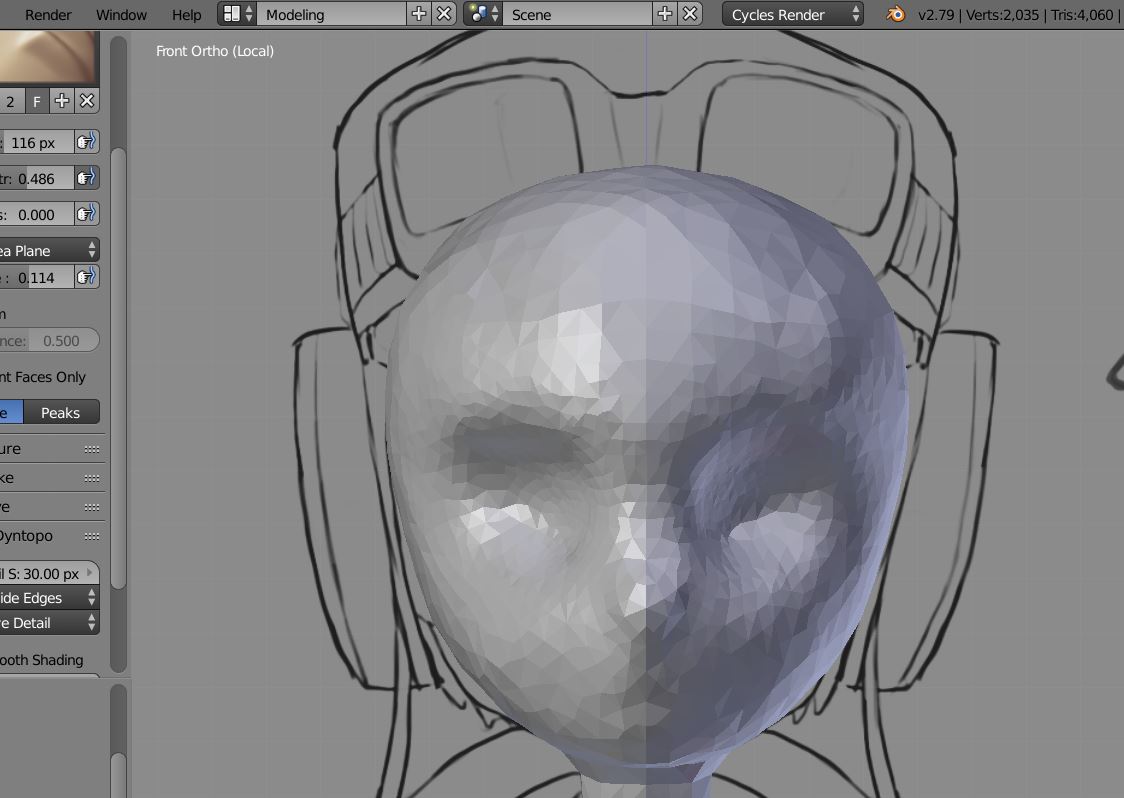
      I have followed the appropriate steps in the video (from beginning to 9.43). I use  Smooth brush too (hold Shift) like the video, I have enabled Dyntopo too. But in the end, my verts is a little.

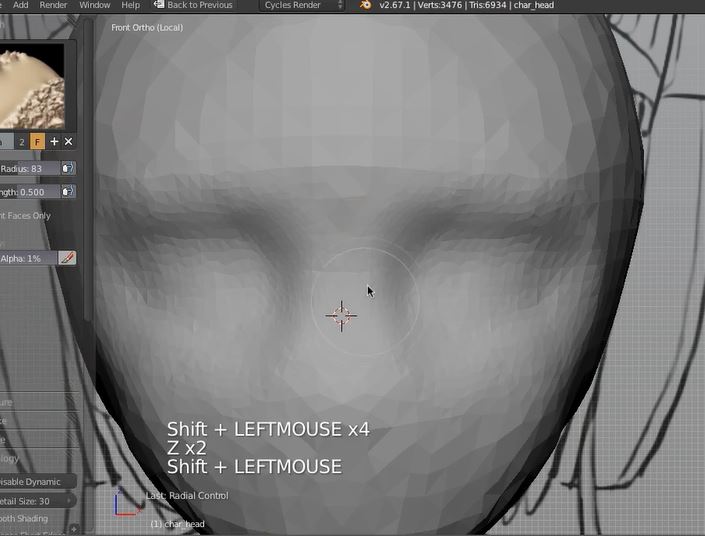
      How can it be like the second photo (the teacher’s mesh) that I attached. Which is a lot of verts and much smoother.
      btw, my blender version is 2.79. 

      Thank You!

      Mine

      Teacher

      #29041
      Jonathan Lampel
      Participant

        Hey there, if you’re using relative detail size, the amount of geometry depends on how close you are viewing the mesh. Zoom in closer for more topology. That said, there’s no reason to need much detail at the stage you’re at. Hope that helps! 

        #29042
        Dim 99
        Participant

          Hi Jonathan,

          ‘if you’re using relative detail size, Zoom in closer for more topology’ >> I see

          there’s no reason to need much detail’ >> Yes, but I just want to know why that is so, lol

          Alright, Thank You for the response!

        Viewing 3 posts - 1 through 3 (of 3 total)
        • The topic ‘Why your mesh so high vertz. but mine is low vertz’ is closed to new replies.