Why the Snapping movement as I Scale X axis on the Bezier Circle

Forum Archive Why the Snapping movement as I Scale X axis on the Bezier Circle

Viewing 5 posts - 1 through 5 (of 5 total)
  • Author
    Posts
  • #17341
    wrongwright
    Participant

      It was smooth when I was first working with the Weld modifier.

      #83414
      Martin Bergwerf
      Participant

        Hi @wrongwright ,

        Don’t do that!

        I don’t understand, why you would even want to Scale something that has a Size of 0 in the X-Axis, in that Axis…

        But Scaling the Circle, changes the Scale of the Coordinate System of the Curve and Scaling in one Axis only (no matter which one), makes the Length Calculation incorrect and thus the Fit Curve gets it wrong.

        #83415
        wrongwright
        Participant

          You got me, I will be reviewing the video again.  I’m going back a save and redoing or starting over again.

          #83416
          Omar Domenech
          Participant

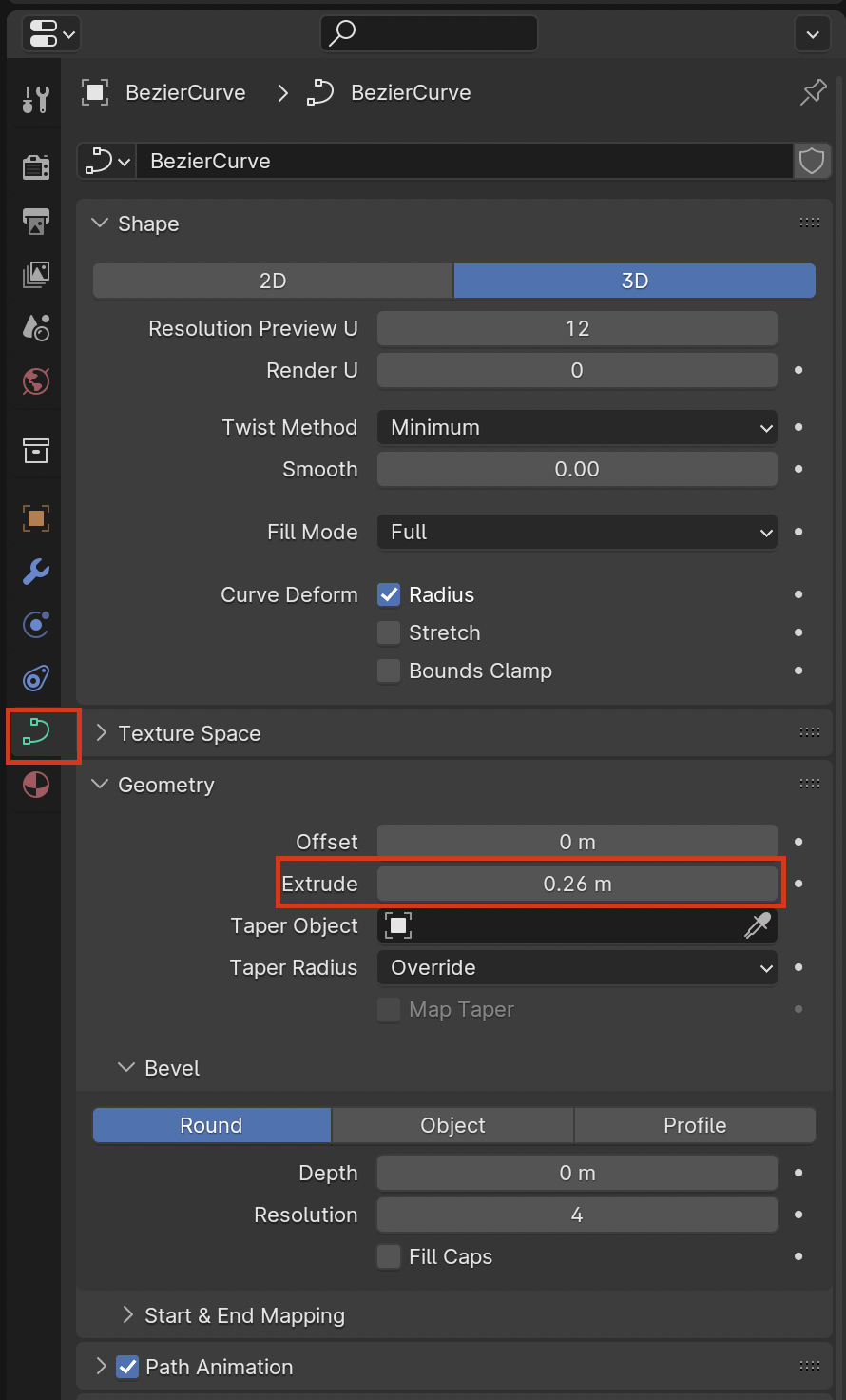
            Yes the curve is infinitely thin, there is no scaling like that. In this case the curve is just a guiding object, but if you wanted to give the curve some thickness, you can use the extrude parameter:

            Curve-Extrude.png

            #83417
            wrongwright
            Participant

              Thanks all.   I have finally finished the first Chapter hahaha (took long enough)…I did misspeak earlier, long story short all I wanted to do was scale the Bézier curve using Scale.  For some reason, I was mixing it up with X for some reason.  Got it solved and now I even wrote out a Step by Step with picture for myself to refer back when needed.

            Viewing 5 posts - 1 through 5 (of 5 total)
            • The topic ‘Why the Snapping movement as I Scale X axis on the Bezier Circle’ is closed to new replies.