
Why is my UV Unwrap nowhere near what this video shows?
Forum Archive › Why is my UV Unwrap nowhere near what this video shows?
- This topic has 6 replies, 3 voices, and was last updated 1 year, 6 months ago by
Omar Domenech.
-
AuthorPosts
-
February 18, 2025 at 1:09 pm #19725
I’ll be attaching a pic in the followup
February 18, 2025 at 1:19 pm #93254Yet another attempt to get through Cloudflare…
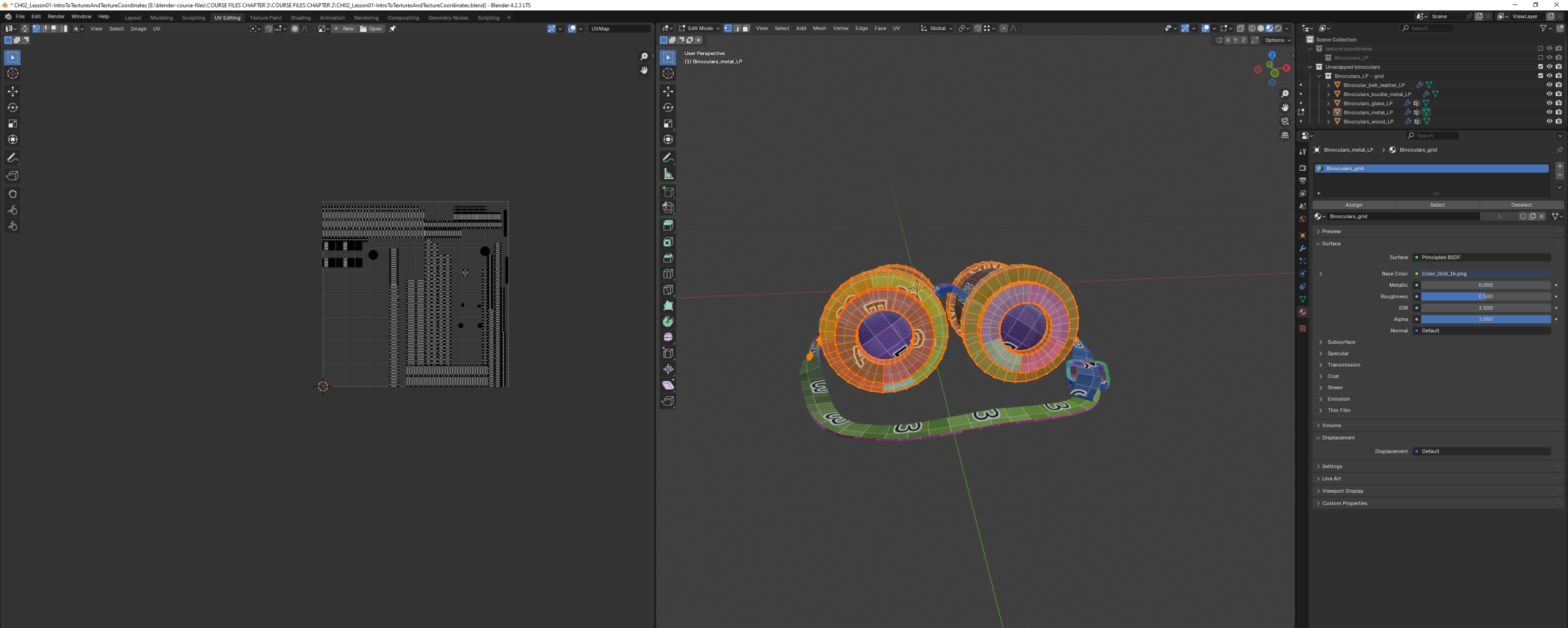 February 18, 2025 at 1:43 pm #93255
Hello Joe. Can you give us more details? Like what are you doing exactly and how does it compare to how it is on the video. Perhaps your UV seams are in the wrong place or you’re missing an edge when you mark seam.
February 18, 2025 at 2:21 pm #93256Hi Joe @Merijeek ,
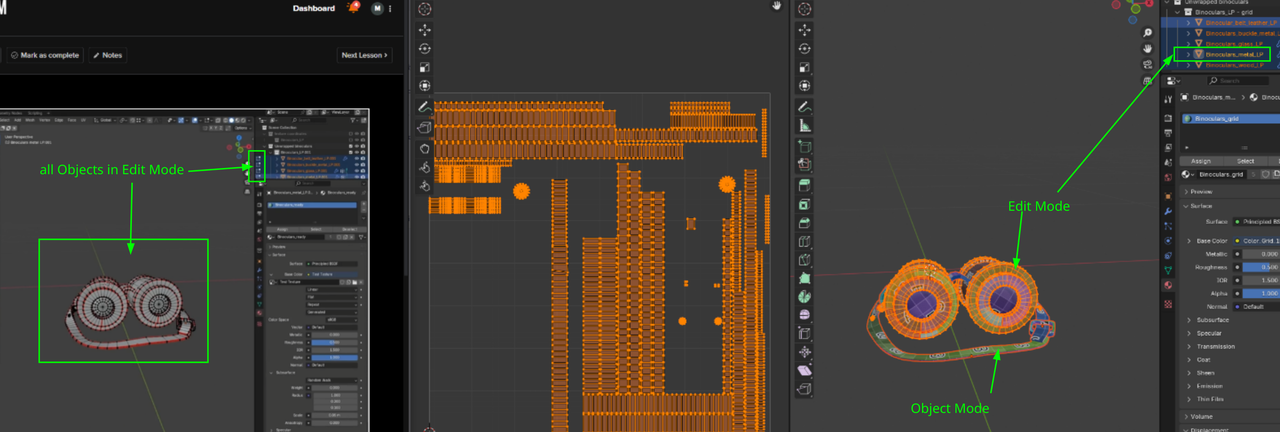
One thing that makes it different, is that you don’t have everything Selected in the 3D Viewport, so you only see part of the Unwrap.
February 18, 2025 at 3:51 pm #93257I can do my best, but not sure how well I can describe what I’ve done. I’m simply following the video to the best of my ability.
I open this file: CH02_Lesson01-IntroToTexturesAndTextureCoordinates.blend
I get to 1:50 in the video, where she opens a file, presumably named color_grid_1k.png. But that file is nowhere in the download for chapter two. The instructor says I can drag the file in, but, of course, I can’t, because it doesn’t exist. You can actually see in the video where she goes through the motions to load the file, but it’s invisible in the video for some reason.
Fortunately, I can find it under add-texture-image as something that’s preloaded into the .blend file.
At 2:49, I’m looking pretty much the same as the instructor. Although how she gets the shader material to show up for Cylinder.001 when she doesn’t have it selected (I tried in the collect and directly on the workspace, and in both cases, I only get the material when Cylider.001 is actually has the orange outline) I have no idea.
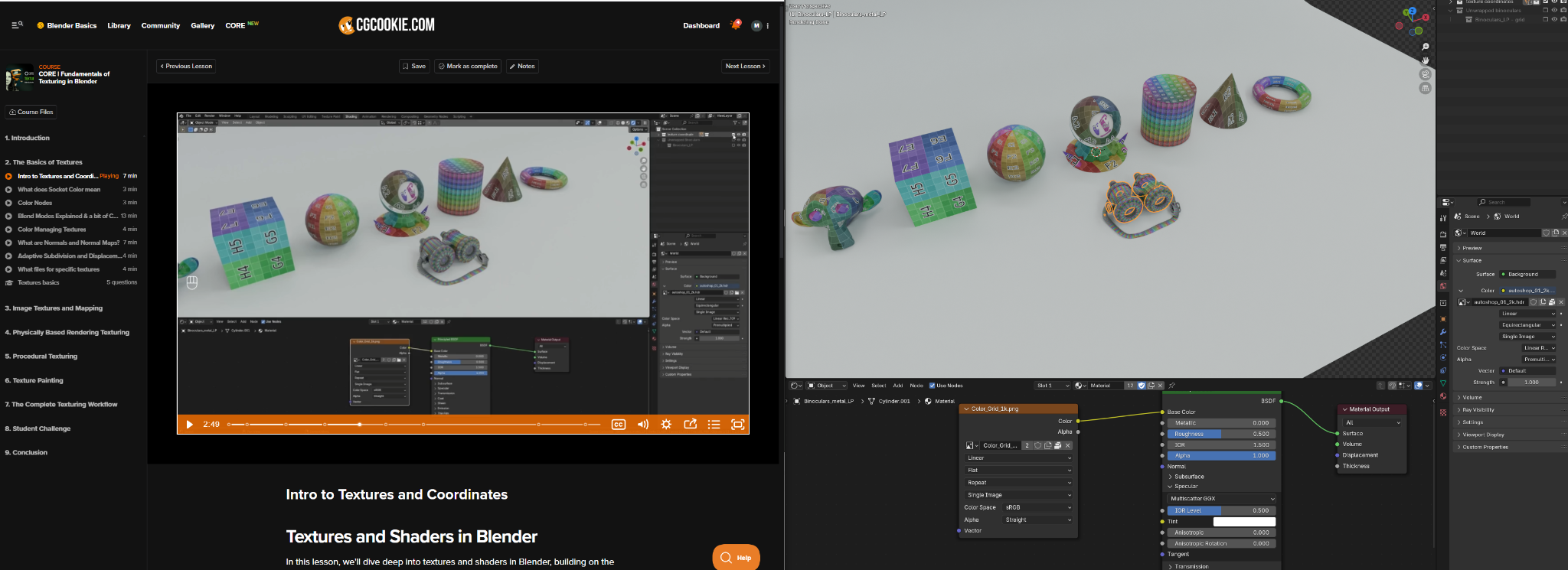
At 2:56, right before she switches to the UV editor tab:
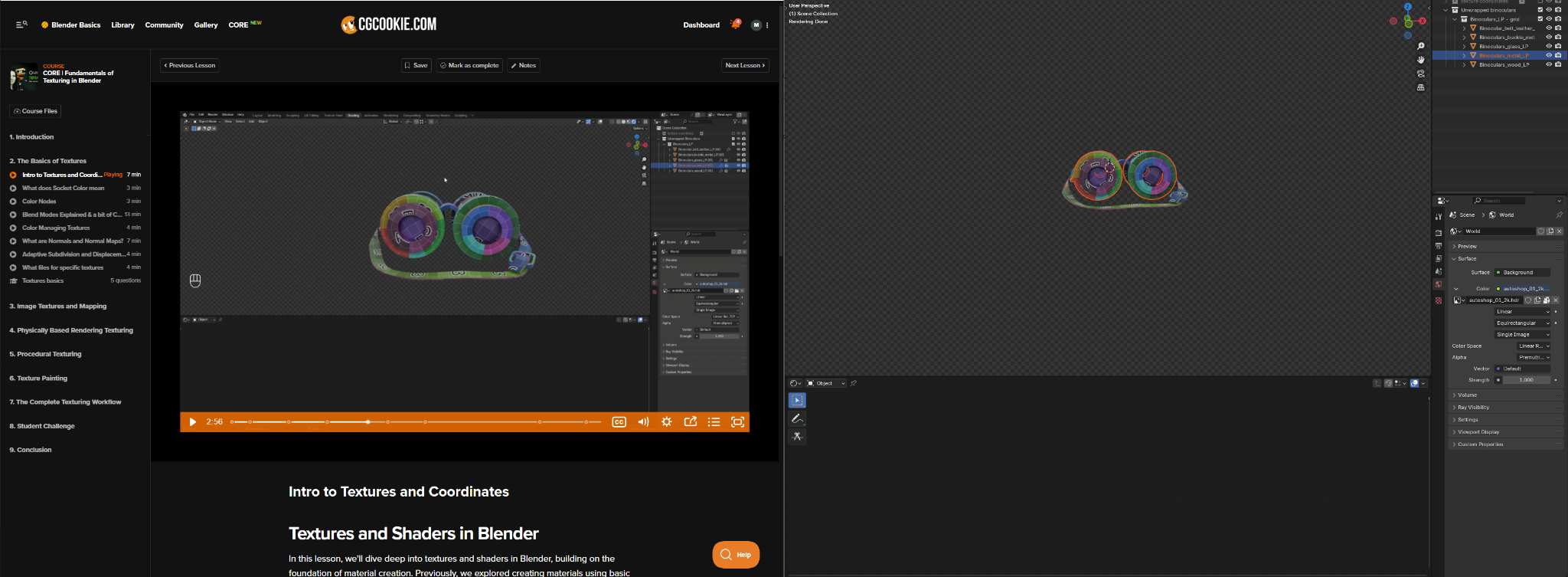
Two issues at this step. First, when she unchecked the first collection “texture coordinates”, it made her shader window blank out. Mine didn’t. Second, she’s got “Binoculars_metal_LP ” selected in the outliner, but there’s no outline in the workspace window. Not a big deal, but would be nice to know how/why.
At 2:58, she selects UV Editing up top. And so do I.
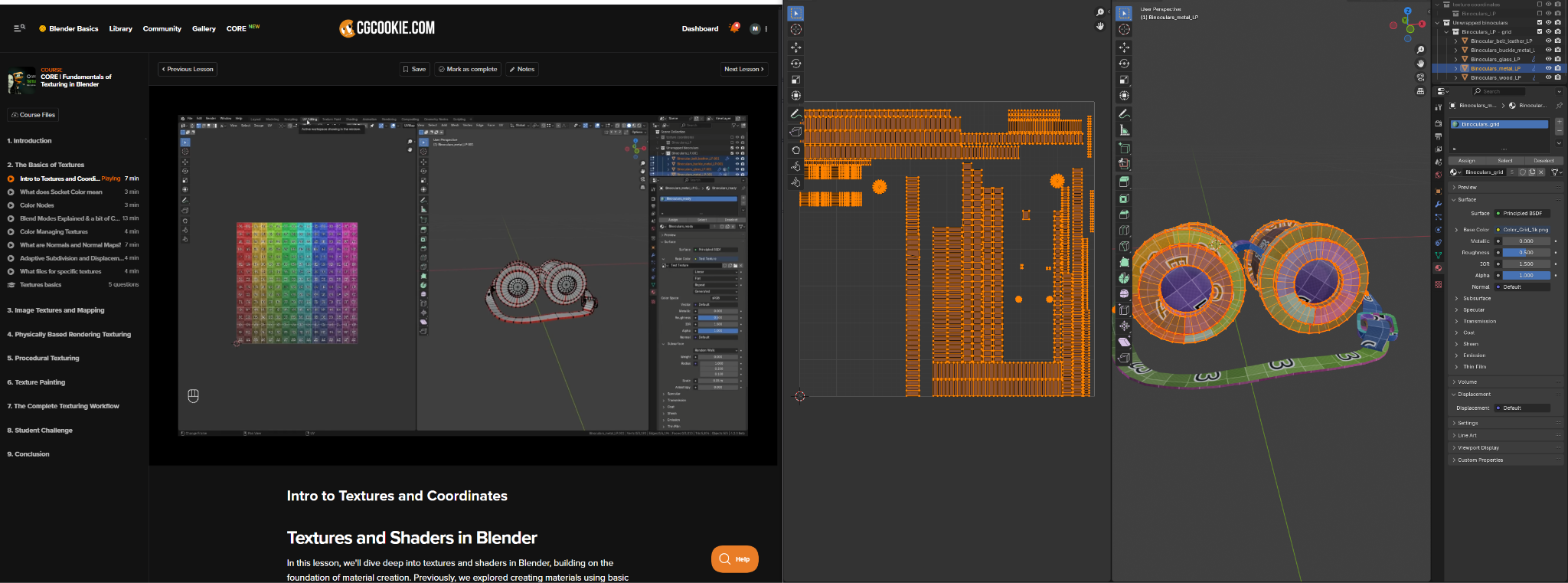
Now she’s got all 5 of the meshes selected on the right side. I’ve only got one, because that’s what was selected in the previous step before the change to the UV Editing tab. Presumably she left that step out, which is generally a bad move to make in an instructive video. But ignoring that, fine, I go ahead and select the same 5 meshes.
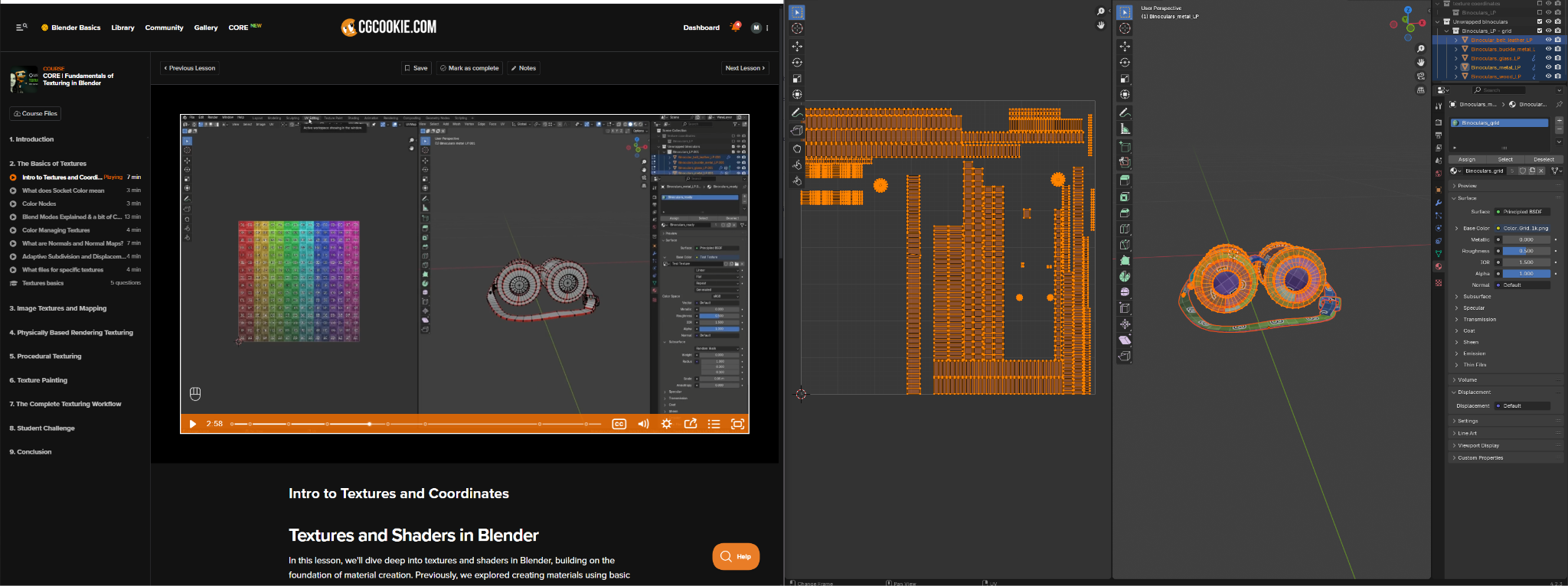
Nothing changes that I can see:
Not a single color in the UV map. Selecting more on the outliner didn’t change how many vertices show on the UV editor.
And there you go. That’s how I got here.
February 19, 2025 at 1:39 am #93258Hi Joe,
first the last part, which was your original Question; You have all Objects Selected now, but only 1 is in Edit Mode:
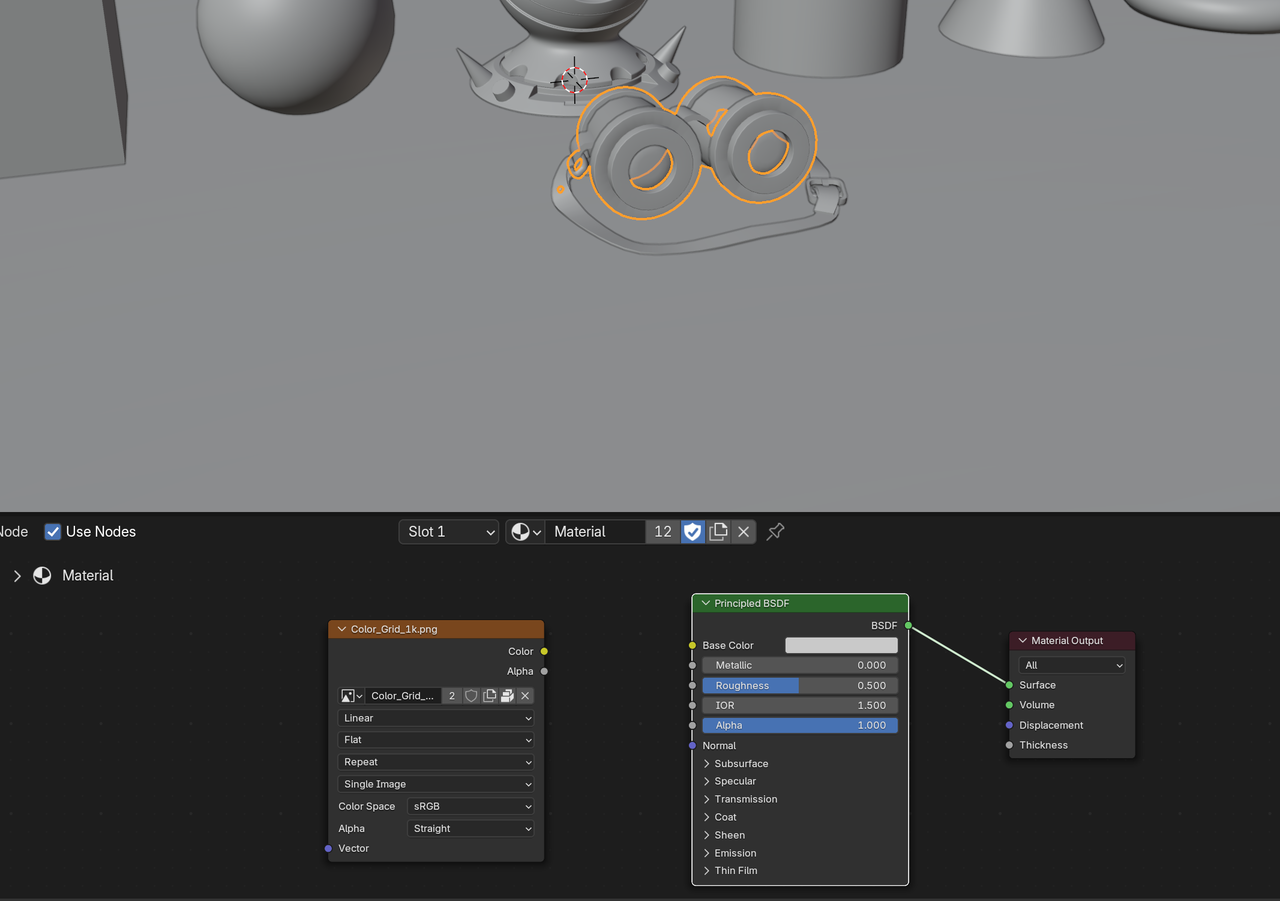
When I open the file, I get this:
 February 19, 2025 at 7:09 am #93259
You could also take a look at the same lesson in this version of the course:
https://cgcookie.com/courses/fundamentals-of-texturing-in-blenderMaybe you’ll find it easier as JL maybe goes a bit deeper, hopefully not more confusing. Then you can come back to this more updated one.
AuthorPostsViewing 7 posts - 1 through 7 (of 7 total)- The topic ‘Why is my UV Unwrap nowhere near what this video shows?’ is closed to new replies.


