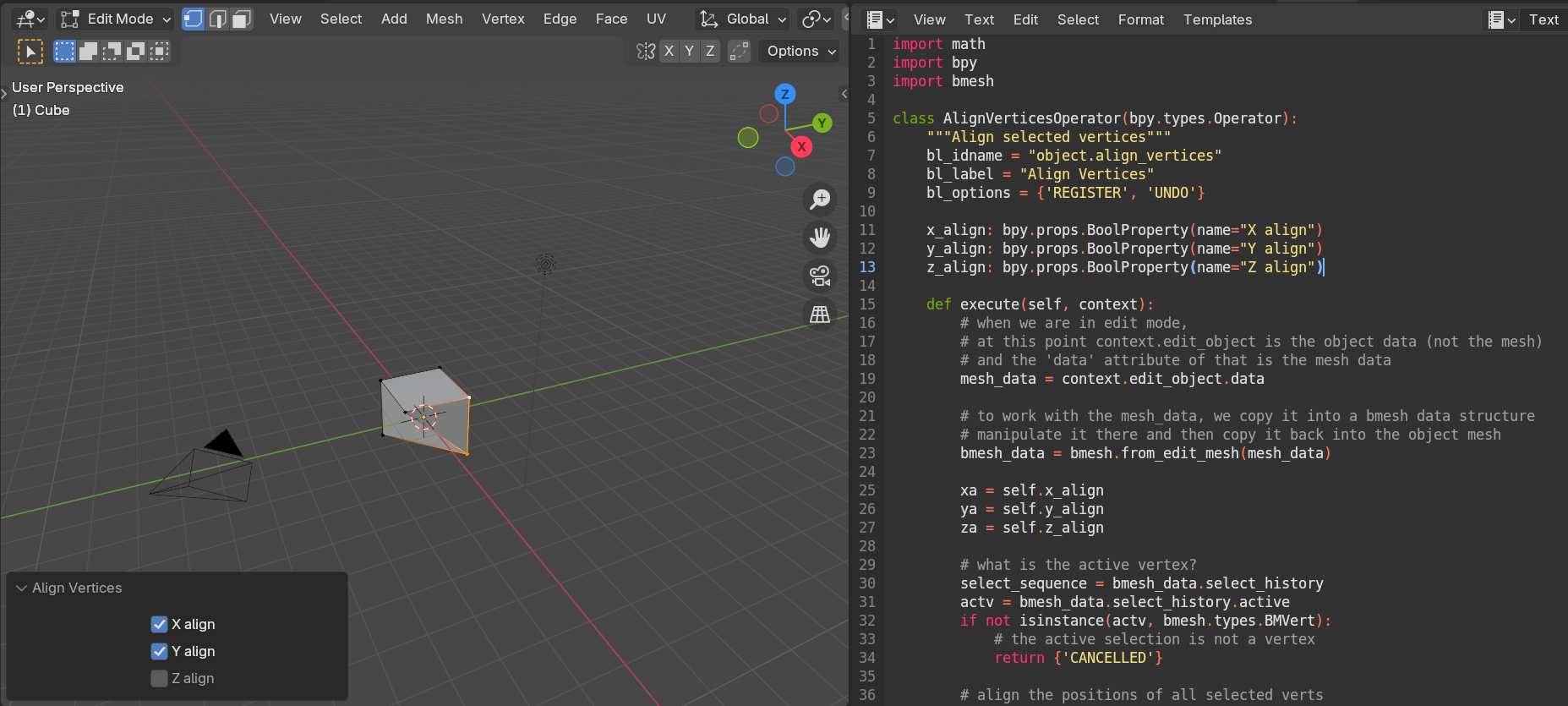
As an exercise, I tried writing an operator that would align vertices of a mesh in edit mode. The code works – except that I don’t get a redo panel that allows me to set the values of my properties. What do I need to do so that the redo panel appears?
Note that I tried the example operator from https://docs.blender.org/api/current/bpy.props.html, and it worked (after fixing a python scripting error) – and I can’t really see any difference between that and my code. Maybe something about my identifiers or registration?
Thanks for any help – here is a copy of my operator:
import math
import bpy
import bmesh
class AlignVerticesOperator(bpy.types.Operator):
“””Align selected vertices”””
bl_idname = “object.align_vertices”
bl_label = “Align Vertices”
bl_options = {‘REGISTER’, ‘UNDO’}
x_align = bpy.props.BoolProperty(name=”X align”)
y_align = bpy.props.BoolProperty(name=”Y align”)
z_align = bpy.props.BoolProperty(name=”Z align”)
def execute(self, context):
# when we are in edit mode,
# at this point context.edit_object is the object data (not the mesh)
# and the ‘data’ attribute of that is the mesh data
mesh_data = context.edit_object.data
# to work with the mesh_data, we copy it into a bmesh data structure
# manipulate it there and then copy it back into the object mesh
bmesh_data = bmesh.from_edit_mesh(mesh_data)
xa = self.x_align
ya = self.y_align
za = self.z_align
# what is the active vertex?
select_sequence = bmesh_data.select_history
actv = bmesh_data.select_history.active
if not isinstance(actv, bmesh.types.BMVert):
# the active selection is not a vertex
return {‘CANCELLED’}
# align the positions of all selected verts
loc = actv.co
for vv in (vv for vv in bmesh_data.verts if vv.select):
if xa:
vv.co[0] = loc[0]
if ya:
vv.co[1] = loc[1]
if za:
vv.co[2] = loc[2]
# copy the mesh data back to the object
# (this happens automatically when switching back & forth between object & edit mode)
bmesh.update_edit_mesh(mesh_data, loop_triangles=True, destructive=False)
return {‘FINISHED’}
def menu_func(self, context):
self.layout.operator(AlignVerticesOperator.bl_idname, text=AlignVerticesOperator.bl_label)
# Register and add to the “vertex” menu
# (required to also use F3 search “Simple Object Operator” for quick access).
# we got the menu name by hovering over the menu (with Python Tooltips turned on)
def register():
bpy.utils.register_class(AlignVerticesOperator)
bpy.types.VIEW3D_MT_edit_mesh_vertices.append(menu_func)
def unregister():
bpy.utils.unregister_class(AlignVerticesOperator)
bpy.types.VIEW3D_MT_edit_mesh_vertices.remove(menu_func)
if __name__ == “__main__”:
register()

.