Why does scaling down the rivet’s backside UV-island change the stretching color of the front UV?

Forum Archive Why does scaling down the rivet’s backside UV-island change the stretching color of the front UV?

Viewing 13 posts - 1 through 13 (of 13 total)
  • Author
    Posts
  • #12515
    Ingmar Franz
    Participant

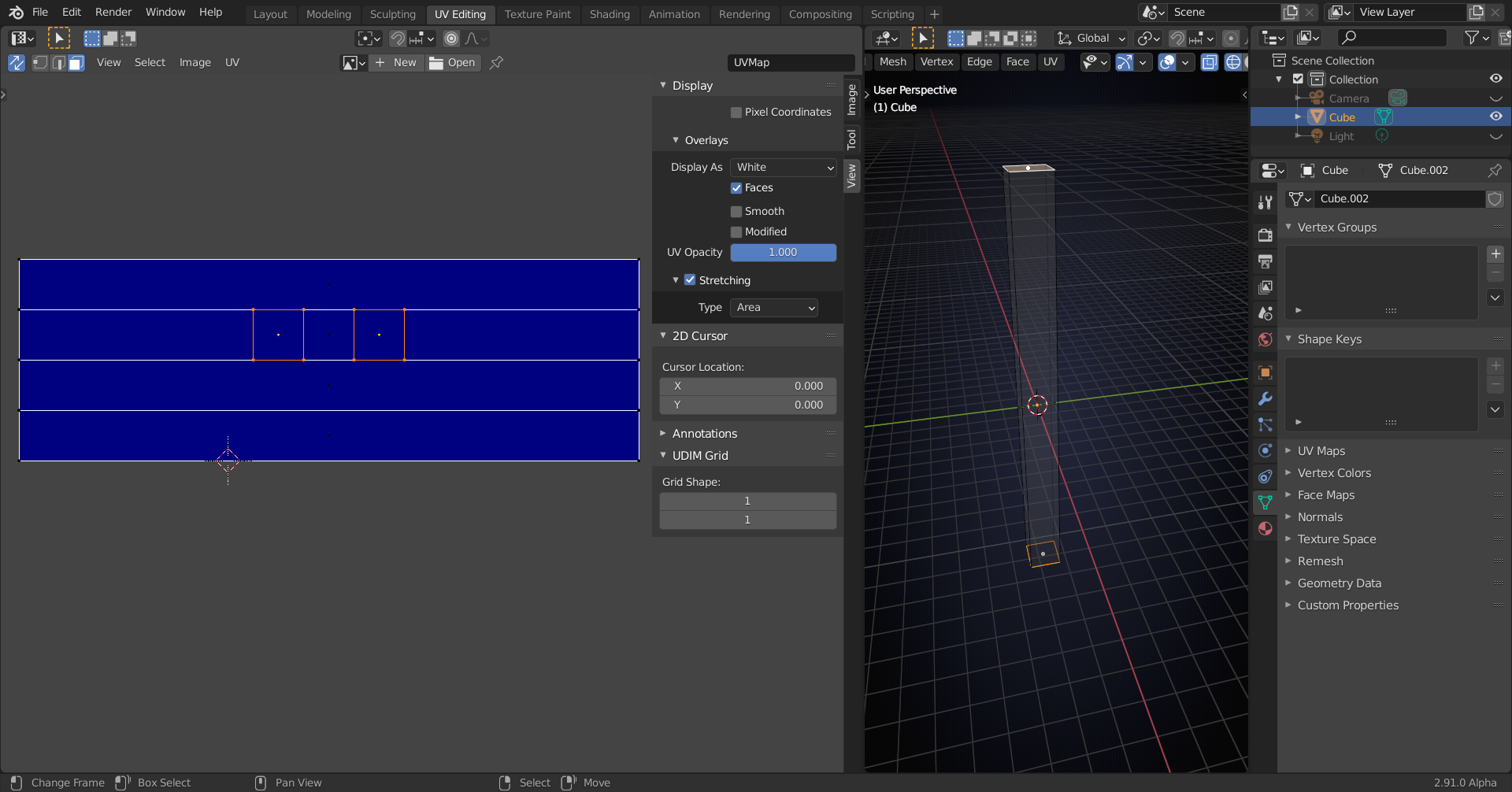
      I’m wondering why scaling down the rivet’s backside UV-island also changes the stretching color of the front UV although they aren’t connected.

      #59385
      spikeyxxx
      Participant

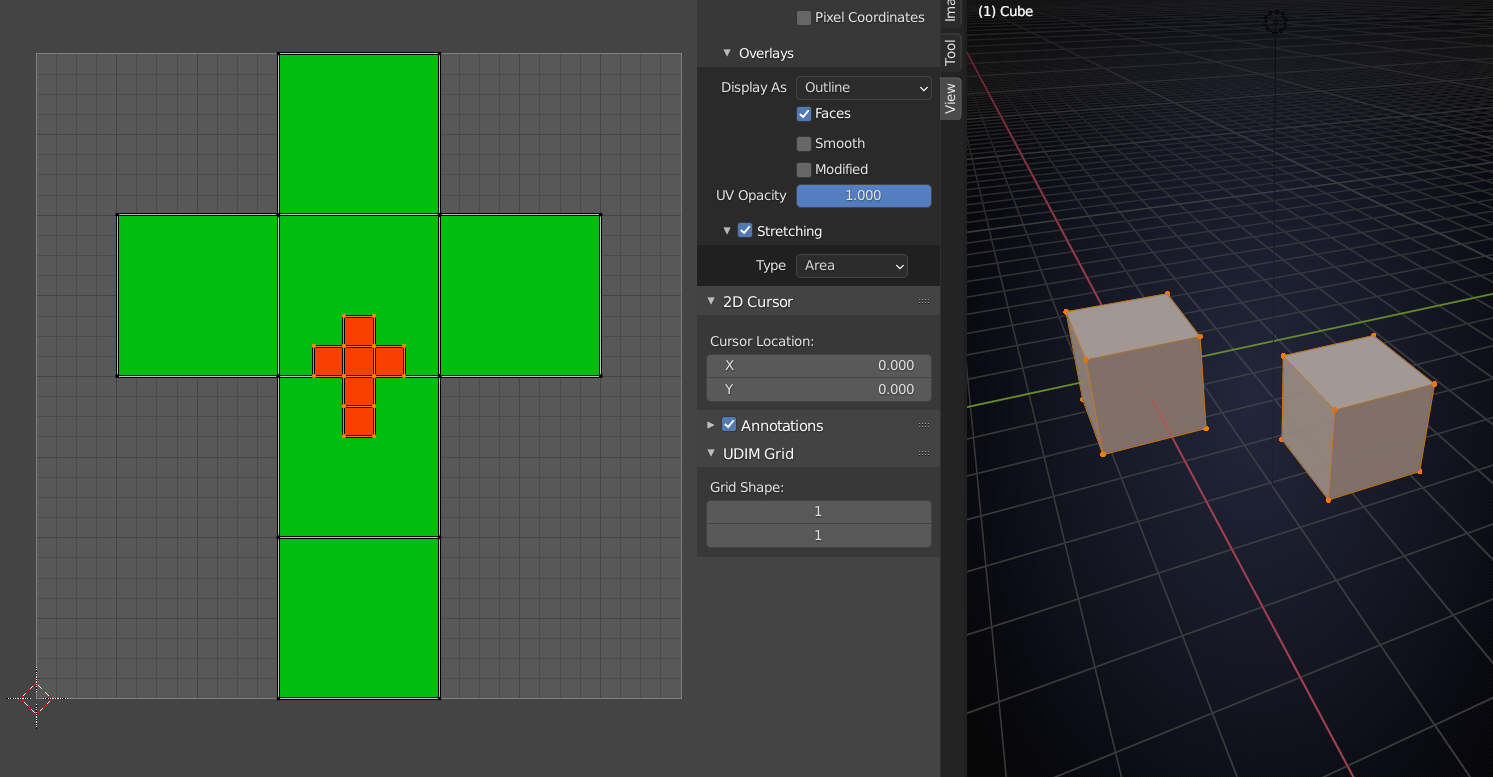
        Yeah, it appears to take some kind of average of all that is in Edit Mode( , whether it is selected or not):

        So, even if in this situation you would deselect the ‘red’ cube (in the 3d viewport), the other cube will be green, although there is no distortion at all on that cube or its UV’s…

        #59386
        spikeyxxx
        Participant

          There was a ‘lengthy’ discussion about this and similar strange area stretching behavior (is it a bug?) here: https://blog.cgcookie.com/forums/topic/downloading-this-file/

          #59387
          Ingmar Franz
          Participant

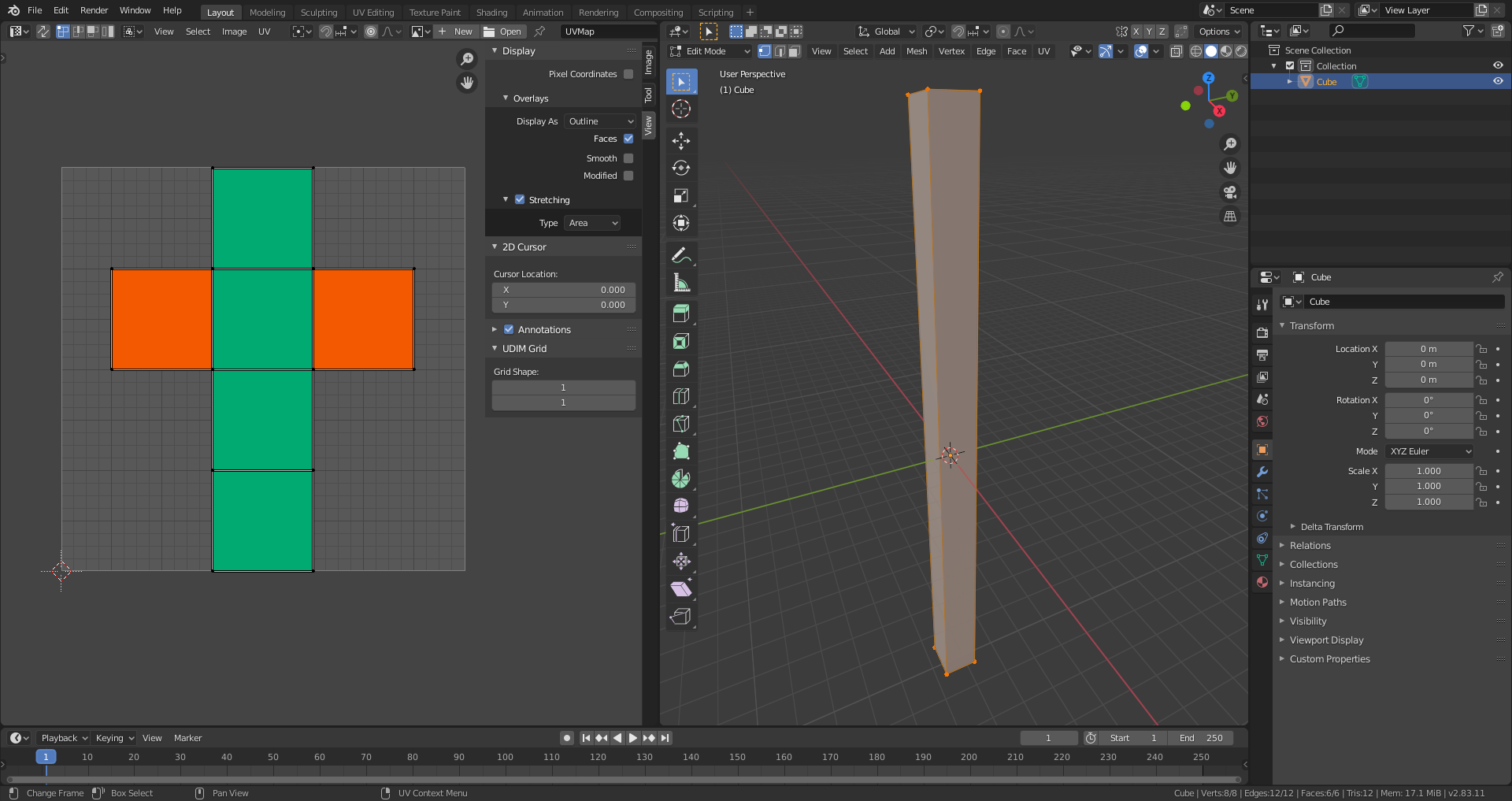
            Thanks, @spikeyxxx, I also saw this behaviour when scaling the default cube only along global Z. Even the undistorted top and bottom squares changed their stretch color.

            #59388
            spikeyxxx
            Participant
              #59389
              Ingmar Franz
              Participant

                Thank you,  @spikeyxxx, for this demonstration. I get this just when scaling the default cube along global Z by factor 16:

                #59390
                Ingmar Franz
                Participant

                  Are these cubes mesh islands in the same object or separate objects?

                  #59391
                  spikeyxxx
                  Participant

                    The same, duplicated a cube in Edit Mode

                    #59392
                    spikeyxxx
                    Participant

                      I’ll look into that later, I’m at the other side now (stream)…

                      #59393
                      Ingmar Franz
                      Participant

                        @spikeyxxx This was the fastet answer ever from you to one of my questions 😀👍: Just a few seconds!

                        #59394
                        spikeyxxx
                        Participant

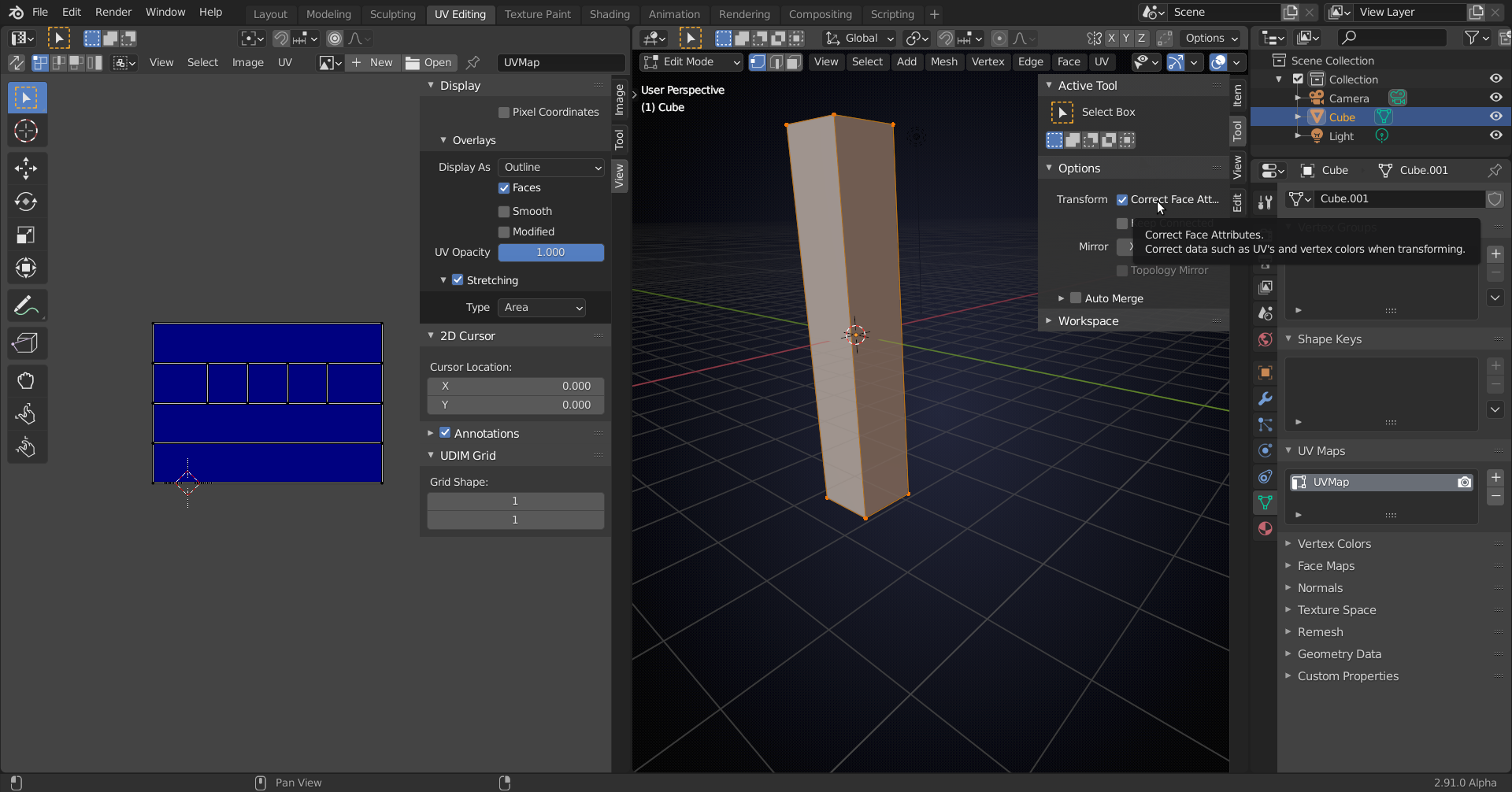
                          @duerer Strange, but since version 2.90 Beta there is a new option:

                          Haven’t completely figured out what it is doing, but it keeps the blue, at least in this situation…

                          The Cube now suddenly has 7 Faces if I see this right, four stretched ones and 3 square ones….curiouser and curiouser…

                          #59395
                          spikeyxxx
                          Participant

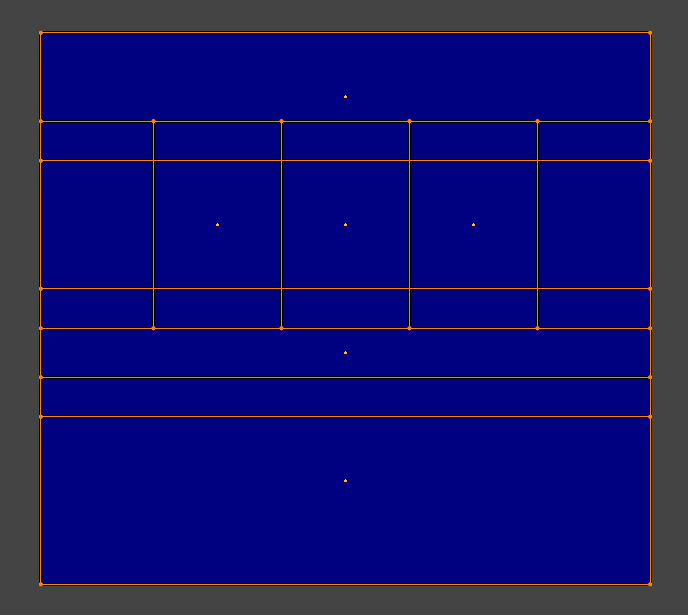
                            I must correct that last remark: looking at the Face Dots, it’s still just 6 Faces (luckily):

                            #59396
                            spikeyxxx
                            Participant

                              @duerer maybe it is something like this:

                              here the UV plane is stretched:

                              When we scale this down in  X direction (U), to make it 1 by 1 again, then the 4 long sides of the cube are still stretched in X direction, while the two square sides will be squashed down in X direction.

                              More of an intuitive idea, than an actual explanation, but still…

                            Viewing 13 posts - 1 through 13 (of 13 total)
                            • The topic ‘Why does scaling down the rivet’s backside UV-island change the stretching color of the front UV?’ is closed to new replies.