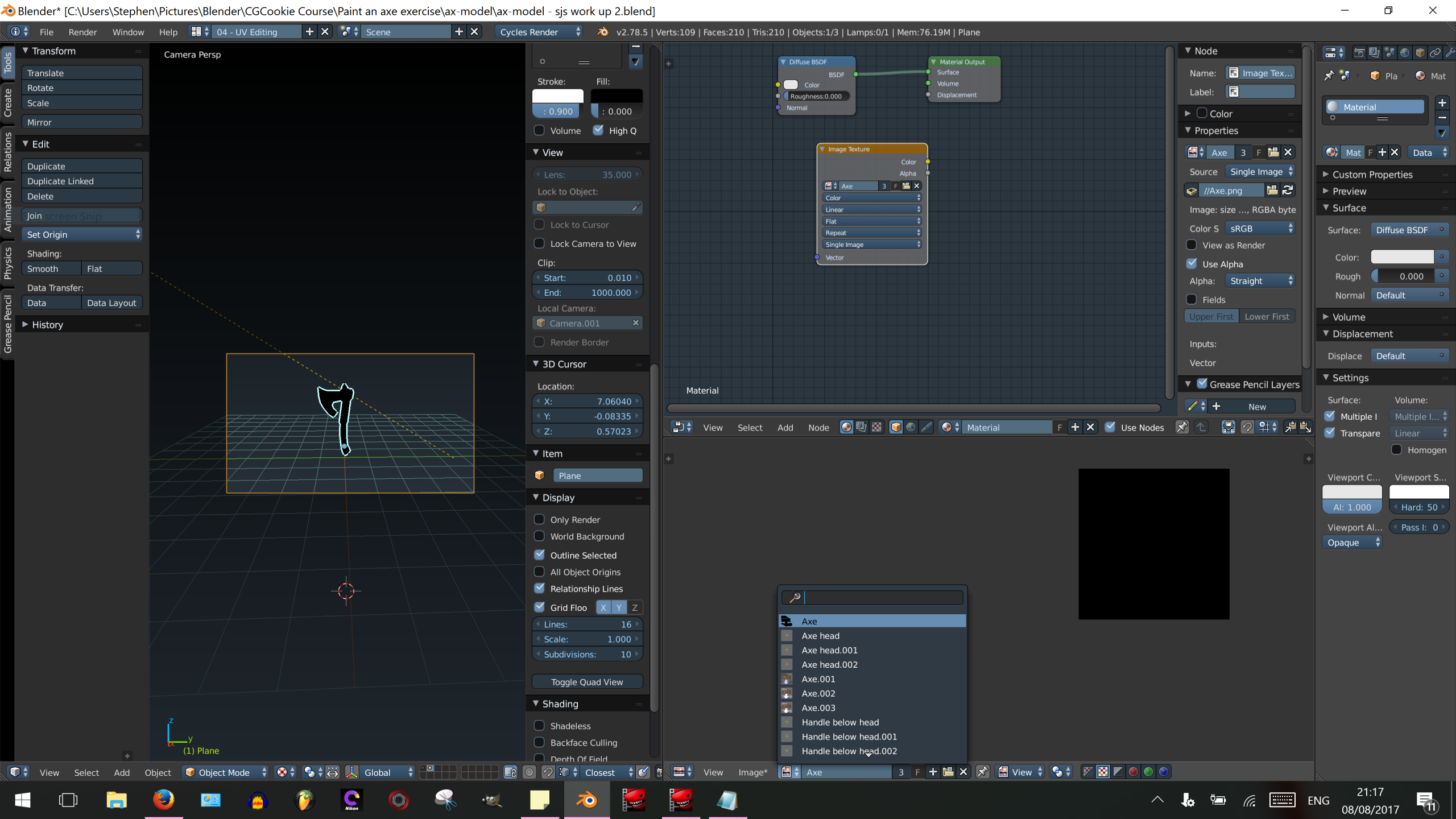
Why a black UV map?

Forum Archive Why a black UV map?

Viewing 5 posts - 1 through 5 (of 5 total)
  • Author
    Posts
  • #6311
    stephensamuels
    Participant

      Your teaching is very light on the back end of these exercises – ie how to close them off ready for upload.  I’ve done the best i can but have ended up with a black UV map after baking.  I’ve no idea how to get my painted detail onto the object and save it in a way that allows uploading to SketchFab.  You can see the various images i have at the bottom.  Axe is my working image (all black) Axe.001 etc show the colouring.

      #25204
      Jonathan Lampel
      Participant

        Hi Stephen, apologies for the confusion – no baking needed! For your Axe.001 texture, go to Image -> Save As to save it to an image file. Then you can use that image as the base color texture in Sketchfab: https://help.sketchfab.com/hc/en-us/articles/202600873-Materials-and-Textures#textures

        #25205
        Daniel Devner
        Participant

          Try going to the file menue and going to external data. From there select “automatically pack into .blend”.

          #25206
          stephensamuels
          Participant

            Thanks Jonathan.  Just shows that i don’t really understand the relationship between UV maps and textures, and the purpose of baking.  Where can i find out more on this?  Is there some background information on CGCookie I can have a look at?

            #25207
            stephensamuels
            Participant

              Thanks Render Fiend.  Not sure I understand how all this works.  Need to dig into it a bit more.

            Viewing 5 posts - 1 through 5 (of 5 total)
            • The topic ‘Why a black UV map?’ is closed to new replies.