
When is the course “complete?”
Forum Archive › When is the course “complete?”
- This topic has 14 replies, 5 voices, and was last updated 1 year, 11 months ago by
Jonathan Lampel.
-
AuthorPosts
-
September 9, 2024 at 6:06 pm #18693
When does that green bar over the course’s thumbnail get full? I’ve completed, submitted, and passed everything. It’s not a huge deal, and over the courses that I have finished so far I haven’t really cared about it. Yet with the CORE series, I really want to fill in all those green bars and collect all those points.
Cheerio!
September 10, 2024 at 4:04 am #89211do you perhaps still have the quizzes open?
i think if you have even watched all the videos, it will jump to the first open quiz or the one that is still open when you continue the course. but the experts know better 🙂September 10, 2024 at 4:33 am #89212Yeah Leo is correct, also I believe if your exercise submission is yet to be graded.
Once graded and passed it should mark as complete.September 10, 2024 at 7:23 am #89213I remember that happening to me as well. The exercise hadn’t been graded and I was eager to see my bar for the course full and have my badge and all. It’s like when playing a game and you want all the achievements or trophies, it’s a great feeling getting them all, same for a CG Cookie course.
September 12, 2024 at 10:03 pm #89214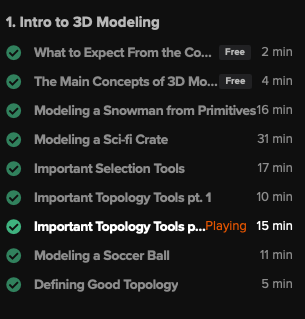
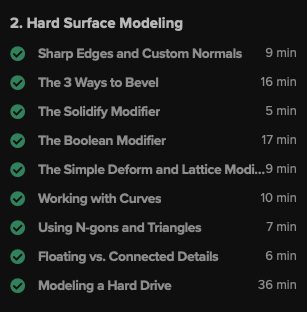
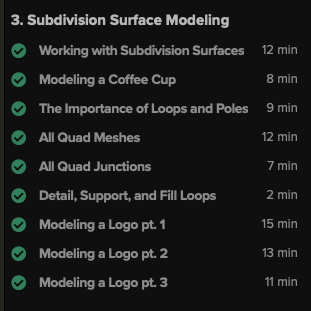
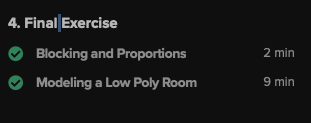
All green check mark’s here. Every quiz that has come across my screen has been completed. ‘Continuing course’ bounced me to back to this page. The assignment was submitted on the 1st, and graded as a ‘pass’ on Monday. Completed a course review, and submitted feedback.
Perhaps there is a blood sacrifice required of me?
Adrian, you indicate there is a specific quiz that you can see I have not completed. Where it can be found would be instructive.
September 13, 2024 at 2:58 am #89215That is strange. Continue the course brings you back to the video Chapter 1 “Important Topology Tools pt. 2” ?
I just see that this is highlighted. You can also manually mark videos as completed above the video.
I would just assume that it is because of this video and I would mark it once as not completed and then mark it again as completed. Maybe it will help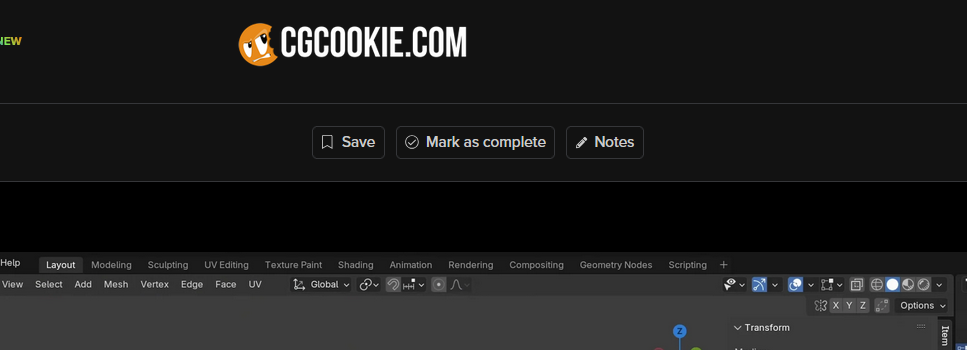 September 13, 2024 at 7:12 am #89216
So it may be a glitch in The Matrix. Adrian has connection in high places, he can probably move the issue up the chain and hopefully it gets fixed in no time.
September 13, 2024 at 8:33 am #89217Hey @Eric,
It is showing as this lesson is not complete…
What to take next and share your voice, Not sure why as it is not a lesson.
See if you can get it to complete by scrolling down the page and/or clicking on a link or two.
Maybe even linger on the page for a few moments.September 13, 2024 at 8:38 am #89218If nothing works, I’ll send it upstairs.
September 13, 2024 at 9:46 am #89219I think this was unintentionally misleading. Let me clarify: The images above was to show that all the lessons are green check marked complete. That “Chapter 1 “Important Topology Tools pt. 2″ is highlighted was incidental contact when I snapped the pic. When I wrote ” ‘Continuing course’ bounced me to back to this page,” I meant this page: ‘Conclusion and what to take next…” Taken together, it’s easy to see how this was misleading, a red herring, if you will. Sorry for that confusion.
Adrain, obviously I’ve been on this page since we are here chatting. My 5/5 review is posted, feedback was sent. Let’s try lingering ‘mark as complete.’
I appreciate the follow ups
September 13, 2024 at 9:55 am #89220I’ve ignored the ‘mark as complete’ button. Clicking it felt dirty.
You know, reverting back to not caring about points seems appealing atm.
September 13, 2024 at 10:02 am #89221That did it. 100% Woot!
September 13, 2024 at 1:00 pm #89222So what did it, lingering?
September 13, 2024 at 9:58 pm #89223Manually marking “Conclusion: What to take next” as complete.
September 16, 2024 at 11:46 am #89224I agree it is weird to have to do that. I’ll ask if we can mark lessons as optional so that they don’t count towards progress.
-
AuthorPosts


- The topic ‘When is the course “complete?”’ is closed to new replies.