
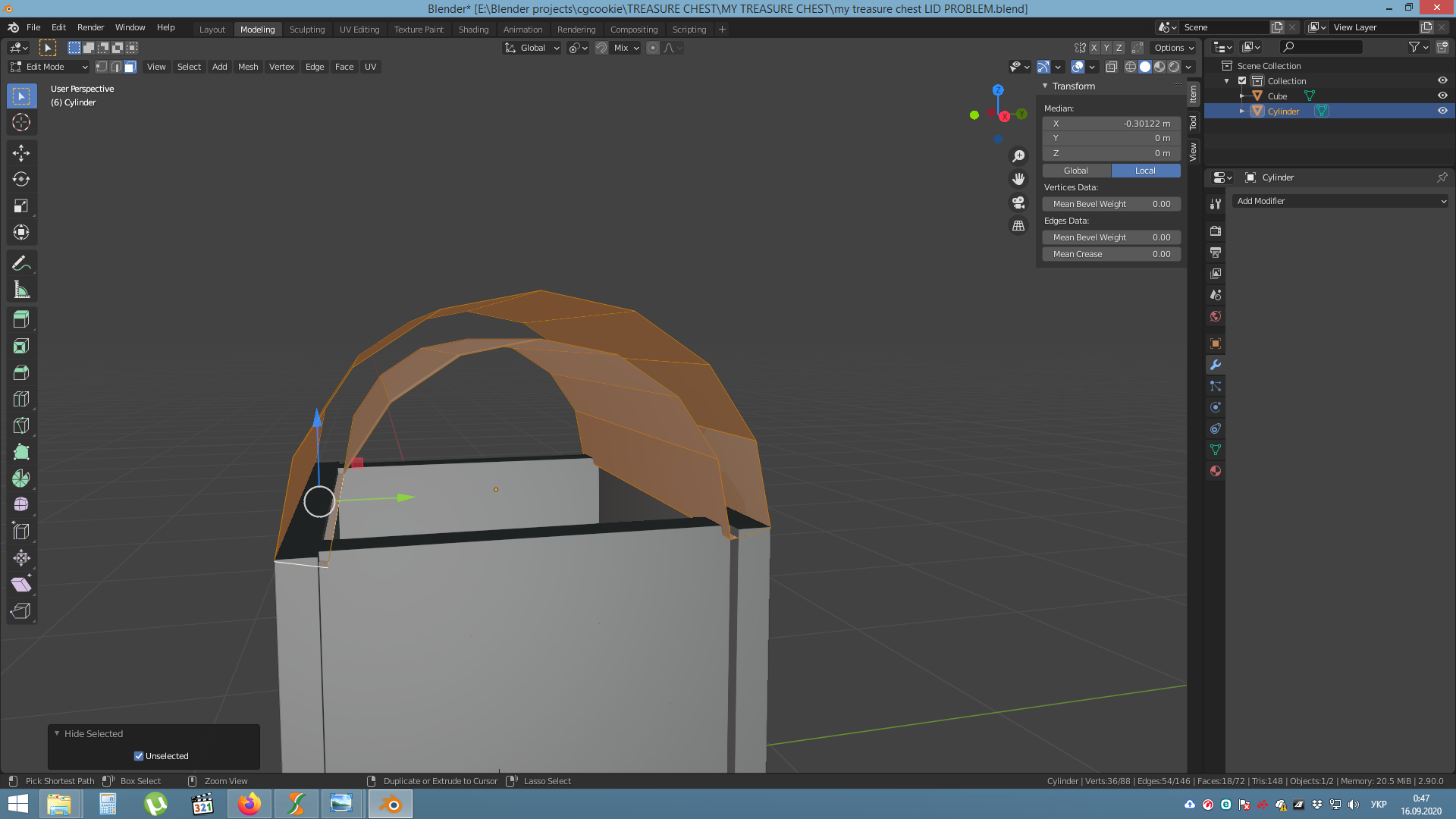
When extruding the lid planks, and doing Alt+S, I get planks without side faces.

Forum Archive When extruding the lid planks, and doing Alt+S, I get planks without side faces.

Viewing 5 posts - 1 through 5 (of 5 total)
  • Author
    Posts
  • #12644
    Bohdan Skochii
    Participant

      Basically, decided to re-do the tutorial just for practice, and got this problem.

      https://www.dropbox.com/s/rjnf32kxm47roev/my%20treasure%20chest%20LID%20PROBLEM.blend?dl=0

      Linked the project file with lid planks just before the Extrude.

      This time I can’t find a solution, and it creates more and more problems when I’m trying to fix those faces by filling. Any tips? Thanks!!

      #59997
      spikeyxxx
      Participant

        Hi Bohdan, you have a classical case of ‘double vertices’.

        Press M > Merge by Distance (with the lid selected) and it will ‘remove’ 18 vertices and then everything should work as expected.

        #59998
        Bohdan Skochii
        Participant

          Wow, I totally forgot about this….. Many thanks!

          UPDATE

          It seems it still doesn’t work in my case. It removes 26 vertices and I still got open planks… But when I re-create the lid part anew, it works…. weird stuff

          #59999
          raihau
          Participant

            Ok I’m facing the same issue and it’s driving me nuts! been on it for more than an hour trying to figure it out. 

            I’ve created heaps of cylinders and still face the same problem. I don’t get it when you say press M, because it does nothing to my lid. I don’t know if it’s the I have filled the sides but when I do fill them, this is when shit happens.

            #60000
            spikeyxxx
            Participant

              @raihau please provide a screenshot and when possible a link to your .blend file

            Viewing 5 posts - 1 through 5 (of 5 total)
            • The topic ‘When extruding the lid planks, and doing Alt+S, I get planks without side faces.’ is closed to new replies.