
What is the best way to model something?
Forum Archive › What is the best way to model something?
- This topic has 8 replies, 5 voices, and was last updated 2 years, 10 months ago by
546_student 546_student.
-
AuthorPosts
-
October 19, 2023 at 6:21 pm #16981
Hi!
I’m learning modeling in Blender and have a question about this.
Let’s say you’re modeling a motorcycle:
Should you model all the parts of the motorcycle separate and then join them together with ctrl + j in the end, or model everything as a whole piece from the start? (Not sculpting, but building on the previous piece and so on as much as possible). Or is there a better way?
And if you do keep all parts separate, does it matter if the topology of the pieces touch/overlap in some areas of the bike if they are close to each other, or could that cause a bad looking render?
Hope that was understandable.
Appreciate any help, thanks 🙂
October 19, 2023 at 7:09 pm #81712I generally follow if it’s separate pieces in its design. Then it should be separate pieces when modeling. The exception is if I’m modeling for 3D printing. As for joining the at the end, that’s more of a preference thing.
October 19, 2023 at 9:06 pm #81713That sounds good for separate pieces. Thank you!
October 20, 2023 at 6:44 am #81714Hey @546_student,
You could model each piece of the motorcycle as a separate objects,
you could model the whole motorcycle as one object,
or you could model one object with each piece separate in edit mode.None of these are wrong, only a preference and depending on the final use of the model (3d printing for example)
As for overlapping the mesh with another mesh, No don’t do that. Intersecting 2 faces at different angles is ok, but overlapping, No.
I personally, like to model each piece separately in edit mode and maintaining the gap as in the design of the motorcycle when all the parts are assembled.
I would model the first piece, usually starting with the easiest, duplicate the necessary edges for the adjacent piece, move them over to create the gap, model the adjacent piece, and then repeat for the next piece. This helps maintain a nice even gap and good clean topology.
I see some people model the same way, but make each piece a separate object. Its just a preference.For a 3d printed model you would need to model the whole motorcycle as one object and one continuous piece, no gaps.
The problem modeling this way from the start, is when you need to add an edge loop for example, it will loop round the whole model and probably to areas you don’t want, cause pinching and other artefacts.
It would be much better to model with the gap and when your done, work on filling the gap with faces or merging vertices.Good luck and share your progress and don’t forget to ask for feedback and tips along the way.
October 20, 2023 at 7:29 am #81715There is no hardcore solid rule, only best practices I guess. For me what I tend to do is model things as in real life industrial processes would. So if it’s a motorcycle, how are they put together in real life, I follow that approach. An office chair with wheels for example, each modeled part would be separated as they are in the chair for reals. It wouldn’t make any sense to have the wheels attached to the bottom piece, the wheels would be separated, a water bottle does make sense to be one single mesh, expect for the cap, that I would make separated, and so on and so forth.
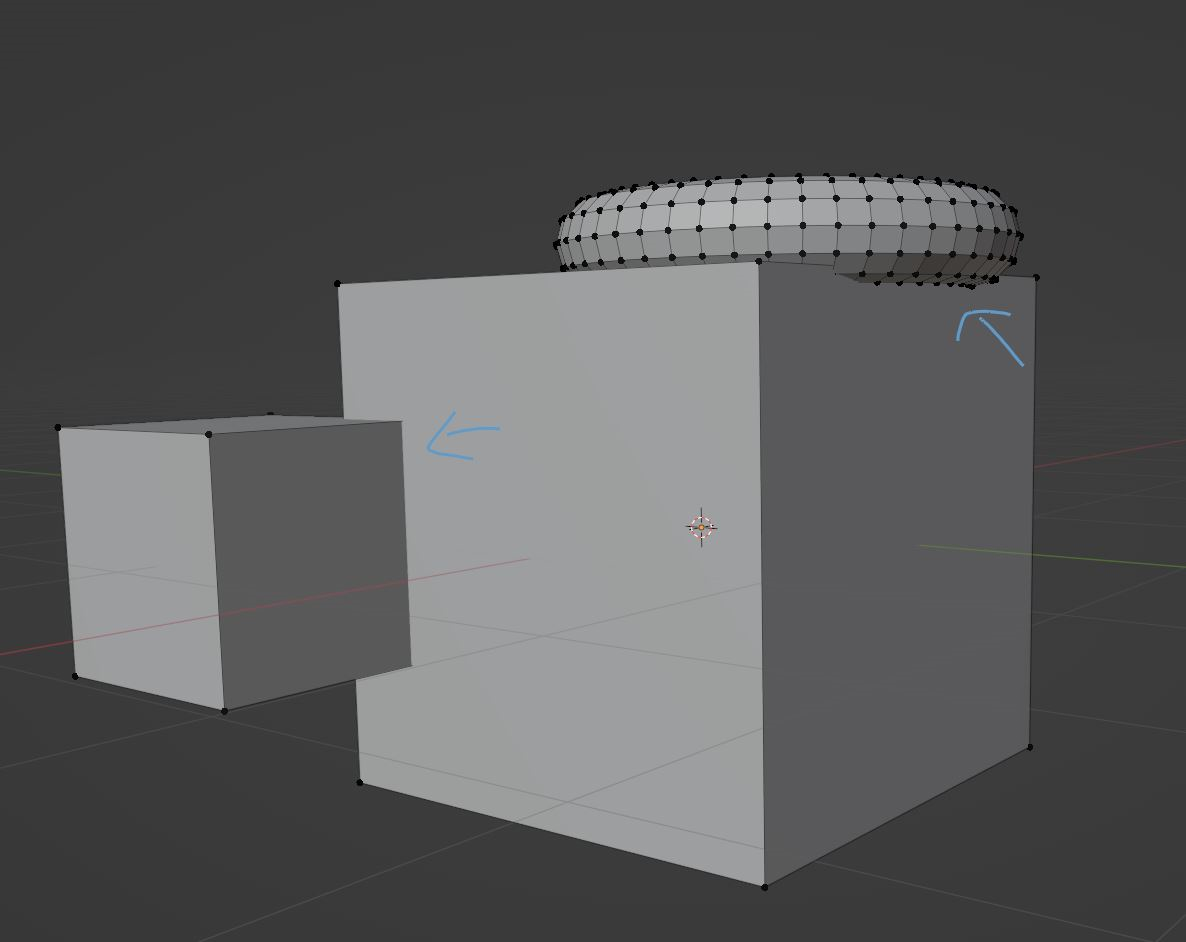
October 20, 2023 at 7:36 pm #81716I made an example scene here:
Is it important when assembling the final scene that the objects dont touch/overlap like on the first picture here, and that it’s important that there’s some small gap, if I’ve understood this correctly? When placing the separate parts of the motorcycle?
is this better?:
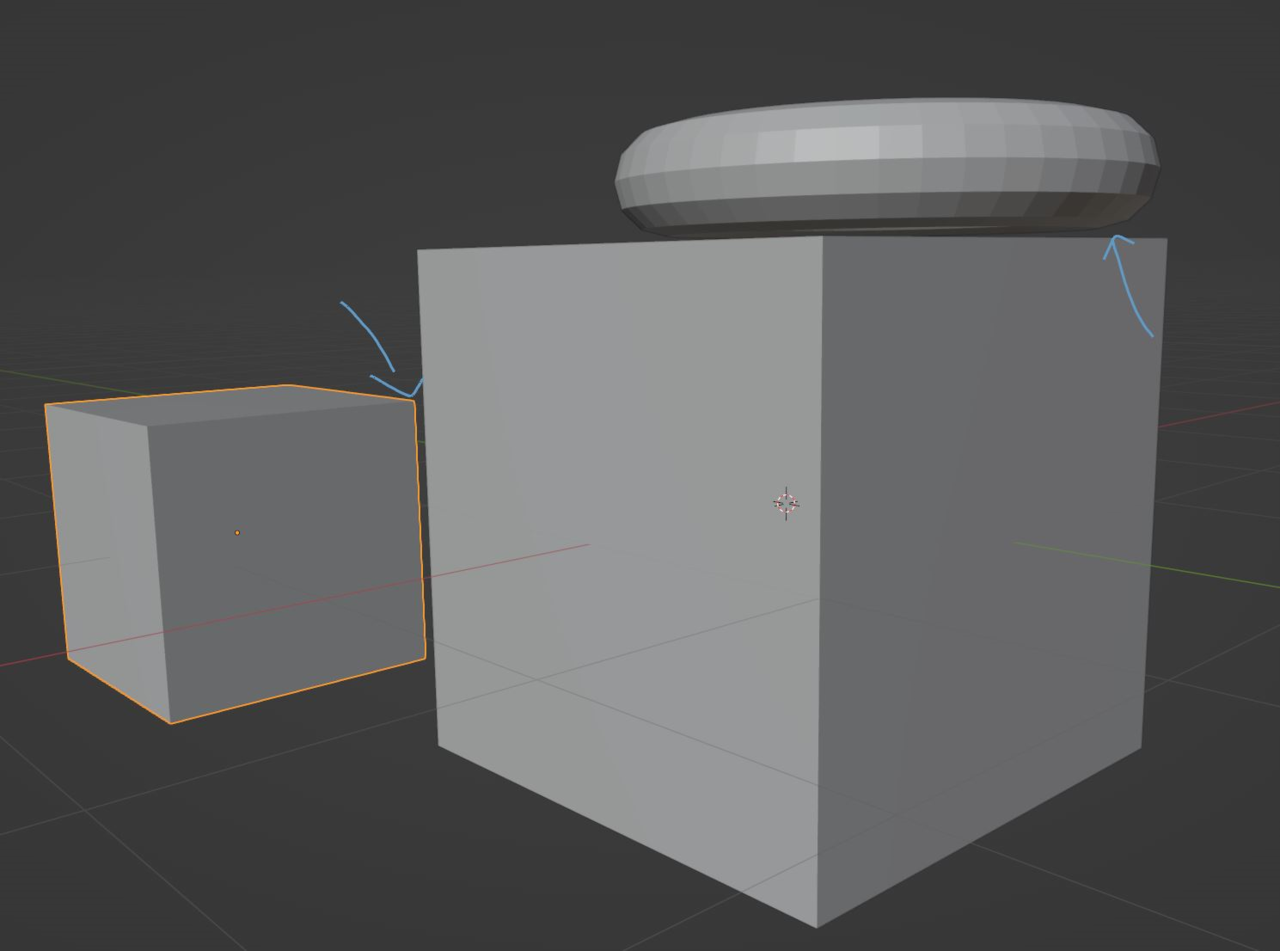 October 21, 2023 at 2:33 am #81717
Yes, intersections like in that first picture, are generally bad practice!
There is no need to (always) make a gap, if you have a chair standing on a floor, for instance, a gap makes absolutely no sense.
October 21, 2023 at 7:10 am #81718This is when snapping comes in handy, it will enable you to snap surfaces together just right without needing to worry about how close the are. As you take on the fundamentals and start learning all about it all those doubts will go away.
October 21, 2023 at 10:14 am #81719Thanks for the help, everyone! 🙂
-
AuthorPosts


- The topic ‘What is the best way to model something?’ is closed to new replies.