What is going on in this image? Can’t find any double vertices…

Forum Archive What is going on in this image? Can’t find any double vertices…

Viewing 5 posts - 1 through 5 (of 5 total)
  • Author
    Posts
  • #10684
    Eirik Guttulsrud
    Participant

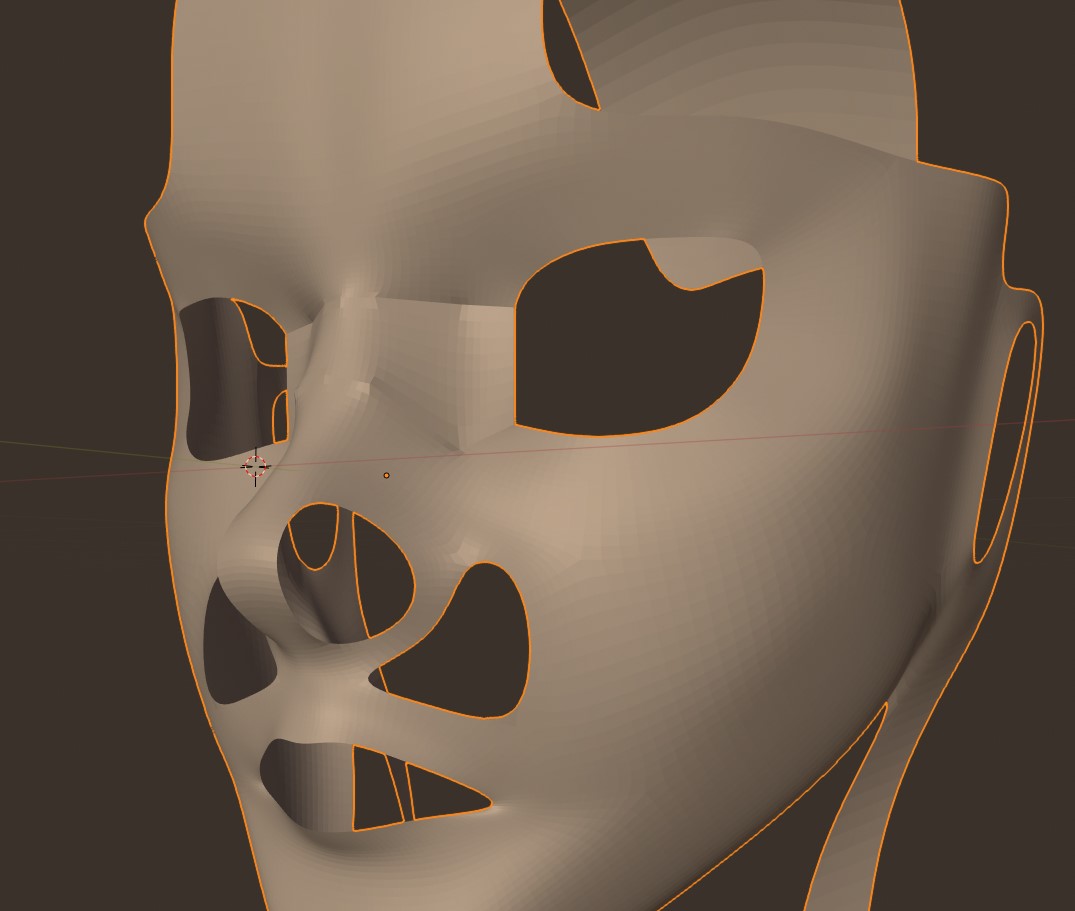
      So, after I added the subsurf this jarring surface transistion happened 😛 I have tried to remove doubles (or merge by distance, as this is Blender 2.8) but get back “0 verticles removed”. Can it be anything else?

      #50800
      Kaj Suominen
      Participant

        normals could be reversed on those. select everything in edit mode and do shift-n. if that doesnt fix it, would need to see blend file. also do alt-h in edit mode to unhide everything incase you have hidden some.

        #50801
        Eirik Guttulsrud
        Participant

          That was it! Thank you! I didn’t think it could be the normals because I didn’t get that dark shading you usually get with flipped normals…  

          #50802
          spikeyxxx
          Participant

            That dark shading is no longer used in 2.8!

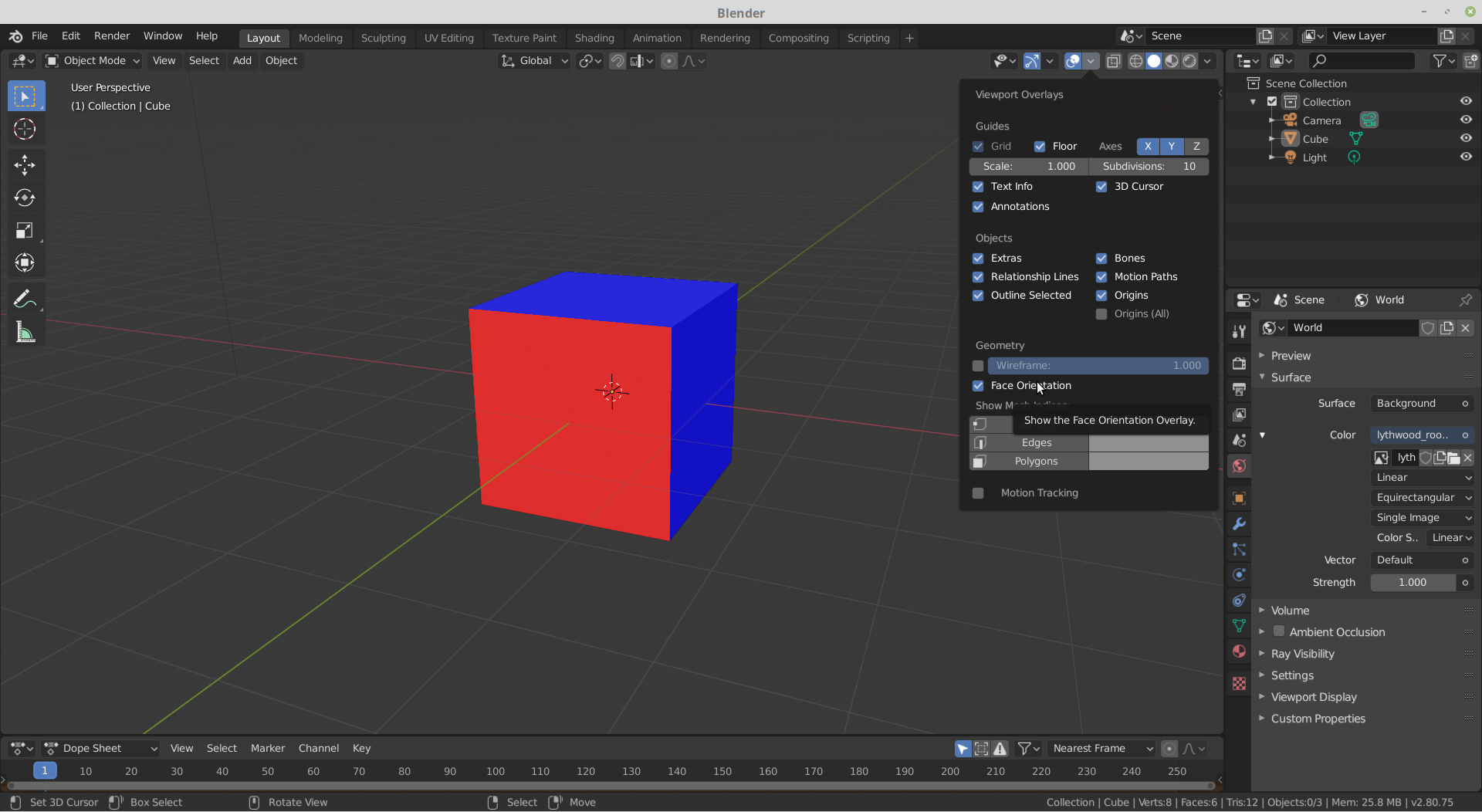
            You can however turn on Face Orientation in the Overlays; this will show faces with flipped normals in red, also in Object Mode…

            #50803
            William Miller
            Participant

              Really?  I don’t like that.  I wish I could immediately see which faces were bad.

            Viewing 5 posts - 1 through 5 (of 5 total)
            • The topic ‘What is going on in this image? Can’t find any double vertices…’ is closed to new replies.