What if my highest multires level is not close to yours in the video (~14 million polygons)?

Forum Archive What if my highest multires level is not close to yours in the video (~14 million polygons)?

Viewing 2 posts - 1 through 2 (of 2 total)
  • Author
    Posts
  • #14556
    Kent Trammell
    Participant

      I’ve seen some people finding themselves too far away from the polycount demonstrated in this course. For example level 5 being 7M and level 6 being 28M where my level 6 is 14M. This is a bad place to be because 7M is potentially not enough polygons to receive high-fidelity pore stamps while 28M is potentially too high for Blender to work with on most PCs.

      I want to offer 3 suggestions in this situation:

      1.  Stick with 7M and do the best you can with pores. Again, I suspect this isn’t enough for ideal pore detail but maybe it’s satisfying enough for you.
      2.  Up-resing your basemeshing and hoping praying that your multires sculpt data is maintained. You could increase polycount manually in the face of your basemesh and, if done carefully, multires might propogate the changes without exploding on you. Just make sure you utilize “safer” tools like cutting new edge loops and sliding components. You want to avoid destructive methods like deleting a section and retopologizing by extruding verts and filling into quads. This is usually way too much for multires to propogate safely.

        NOTE: Modifying the base mesh of any multires-sculpt is very risky! But I’ve done it enough (and succeeded enough) where it’s probably worth a try. Just save a new version to keep what you have first!

      3. Retopologize again and aim for a polycount similar to the one in the video, then shrinkwrap sculpt data. This is arguably the most robust / correct fix. Mathematically the above situation (7M at level 5 and 28M at level 6) means the base mesh is roughly double the polycount as the one demonstrated in the course: 6K instead of 3K (after mirror mod is applied).

        To correct this, another retopology (or significant modification to current retopo) could be utilized to get within the 3K polygon range. Then you can shrinkwrap the multires sculpt data to the new retopo like we did when transitioning from dyntopo to multires. Essentially this will rebuild your multires setup and allow you to sculpt more detail in a more ideal polycount.

        NOTE: This is a lot of work 😅

      #71691
      naiad
      Participant

        Oh, this is an interesting research!

        Here, I want to make sure that I understand what you said:

        Just make sure you utilize “safer” tools like cutting new edge loops and sliding components.

        The base mesh must be formed by thousands of quads (instead of triangles). Then to increase the resolution, do I enter into the Edit mode and press “Ctrl + r” to add loop cuts upon the already-retopologized model? Do I understand correctly please? 
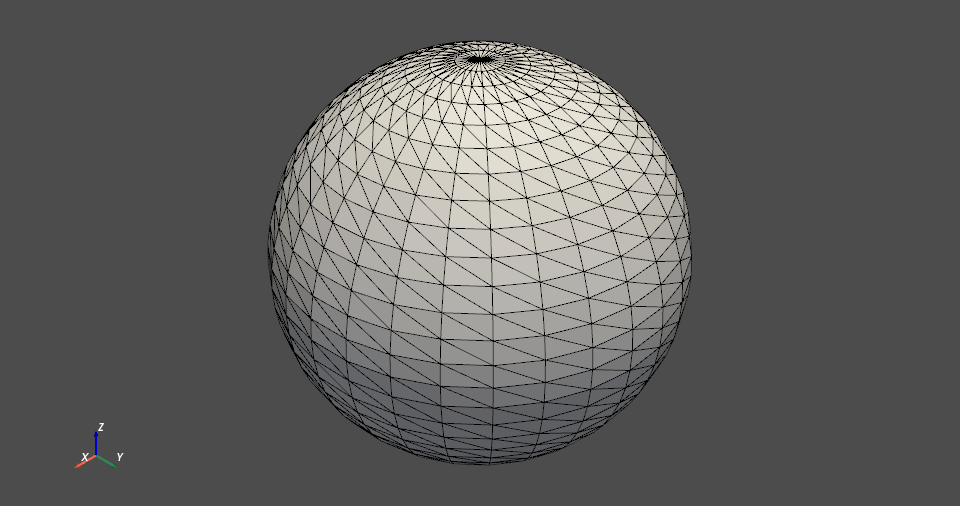
        But in some case, triangles are used for retopologization, since the following answer said:

        Quote:

        “any mesh is actually converted to triangles at the lowest level for rendering.” 

        https://blender.stackexchange.com/questions/99369/i-thought-you-should-never-use-triangles

        Do I still use “Ctrl + r” to add loop cuts in the triangular case please?

        Mathematically the above situation (7M at level 5 and 28M at level 6) means the base mesh is roughly double the polycount as the one demonstrated in the course: 6K instead of 3K (after mirror mod is applied).

        If the base mesh is 3K, then

        Level 0: 3K = 3K

        Level 1: 3K X 4 = 12K

        Level 2: 12K X 4 = 48K

        Level 3: 48K X 4 = 192K

        Level 4: 192K X 4 = 768K 

        Level 5: 768K X 4 = 3072K = 3.072M

        Level 6: 3072K X 4 = 12288K = 12.288M

        If the base mesh is 6K, then

        Level 0: 6K = 6K

        Level 1: 6K X 4 = 24K

        Level 2: 24K X 4 = 96K

        Level 3: 96K X 4 = 384K

        Level 4: 384K X 4 = 1536K 

        Level 5: 1536K X 4 = 6144K = 6.144M

        Level 6: 6144K X 4 = 24576K = 24.576M

        Are those a correct estimation please? 

        Thank you!

        P.S.  I find that adding computer memory is very helpful to handle high-poly mesh (e.g. 100 M polys). 32 GB memory is the minimum, 64 GB is great, 128 GB is ideal.

      Viewing 2 posts - 1 through 2 (of 2 total)
      • The topic ‘What if my highest multires level is not close to yours in the video (~14 million polygons)?’ is closed to new replies.