what if i don’t have a veiw menu?

Forum Archive what if i don’t have a veiw menu?

Viewing 5 posts - 1 through 5 (of 5 total)
  • Author
    Posts
  • #19142
    larz skelley
    Participant

      #91032
      Martin Bergwerf
      Participant

        Hi @blendernoob ,

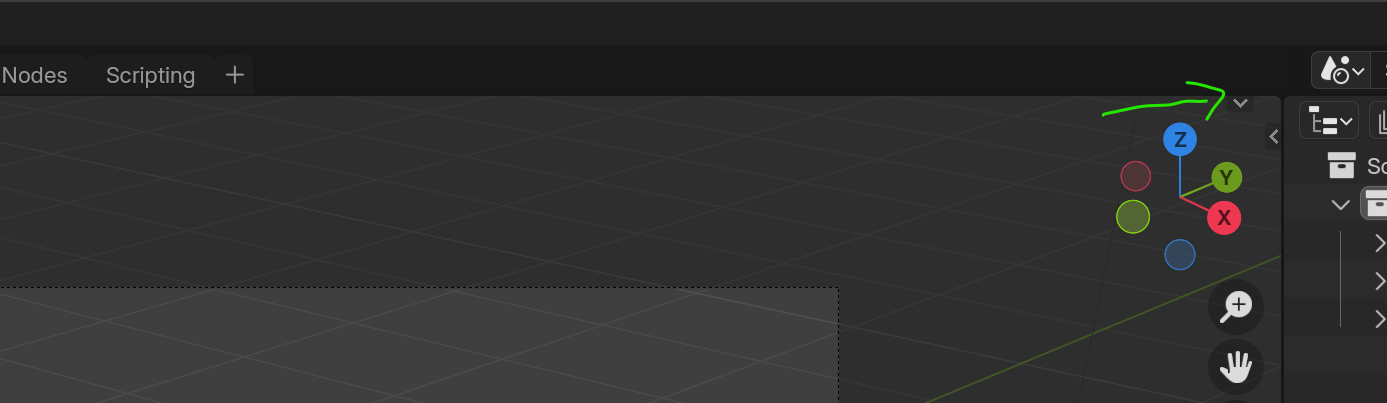
        If your whole so-called Header is missing, something like in the following screenshot, click on the little down arrow on the top right:

        Header.png

        #91033
        Omar Domenech
        Participant

          Hello. Can you elaborate a bit more? What exactly are you trying to do? Do you have a time frame on the video?

          #91034
          Julian Lenfers
          Participant

            If you unintentionally deactivated something you also can reset to the blender defaults with File > Defaults > Load Factory Settings.

            Of course if you intentionally made changes to your Layout then those will be gone too.

            #91035
            Paul Caggegi
            Participant

              As Martin wrote above, it is likely at some point this setting was deactivated

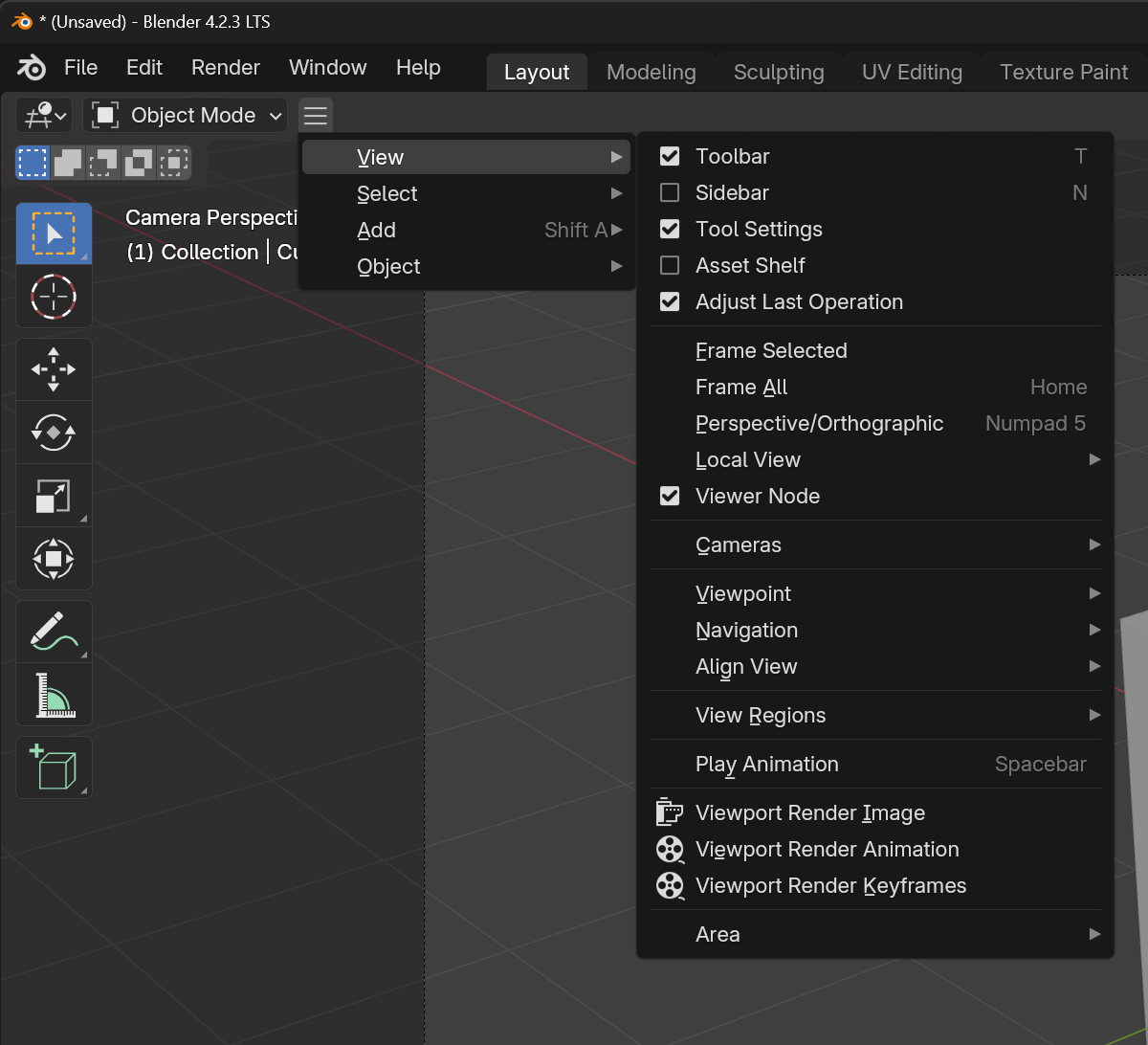
              In which case, you will indeed see this tiny downward facing arrow. clicking on it will reveal your header with all the menus.

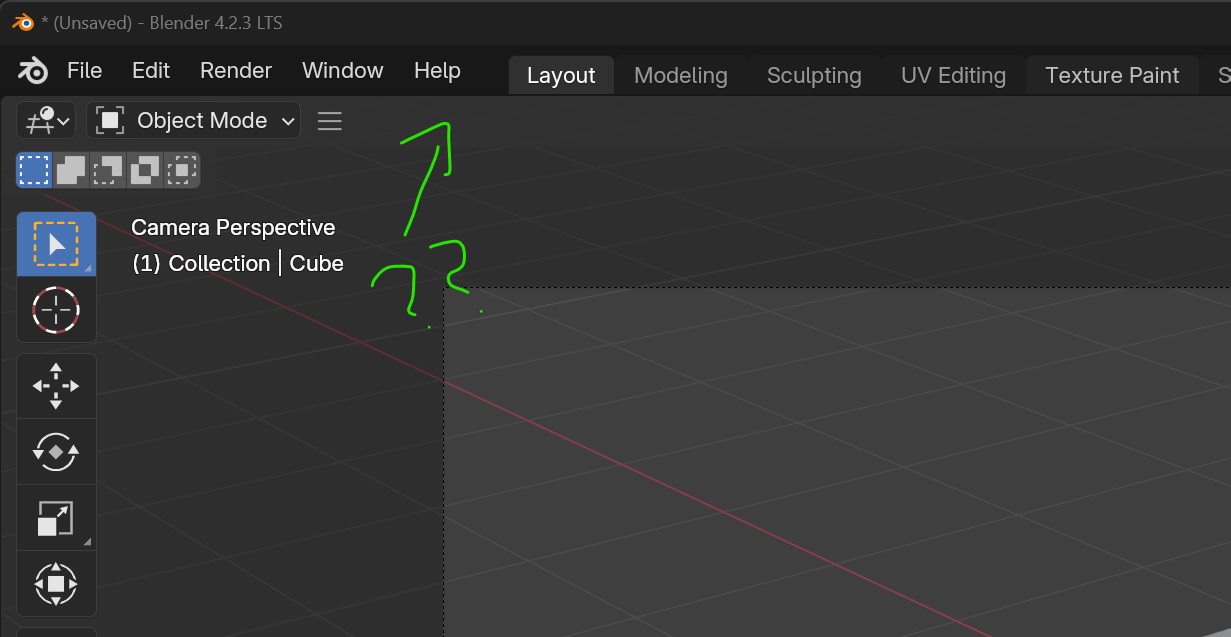
              If your menus are not showing, it is possible you’ve hidden them through some operation along the way also.

              Those three little lines show that it is collapsed.

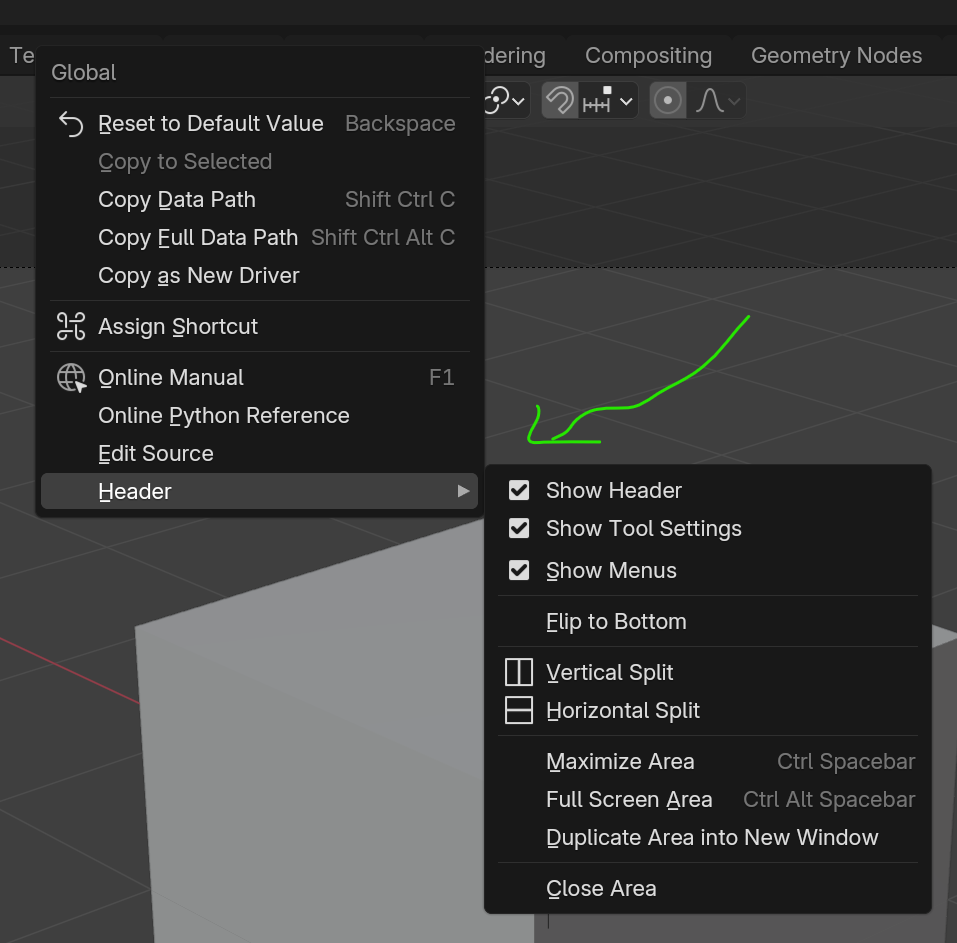
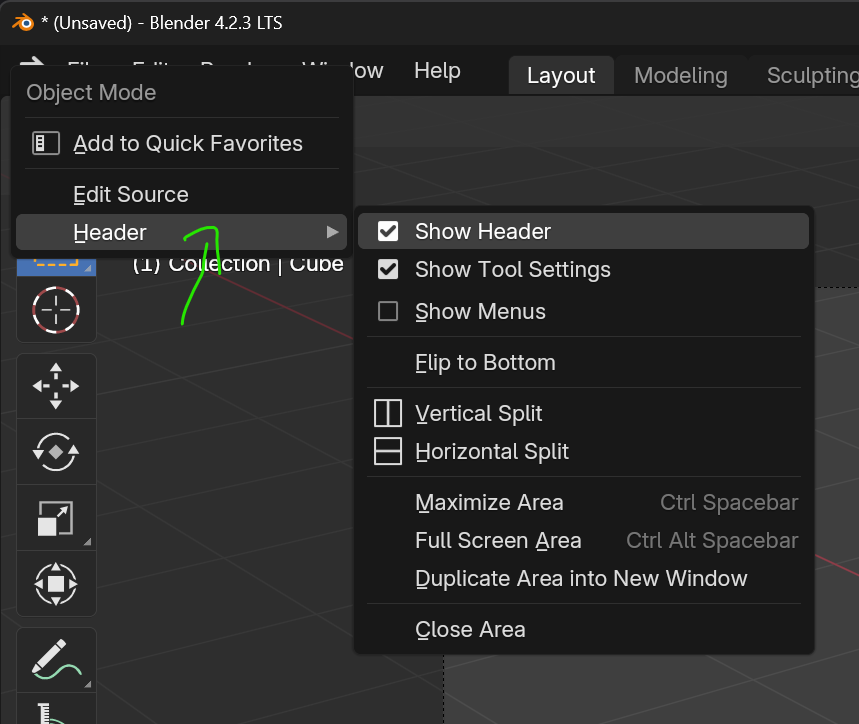
              To get them back, right-click on any button that is visible so you get this option in a dropdown:

              And you can re-enable Show Menus.

            Viewing 5 posts - 1 through 5 (of 5 total)
            • The topic ‘what if i don’t have a veiw menu?’ is closed to new replies.