
What have I done wrong?
Forum Archive › What have I done wrong?
- This topic has 7 replies, 5 voices, and was last updated 2 years, 10 months ago by
Jonathan Lampel.
-
AuthorPosts
-
October 26, 2023 at 8:21 am #17002
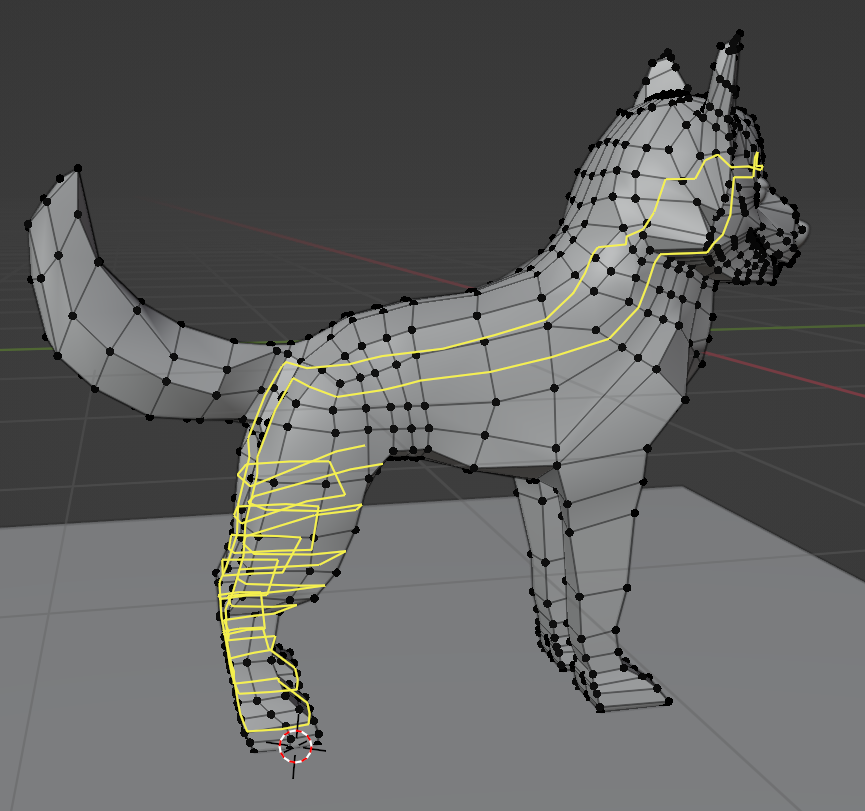
1- I am unsure of what I have done wrong to come to this point with the loops and I am unsure of how to fix it? Any tips?
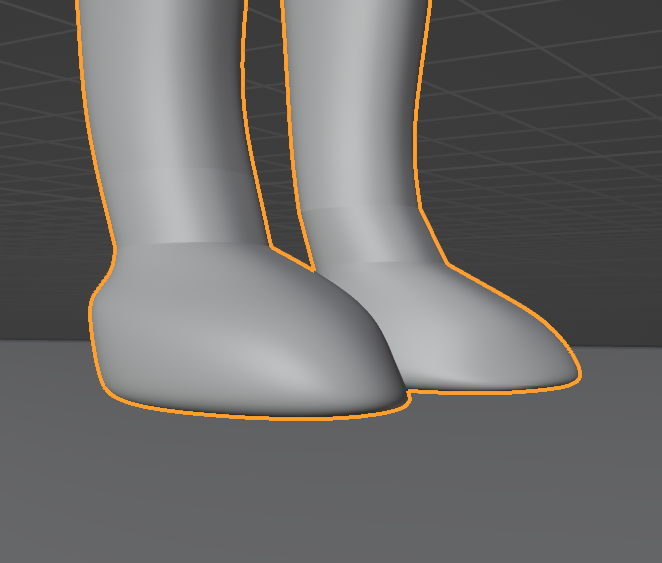
2- My front paws look very weird and I’m really confused on why!
Any advice would help a lot, thank you.
October 26, 2023 at 8:22 am #81801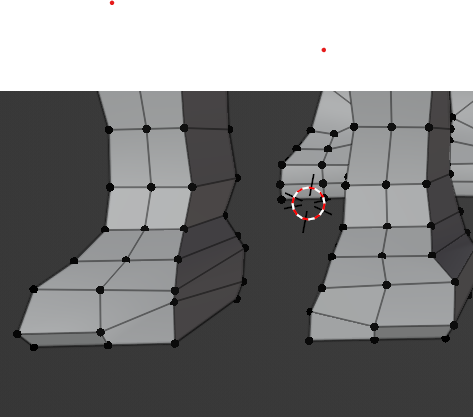
 October 26, 2023 at 8:41 am #81802
Well, it’s hard to describe by text, it has a lot to do with topology and some of the rules it follows. You have to try and maintain things being all quad and evenly spaced and that is a hard thing to do sometimes. Some things I can spot:
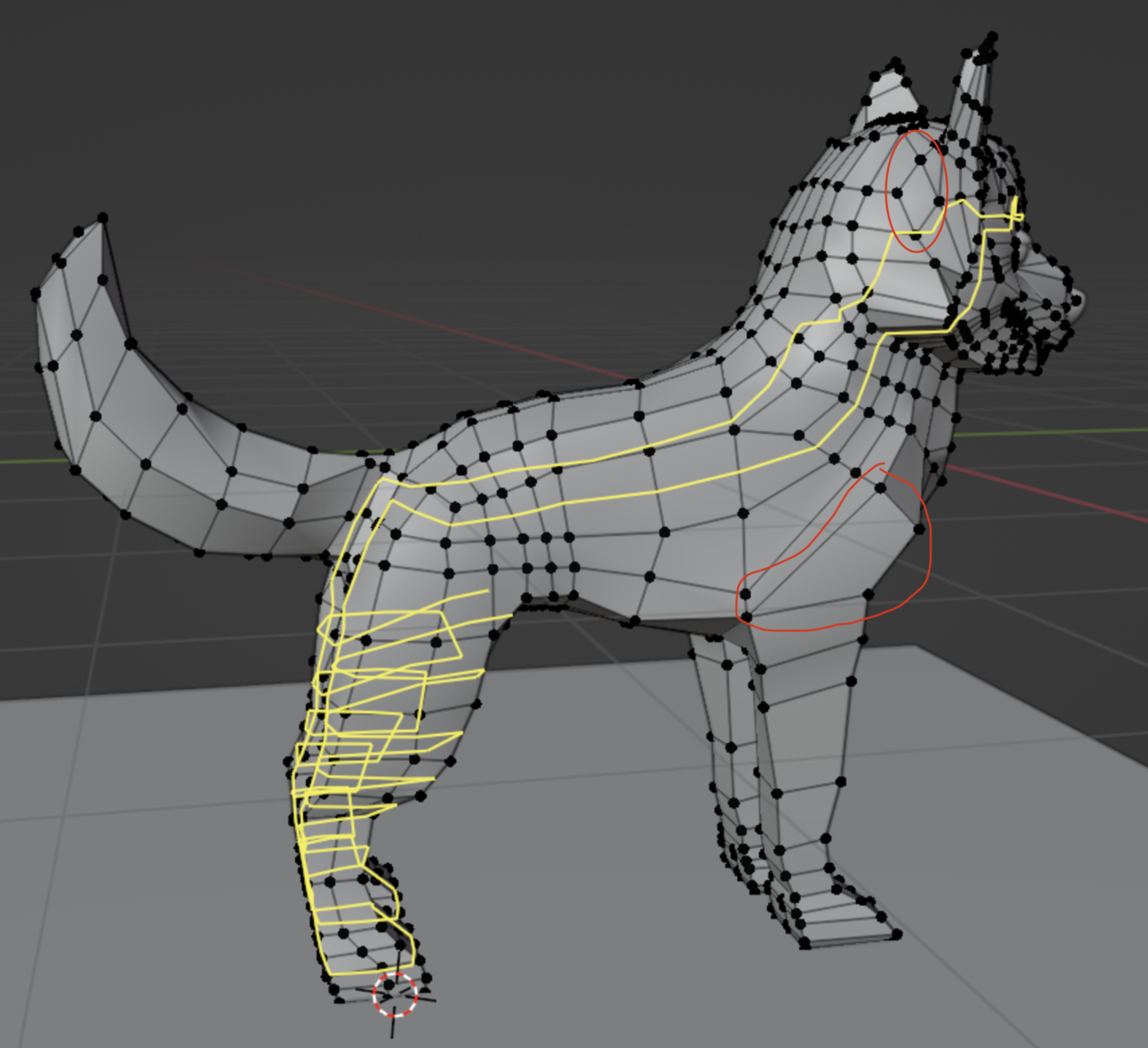
That poly down at the front leg is very stretch and perhaps that diamond shape up top doesn’t need to be there like that. But to fix that you’d need to accommodate things all around and it would be impossible to describe here. Modeling and topology is one of those things you get better at the more you do it and the more mistakes you make the less mistakes you’ll make in the future. You have to develop that sense of how edges flow and that’s only by practice.
So if you are not happy with how the pup is going, I suggest you try what we all do and start a new file and take it from the beginning. Sounds like a crazy thought but it’s the best approach, most of the time is better to start over than to try and untangle the mess. Plus you gain speed and start to develop the sense on what’s the best approach to begin.
The more resolution you want for the shapes, the harder the mesh will be to control since there will be loops going all around. You’d want to terminate them where possible, but again, hard to explain. That thing you have there with the loop going all crazy is part of that. Don’t worry, don’t get discouraged, keep watching more modeling tutorials, get the hang of loops as you try thing over and over, and practice and practice. Feels like I’m saying lots of words but no solution, sorry.
Good thing is, the overall shape is there, you have 80% of the job done nicely, it’s just those complex things that we all struggle with that are making things frustrating possibly. Try starting over, try keeping an eye on the flow of the loops, try to keep all quads and relative same sizes, try to avoid stretched faces and crazy going loops, so try terminating them. Let me see if I can link you to a tutorial where loops get terminated.
October 26, 2023 at 10:13 am #81803Ok this video covers the how to go from having too many loops to fewer, so terminating them:
October 26, 2023 at 10:23 am #81804I agree – painful as it is – start again. What I’d do is save incremental versions every 5-10 mins so if you go wrong you can roll back to a point where things were ok without having to start from scratch.
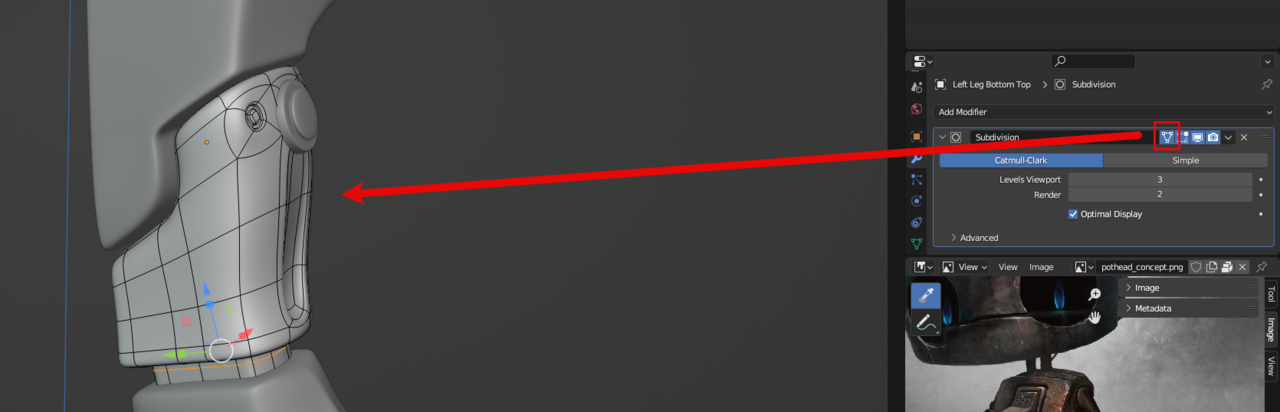
One thing that might help you understand the problem more is to turn on this icon to see the curves of the sub-d modifier
 October 30, 2023 at 1:43 am #81805
Hi Sabrina,
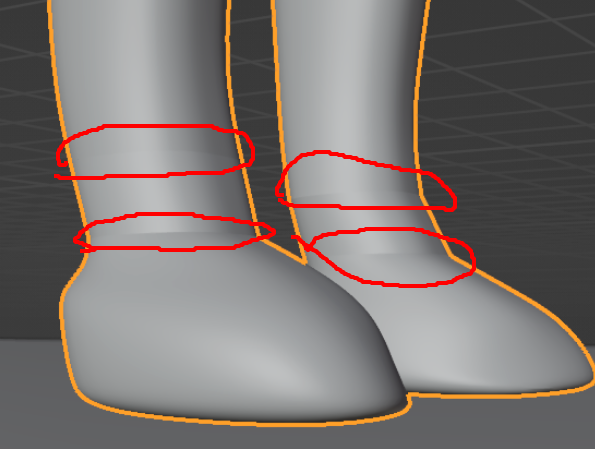
In addition to what has already been said, there might be Double Vertices or inner Faces creating these creases in the front paws:
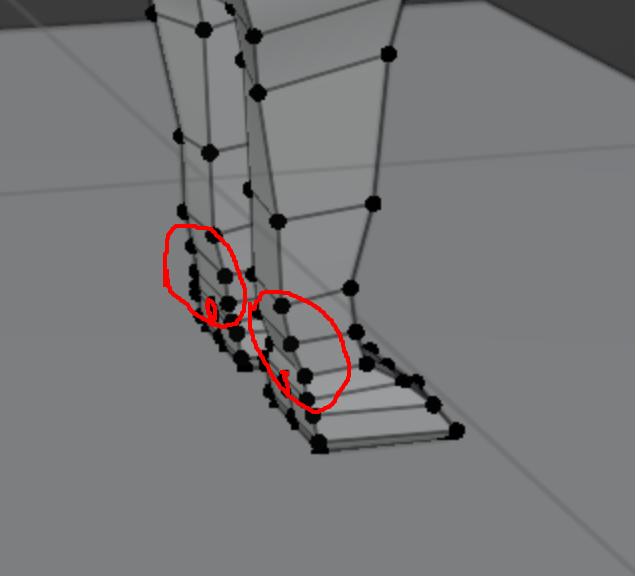
And at the back of those paws, the middle Edge Loop just suddenly stops:
 October 30, 2023 at 6:48 am #81806
Thank you Omar, Thehomme and Martin, that was definitely needed input. I will be taking your advice and start from scratch and i’ll make sure to keep incremental versions.
This was already my second attempt and I had already noticed a lot of progress so i’m hopeful for my third try. I’ll watch the Youtube video on topology and be more mindful of how I’ll make loops at every step of the way.
November 5, 2023 at 8:25 pm #81807Third time’s the charm! But really, this is a very difficult exercise and I’m always impressed to see folks really pushing past their previous skill levels on it. You got this!
-
AuthorPosts


- The topic ‘What have I done wrong?’ is closed to new replies.