
What do you think of the topology of that highlighted mesh?
Forum Archive › What do you think of the topology of that highlighted mesh?
- This topic has 11 replies, 3 voices, and was last updated 3 years, 10 months ago by
maxcady.
-
AuthorPosts
-
October 16, 2022 at 5:49 pm #15485October 16, 2022 at 11:36 pm #75709
This looks wrong:
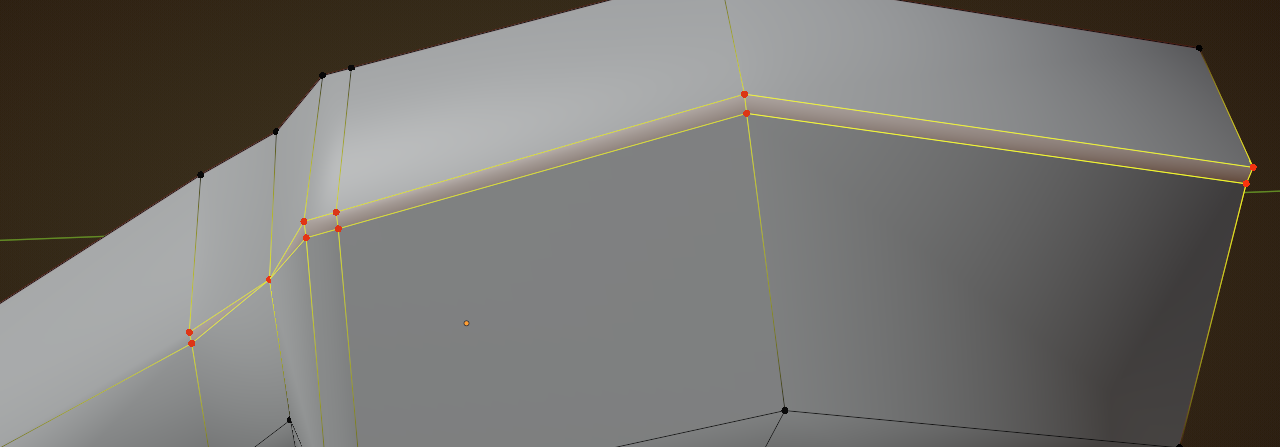
I’d slide those edges together and Merge them.
There is a weird angle here:
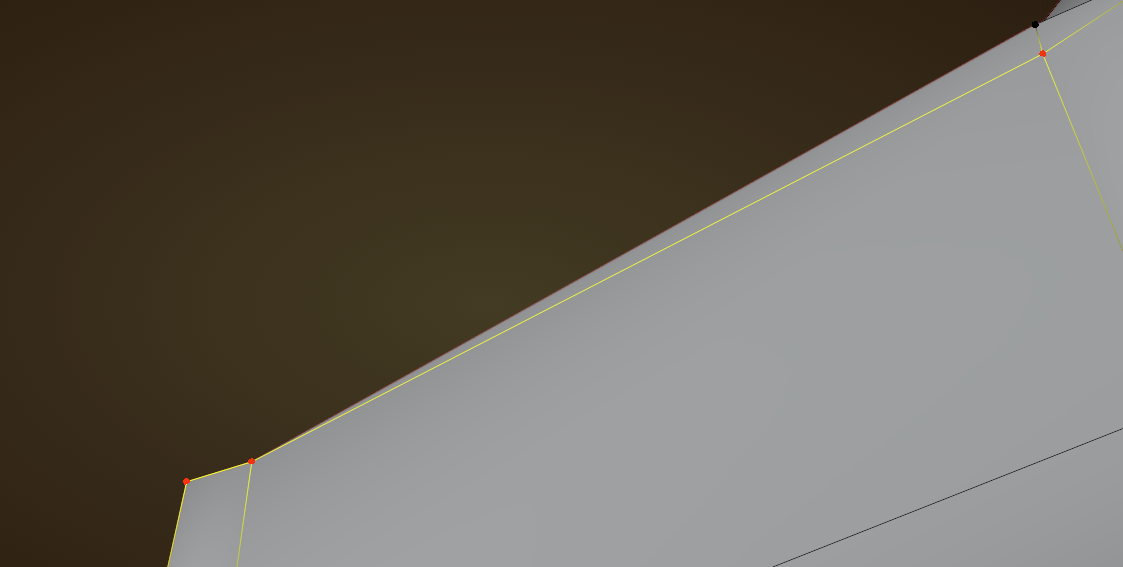
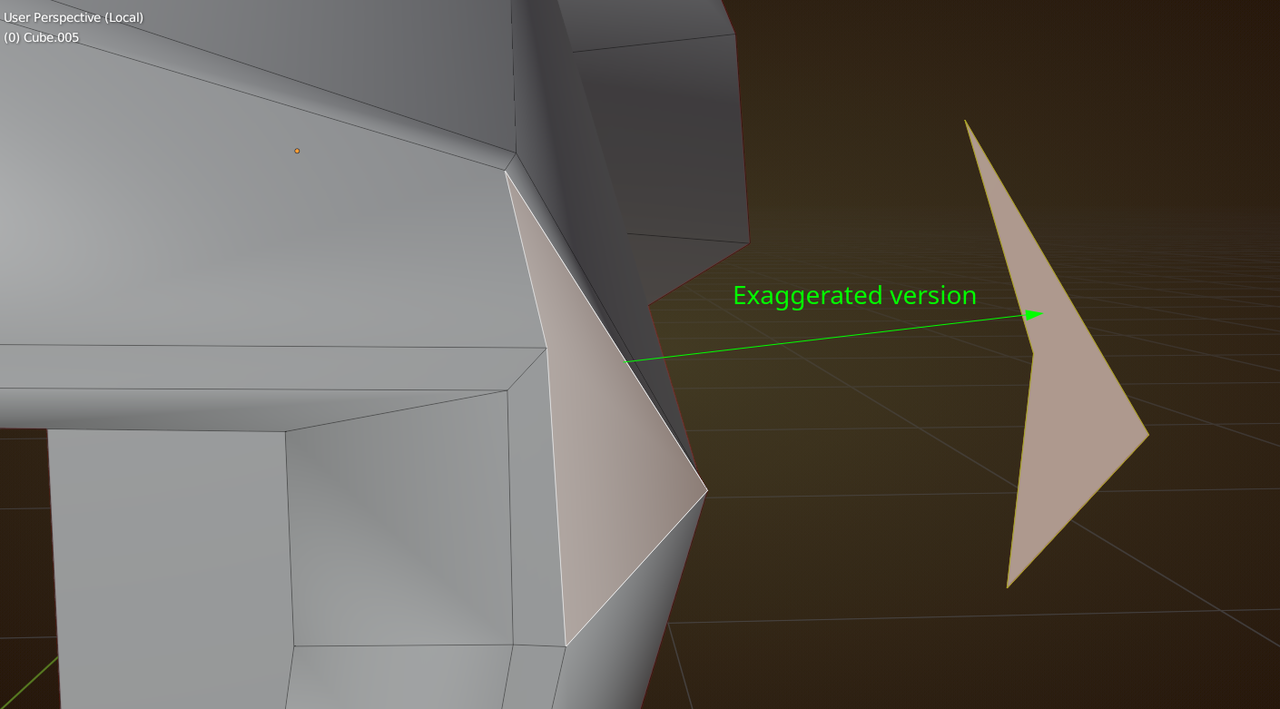
Try to avoid concave quads like this one (all ‘inner’ angles should be less than 180°, if possible):
and these Faces should probably be ‘flat’ (lie in one plane):
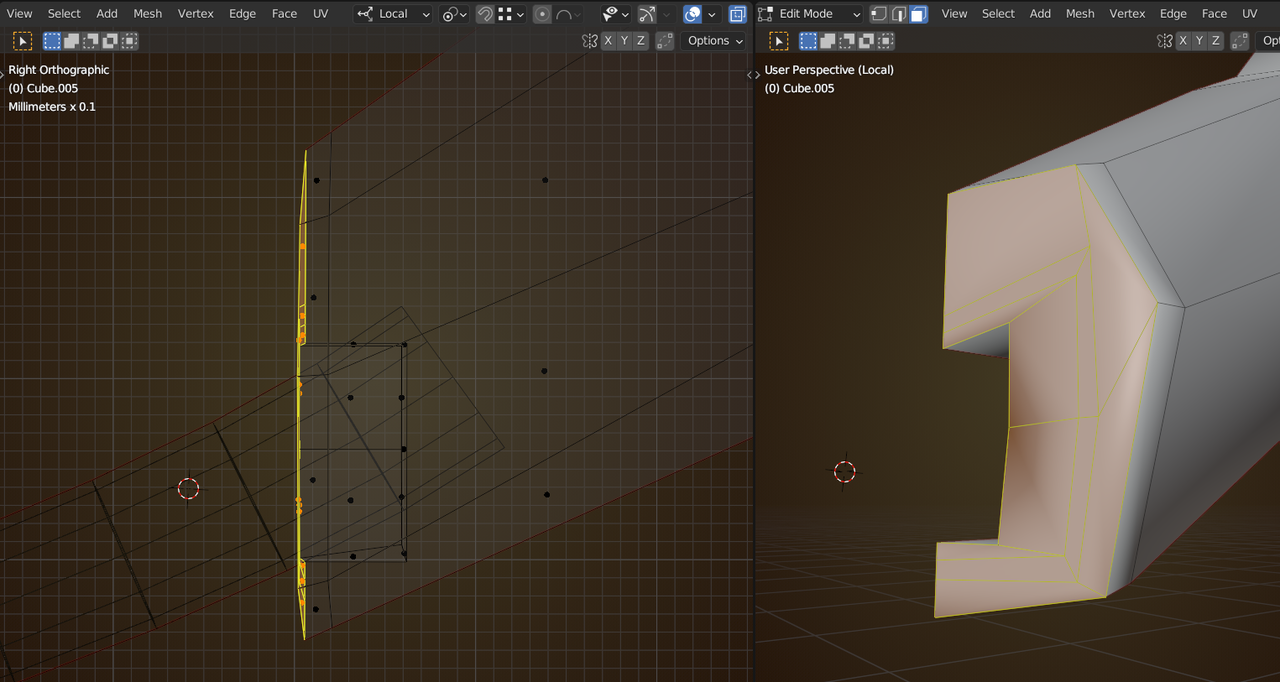
In this case you can simply use S, Y, 0.
Now, all these work together, so changing one, will affect the other problems, but if you tackle them in the given order, you should be good, I think (but check that!).
October 17, 2022 at 12:40 am #75710Thx. Should I just delete everything and start all over again?
Or it’s even more educative to correct what I did wrong?
October 17, 2022 at 12:52 am #75711In this case, you can go either way (start over, or correct).
If you decide to start over, I’d Save the Blender file incrementally (SHIFT+CTRL+S and hit the + button):
 and work on the last version (so you still have a backup). October 17, 2022 at 12:54 am #75712
WOW! thx for that trick!
Ok.
I did merged the vertices, then I flatten the end of the mesh, and I deleted the faces. I selected all the vertices at the end of the mesh, and then I pressed F. I flatten the new face with S Y 0, and I pressed I for insert etc.. Here is the result. Much better
October 17, 2022 at 1:48 am #75713Yes, that is much better!
Two slight improvements; the line of symmetry has a few Vertices that are a bit off. You can use S, X, 0 like this:
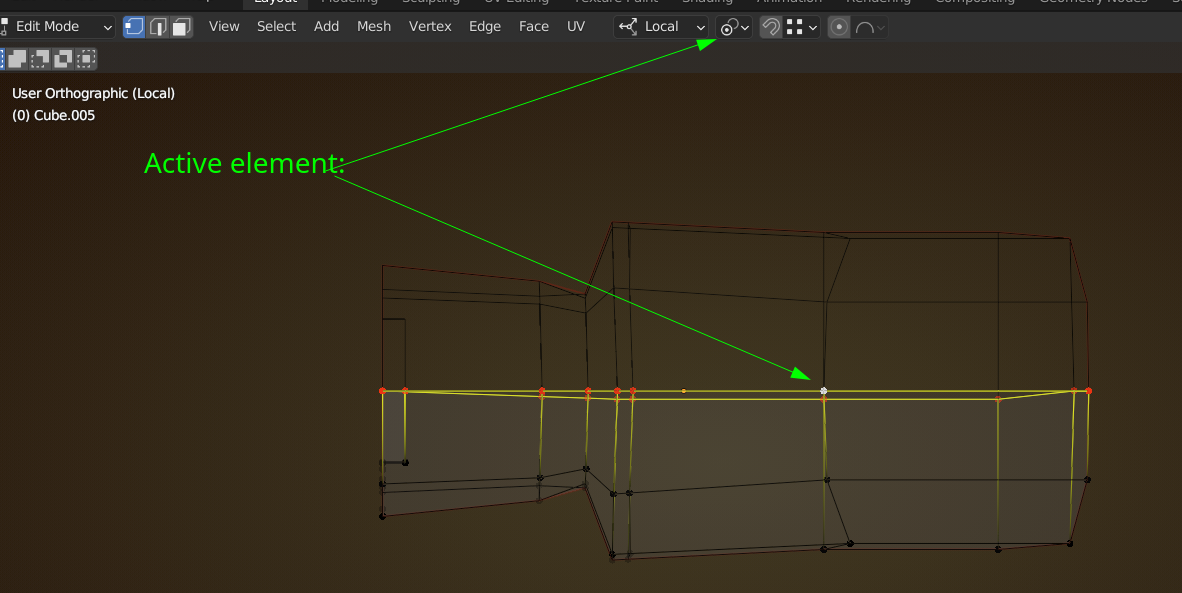
then you can set the Merge Treshold in the Mirror Modifier a bit lower (maybe 0.01 mm), because the default of 1 mm is a bit large for such a small model. Might not be a problem, but it’s better to be on the safe side.
The other thing is the this Edgeloop is a bit wonky (not a huge deal, but it’s an easy fix):
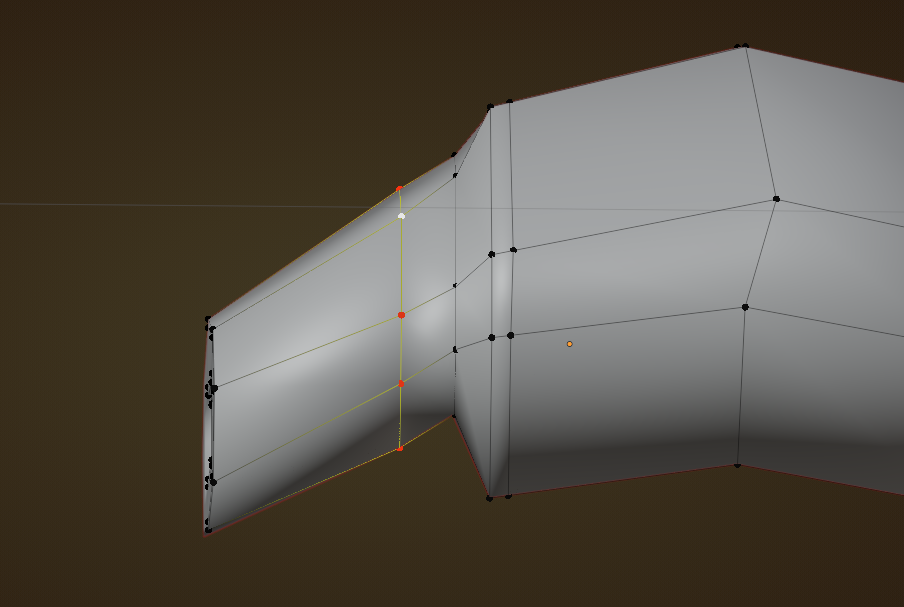
You can select it, then press X > Delete Edge Loops (at the bottom of the dropdown menu). Then add a new one with CTRL+R and slide it into place.
October 17, 2022 at 7:10 am #75714Even the most experienced users make mistakes and sometimes we leave an inner face here, a hole there, so there’s all sorts of addons that check your mesh for errors. I used to use one called Mesh Lint, but that was a long time ago. I have it on my to do list to buy a good addon that checks my mesh, just to tidy up things at the end. I think Blender has some built in tools or addons that do this, but I have to double check on that. The thing is, those mesh checker addons helped me a lot when I was learning Blender, you begging to train your mind on what to start looking for when the addon points it out for you, since at the beginning you you’re still not sure what mistakes to look for.
October 17, 2022 at 11:38 pm #75715Omar, I hope that addon is precise. You are helping me and I learn how to check for mistakes.
Martin, I thought it was ok, and then I realize when I correct something, it has an influence over the other vertices. I’ll have a better look next time. thx. I will work on it and get back to you.
ok! Now I changed it. I now know what to look at in the topology to see if it’s well done or not. I made the mistake by just looking at the mesh in object mode. It appeared to be perfect, but once we take a look at the vertices, it’s a mess.
I decided to change the shape a bit and I added an edge loop. I think it’s perfect.
October 18, 2022 at 1:55 am #75716Yes! Well done Max 💯
Topology looks good and it also looks good in Object Mode.
October 18, 2022 at 5:58 am #75717Well, you showed me how to analyse a mesh to find errors.
The reason why the mesh was so messed up it’s because Jonathan put some edges to make the corners sharper and then he made some space to extrude inward. I tried to do like him but it turned out to be like you saw. I prefer to do the contrary. Make an extrusion, and then adding edge loop at the end. It’s less complicated.
thx for your help.
October 18, 2022 at 7:43 am #75718One thing I learned over time was to try and work on orthographic view. At the beginning I used to move vertices and faces in the 3D viewport in perspective mode only to turn the camera around and see that from other angles things appeared broken. When you’re moving verts from your viewport camera view, the perspective creates the illusion that things are lining up when they really appear so from that perspective. So my topology was always wonky because of that. Overtime I got used to staying in orthographic view so things get stuck on their respective axis and I avoided the wonky wobbly meshes and loops.
October 18, 2022 at 7:56 am #75719so true. There is strange illusion that lies. Orthographic is my new tool now.
-
AuthorPosts


- The topic ‘What do you think of the topology of that highlighted mesh?’ is closed to new replies.