
What do you think of that head?
Forum Archive › What do you think of that head?
- This topic has 10 replies, 3 voices, and was last updated 3 years, 10 months ago by
maxcady.
-
AuthorPosts
-
November 12, 2022 at 3:08 am #15589November 12, 2022 at 3:41 am #76107
Not bad at all, Max!
There is one ‘problem area’ as far as I’m concerned:
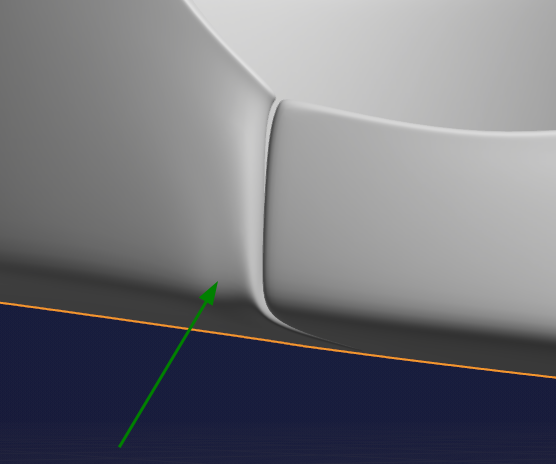
There is some weird shading going on there. In Edit Mode it reveals two Triangles that can be made into a Quad by selecting and pressing F:
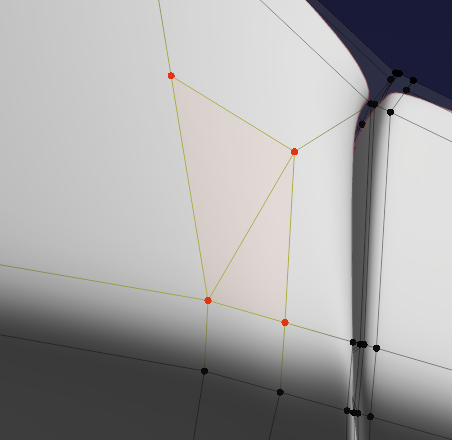
Then I’d X > Dissolve Edges to get rid of this weird Edge that just creates N-Gons

And for good measure you can double-tap G to Edge slide this:
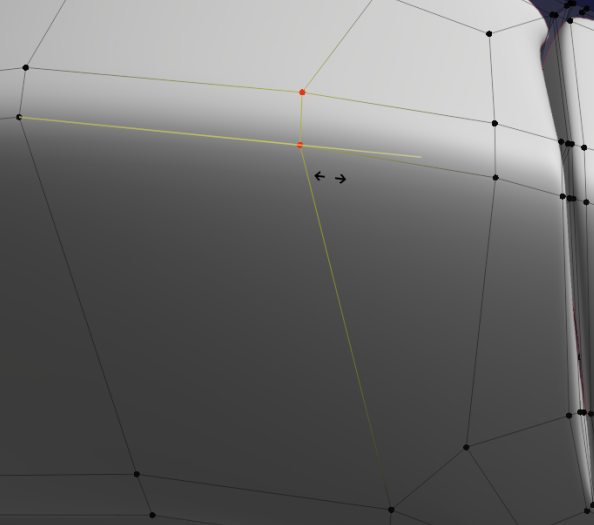
Now it already looks a lot better, but you still have a holding Edge at the bottom that stops halfway and creates another N-Gon:
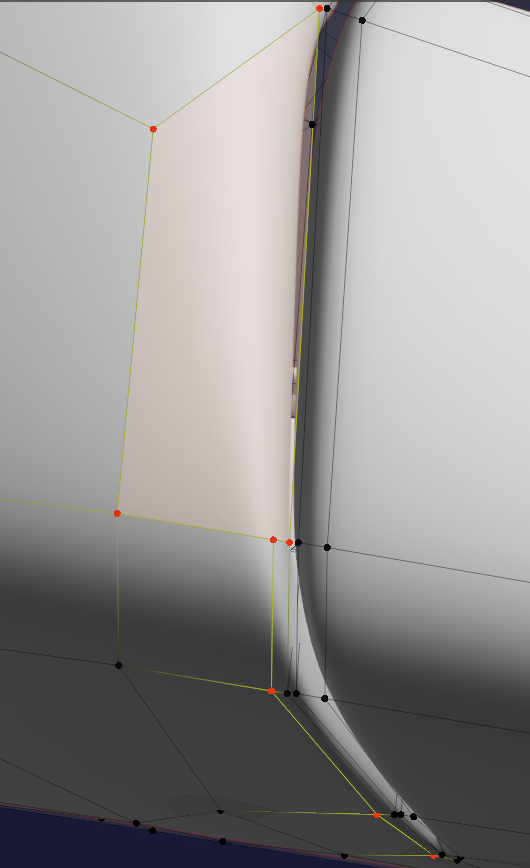
Causing a sharp Edge to turn into a rounded Edge.
If this is intentional, you can leave it, otherwise you’d need to rethink your topology in the top area. Probably use the Knife Tool to cut a holding Edge at the top and connect that with the existing one…and then maybe Merge some Vertices to make Quads.
November 12, 2022 at 5:58 pm #76108I thought that tris was tolerated. So I must make quads the most I can?
November 12, 2022 at 6:48 pm #76109Hi @maxcady ,
Tris (and N-Gons) are tolerated, especially in flat surfaces, but try not to use them when they are not needed. They can cause shading artifacts when using Subsurf Modeling.
In your case, I noticed bad shading and saw the unnecessary Triangles in that area, so removed them…(almost automatically, without thinking…they may have been harmless in this case…..)
November 12, 2022 at 8:01 pm #76110Let’s go step by step. I feel the need to remake that head cause there were imperfection that I couldn’t correct. Not what you were talking about. I must improve my way of modeling. I have the tendency of adding loops everywhere and I can’t correct strange areas cause it’s too confusing at some point.
I kept going. I found new tricks and I improved and I ended up with this piece:
November 13, 2022 at 3:31 am #76111Cool!
Most of the Mesh looks excellent!
There is bit of an issue here (on both sides, but this side is the worst):
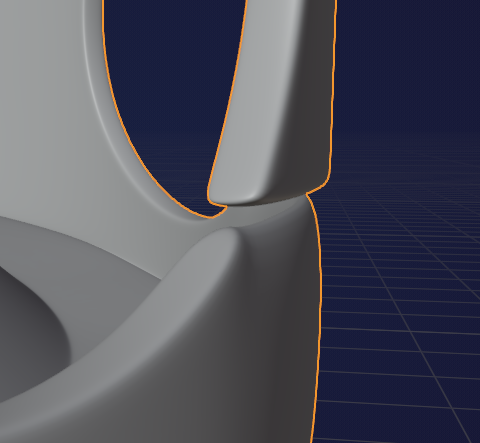
In Edit Mode it reveals twisted Faces:
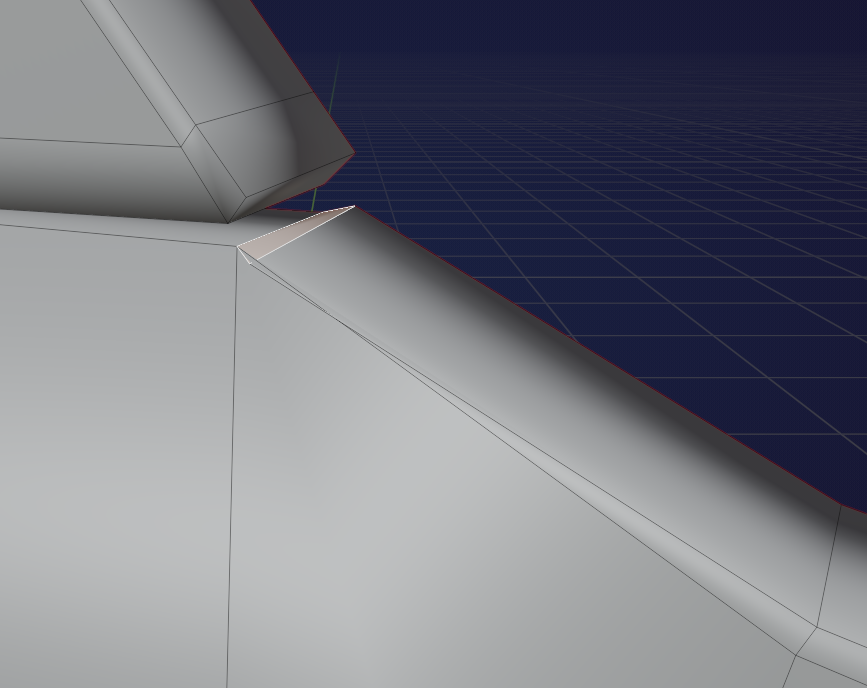
Can be easily fixed by Scaling the Faces to 0 in (Local or Global!) Z.
I lifted the Edges a bit afterwards to follow the contour of the top, but you can also make both flat of course.
Then I’d prefer to have an Edge Loop here (like you have everywhere else), You can use the Knife tool:
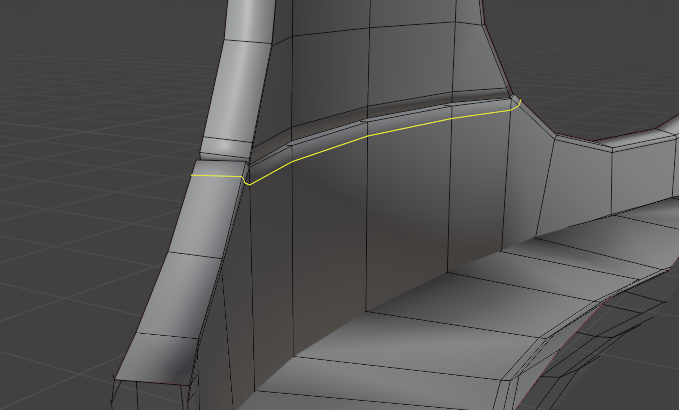
I used Cut Through, but therefore i had to ‘hide’ part of the Mesh. My favorite way to do that is, box selecting what you want to see with ALT+B.
The result:
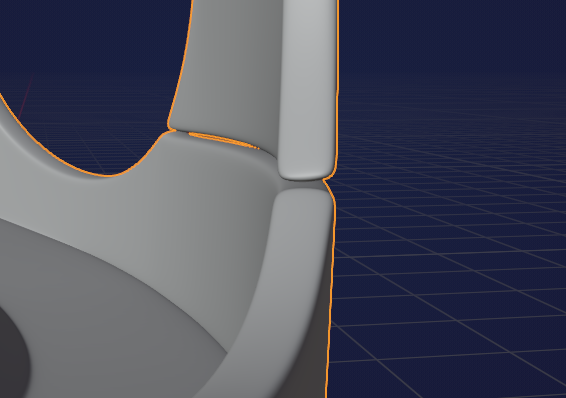 November 13, 2022 at 11:29 am #76112
I didnt know how to make the top more thick. Now I start to understand. I kinda repaired the issue but there is still pinching. I don’t know how to solve the issue without modifying the overall shape. I wanna become a good modeler 🙂
November 13, 2022 at 12:04 pm #76113Hi Max,
There is a Triangle next to a 5-Gon, you can solve that by Merging the red Vertex to the white one (or the other way around, or Merge at Center..)

Do this on both sides and on the inside as well.
You can Edge Slide the holding Edges at that corner if you find it too sharp, but for the rest the model looks great to me.
I would however bring down the Level of the Subsurf Modifier to 2, that seems enough to me.
November 13, 2022 at 12:45 pm #76114I accidentally put the subsurf to 4. But Usually I put this to 2 or 3.
Why having a subsurf is bad if you have the computer power to support it?
November 13, 2022 at 2:56 pm #76115I guess you can abuse the subD if you have the power to do so. But I think you still have Blender to account for, meaning that even thought your PC might be powerful, Blender itself can handle a limited number of poly’s. Rule of thumb, for now at least, is have subsurf level at 2, maybe 3 in special cases.
November 13, 2022 at 5:10 pm #76116I like 3 most of the time cause I can see that it’s even smoother. It doesn’t slow down at all. It is slowing down only if I move a lot of big meshes at the same time that are subsurf at level 3.
-
AuthorPosts


- The topic ‘What do you think of that head?’ is closed to new replies.