wall visibility

Forum Archive wall visibility

Viewing 10 posts - 1 through 10 (of 10 total)
  • Author
    Posts
  • #16024
    Natalia Tkachyk
    Participant

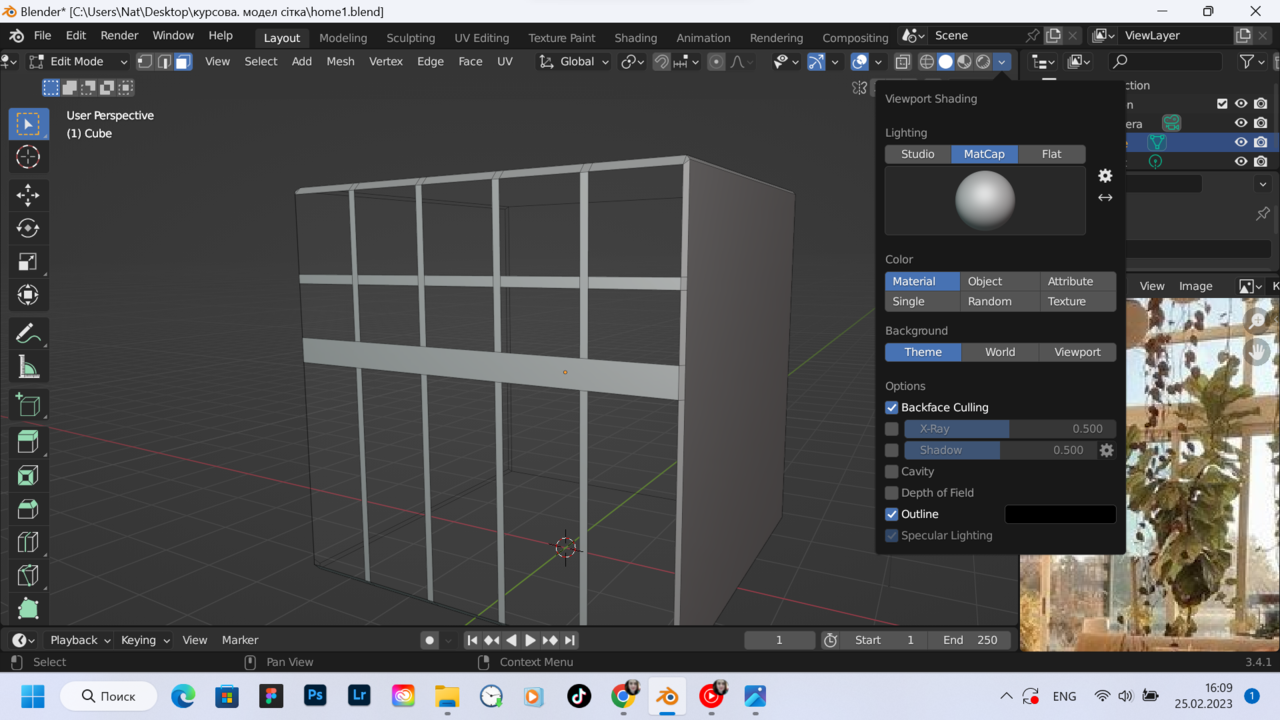
      Please tell me, I am completing the course Fundamentals of 3D Mesh Modeling in Blender . proceeded to create work. But can’t turn on restricted viewing properly.

      I turn it on “backface culling”, but it does not turn off the front walls, but the rear ones. help me understand023-02-25 160948.png

      #77889
      Martin Bergwerf
      Participant

        Hi Natalia,

        You should turn your Mesh ‘inside out’:

        In Edit Mode, select everything (shortcut A) and then ALT+N (Normals menu) > Flip.

        #77890
        Natalia Tkachyk
        Participant

          thank you very much, sending rays of goodness 😉

          хороших вихідних)

          #77891
          Martin Bergwerf
          Participant

            дякую

            #77892
            Omar Domenech
            Participant

              Yeah I can totally read that. 

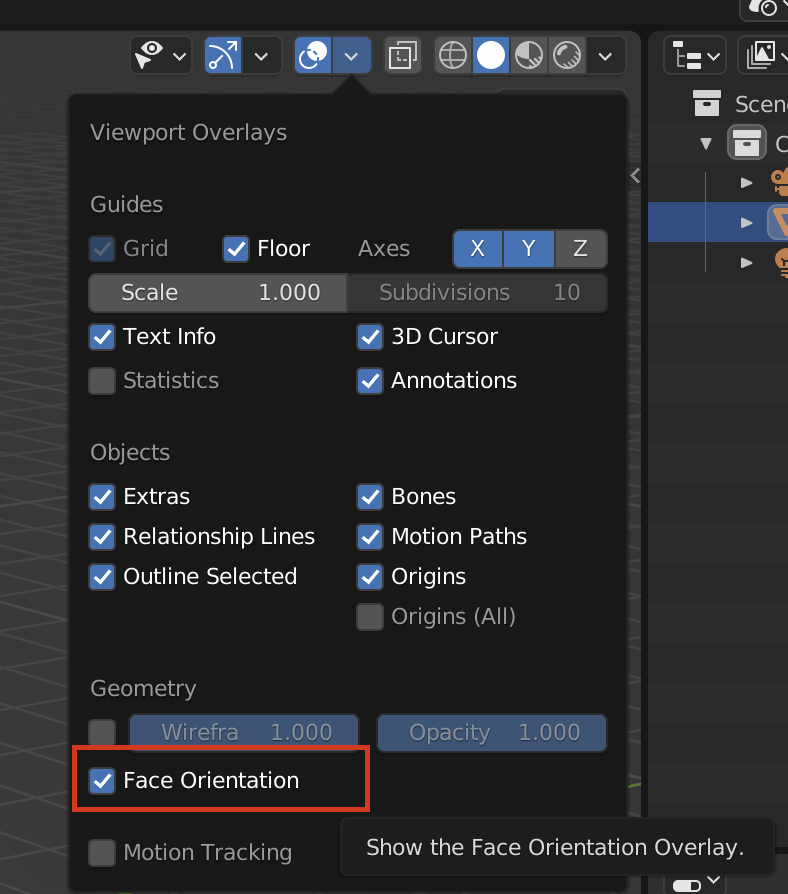
              When enabling backface culling, it’s by looking at the back of your face that things get transparent. The way you know which is the back of your face is by how your normals are pointing. You can turn on face orientation and where you see blue, things will be opaque, where you see red, things will get transparent. 

              face Orientation.png

              #77893
              Natalia Tkachyk
              Participant

                Тhank you)

                #77894
                Natalia Tkachyk
                Participant

                  one more question. I did everything you wrote.

                  but

                  I can’t edit, they just became transparent. maybe that’s right…

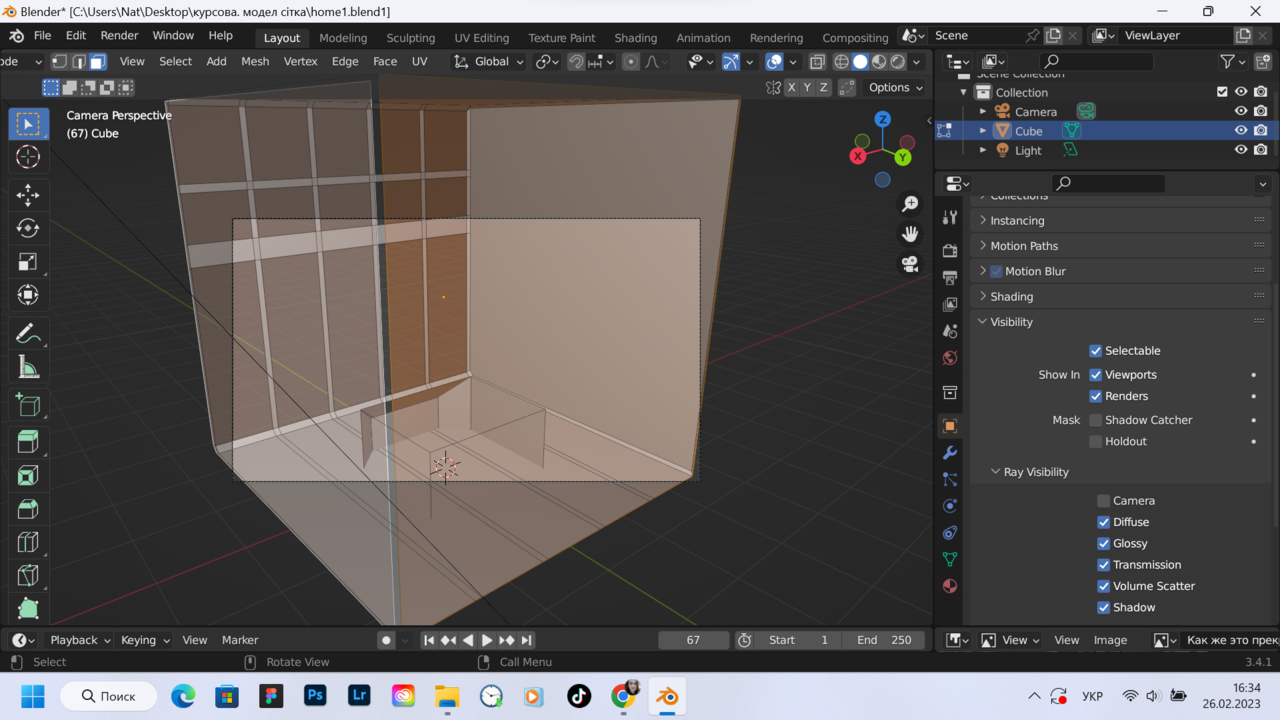
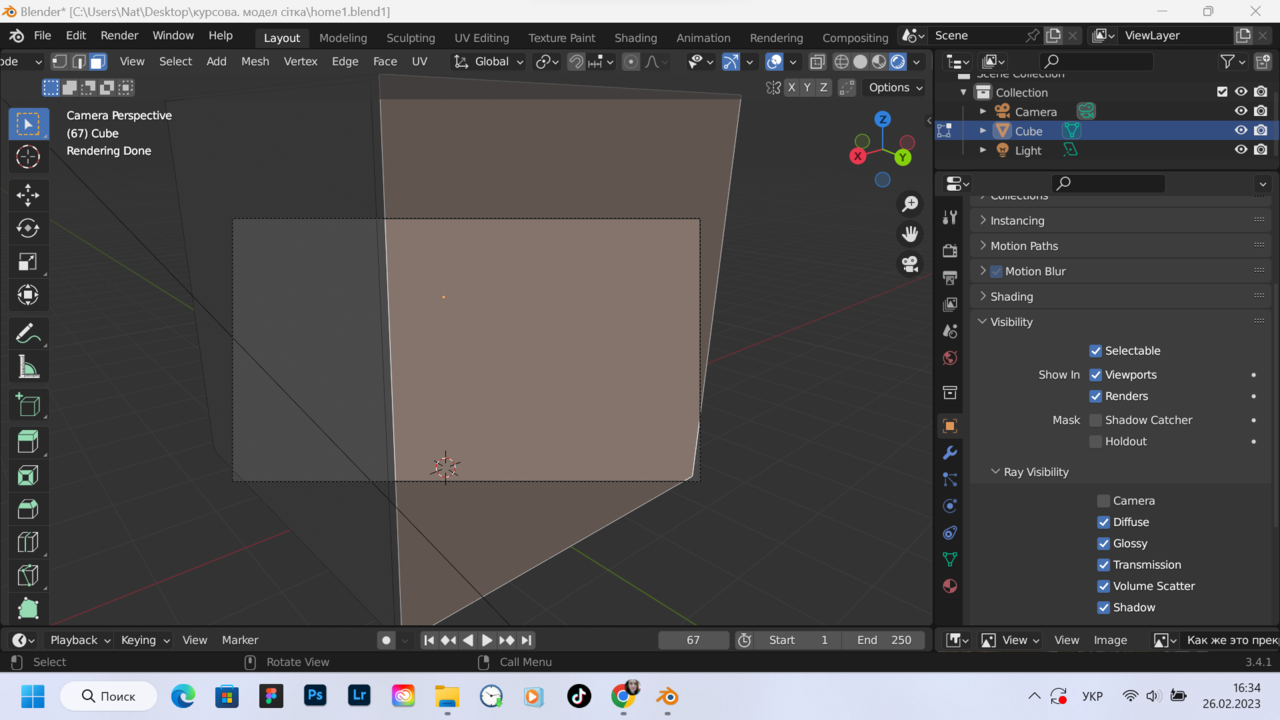
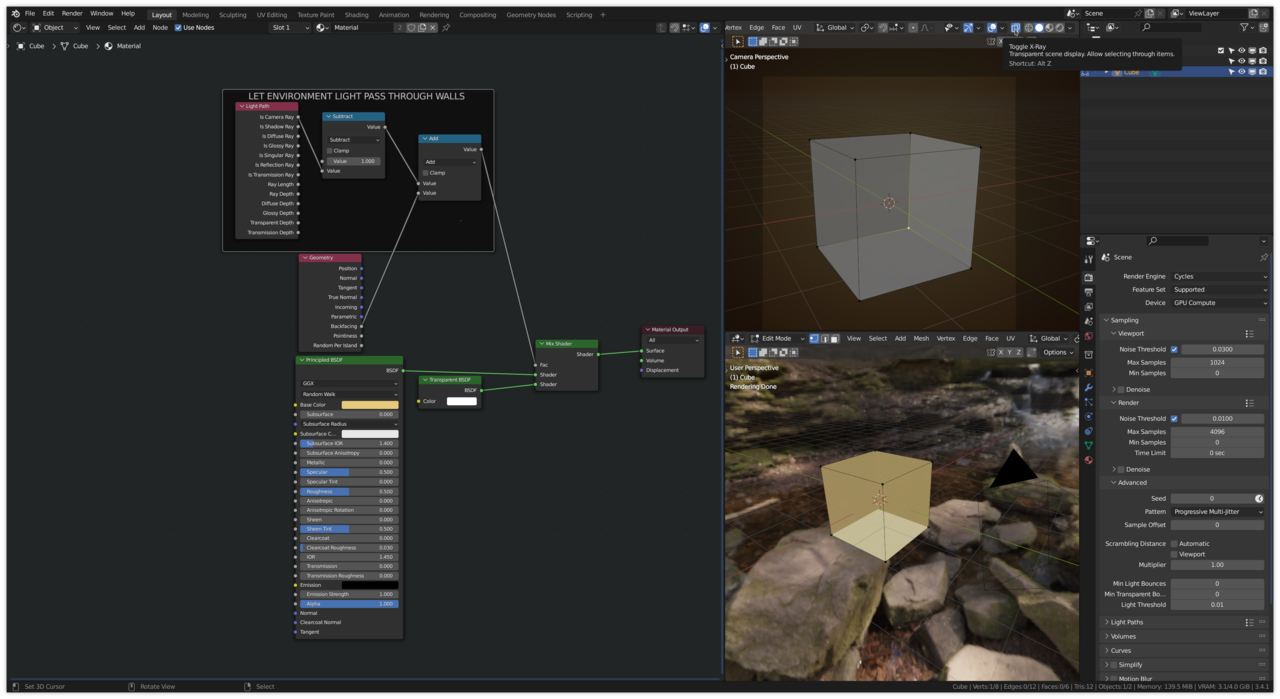
                  but on cycles, the front walls still hide everything else, even though I unchecked the camera.111.pngуцуц.png

                  #77895
                  Natalia Tkachyk
                  Participant

                    looked again and only noticed that the front walls of the cube inside were also transparent. this night, I will have to search for answers to many questions 😉

                    and this is just an introductory course on Mesh Modeling in Blender

                    #77896
                    Martin Bergwerf
                    Participant

                      Hi Natalia,

                      If you enable X-ray, you can select through the invisible walls (and Edit stuff).

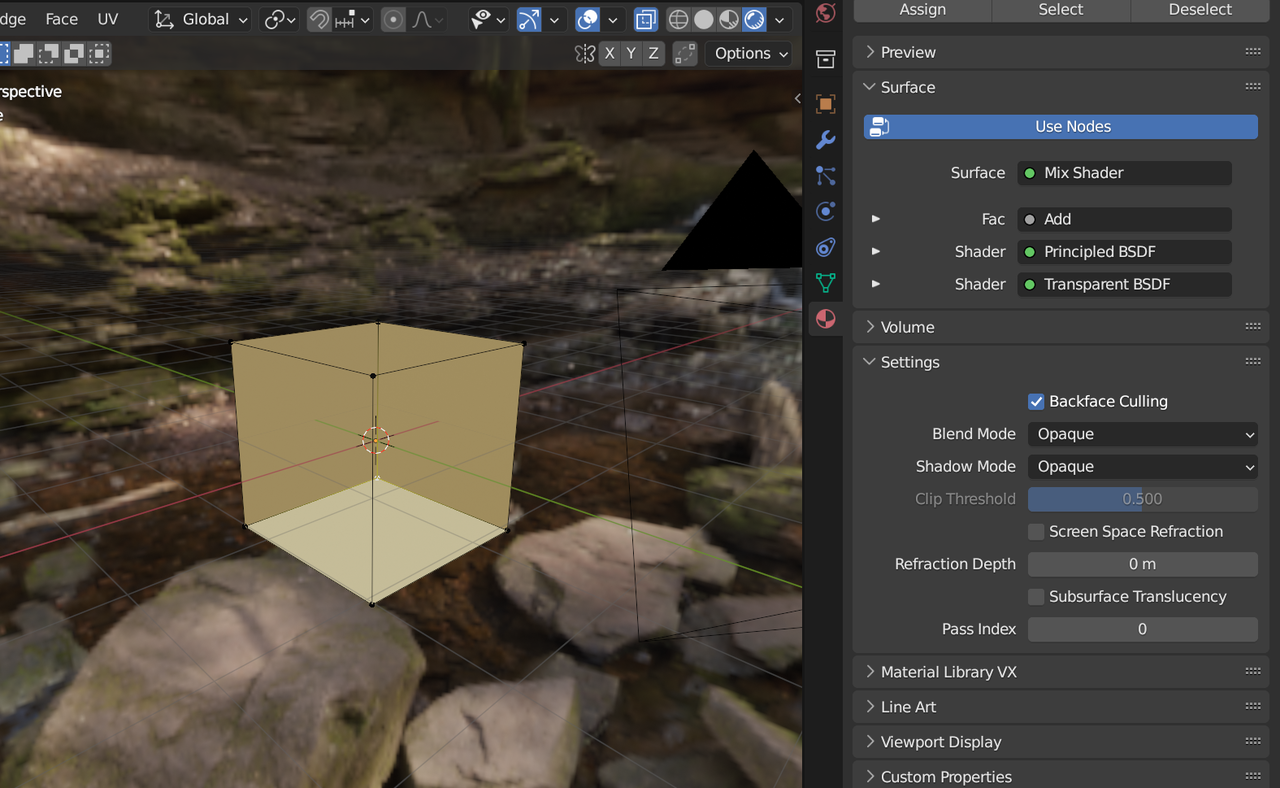
                      In Eevee, you can set Backface Culling in the Material Settings:

                      Culling.png

                      In Cycles you can hack the Material like this:

                      Viewing hack.png

                      No need to understand this yet, but basically, when the Normals of a Face are turned away from the Camera, they use the Transparent Shader.

                      #77897
                      Natalia Tkachyk
                      Participant

                        I will try further with new information

                      Viewing 10 posts - 1 through 10 (of 10 total)
                      • The topic ‘wall visibility’ is closed to new replies.