
Viewport shading issues
Forum Archive › Viewport shading issues
- This topic has 16 replies, 5 voices, and was last updated 2 years, 9 months ago by
Martin Bergwerf.
-
AuthorPosts
-
November 10, 2023 at 9:20 am #17047
Is the issue in this screencast common?
As I zoom out the shading degrades and corrupts to the point where you can’t really assess the model.
November 10, 2023 at 9:34 am #82016Had same problem, if i’m not wrong, helped the change of settings of View
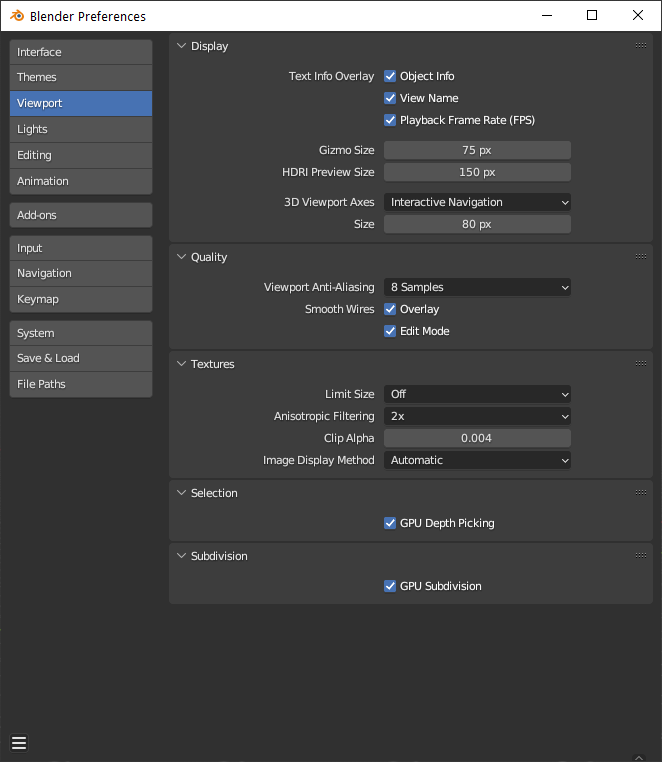
November 10, 2023 at 9:39 am #82017Is that a Viewport prefs setting? Completely new to Blender really and still working out what’s influenced by settings I can control and and what’s a ‘feature’ I have to accept. These are my viewport settings prefs
 November 10, 2023 at 10:01 am #82018
In my experience that is usually 1 of 2 things. Either the GPU driver or topology issue. Usually face spacing/overlapping faces. Basically what happens in many cases that I’ve seen you have two faces to close together(I’m looking at you solidify modifier) when you zoom out it becomes harder for blender to determine which face to show. Thus z fighting or depth fighting. Another cause of this is what is called zero faces or zero edges. This happens a lot when using bevel. Basically 2 edges are overlapping and you have a face between with zero or near zero visible surface.
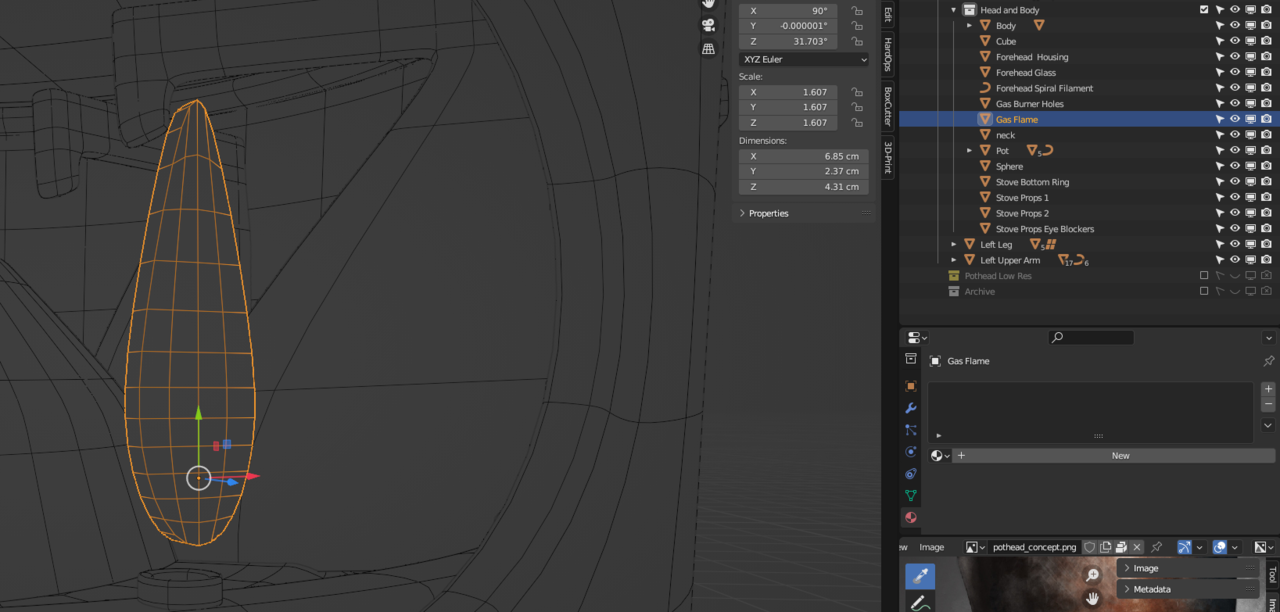
November 10, 2023 at 10:12 am #82019Hmmm… I can’t think it’s the topology. I mean it happens to the gas flame and that is as simple as it can get, has never had a modifier etc.
I am still getting Blender crashing on me despite updating the drivers. So now I’m confused. I hate PCs
November 10, 2023 at 10:13 am #82020Now some solutions. I’m at work so I don’t remember off the top of my head if it’s in edit mode or object mode. If it’s object mode then it will be in the menu object->clean. If it’s edit mode you will need to select all and click menu mesh->clean. It will have zero. I don’t remember if it has both face and edge or just face or just edge. You are looking for the cleaning option if zero. It will give you a distance option. Sorry I don’t remember if it pops up or is in the last operator box in bottom left hand corner. Next in edit mode select all and press m->by distance. If you’re still having the problem then F4->preferences->addons->search for print and check 3D print tools. The options will appear in the n-panel(technically the side bar). You check all if you still have zero faces/edges then you’ll have to manually edit topology or adjust modifiers especially solidify and bevel. If no zero faces/edges then you probably need to update your GPU drivers.
November 10, 2023 at 10:19 am #82021thank you. I will try these things and report back
November 10, 2023 at 10:54 am #82022Yes report back please, this is an interesting one.
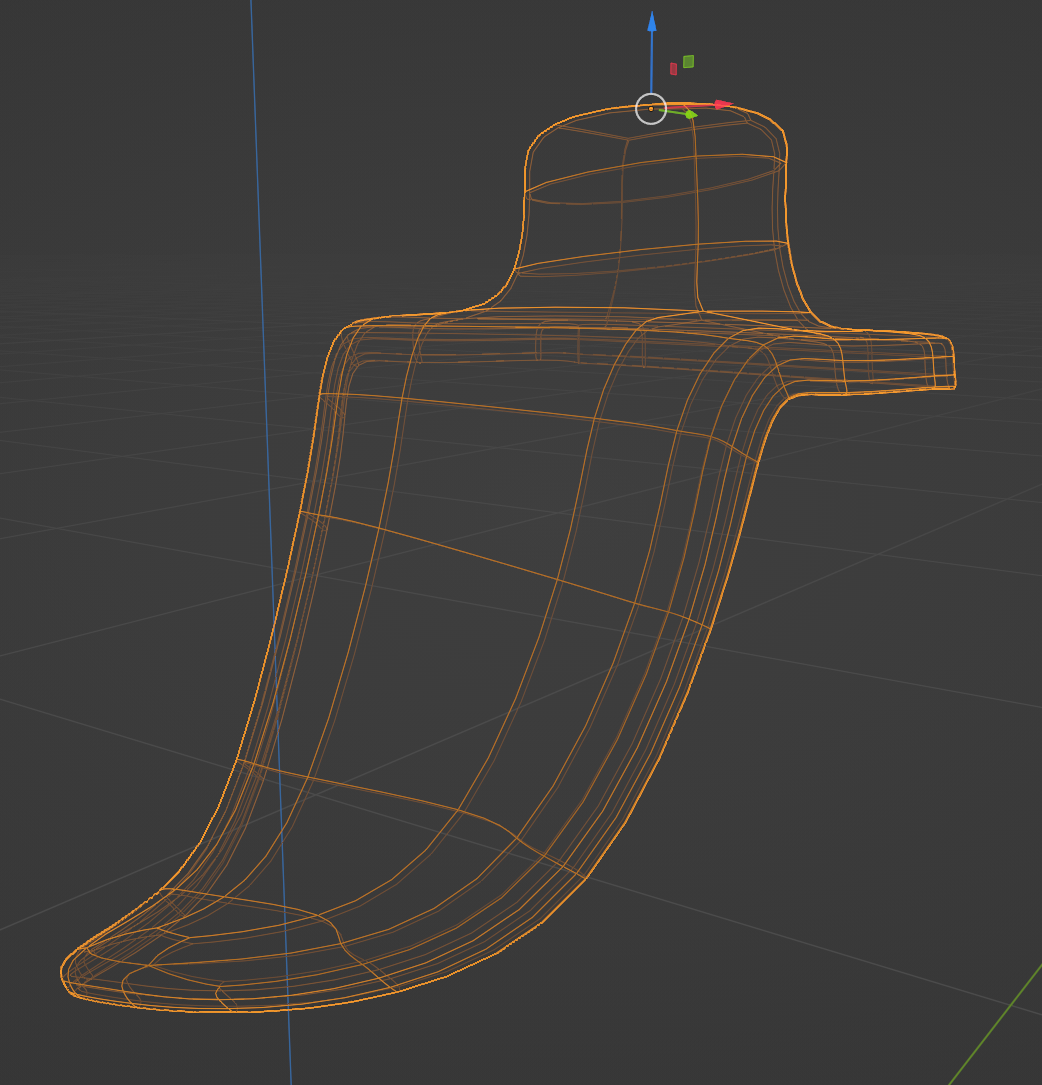
November 10, 2023 at 10:57 am #82023This little leg cap piece is when I started to notice the problems and there’s a comment in the cast at 13 secs. I built this from a plane and added Solidifier and Sub-d. I really can’t see any issues with the mesh but I’ll go through those steps above next
 November 10, 2023 at 10:57 am #82024November 10, 2023 at 11:22 am #82025
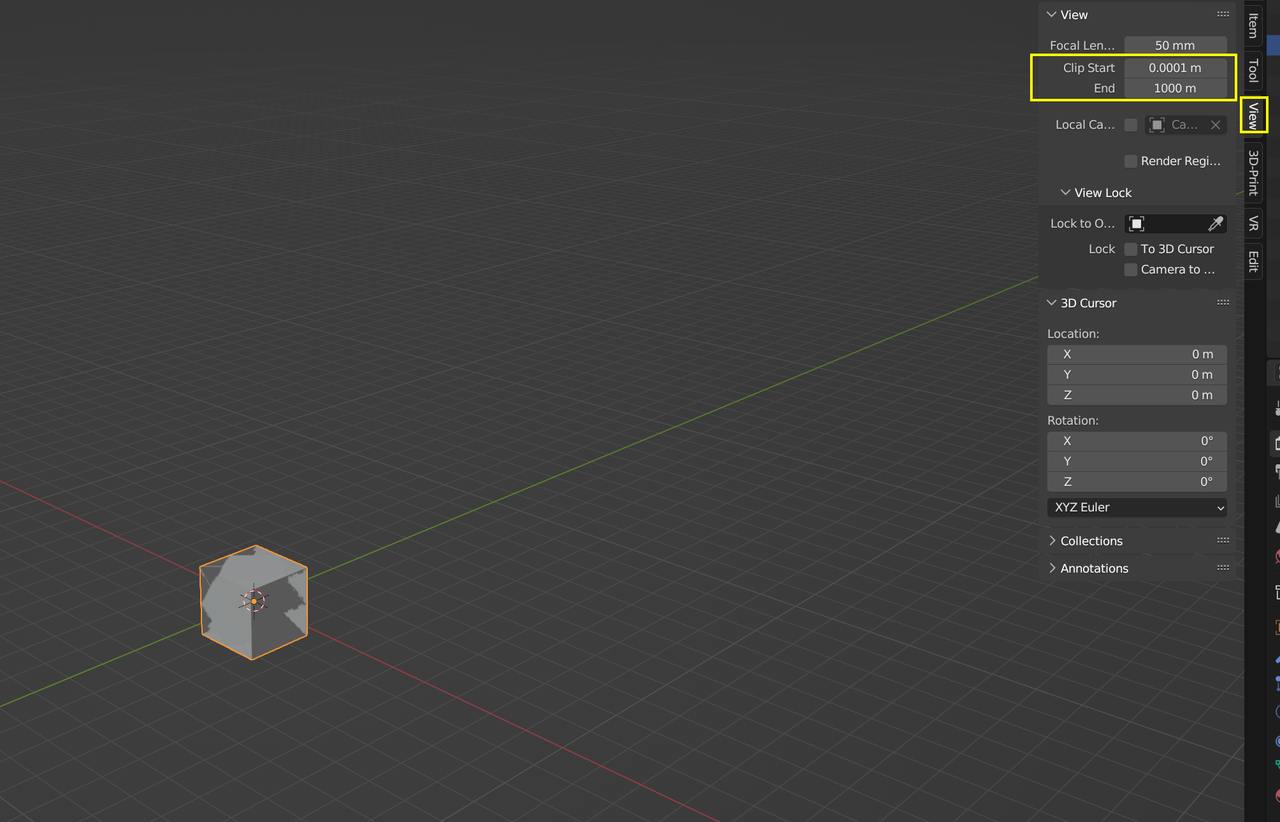
Ahh! We have a solution!
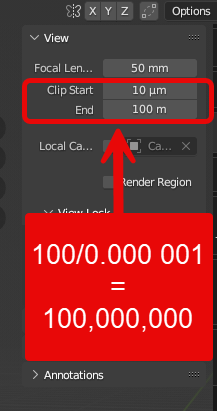
Occam’s razor strikes again.
Thank you so so much!
[edit: I noticed it’s .000010 but that’s still 10 million!]
November 10, 2023 at 12:53 pm #82026Well I learned something new. I’ve never thought or heard of clipping doing that, but it makes sense when you think about the z depth is calculated based on those settings and the limit of precision of floating point either in Blender or CPU. @thehomme question: how did you mark that comment/answer as the solution?
November 10, 2023 at 1:13 pm #82027That was probably Adrian or Martin, they do that sometimes.
November 10, 2023 at 1:17 pm #82028@dillenbata3 & omar nope! I used the vertical ellipsis btn top right of every response
November 10, 2023 at 1:19 pm #82029A question back… how do you ‘buzz’ a reply and leave an emoji?
Also… I’m sure there have been lots of these beginner gotchas answered… has anyone compiled a post/list of them?
-
AuthorPosts


- The topic ‘Viewport shading issues’ is closed to new replies.